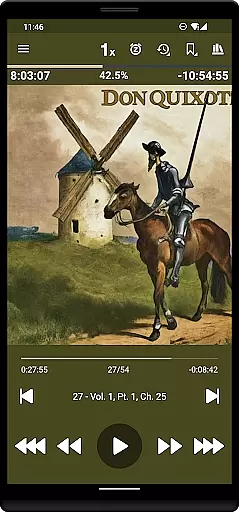
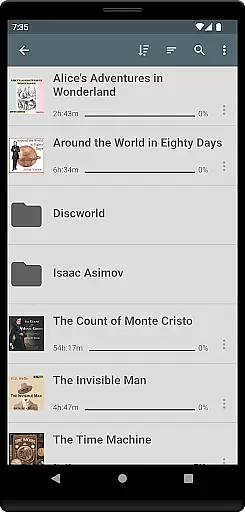
Listen Audiobook Player is a feature-rich audio player designed for audiobook enthusiasts who value flexibility and control over their listening experience. This app supports a wide range of DRM-free audio formats including mp3, m4b, m4a, opus, ogg, aac, flac, and more, making it compatible with content from various sources like Librivox, Downpour, and Loyalbooks. The folder-based library system automatically syncs with your audiobook folder, allowing effortless organization and quick access to your entire collection.
The app offers advanced playback features such as variable speed playback (0.5x to 4x), pitch control, silence trimming, and volume boost, along with an equalizer for optimal sound customization. With support for embedded chapters, cover art integration, and Android Auto, Listen Audiobook Player ensures a seamless and immersive listening experience across devices. Whether you're commuting or relaxing at home, this app provides the tools to enjoy your favorite audiobooks exactly the way you want.
One of the standout features of Listen Audiobook Player is its extensive customization options. Users can set global defaults for playback speed, pitch, and equalizer settings while also having the ability to override these settings on a per-book basis. The app's bookmarking system allows listeners to save and search bookmarks across all books, even enabling the creation of shareable audio clips from specific bookmarks. Additionally, the position history feature helps users pick up right where they left off.
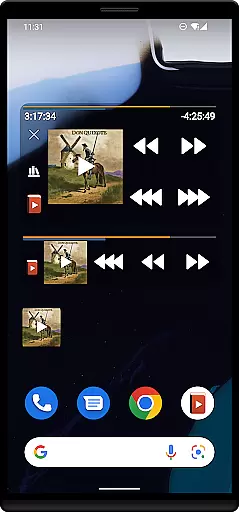
Beyond basic playback, the app integrates with services like Plex and Audiobookshelf, allowing direct downloads from hosted servers to the local library. It also includes practical features such as sleep timers with unique reset options, Bluetooth controls, and widgets for easy access. For those seeking maximum portability, the option to convert audiobooks to the Opus format reduces file size without compromising quality. These robust features make Listen Audiobook Player a top choice for managing extensive audiobook libraries.
Listen Audiobook Player offers an extensive music library, allowing users to access a wide range of DRM-free audiobooks. The app supports various formats such as mp3, m4b, and flac, ensuring compatibility with numerous sources.
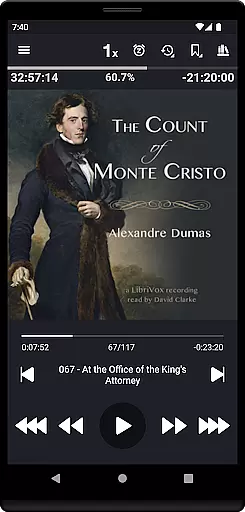
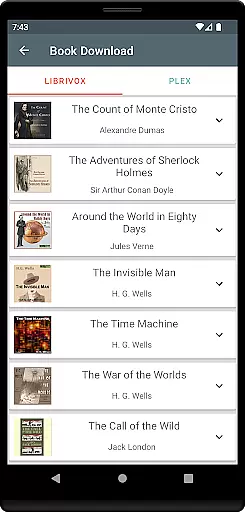
Users can download curated books from Librivox directly within the app, providing access to classics like 'The Count of Monte Cristo' and 'Pride and Prejudice'. This vast selection is complemented by integrations with Plex and Audiobookshelf for seamless content acquisition.
The emphasis on copyright authenticity is evident through partnerships with legitimate sources and the ability to add personal content. By supporting DRM-free audio, the app ensures that all materials are legally obtained and used in compliance with copyright laws.
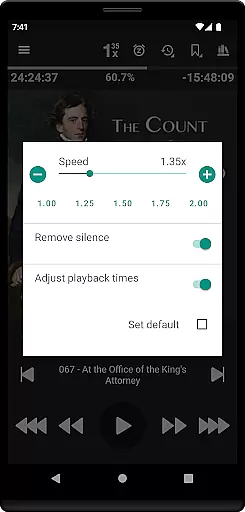
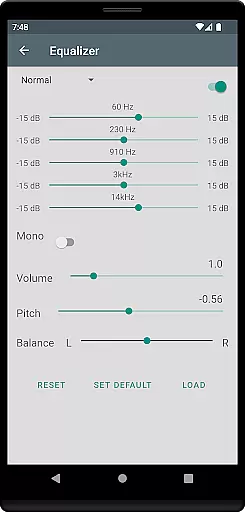
Audio quality in Listen Audiobook Player is highly customizable, offering variable playback speed from 0.5x to 4x, pitch control, and volume boost features. These options allow users to tailor their listening experience according to personal preferences.
The equalizer and balance settings provide precise control over sound output, while the trim silence feature optimizes playback efficiency. Users can set global defaults or customize settings for individual books, ensuring optimal audio performance across different titles.
Additional quality enhancements include embedded chapter support for most codecs and the option to convert books to Opus format. This feature maintains high sound quality while significantly reducing file sizes, making it easier to manage large audiobook collections without compromising audio fidelity.
User-friendly interface
Wide format compatibility
Advanced playback controls
Sync across devices
No ads or in-app purchases
No native cloud storage
Limited free curated books
Complex for beginners
Occasional bugs reported
Heavy on battery

SqueezePlayer turns your Android phone or tablet into a SqueezeBox on its own!
 4.60
4.60
Tune in to the greatest hits on UK Radio | The home of Capital, Smooth & Heart.
4.90
Time Trainer: accurate metronome w tools to help you develop your internal time!
4.20
VB-AUDIO Software / VBAN-Receptor allows listening to any VBAN Streams
4.10
JBL PartyBox APP works with 110/310/710/120/320/520/Encore/Encore 2/Encore Ess 2
4.80
Network/Cloud Streaming, Visualization, Graphic Equalizer and Sound Effects.
4.20
Help you quickly get started with Shokz headphones
4.40
The official Sonos app
4.10
Simple mp3 and mp4 player with advanced features.
3.40
Voice recorder - Audio recorder. Best recorder for recording
4.90
More downloads than any other metronome. Includes drum machine & tempo trainer.
4.80
Walkout Song DJ is the most intuitive app to manage your sports music.
4.70
Listen radio AM / FM Stations. Live AM / FM Radio App Station. Radio Com.
4.70
Offline Music Player&MP3 Player with themes, equalizer, lyrics, music play mode
4.60
A synth that really lets you shape your sounds!
4.50
DJ Music Mixer - DJ Remix: remix songs, make beat music & record mix of DJ.
4.40
Permanently backup Now Playing. Maps, filters & listening stats.
4.00
Turn your Android phone into a professional audio analyser with up to 120 bands.
4.00
Music Streaming suite for Ampache, Nextcloud Music and compatible backends.
4.1


User Reviews