
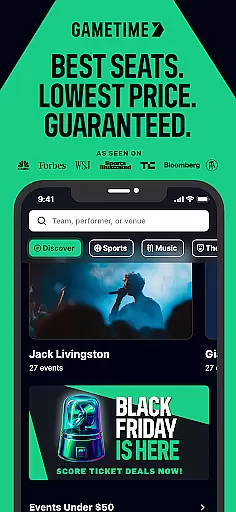
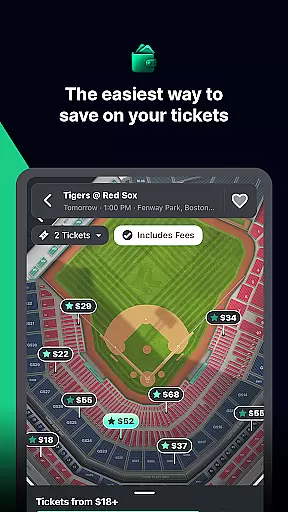
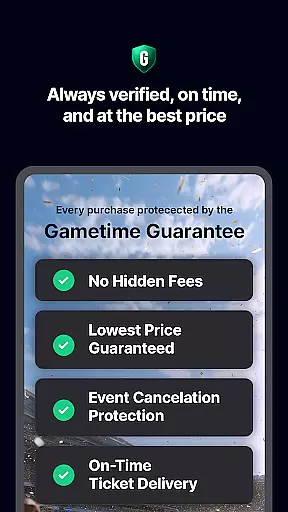
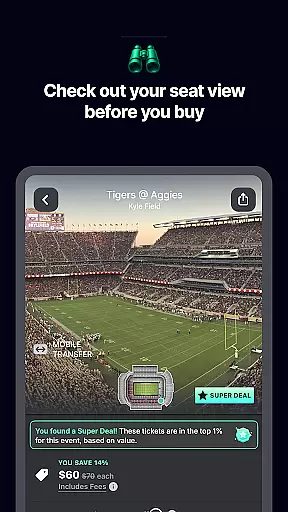
Gametime is a leading mobile application designed to help users secure tickets for live events at optimal prices. The app specializes in providing access to sports games, concerts, theater shows, and comedy performances, often offering deals as event times approach. A standout feature is the Gametime Ticket Coverage, which offers comprehensive service protection including lowest price guarantees and job loss protection, all included free with ticket purchases.
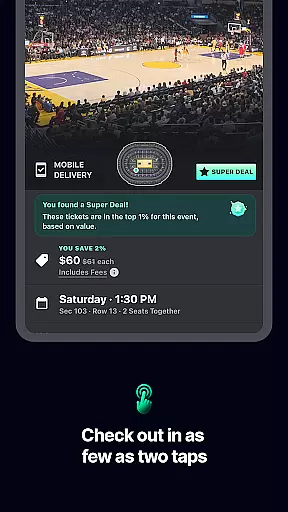
The app's intuitive interface allows users to browse venue maps, compare seat locations through panoramic photos, and complete purchases through a simple two-click checkout process. With mobile ticket delivery and easy sharing options, Gametime ensures convenience while promoting environmentally-friendly practices by eliminating the need for paper tickets. Whether you're looking for last-minute deals or planning ahead, Gametime provides a reliable platform for accessing major sporting events, popular concerts, and hit theater productions.
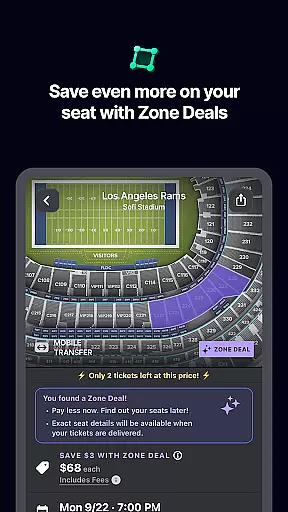
Gametime distinguishes itself through several innovative features that enhance the ticket-buying experience. The app's dynamic pricing model allows users to capitalize on falling ticket prices as event times approach, sometimes offering discounts up to 90 minutes after an event begins. Special Zone Deals provide additional savings opportunities, while the comprehensive Gametime Ticket Coverage policy ensures peace of mind with features like lightning-fast refunds and job loss protection.
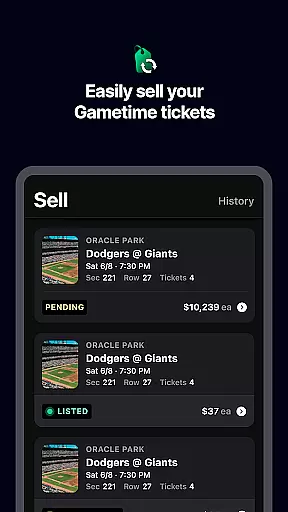
The app's user-friendly design incorporates detailed venue maps and panoramic seat views, enabling precise seat selection. Its streamlined two-click checkout process, combined with instant mobile ticket delivery, makes last-minute purchases seamless. Additionally, Gametime's peer-to-peer ticket marketplace allows users to easily list and sell tickets, with payment processing through PayPal. The platform covers major sporting leagues (MLB, NFL, NBA, NHL), top music artists across genres, and popular theater productions, making it a one-stop solution for live entertainment ticketing.
Task creation and detail customization are essential features for any event management app like Gametime. This functionality allows users to not only find events but also tailor their experience by selecting specific seats, pricing options, and other preferences.
Gametime excels in this area by providing a user-friendly interface where customers can easily browse through various events. The app offers detailed seat maps and panoramic views from different sections, enabling users to make informed decisions about their seating choices. This level of customization ensures that every ticket purchase aligns perfectly with the buyer's expectations.
The benefits for users are significant. They can personalize their event attendance down to the exact seat location, ensuring they get the best possible view within their budget. Additionally, special zone deals offer further discounts, enhancing the overall value proposition for the customer.
This feature's true innovation lies in its simplicity and effectiveness. By combining intuitive design with powerful customization tools, Gametime empowers users to create their ideal event experience while maintaining transparency throughout the purchasing process.
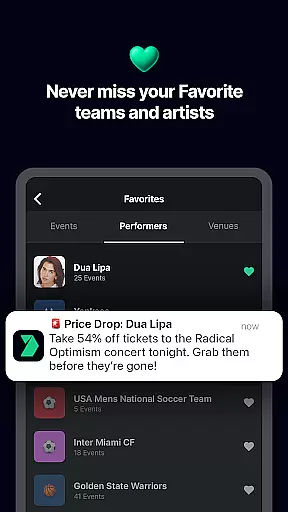
Reminder settings play a crucial role in ensuring users never miss an important event or last-minute deal. For an app like Gametime, which specializes in providing tickets even after events have started, having robust reminder features is vital for maximizing user engagement and satisfaction.
Gametime implements reminder settings through multiple channels. Users can set up notifications for upcoming events, price drops, and newly available tickets. The app's system sends timely alerts via push notifications and emails, keeping users informed about their favorite sports games, concerts, and theater performances.
The practical advantages for users are numerous. They receive timely reminders about approaching events, ensuring they don't miss out on exciting opportunities. Moreover, the ability to buy tickets up to 90 minutes after an event starts, combined with real-time notifications, creates unique last-minute purchasing possibilities.
What sets Gametime apart is its comprehensive approach to reminders. By integrating them seamlessly into the user experience and offering flexible timing options, the app enhances both convenience and accessibility, making it easier than ever for users to stay connected to live entertainment.
User-friendly interface
Comprehensive service policy
Mobile ticket convenience
Wide event coverage
Easy ticket selling
Resale market prices
Limited primary sales
Event availability varies
Potential high-demand fees
Third-party listings

Manages display and transfer of tickets from the Mundo Tickets platform
 3.80
3.80
The Official App
4.3
Mobile Event Guide for Greater NY Dental Meeting
4.3
Watch live football matches and streaming events on our Arabic TV app!
3.50
Clubs, Festivals, Discounted Tickets, Guest Lists & VIP Tables
4.90
Create invitation cards for birthdays, weddings, Christmas and more.
4.80
Track birthdays, habits & goals. Unlimited countdowns and count-ups
4.20
For weddings, parties & events
4.60
Events, Meetings, Photo Shoots
4.50
TodayTix is the easiest way to get tickets to the best shows in your city.
4.90
Design Invitations & Cards for Any Occasion
4.80
Plan your wedding for free on the go: vendors, budget, website and checklists!
4.80
PheedLoop Go! is the mobile event app for events powered by PheedLoop.
4.40
Invitation Card Maker, Design & share wedding, birthday & party invites fast
4.40
Introducing the official Magic: The Gathering app for mobile.
4.20
Buy tickets for any event!
3.90
ETH Mining provides secure way to mine Ethereum & earn ETH in Cloud mining app
3.50
RAISE-365 makes fundraising easy and fun!
3.20
Thanksgiving Wishes, Thanksgiving Stickers & Animated GIF for Whatsapp Stickers
4.4


User Reviews