
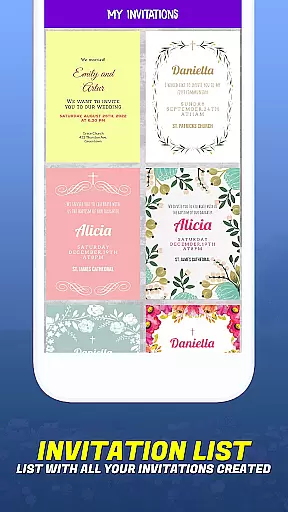
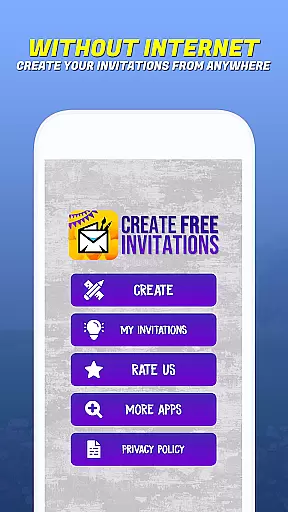
Invitation Maker - Card Creator is a versatile app designed for creating digital invitations and cards for various events. This eco-friendly solution allows users to design paperless postcards, reducing waste while maintaining elegance. Whether you need birthday invitations, wedding announcements, or party invites, the app provides an extensive selection of customizable designs.
The app features an intuitive interface that makes designing professional-looking invitations easy for everyone. Users can personalize every aspect of their cards, including fonts, colors, layouts, and text styles. With options to use personal images and customize layouts, Invitation Maker ensures each invitation reflects the unique style and theme of the event.
This app is particularly useful for event planners and individuals who want to streamline their invitation process. By sending invitations digitally via email or social media platforms, users can save time and resources while contributing to environmental sustainability.
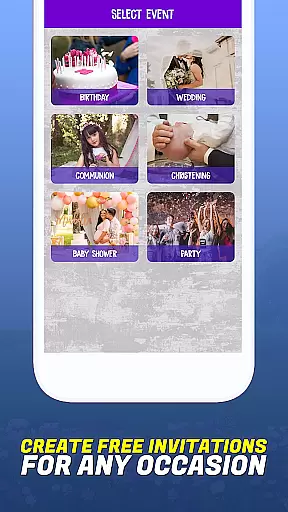
Invitation Maker offers a comprehensive set of features that cater to diverse invitation needs. One of its standout capabilities is the ability to create various types of invitations, including birthday, wedding, communion, baptism, baby shower, and party invitations. The app's extensive template library ensures there's a design suitable for every occasion.
A key feature is the app's user-friendly interface, which allows users to become proficient in invitation design quickly. The customization options are vast, enabling users to adjust fonts, colors, layouts, and text styles to match their vision. Additionally, users can incorporate personal images into their designs, providing maximum flexibility and personalization.
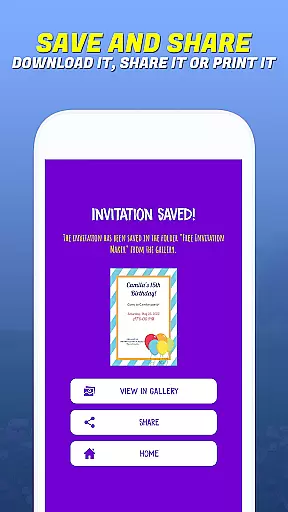
Another significant advantage is the convenience of digital sharing. Once created, invitations can be sent out instantly via email or shared on social media platforms with just a few clicks. This eliminates the need for printing and postage, making the entire process more efficient and environmentally friendly.
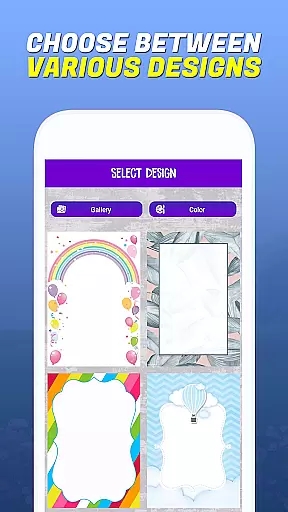
Task creation and detail customization are essential features for any event planning application. Invitation Maker - Card Creator excels in this area by providing users with a comprehensive set of tools to design invitations that perfectly match their event's theme and personal style. The app offers an extensive selection of templates catering to various occasions, including birthdays, weddings, baby showers, and more.
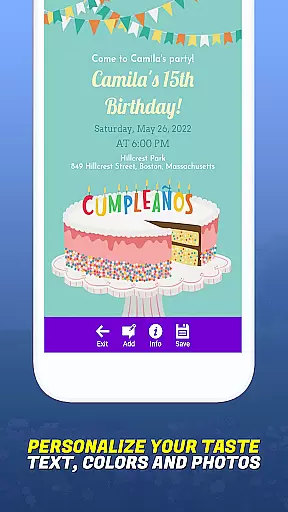
The level of customization available within the app is impressive. Users can personalize every aspect of their digital invitations, from choosing specific fonts and colors to adjusting layouts and text styles. This ensures that each invitation not only meets but exceeds the user's expectations for their event's aesthetic and tone. Additionally, the ability to upload personal images adds another layer of personalization, allowing creators to incorporate meaningful visuals into their designs.
By leveraging these detailed customization options, users benefit from having complete creative control over their invitations. Whether it's crafting an elegant wedding announcement or a playful birthday invite, the app empowers users to bring their unique vision to life without limitations. This flexibility ultimately enhances the overall event experience by setting the right expectations and atmosphere for guests right from the start.
Reminder settings play a crucial role in ensuring that both event organizers and attendees stay informed and punctual. Invitation Maker - Card Creator integrates practical reminder functionalities that enhance the event management process. Once invitations are created, users can easily configure reminders to be sent out at specified intervals before the event date, keeping everyone on schedule.
This feature supports multiple delivery methods, enabling reminders to be dispatched via email or shared through popular social media platforms. Such versatility ensures that messages reach recipients through their preferred communication channels, increasing the likelihood of timely acknowledgment. Moreover, the simplicity of setting up these notifications directly within the app streamlines the entire planning workflow, eliminating the need for external tools or manual follow-ups.
For users, this means reduced stress and improved attendance rates as guests receive timely prompts about upcoming events. By automating what could otherwise be a cumbersome task, Invitation Maker - Card Creator allows hosts to focus more on enjoying their special occasions rather than worrying about logistics. Ultimately, effective reminder settings contribute significantly to successful event execution and guest satisfaction.
User-friendly interface
Extensive template library
Customizable designs
Eco-friendly solution
Digital sharing options
Limited advanced tools
Occasional bugs
Ads in free version
Basic templates only
No live support

Manages display and transfer of tickets from the Mundo Tickets platform
 3.80
3.80
Audio guide companion APP for SEE's Michelangelo's Sistine Chapel
3.50
Buy event tickets easily with our user-friendly App. Stay updated on hot events
4.1
CUE Live utilizes ultrasonic sound waves to sync devices at CUE enabled events
4.80
Local events, contests, and giveaways for local dads
3.70
TV Garden is a video player to play your own TV streams from around the world!
4.5
For weddings, parties & events
4.60
Beautiful invitation cards + easy RSVP tracking for any event. Design Invites.
4.80
Text message invitations for birthday party, wedding, graduation, baby shower +
4.60
Discover events & experiences in NYC, LA, Chicago, DC, Miami and more!
4.70
Create Wedding Invitation and Wedding Anniversary Cards using our app
4.60
Events, Meetings, Photo Shoots
4.50
Octrober 2025: We've updated the MyGenMobile App with a new look and feel!
4.40
Buy and sell tickets to sports, concerts, theater, festivals, and comedy events
4.10
No invest, Easy way to earn USDT through crypto cloud mining
3.80
Mobile Event Guide for Greater NY Dental Meeting
4.0
Some connections are better kept private
4.1
It is an Event Planning Application.
4.4
Thanksgiving Wishes, Thanksgiving Stickers & Animated GIF for Whatsapp Stickers
4.0


User Reviews