
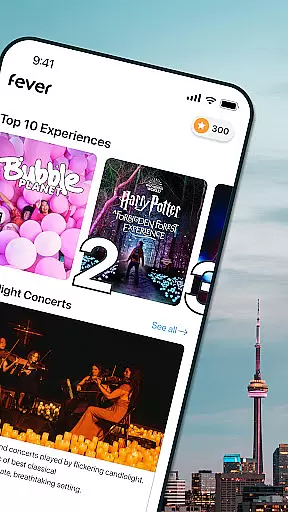
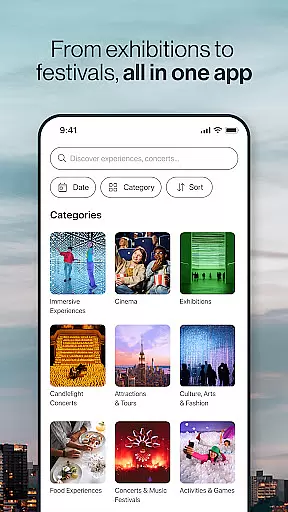
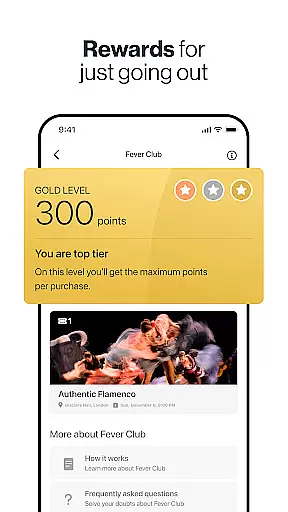
Fever is your ultimate guide to discovering the best events and experiences in your city. This app provides access to exclusive events like Jurassic World: The Exhibition and Van Gogh: the Immersive Experience, some of which are only available through Fever. With features such as the Fever Club reward system, handy event filters, and a map showing nearby events, users can easily find and book unique experiences.
The app offers personalized recommendations based on user preferences and supports paper-free ticketing. Whether you're interested in arts and museums, concerts and festivals, or food experiences, Fever has something for everyone. Available in multiple US cities including New York, Los Angeles, and Chicago, this app ensures you never miss out on exciting local happenings.
Fever stands out with its comprehensive suite of features designed to enhance event discovery. The app's exclusive event access allows users to attend unique experiences not found elsewhere. Its Fever Club rewards program incentivizes frequent use by offering benefits on ticket purchases through the integrated Fever wallet.
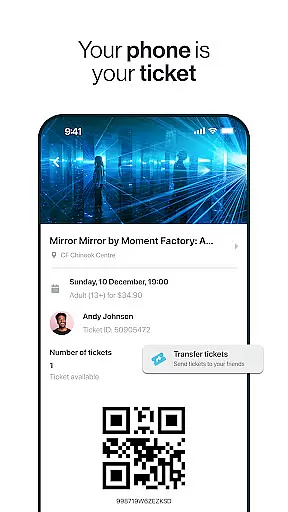
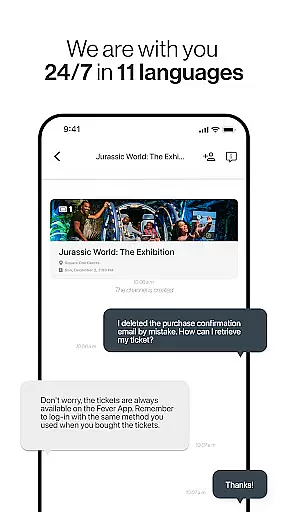
Practical features include advanced filtering options for date and time, a favorites list for saving preferred events, and an easy ticket transfer system. Additionally, Fever provides 24/7 multilingual customer support and a detailed map of event locations. These tools ensure users can effortlessly navigate and manage their event-going activities while enjoying a fully mobile, paper-free experience.
Task creation and detail customization are essential features for any event discovery app like Fever. This functionality allows users to create personalized event schedules with detailed information about each activity. By enabling users to set specific preferences, add notes, and include important details such as location, time, and ticket information, the app ensures that every planned event is perfectly tailored to individual needs.
Fever implements this feature by offering intuitive tools that make it easy to organize and manage events. Users can browse through a wide variety of activities and select those that interest them the most. Once an event is chosen, they can customize its details, ensuring all necessary information is readily available. This level of personalization enhances the overall user experience, making event planning more efficient and enjoyable.
The benefits of this feature are numerous. Users gain complete control over their event schedules, allowing them to plan their leisure time effectively. Detailed customization options also help in avoiding last-minute hassles by keeping all essential details organized and accessible. As a result, users can fully immerse themselves in the experiences without worrying about logistical issues.
Ultimately, task creation and detail customization empower users to design their perfect itinerary. Whether attending exclusive exhibitions or exploring hidden gems in the city, these features ensure that every event is meticulously planned and seamlessly executed, enhancing the overall enjoyment and satisfaction derived from using Fever.
Reminder settings play a crucial role in ensuring users never miss out on their favorite events. For an app like Fever, which offers a plethora of activities ranging from exclusive exhibitions to vibrant nightlife, having reliable reminder functionalities is vital. These settings allow users to receive timely notifications about upcoming events, ensuring they can plan their attendance accordingly.
Fever excels in providing flexible and customizable reminder options. Users can set reminders for different types of events based on their preferences and schedules. Whether it's a few hours before a concert or a day prior to a museum visit, the app ensures that notifications are sent at optimal times. Additionally, users can choose various notification methods, including push notifications, emails, or in-app alerts, to suit their communication preferences.
This feature significantly enhances user convenience and engagement. By receiving timely reminders, users can better manage their time and prioritize events that matter most to them. It reduces the likelihood of missing out on exciting experiences and helps maintain consistent interaction with the app. Furthermore, personalized reminder settings contribute to a more organized lifestyle, allowing users to balance their social and professional commitments effortlessly.
In summary, Fever's reminder settings offer a sophisticated solution for staying updated on the latest events. With customizable options and reliable notifications, users can enjoy peace of mind knowing they will always be informed about their planned activities. This thoughtful integration of reminder functionalities underscores Fever's commitment to delivering a seamless and engaging event discovery experience.
User-friendly interface
Exclusive event access
Personalized recommendations
Paper-free tickets
24/7 customer support
Limited to listed cities
Some events pricey
Occasional bugs
Heavy on battery
Ads within app

Microsoft Build is an annual developer conference hosted by Microsoft
 4.20
4.20
Local events, contests, and giveaways for local dads
3.70
Invitation card maker for birthday party & Wedding. Digital greeting card editor
4.90
Instant photo sharing for every occasion
3.80
The world's largest selection of tickets is now at your fingertips
3.90
Events, Meetings, Photo Shoots
4.50
Fast Scans. Happy Fans. For Every Hometown!
4.60
Birthday Greetings provides Birthday Card, Frames, Gifs & Father's day Wishes
4.80
Meet people over dinner
4.40
TodayTix is the easiest way to get tickets to the best shows in your city.
4.90
Discover events, experiences, and things to do near you - Anytime, Anywhere!
4.70
The Ultimate Tournament Hub
4.70
Create Wedding Invitation and Wedding Anniversary Cards using our app
4.60
Listen Full Quran MP3 Offline - Qibla Compass, Salah Timing & 99 Names of Allah
4.60
Invitation Card Maker, Design & share wedding, birthday & party invites fast
4.40
Manage all your events, leads, ticketing, payments and check-ins.
4.30
Some connections are better kept private
4.1
Digital Income Wallet of the Final Libertadores 2025
4.3
The official app of the Carmel Christkindlmarkt!
4.3


User Reviews