
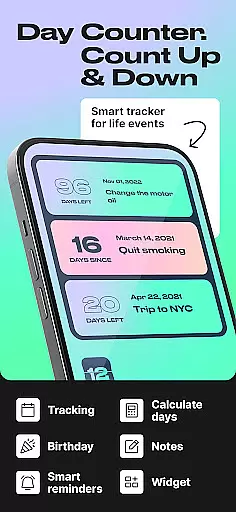
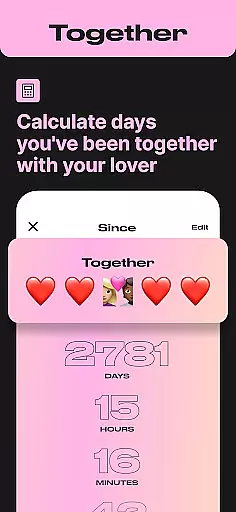
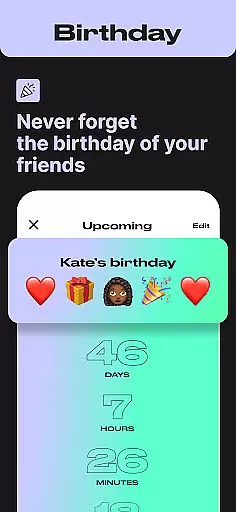
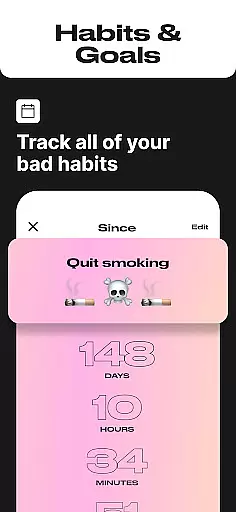
Day Counter is an intuitive and versatile Events app designed to help users effortlessly track important dates and milestones. With its dual functionality of count-up and countdown modes, the app allows you to monitor both upcoming events and past memories with precision. Whether you're counting down to a major holiday or tracking days since a personal achievement, this app provides a simple yet powerful solution for all your time-tracking needs.
The app stands out with its unlimited counters feature, enabling users to manage multiple events simultaneously. Its clean, minimalistic design ensures distraction-free usage while custom notifications keep you informed about key dates. Day Counter proves especially useful for productivity purposes, helping users stay organized at work or in their personal lives by keeping track of deadlines, goals, and habits.
One of the standout features of Day Counter is its comprehensive set of tools designed for maximum flexibility. The app offers two distinct counting modes - countdown and count-up - allowing users to track both future events and past milestones. Countdown timers are perfect for anticipating important occasions like birthdays, weddings, or work deadlines, while count-up timers help celebrate achievements such as sobriety milestones or habit streaks.
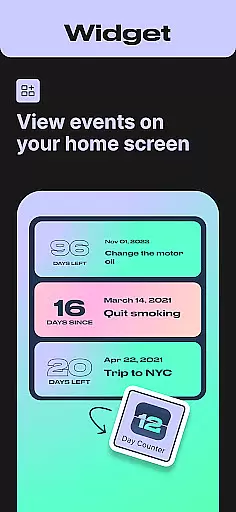
Another remarkable aspect is the app's support for unlimited counters, giving users the freedom to track as many events as needed. The inclusion of widgets and reminders enhances usability by providing quick access to essential information directly from the home screen. Custom notifications ensure you never miss an important date, while the ability to review past events by week, month, or year adds valuable context to your time-tracking efforts.
For those focused on personal development, Day Counter serves as an excellent habit tracker. It helps build better routines by monitoring daily progress and maintaining motivation through visible results. The app's versatility extends to various use cases, from professional productivity assistance to personal milestone tracking, making it an indispensable tool for anyone looking to take control of their time management.
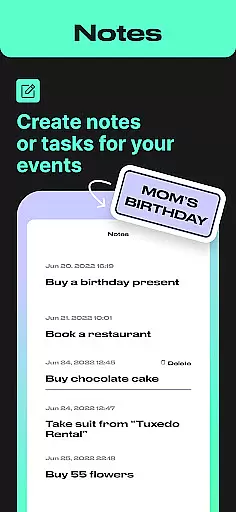
Task creation and detail customization are essential features for any event management app, and Day Counter excels in this area. This functionality allows users to create personalized counters for any event they wish to track, whether it's a birthday, anniversary, or work deadline.
The app provides a streamlined process for setting up countdowns or count-ups with specific details. Users can name each counter, set precise dates, and even choose from different modes - counting up or down. This flexibility ensures that every important moment is captured accurately and meaningfully.
Day Counter goes beyond basic task creation by offering customization options such as custom notifications. These reminders help users stay on top of their schedules without missing crucial milestones. The ability to tailor each counter makes the tracking experience more engaging and relevant to individual needs.
With unlimited counters available, users can manage multiple events simultaneously. This feature is particularly beneficial for those juggling various personal and professional commitments. By providing detailed customization, Day Counter empowers users to take control of their time and organize their lives efficiently.
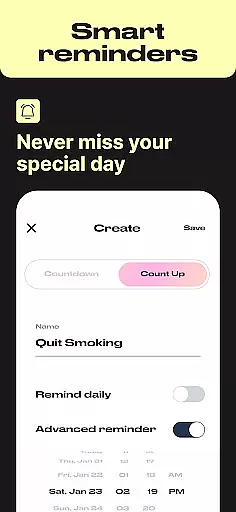
Reminder settings in Day Counter play a crucial role in ensuring users never miss an important event or milestone. The app offers customizable notification options that can be tailored to individual preferences, making it a reliable tool for time management.
Users have the flexibility to set reminders for each counter they create. Whether it's a birthday, exam, or work deadline, personalized notifications ensure timely alerts. This feature is particularly useful for staying ahead of schedule and maintaining productivity in both personal and professional spheres.
Beyond basic reminders, Day Counter allows users to name each notification and choose specific times for alerts. This level of customization enhances the user experience by providing relevant and timely information. The app's clean design ensures these notifications don't become intrusive or overwhelming.
The combination of unlimited counters and custom reminders creates a powerful system for managing multiple commitments. From tracking sobriety milestones to monitoring project deadlines, users can rely on Day Counter to keep them informed and organized. This comprehensive reminder system truly sets the app apart in the Events category.
User-friendly interface
Unlimited event tracking
Customizable notifications
Clean minimal design
Versatile functionality
Limited advanced features
No desktop version
Premium subscription required
Occasional bugs
Basic widget options

PheedLoop Go! is the mobile event app for events powered by PheedLoop.
 4.40
4.40
The Ultimate Tournament Hub
4.70
Some connections are better kept private
4.2
Browse events, find transportation, keep up with the latest news from your team
4.4
Watch live football matches and streaming events on our Arabic TV app!
3.50
TV.Garden is a video player to play your own TV streams from around the world!
3.40
Beautiful invitation cards + easy RSVP tracking for any event. Design Invites.
4.80
Soft Proxy for Your Online World
4.1
Events, Meetings, Photo Shoots
4.50
TodayTix is the easiest way to get tickets to the best shows in your city.
4.90
Find EDM shows near you! See your favorite artists live, and discover new music.
4.90
Design Invitations & Cards for Any Occasion
4.80
Discover events, experiences, and things to do near you - Anytime, Anywhere!
4.70
Discover events & experiences in NYC, LA, Chicago, DC, Miami and more!
4.70
Connect with an ecosystem of 5M+ eventgoers and organizers.
4.50
Get live football here
4.30
Instant photo sharing for every occasion
3.80
The Official App
3.70
The official app of the Carmel Christkindlmarkt!
4.4


User Reviews