
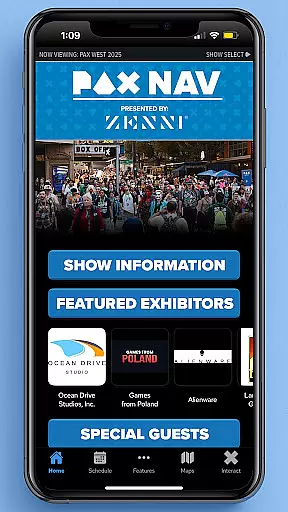
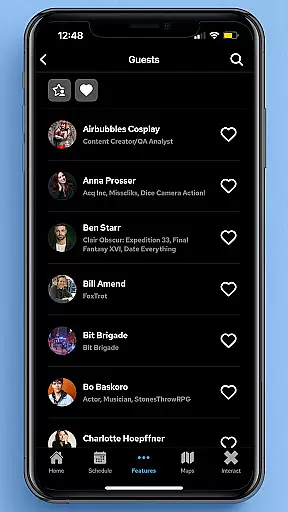
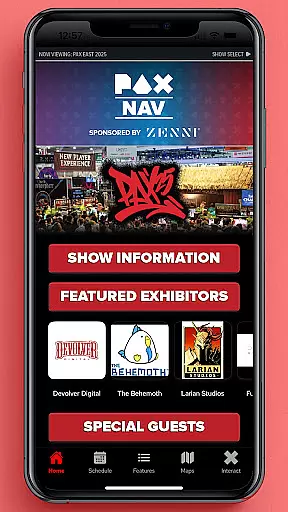
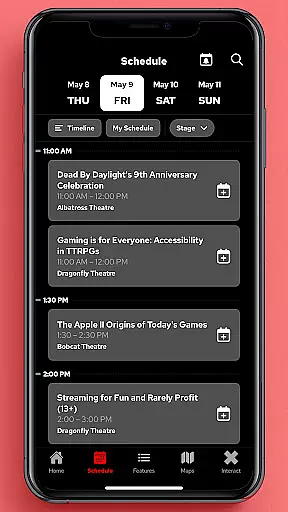
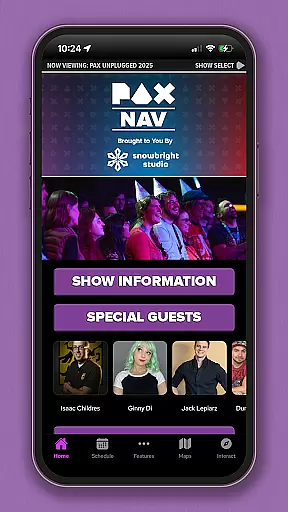
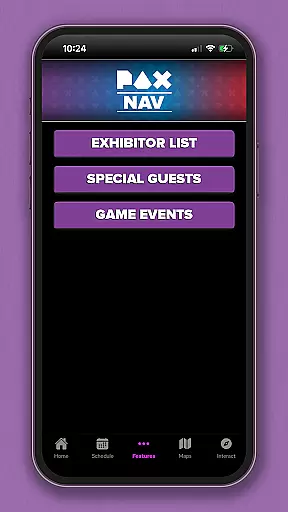
PAX Nav is the official app for PAX West, PAX East, and PAX Unplugged events. It provides users with comprehensive access to event schedules, exhibitor lists, interactive maps, exclusive show specials, and entry into the PAX XP program. Designed specifically for gaming enthusiasts and event attendees, this app serves as an all-in-one guide to maximize your PAX event experience.
The app's intuitive interface allows for easy navigation through various event details, ensuring you never miss a panel, booth, or special event. Whether you're planning your day or exploring on the go, PAX Nav ensures you have all the essential information at your fingertips, enhancing both convenience and enjoyment.
PAX Nav offers a robust set of features tailored for PAX event attendees. The app includes a fully interactive schedule that lets users browse and filter panels, tournaments, and activities based on their preferences. Additionally, it provides detailed exhibitor lists with descriptions, helping users identify must-visit booths.
One standout feature is the interactive map functionality, which helps attendees navigate large convention spaces with ease. Users can also unlock exclusive show specials and promotions available only through the app. Furthermore, PAX Nav integrates seamlessly with the PAX XP program, allowing users to track their event achievements and earn rewards.
Task creation and detail customization are essential features for event management applications like PAX Nav. This functionality allows users to create personalized schedules by selecting specific panels, workshops, or exhibitors they want to see.
The app provides a seamless process for adding events to your personal agenda. Users can browse through the comprehensive schedule and simply tap to add sessions to their itinerary. Each task or event entry includes detailed information such as time, location, description, and related tags.
This level of customization ensures attendees can optimize their convention experience. By tailoring the schedule to individual interests, users can navigate large events more efficiently and never miss an important session.
Moreover, the ability to set reminders and receive notifications about upcoming events adds significant value. This feature helps users manage their time effectively during busy convention days, ensuring they can attend all the sessions that matter most to them.
Reminder settings in event apps like PAX Nav play a crucial role in enhancing user engagement and ensuring attendees make the most of their visit. These settings allow users to configure alerts for various activities throughout the day.
PAX Nav offers multiple reminder options tailored to different user preferences. Attendees can choose between push notifications, email alerts, or in-app reminders. The flexibility in setting up these notifications ensures that no important event is missed.
Users benefit from customizable timing options for reminders. Whether it's a 10-minute warning before a panel discussion or a daily summary of the next day's schedule, the app caters to diverse needs. This adaptability makes planning and attending events more convenient and stress-free.
Furthermore, the reliability and accuracy of these reminders contribute significantly to user satisfaction. Knowing they have trustworthy alerts set up allows attendees to focus on enjoying the convention rather than worrying about timing and schedules.
User-friendly interface
Comprehensive event coverage
Interactive maps
Exclusive show specials
Seamless PAX XP integration
Limited to PAX events
Occasional sync issues
Requires stable internet
No offline mode
Event-specific content

Manages display and transfer of tickets from the Mundo Tickets platform
 3.80
3.80
Manage all your events, leads, ticketing, payments and check-ins.
4.30
Audio guide companion APP for SEE's Michelangelo's Sistine Chapel
3.50
Community for Mods, Addons, Melsaves, Melmods for Melon Playground
4.0
Create invitation cards for birthdays, weddings, Christmas and more.
4.80
Meet people over dinner
4.40
TV Garden - World Live TV : Play & cast your videos seamlessly!
3.20
Discover events, experiences, and things to do near you - Anytime, Anywhere!
4.70
Thanksgiving Wishes, Thanksgiving Stickers & Animated GIF for Whatsapp Stickers
4.2
Design Invitations & Cards for Any Occasion
4.80
Save money on concert, sport, and theater tickets, and discover upcoming events.
4.80
Listen Full Quran MP3 Offline - Qibla Compass, Salah Timing & 99 Names of Allah
4.60
Octrober 2025: We've updated the MyGenMobile App with a new look and feel!
4.40
Buy tickets for any event!
3.90
No invest, Easy way to earn USDT through crypto cloud mining
3.80
Watch live football matches and streaming events on our Arabic TV app!
3.50
Buy event tickets easily with our user-friendly App. Stay updated on hot events
4.1
It is an Event Planning Application.
4.3
The official app of the Carmel Christkindlmarkt!
4.4


User Reviews