
Pocket PDF is a streamlined PDF reader tailored for everyday use, offering users the ability to open, view, and manage PDF documents with remarkable ease. Designed with simplicity in mind, this app eliminates complicated menus and distracting features, ensuring a focused reading experience.
The app's minimalist interface provides a clutter-free environment, making it perfect for users who prioritize efficiency and performance. Whether you need to access local PDFs or require a reliable document viewer for work or study, Pocket PDF delivers essential functionality without unnecessary complexities.
Pocket PDF stands out with its suite of practical features designed to enhance document management. Users can quickly access PDFs stored locally on their devices, enabling seamless document retrieval whenever needed.
In addition to its efficient file handling, the app offers easy sharing and deletion options. This functionality allows users to conveniently manage their files directly from the app interface. On Android 11+ devices, Pocket PDF requires MANAGE_EXTERNAL_STORAGE permission, solely for essential document operations, ensuring your files remain secure while being easily accessible.
Collaborative work features are essential for modern business applications, enabling teams to work together efficiently regardless of location. Pocket PDF supports this by offering seamless file sharing capabilities directly within its minimalist interface.
The app allows users to quickly share PDF documents with colleagues via various methods, ensuring that important files can be distributed and reviewed without unnecessary complications. This functionality is particularly valuable in business environments where time is of the essence.
While Pocket PDF maintains its focus on simplicity, it ensures that users can still participate in collaborative workflows by integrating easy sharing options. This makes it a reliable tool for professionals who need to distribute documents efficiently.
By combining straightforward collaboration features with its clean design, Pocket PDF proves to be an effective solution for businesses seeking a balance between functionality and user-friendly experience.
Effective task management is crucial for productivity in any business setting. Pocket PDF contributes to this aspect by providing intuitive tools for organizing and managing PDF documents, which often represent important tasks or projects.
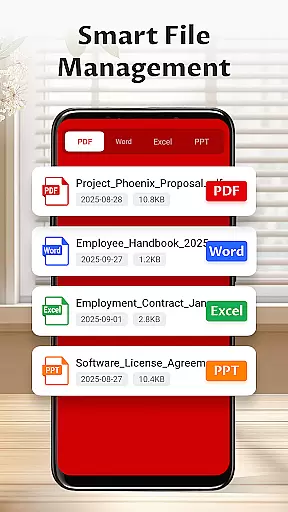
The application enables users to maintain an orderly document library through its simple yet efficient file management system. With options to delete unnecessary files and organize documents, users can keep their workspace clutter-free and focused on current priorities.
Although Pocket PDF doesn't include complex project management features, its streamlined approach to document handling serves as a foundation for better task organization. The ability to quickly access and manage PDFs translates to improved efficiency in handling document-related tasks.
This focused functionality demonstrates how Pocket PDF enhances productivity by simplifying essential document management tasks while maintaining its commitment to minimalism and performance.
User-friendly interface
Quick PDF access
Easy file sharing
Minimalist design
Lightweight performance
Limited advanced features
No cloud integration
Basic annotation tools
Restricted format support
Permission required for file access

Zoom built for Chrome OS
 3.90
3.90
Completed Course Lectures on how to use IBM Maximo in Maintenance issues
4.1
Your employer must have UKG Ready software configured for Mobile.
4.60
Find the right fit, faster.
4.70
Make invoices, bills, receipts & estimates on the go with Invoice Generator.
4.70
Permission Guard is a security app that helps you manage app permissions.
4.80
Roadie connects people with stuff to send with drivers already going that way.
3.50
On the go? Take FedEx with you.
4.00
No more passwords, easier sign-in, and greater protection for your accounts.
4.60
Earn free swag, G-Cards & food • Enter sweepstakes • Find stores • So much more.
4.70
Get instant construction estimates: accurate home repair & material calculator.
4.70
Use Generative Summary to understand your rental or insurance docs in seconds.
4.70
We help people get jobs
4.70
AI-powered document scanner with auto enhance for perfect PDFs.
4.60
Master crypto trading with real-time simulations and exciting challenges!
4.50
ADP Mobile Solutions is an employee self service app
4.50
All document reader, pdf viewer app, read docs & excel files
3.80
viewing and sharing of PDFs
3.60
Find part-time earning opportunities near you that pay within days.
3.20


User Reviews