
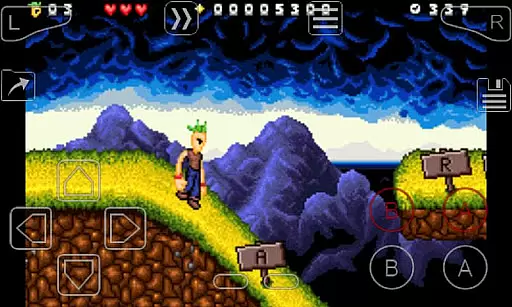
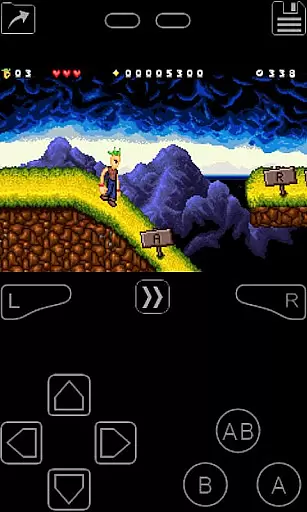
My Boy! is a high-performance GameBoy Advance emulator designed for Android devices, offering an authentic retro gaming experience. This emulator supports nearly all GBA games with impressive compatibility and speed thanks to its advanced JIT recompiler technology.
One standout feature is the ability to emulate multiplayer games using link cable functionality, either locally on one device or across multiple devices via Bluetooth or Wi-Fi. Additionally, it integrates Android hardware sensors to simulate gyroscope, tilt, solar sensor, and rumble effects, enhancing gameplay immersion. With support for cheat codes, customizable screen layouts, and Google Drive save syncing, My Boy! ensures convenience and personalization for every user.
Whether you're reliving childhood memories or discovering classic GBA games for the first time, this app provides a seamless blend of nostalgia and modern mobile technology. Its OpenGL rendering backend and GLSL shader support deliver smooth visuals, while features like fast-forwarding and slow-motion allow for customized gameplay pacing.
My Boy! stands out with its comprehensive feature set tailored for both casual gamers and emulation enthusiasts. The app's super-fast emulation engine ensures lag-free performance even on lower-end devices, while maintaining near-perfect compatibility with the entire GBA library.
A key highlight is its robust multiplayer support. Users can connect with friends for local multiplayer sessions by emulating link cables on a single device or across multiple devices via Bluetooth or Wi-Fi. Advanced functionalities such as gyroscope, tilt, and solar sensor emulation are powered by your Android device's hardware, providing an immersive experience that mirrors the original GBA hardware.
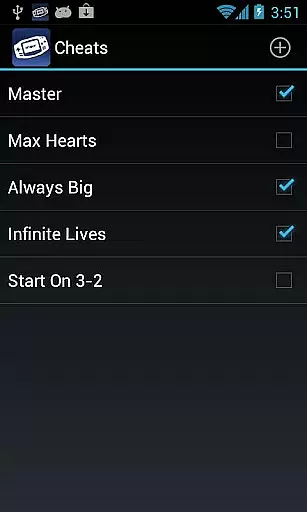
Additional features include BIOS emulation without requiring external files, real-time cheat code support, and customizable video filters via GLSL shaders. The intuitive screen layout editor allows users to personalize control schemes, while cloud save functionality via Google Drive ensures cross-device continuity. These innovations make My Boy! one of the most versatile and user-friendly GBA emulators available today.
Arcade authenticity is crucial for users seeking an immersive retro gaming experience. My Boy! delivers this by providing accurate emulation of GameBoy Advance hardware, ensuring classic games run as they were originally intended.
The emulator goes beyond basic functionality by incorporating advanced features like gyroscope and rumble emulation. This allows modern Android devices to mimic the original console's physical interactions, enhancing nostalgic value while maintaining authenticity.
With support for linking devices via Bluetooth or Wi-Fi, the app enables multiplayer experiences that were a hallmark of arcade culture. This feature preserves the social aspect of retro gaming, allowing users to relive authentic couch co-op sessions.
Users benefit from high compatibility with nearly all GameBoy Advance titles, eliminating the frustration of incompatible games. The inclusion of cheat code functionality and fast-forward options enhances the nostalgic experience while providing modern conveniences.
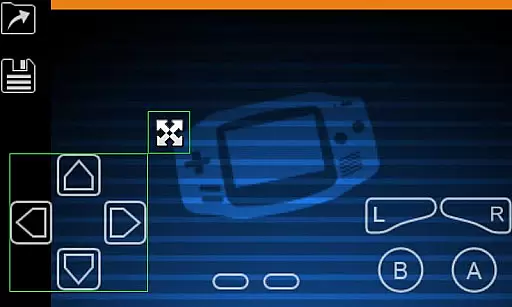
Control responsiveness is essential for an optimal gaming experience, particularly in action-oriented arcade titles. My Boy! addresses this through its sophisticated on-screen keypad system, designed for seamless interaction with emulated games.
The emulator supports multi-touch functionality on Android 2.0 and later devices, enabling complex control combinations without input lag. This ensures players can execute precise movements and actions as quickly as they could on the original hardware.
Advanced customization options allow users to create and switch between different screen-layout and key-mapping profiles. This flexibility lets players optimize their control schemes for specific games or personal preferences, enhancing overall responsiveness.
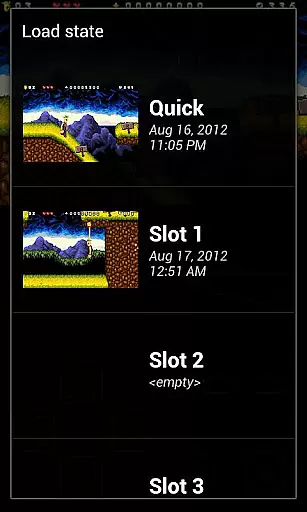
Shortcut buttons for load/save functions and other frequently used features provide instant access during gameplay. These responsive controls, combined with the ability to adjust on-screen elements' size and position, ensure an intuitive and efficient user interface that adapts to various play styles.
Fast emulation speed
High game compatibility
Multiplayer support
Customizable controls
Cloud save integration
No built-in games
Requires ROMs
Paid version only
Complex setup
Legal concerns

Gameboy Color Emulator
 4.60
4.60
Hit as hard as you can and make the penguin learn to fly! Arcade jumping game
4.50
PC Engine/TurboGrafx-16 Emulator
4.50
Divine powers at your fingertips! An innovative and frantic shoot-'em-up!
4.0
Slice up a juicy storm!
4.20
John GBA is GBA emulator. This emulator is easy to use.
3.10
Premium version. Save the galaxy from alien shooter in this classic game
4.50
Outrun cops, ignite the thrill of a high-speed chase!
4.50
Merge bowmasters to win the bow and arrow war! Play the fun archery game!
4.60
This is an emulator for a certain 64 bit console with online cloud backup.
4.80
Meet Snake Run Race! Slither through an obstacle course in our fun running game!
4.70
Play fun multiplayer games with friends on one device! Two, Three, Four players!
4.60
Venture into the galaxy to fight against the invasion of space invaders.
4.60
Jump and fly your way through danger in this rythm-based action platformer!
4.50
GBA Emulator
4.40
NES Emulator
4.40
John GBC is GB/GBC emulator. This emulator is easy to use.
3.80
M64Pro FZX Classic Emulator for Android
4.5
Reach high, and shine in the neon world in 3D!
4.5


User Reviews