
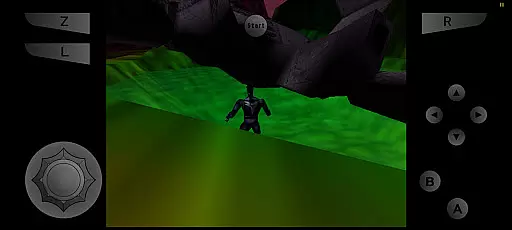
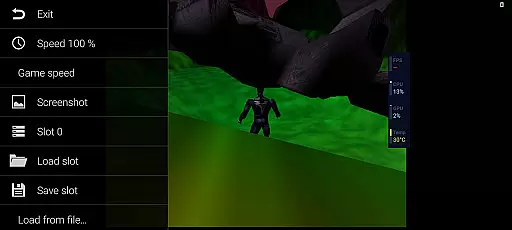
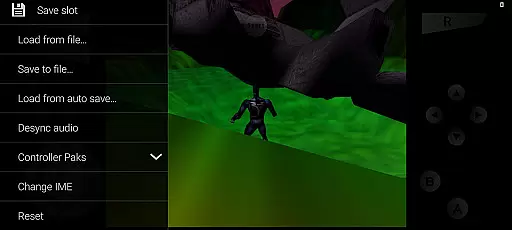
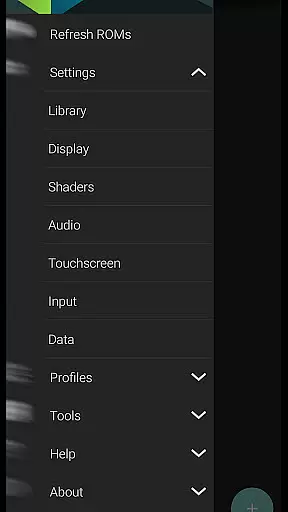
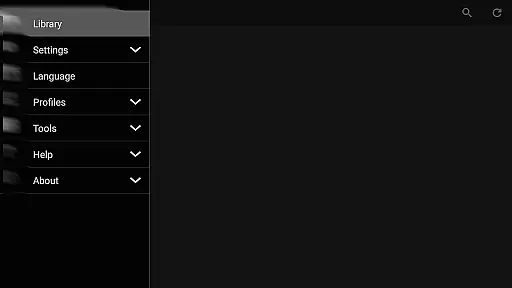
M64Plus FZ Pro Emulator is a premier arcade gaming solution for Android, allowing users to relive classic Nintendo 64 experiences on their mobile devices. This pro version enhances the emulation journey by offering online cloud backup, netplay capabilities, and an ad-free environment. With all essential cores and plugins included, it ensures broad compatibility with a majority of N64 games. While some device-specific issues and game incompatibilities may arise, the emulator provides options to tweak settings for optimal performance.
Designed for both casual gamers and emulation enthusiasts, M64Plus FZ Pro stands out with its advanced features like internet play through UPnP-supported routers and seamless local network gaming. The emulator also integrates with online communities and resources, ensuring users have access to support and comprehensive guides for an uninterrupted retro gaming experience.
This emulator distinguishes itself through several standout features. First, the inclusion of online cloud backup allows users to save their progress securely and access it across devices, providing both convenience and peace of mind. Netplay functionality enables players to engage in multiplayer sessions over the internet or locally within the same wifi network, fostering a community-driven gaming atmosphere.
Additionally, the emulator supports multiple video plugins, giving users the flexibility to adjust graphical settings based on their device's capabilities. Although not all plugins work universally, this variety ensures that most games run smoothly with minimal glitches. The absence of ads further enhances user experience, making M64Plus FZ Pro Emulator a refined choice for enjoying classic arcade games without interruptions.
M64Plus FZ Pro Emulator delivers an authentic arcade experience by emulating classic games with precision. The emulator supports a wide range of Nintendo 64 titles, ensuring that gamers can relive the nostalgia of the original console era.
Despite some compatibility issues with specific games or devices, most titles run smoothly, offering players the chance to enjoy faithful reproductions of their favorite arcade classics. Users may need to experiment with different video plugins to achieve optimal performance for certain games.
The inclusion of online cloud backup and netplay features enhances the nostalgic experience by allowing users to save their progress remotely and engage in multiplayer sessions over the internet. This recreates the social aspect of arcade gaming from the comfort of one's home.
Control responsiveness is a critical aspect of M64Plus FZ Pro Emulator, ensuring that user inputs are accurately reflected in-game. The emulator achieves this through carefully optimized plugins that minimize input latency, providing a seamless gaming experience.
While not all video plugins will work perfectly with every device, the emulator offers various options to find the best fit for individual hardware setups. This flexibility allows users to fine-tune control settings for optimal responsiveness.
For local multiplayer games within the same wifi network, no special router configuration is needed, making it easy to set up and play with friends. The emulator's attention to control detail ensures that both single-player and multiplayer experiences remain engaging and true to the original gameplay.
Cloud backup support
No intrusive advertisements
Active community support
Flexible plugin options
Netplay functionality
Game compatibility issues
Device-specific glitches
Limited language translations
Requires manual tweaking
UPnP router needed for netplay

GBA Emulator
 4.40
4.40
Snake Legacy, sans pub, repensé pour une expérience fluide et élégante.
4.4
It's quite possibly the world's hardest game!
3.90
Shoot the web, jump and teleport! Be a stickman hero and destroy your enemies!
4.50
Genesis/Mega Drive/CD & Master System/Mark III Emulator
4.30
Jump and fly your way through danger in this rythm-based action platformer!
4.70
Addictive basketball game with challenging one-touch controls
4.50
Save the galaxy from alien shooter in classic galaxy shooter-classic arcade game
4.80
Thoughtful strategy and tactical thinking are required to win each battle!
4.30
Hit as hard as you can and make the penguin learn to fly! Arcade jumping game
4.50
Play, Craft and Share your Endless Runner Levels on Kooply Run: Subway Craft
4.50
The precise emulator of 8 bit handheld... Now even better!
4.50
Nostalgia.GBA Pro is a high quality GBA emulator.
4.40
Suck the other’s blood and be the longest surviving mosquito!
4.40
Slice up a juicy storm!
4.20
Mine planets, upgrade your space ship, battle others, and dominate the galaxy!
3.90
Monster Run its a game for relax.
4.0
A retro-flavoured infinite scroller Glyph toy for the Nothing Phone (3)
4.3
Sharpen your mind and reflexes while playing 4Way Dash
4.1


User Reviews