
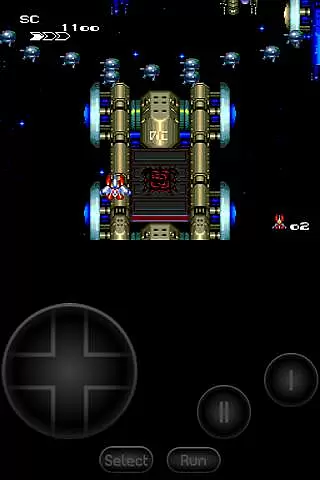
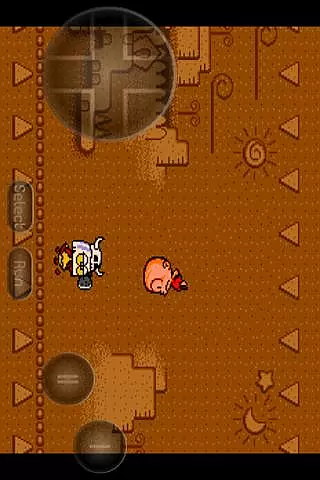
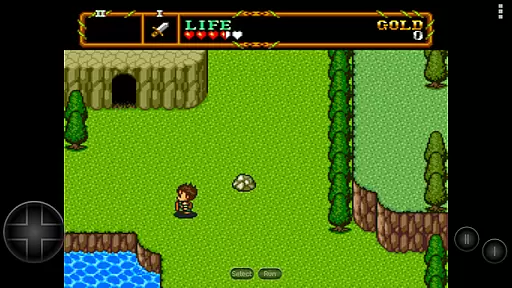
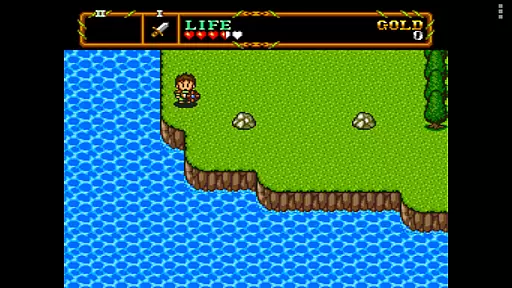
PCE.emu is an advanced open-source emulator for PC Engine and TurboGrafx-16 gaming systems. It offers a minimalist user interface with a strong emphasis on reducing audio and video latency, making it suitable for a wide range of devices from older models like the Xperia Play to modern ones such as the Nvidia Shield and Pixel phones.
The app supports various file formats including .pce, .sgx, and compressed files through ZIP, RAR, or 7Z. With CD emulation via .cue files and support for multiple audio track formats, PCE.emu delivers a versatile gaming experience. Configurable on-screen controls and compatibility with Bluetooth/USB gamepads enhance its usability across different devices.
PCE.emu stands out with its comprehensive feature set tailored for retro gaming enthusiasts. The emulator supports both .pce and .sgx file formats, with optional compression through ZIP, RAR, or 7Z, allowing users to enjoy a vast library of games.
One of its notable features is the CD emulation via .cue files, which requires a Super CD-ROM System card. This functionality, combined with support for FLAC, Ogg Vorbis, and Wav audio tracks, ensures an authentic and high-quality gaming experience. Additionally, configurable on-screen controls and broad compatibility with Bluetooth/USB gamepads and keyboards make it adaptable to various gaming preferences and setups.
While no ROMs are included, the app fully supports Android's storage access framework, enabling users to open files from both internal and external storage options like SD cards and USB drives. This flexibility in file management enhances the overall user experience.
Arcade authenticity and nostalgia are crucial elements for any emulator aiming to recreate the classic gaming experience. PCE.emu, as an advanced PC Engine/TurboGrafx-16 emulator, excels in this area by offering precise emulation of original hardware.
This app supports both .pce and .sgx file formats, which are native to the PC Engine and TurboGrafx systems. By including CD emulation via .cue files, it captures the full scope of gaming experiences from the era, ensuring that users can relive their favorite moments with accuracy.
With support for a wide variety of devices, from older models like the Xperia Play to modern ones such as the Nvidia Shield and Pixel phones, PCE.emu ensures broad compatibility. This dedication to preserving the arcade feel across different platforms enhances its nostalgic value.
Ultimately, the meticulous attention to detail in supporting various file formats and authentic soundtracks through FLAC, Ogg Vorbis, and Wav audio tracks allows users to enjoy a genuine arcade experience on their mobile devices.
Control responsiveness is vital for an optimal gaming experience, especially in arcade emulators where precision and timing are key. PCE.emu addresses this need by providing highly responsive controls tailored for mobile gaming.
The app features configurable on-screen controls, allowing users to customize the layout and size of buttons to suit their preferences. This flexibility ensures that players can achieve the most comfortable and effective control setup for their device.
In addition to touch controls, PCE.emu supports Bluetooth and USB gamepads, including popular models like Xbox and PS4 controllers. This compatibility with HID devices recognized by the OS significantly enhances control responsiveness, offering a seamless transition from physical to virtual gaming environments.
By focusing on low audio/video latency and ensuring that all inputs are registered accurately and swiftly, PCE.emu delivers a responsive and immersive gaming experience that meets the demands of both casual gamers and hardcore enthusiasts.
Low audio/video latency
Wide device compatibility
Supports multiple file formats
CD emulation feature
Active development and support
No ROMs included
Requires technical knowledge
Limited user interface customization
Dependent on third-party file sources
May not support all devices perfectly

Bomb the communists back to 1916!
 4.70
4.70
Nostalgia.GBC is a high quality GBC emulator.
4.50
Playing venom RPG alien games? Set spider alien isolation base, with no survivor
4.30
Epic offline war strategy game - build your city, train your army, conquer
4.20
Bounce through platforms. Avoid obstacles. Get the bouncing ball to the finish.
4.00
Jump and fly your way through danger in this rythm-based action platformer!
4.50
Protect the balloon! Only 1% of players can reach lvl 100 with all the balloons!
3.70
Play all your favorite Playstation games in your android device!!
4.50
Train your Champ. Compete. Get rewards.
4.50
Amid the vastness of the universe, you are a Black Hole about to be swallowed!
5.00
Merge bowmasters to win the bow and arrow war! Play the fun archery game!
4.60
Granny keeps you locked in her house.
4.30
Antistress & relaxing games,stress relief; Antistress toys, calming games.
4.20
Join the art challenge: Guess the word and draw fast before the timer runs out!
4.20
A fast, full-featured GB/GBC emulator with link cable emulation.
3.80
Welcome back to Vice City. Welcome back to the 1980s.
3.30
Snake Legacy, sans pub, repensé pour une expérience fluide et élégante.
4.2
BallStack is a vibrant match-3 game where you stack and match colorful balls!
4.3
Divine powers at your fingertips! An innovative and frantic shoot-'em-up!
4.1


User Reviews