
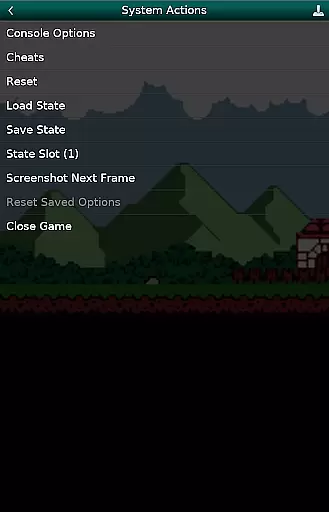
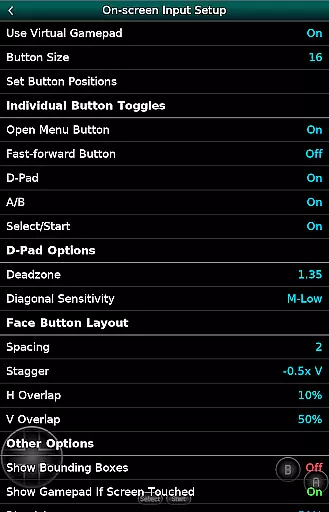
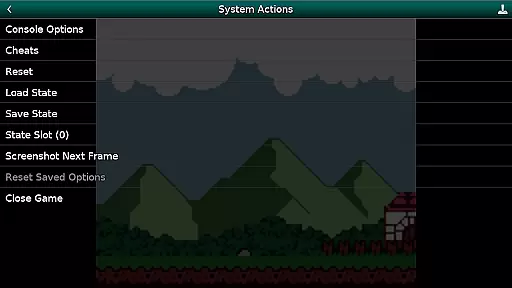
GBC.emu is an advanced open-source Gameboy emulator that offers a minimalist UI with a focus on low audio and video latency. It supports a wide range of devices, from the original Xperia Play to modern devices like the Nvidia Shield and Pixel phones. The app provides multiple color palettes for original GB games, cheat code support in Game Genie and Gameshark formats, and compatibility with .gb and .gbc file formats. Users can enjoy configurable on-screen controls and Bluetooth/USB gamepad support.
This emulator does not include ROMs, which must be supplied by the user. It supports Android's storage access framework for opening files on both internal and external storage. With its robust feature set, GBC.emu delivers a seamless retro gaming experience on your mobile device.
GBC.emu stands out with its advanced features tailored for retro gaming enthusiasts. The app includes multiple color palettes for original GB games, allowing users to customize their visual experience. Cheat codes in Game Genie and Gameshark formats provide an added layer of fun and challenge. The emulator supports .gb and .gbc file formats, optionally compressed with ZIP, RAR, or 7Z, ensuring broad compatibility with various game files.
Configurable on-screen controls offer a personalized touch, while Bluetooth and USB gamepad support ensure compatibility with HID devices like Xbox and PS controllers. This makes GBC.emu versatile and user-friendly, catering to different preferences and setups. Its focus on low audio/video latency enhances the gaming experience, making it a top choice for Gameboy enthusiasts.
GBC.emu brings the authentic arcade experience to your fingertips by emulating classic Game Boy and Game Boy Color games with precision. The emulator is based on Gambatte, ensuring that each game runs as it did on the original hardware.
With multiple color palettes for original GB games, users can relive the nostalgia of their favorite childhood titles while enjoying enhancements only possible through emulation. This attention to detail extends to support for cheats in Game Genie and Gameshark formats, adding a layer of customization that was iconic in the arcade era.
The app's minimalist UI focuses on low audio and video latency, providing an immersive experience that echoes the responsiveness of arcade machines. By supporting a wide variety of devices, from older models like the Xperia Play to modern devices such as the Nvidia Shield and Pixel phones, GBC.emu ensures that the arcade nostalgia is accessible to all.
Control responsiveness is at the heart of GBC.emu's design, offering players the precision needed for fast-paced arcade games. Configurable on-screen controls allow users to tailor the interface to their personal playstyle, ensuring every move is executed exactly as intended.
In addition to touch controls, GBC.emu supports Bluetooth and USB gamepads, including popular models like Xbox and PS controllers. This compatibility with any HID device recognized by the OS makes for an intuitive and seamless gaming session, closely mimicking the feel of traditional arcade cabinets.
By focusing on low-latency input and responsive feedback, GBC.emu delivers a tight and engaging combat experience that will satisfy even the most demanding arcade enthusiasts. The result is an authentic and enjoyable gaming experience that captures the essence of arcade classics.
Low audio/video latency
Multiple color palettes
Cheat code support
Wide device compatibility
Configurable controls
No ROMs included
Requires technical knowledge
Limited customer support
Interface not intuitive
Occasional bugs

Genesis, Mega Drive, Mega CD, Master System, Game Gear Emulator!
 4.20
4.20
Machine Gun Fire Rumbles in the Jungle
4.3
Sit back and relax! Tap to move the black hole, and swallow weapons to win.
4.20
Infinite Arcade
4.3
Reach high, and shine in the neon world in 3D!
4.3
Stack the blocks as high as you can!
4.30
Millions of crafters have smashed billions of blocks! Now you can join the fun!
4.40
Original Space Adventure Experience
4.60
Crazy games: Kick your buddies, beat the boss, and turn the office into chaos!
4.40
This is an emulator for a certain 64 bit console with online cloud backup.
4.80
Absorb, or be absorbed...
4.70
Catch ghosts, shoot monsters and defeat bosses in this RPG idle shooting game.
4.70
Master the hills in this extreme downhill racing game!
4.60
Motorcycle racing games! Prove your paperboy can win in the bike race 3D!
4.50
Eat & evolve your shark in the ultimate shark survival game!
4.50
Nostalgia.GBA Pro is a high quality GBA emulator.
4.40
Spaceship racing on a rocky planet — pure action and challenge.
4.4
Snake Legacy, sans pub, repensé pour une expérience fluide et élégante.
4.1
Fast reflexes, glowing obstacles, endless action.
4.3


User Reviews