
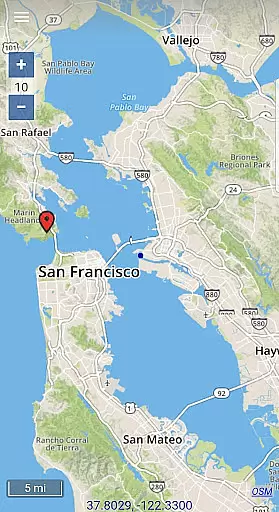
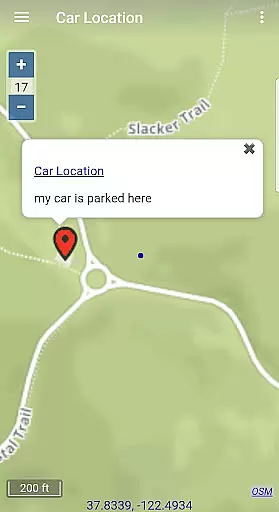
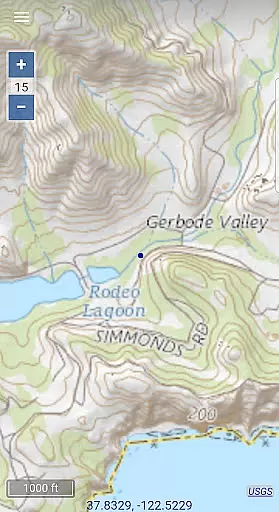
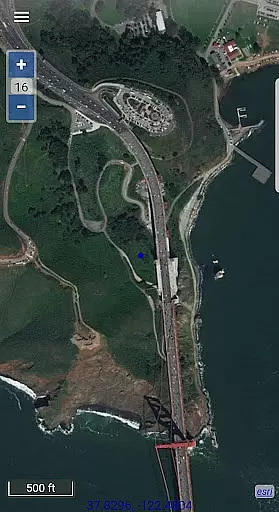
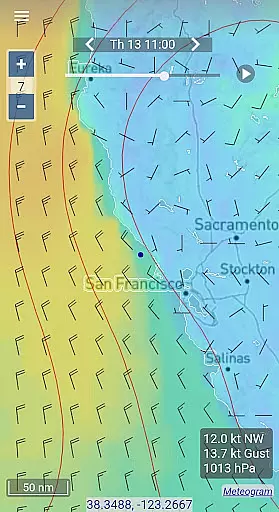
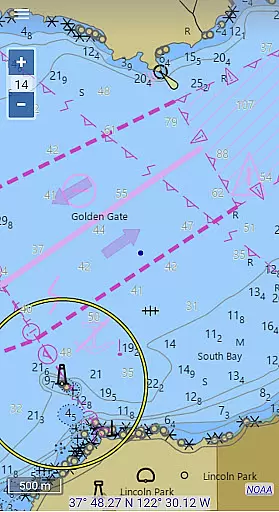
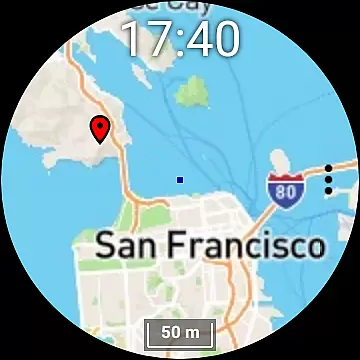
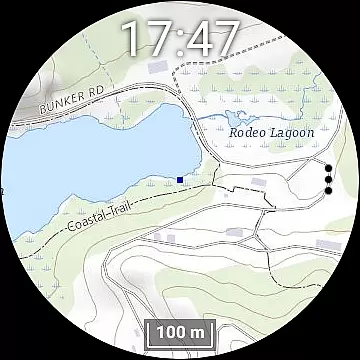
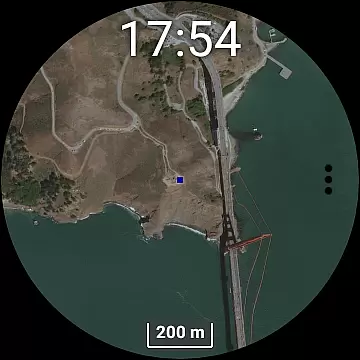
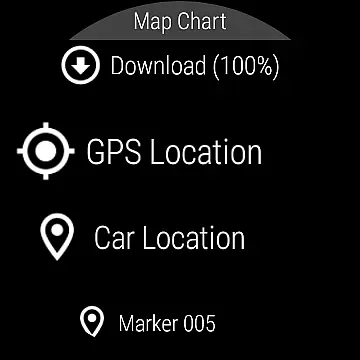
Map Chart Mosaic is a comprehensive offline mapping application designed for both smartphones and smartwatches. It offers topographic maps, satellite images, GRIB weather forecasts, and road maps complete with cycling and hiking trails. The app supports nautical charts for USA and Canada, providing users with detailed location information through seamless switching between various map sources.
A key feature of Map Chart Mosaic is its offline functionality. Maps are automatically cached on your device upon viewing, allowing access without an internet connection. Users can download maps to their smartwatches and view them independently of their phones. Additional features include adding map markers, creating travel routes, recording GPS tracks, and sharing data as GPX files. The app also provides essential GPS travel information such as speed, course, and estimated time of arrival.
Map Chart Mosaic stands out with its extensive range of map views and offline capabilities. The app allows users to switch seamlessly between different map sources, ensuring detailed information is always available. Its offline cache system stores map views on your phone, enabling later access without an internet connection.
For smartwatch users, the app offers the ability to download offline maps directly to their wearable devices, allowing independent map viewing without needing a phone connection. Users can add markers, create routes, record GPS tracks, and share this data in GPX format. Additionally, the app provides GRIB weather forecast maps via internet download, email, or Iridium Go satellite connection, making it versatile for various outdoor activities.
The Wear OS compatibility enhances user experience by displaying maps on smartwatches and functioning independently from the phone. However, downloading new maps and data to the smartwatch requires the phone app. This dual-device functionality ensures that adventurers have reliable mapping tools at their disposal, regardless of connectivity.
Map Chart Mosaic offers a diverse range of map types, including topographic maps, satellite images, and road maps with specialized trails for cycling and hiking. This variety ensures that users can access highly accurate and detailed geographic information tailored to their specific needs.
The app seamlessly integrates maps from multiple sources, providing comprehensive location data. Its ability to automatically store map views in an offline cache guarantees that users can access this information without an internet connection, making it reliable in remote areas.
For nautical enthusiasts, the app provides charts currently available for USA and Canada, ensuring maritime navigators have access to essential waterway information. The accuracy of these maps enhances safety and planning for various activities, both on land and at sea.
One of Map Chart Mosaic's standout features is its robust route planning capability. Users can create travel routes, record GPS tracks, and even share this data as GPX files. This functionality supports meticulous trip preparation and documentation, which is crucial for both casual travelers and professional explorers.
In addition to creating routes, the app provides vital GPS travel information such as speed, course, odometer readings, and estimated time of arrival (ETA). These features empower users to make informed decisions during their journeys, enhancing both safety and efficiency.
Furthermore, the app's compatibility with Wear OS smartwatches allows users to download offline maps directly to their wearable devices. This means they can view maps and receive navigation assistance without needing to connect to their phones, offering unparalleled convenience and accessibility while on the move.
Comprehensive offline maps
Seamless source switching
Smartwatch compatibility
GPS tracking and sharing
GRIB weather forecasts
No global nautical charts
Complex for beginners
Limited smartwatch autonomy
Requires phone for updates
Potential data overload

Route schedules, maps, and real-time tracking of MTA buses in New York City.
 4.20
4.20
Fully offline 1:50k New Zealand topographical map North Island
4.3
Find trails, organize your locations and navigate with offline maps.
4.60
America’s largest public fast charging network, with over 500 charging stations.
4.50
Track accurate speed & distance with GPS Speedometer. Check speed limit & time.
4.50
Find routes fast with GPS Maps, GPS Navigation & driving directions.
4.10
Navigate seamlessly with Real-Time Traffic, Offline Maps, and Voice Navigation.
4.10
Route Planner is travel map to get turn by turn navigation & driving directions
3.90
Neshan: map & navigation app with 20M+ monthly active users
4.50
LIRR and Metro-North tickets and trips
4.80
Park in Chicago, NYC, Boston, SF, Houston & more!
4.70
"Balad" is a map and navigator with a Persian voice assistant and a complete city guide
4.40
Get matched with a nearby driver — you’ll be on your way in minutes.
4.30
Number locator, real connection map
4.10
Avoid delays. Get real-time GPS navigation, safety alerts and live traffic.
4.10
TACNAV-X: Precision MGRS navigation, built specifically for the military.
4.00
Start your next adventure confidently using our Accurate Compass App
3.70
Explore Earth with live GPS, satellite view & street navigation
3.60
Compass is an accurate compass and a great tool for any outdoor activities
4.2


User Reviews