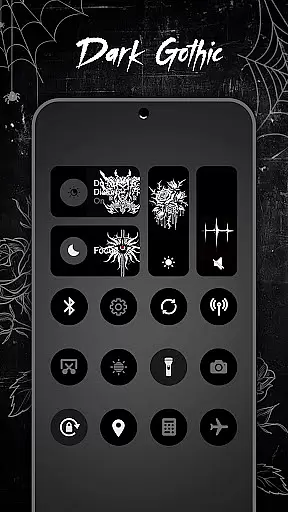
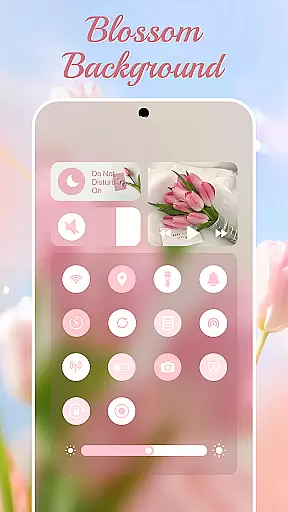
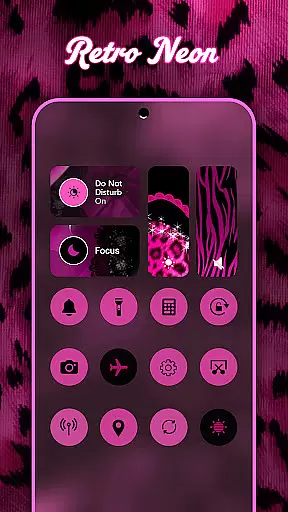
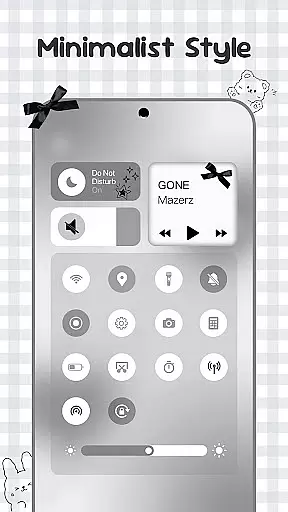
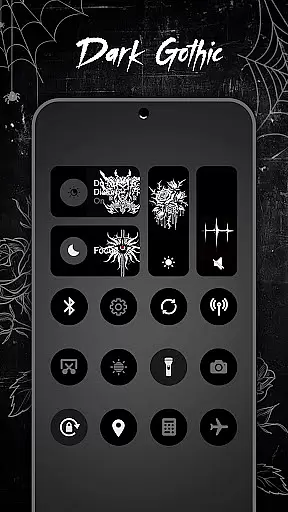
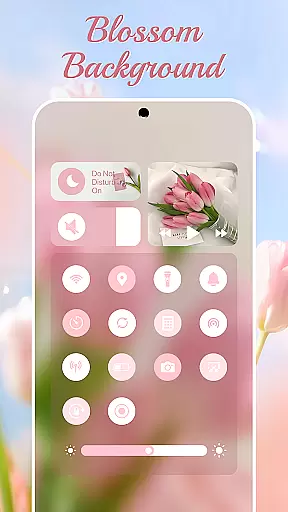
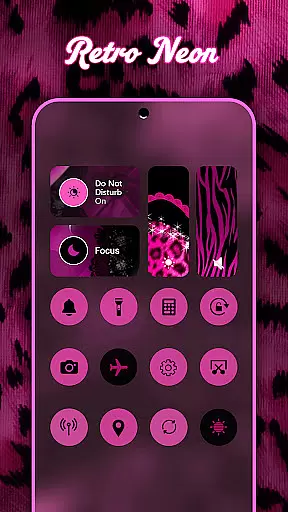
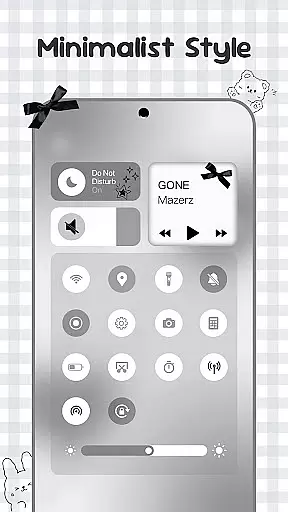
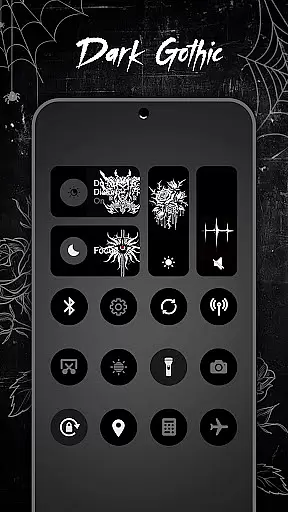
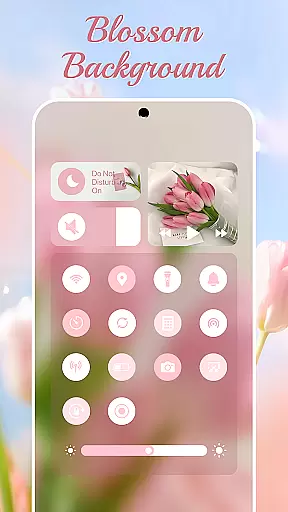
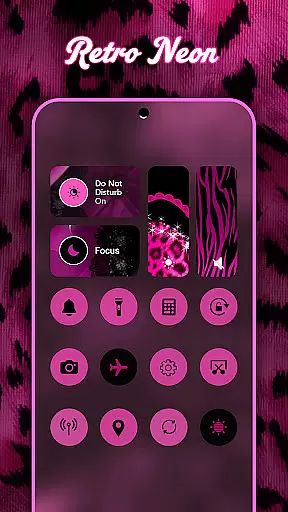
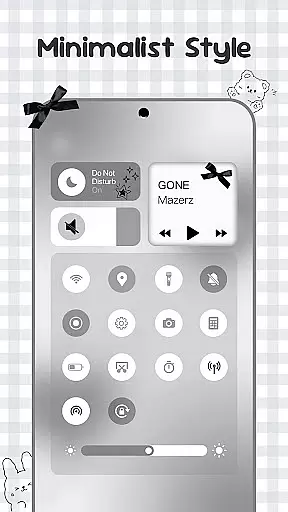
Control Widget is a highly customizable quick settings panel for Android devices, offering users both functional control and aesthetic personalization. This app allows you to manage essential device functions such as Wi-Fi, Bluetooth, brightness, volume, and more through beautifully designed interfaces.
What sets Control Widget apart is its extensive theme library, featuring thousands of design options including anime, K-pop, neon gradients, minimalism, and more. Users can switch themes effortlessly to match their mood or home screen setup. The app also provides practical tools like screenshot capture, screen recording, and flashlight activation, all accessible with simple taps.
Ideal for those looking to enhance their Android experience, Control Widget combines utility with style, making daily device interactions both efficient and visually pleasing.
Control Widget stands out with its rich feature set that blends functionality with personalization. The app offers an all-in-one control panel where users can adjust settings like Wi-Fi, Bluetooth, brightness, and volume through smooth sliders and intuitive toggles.
A key highlight is the extensive theme customization, allowing users to choose from thousands of aesthetic collections. Whether you prefer modern minimalism or vibrant K-pop themes, the app lets you personalize your control panel to reflect your unique style. Additionally, live style updates enable instant transformations of the entire panel with just one tap.
Beyond aesthetics, Control Widget includes practical tools such as screenshot capture, screen recording, and flashlight activation. These features are seamlessly integrated into the stylish interface, ensuring that users have everything they need at their fingertips while maintaining a sleek and modern look.
Control Widget offers an extensive range of customization options, allowing users to tailor their Android device's control panel to match their personal style. With thousands of aesthetic themes available, including Anime, K-pop, neon gradients, and more, users can curate a unique look that resonates with their preferences.
The app provides live style updates, enabling users to switch panels effortlessly to align with their mood or home screen aesthetics. This feature ensures that your device remains a dynamic canvas for creativity, always reflecting your current tastes and styles.
One-tap magic transformation is at the heart of Control Widget's appeal. Users can instantly change their entire control panel, experiencing real-time personalization that enhances both functionality and visual appeal. This seamless integration of style and utility makes customization not only accessible but also enjoyable.
Theme compatibility is a standout feature of Control Widget, ensuring that every chosen theme perfectly complements your device's existing aesthetics. Whether you're using specific wallpapers, icon packs, or other widgets, the app's designs are crafted to integrate smoothly, maintaining a cohesive look across your Android interface.
The app's sleek and sync-ready themes mean that users don't have to compromise on design when personalizing their devices. Each theme is optimized to work harmoniously with various elements of your smartphone's UI, enhancing its overall visual appeal without disrupting usability.
With Control Widget, users can request custom themes, actively participating in the design process to ensure their vision is realized. This level of personal involvement in theme creation underscores the app's commitment to providing a personalized and compatible theming experience for every user.
Highly customizable
User-friendly interface
Extensive theme options
Practical tools included
Instant theme switching
Requires accessibility permissions
May overwhelm new users
Some features need foreground service
Limited iOS compatibility
Premium themes may cost extra

Classic analogue watch face. For wear os devices.
 4.60
4.60
Customizable Glass widgets. Over 360+ stunning widgets and more!
4.70
Beautiful realistic hybrid watch face with numerous customization options.
4.50
Ultimate widget creator. Design custom widgets for a truly unique home screen!
3.90
Transfer your live wallpapers from Windows to Android using Wallpaper Engine!
4.00 3.50
3.50
Adorable pets roam and play right on your phone screen!
3.30
Modern Glass Icon Pack with glossy icons, clean minimal theme & aesthetic style
4.1
Amazing letter fonts in your messages and social statuses
4.70
400+ Beautifully crafted widgets inspired by NOTHING.
4.70
A minimalist productivity launcher. One-hand-friendly. Zero ads.
4.70
Make your phone look simple & luxury, like iDevice
4.60
Bring adorable pets to life on your screen. Playful, interactive and full of fun
4.60
Zip lock screen with magic wallpaper to decorate your phone with fun zipper lock
4.60
Aesthetic Widgets, HD Wallpapers, Themes in Mico Widget for Home and Lock Screen
4.50
Fingerprint Lock Screen & Live Animations with 4K Wallpapers as Live Wallpaper
4.40
Romantic Kiss Stickers App. Start romantic messaging now!
4.30
Realistic animated snow on your wrist, with 10 images landscapes to choose from
4.00
Interactive Miniature Painting Catalogue
3.30


User Reviews