
Connecteam is a comprehensive employee management app designed specifically for non-desk employees. It offers an all-in-one solution that includes work scheduling, time tracking, internal communication, task management, employee training, and more. The platform stands out with its intuitive design and affordability, making it ideal for small to medium-sized businesses.
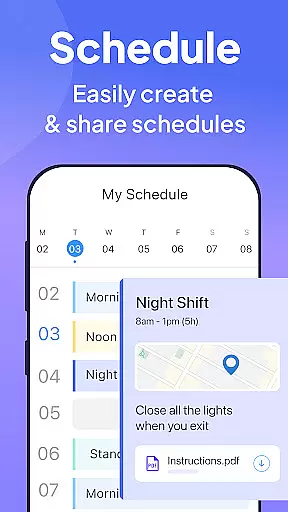
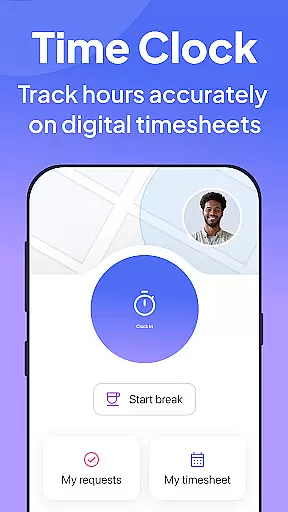
The app's scheduling feature allows managers to create single or team shifts with GPS status updates and detailed job information. Its time clock functionality provides accurate time tracking with geofencing and integrations with payroll systems. Additionally, the internal communication tools facilitate seamless interaction through live chats, posts, and surveys.
Connecteam is particularly beneficial for businesses in industries like healthcare, retail, and field services where managing remote teams is crucial. By streamlining operations and enhancing employee engagement, Connecteam helps businesses improve productivity and maintain a strong organizational culture.
Connecteam boasts a wide array of features tailored to optimize business operations. One of its standout capabilities is the advanced scheduling tool, which supports full shift collaboration and auto-scheduling, drastically reducing the time spent on creating work schedules. This feature also includes GPS tracking and detailed job attachments, ensuring that employees have all necessary information at their fingertips.
The app's time clock system is another highlight, offering automated break and overtime calculations along with push notifications to remind employees to clock in or out. This ensures accurate time tracking and simplifies payroll processing. Furthermore, the internal communication platform includes live chat, posts, and feedback surveys, fostering a connected and engaged workforce.
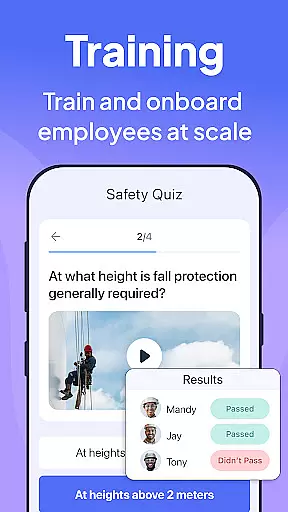
Task management within Connecteam allows businesses to digitize procedures and checklists, promoting compliance and efficiency. The employee training module provides easy access to essential materials and courses directly from mobile devices. These robust features collectively enable businesses to operate more smoothly and focus on growth.
Collaborative work features are essential for businesses to streamline communication and improve team productivity. Connecteam's employee management app excels in this area by offering a comprehensive suite of tools designed specifically for non-desk employees.
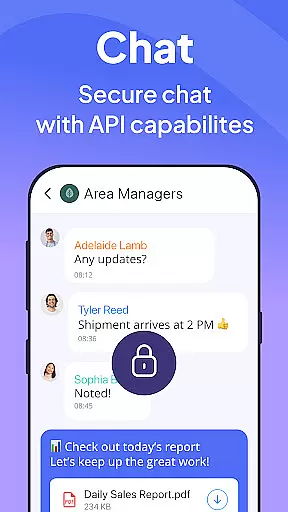
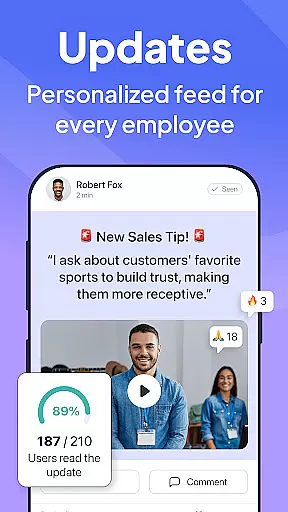
The app provides an internal communication platform that simplifies company-wide messaging. With live chat capabilities for both one-on-one and group conversations, employees can stay connected regardless of their location. The directory feature ensures all work contacts are easily accessible, while posts and updates with comments and reactions help maintain engagement.
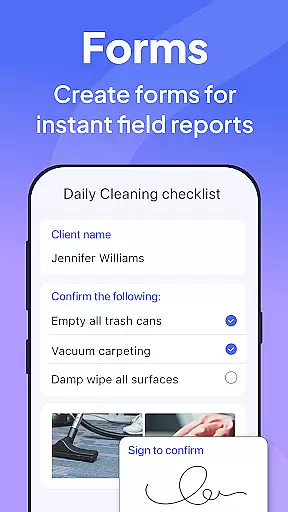
Connecteam also includes task management features that replace traditional pen-and-paper or verbal procedures with fully automated processes. These digital checklists and forms come with read-and-sign options, allowing users to upload images and report geolocation, which enhances on-the-job compliance.
By integrating these collaborative features, Connecteam enables businesses to create a more cohesive work environment, ensuring that every team member is aligned and informed, ultimately leading to improved operational efficiency.
Effective task management is crucial for organizing daily operations and ensuring compliance with company standards. Connecteam's employee app offers robust task management features that transform traditional procedures into streamlined, digital workflows.
The app allows managers to create daily checklists with auto-reminders, ensuring that no task is overlooked. These online forms and checklists come with read-and-sign options, providing a clear record of task completion and acknowledgment by employees.
One of the standout features is the ability for users to upload images and report geolocation, adding an extra layer of verification and detail to each task. This functionality not only helps in going paperless but also automates routine procedures, saving time and reducing errors.
Furthermore, Connecteam's task management tools are 100% customizable and easy to use, with a live mobile preview that allows for real-time adjustments. This flexibility ensures that businesses can tailor the app to fit their specific needs, enhancing overall productivity and accountability across the organization.
User-friendly interface
Affordable pricing
Comprehensive feature set
Excellent customer support
Highly customizable
Limited advanced analytics
Occasional syncing issues
Basic free version
Learning curve for new users
Fewer integrations compared to competitors

Zoom built for Chrome OS
 3.90
3.90
AI-powered document scanner with auto enhance for perfect PDFs.
4.60
The All-in-One File Manager for Phone, TV, Watch, Cars, XR / VR, Chromebook
4.10
TurboScan turns your phone into a full-featured PDF document scanner.
4.80
Take the stress out of storage with the all-in-one app to manage your space.
3.70
enjoy effortless PDF reading anytime, anywhere
3.90
Find jobs near you and temp work in minutes, from your phone.
4.50
Permission Guard is a security app that helps you manage app permissions.
4.80
Work happy with AI Companion
4.10
Earn free swag, G-Cards & food • Enter sweepstakes • Find stores • So much more.
4.70
Make invoices, bills, receipts & estimates on the go with Invoice Generator.
4.70
Paychex Flex - Save Time and Stay Connected
4.60
Earn money with the driver & delivery partner app for Uber, UberEats & Postmates
4.60
Say hello to the mobile work experience built to help you thrive at work.
4.30
Make money as a delivery driver with DoorDash and work when you want as a Dasher
4.30
Shop, deliver, and earn with the Spark Driver™ App
4.10
Windows App allows you to connect to remote PCs and virtual apps.
3.70
Access All PDF Files
3.40
Delivery Track App - Tracking with Fedex, USPS, UPS, DHL. Monitor your Orders.
3.20


User Reviews