
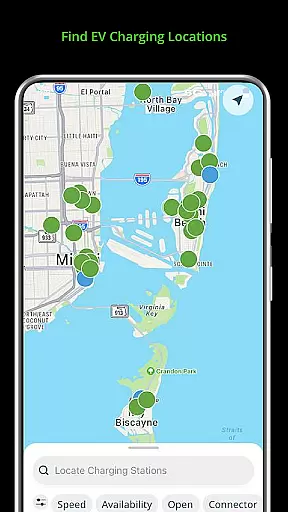
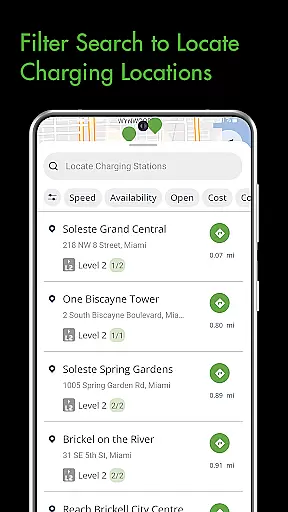
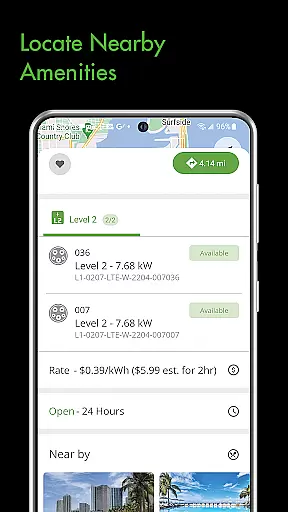
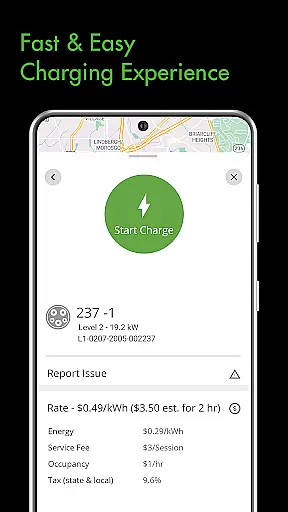
Blink Charging Mobile App is a comprehensive solution for electric vehicle (EV) owners, designed to simplify and enhance the charging experience. The app allows users to locate EV charging stations effortlessly by searching via zip code, city, business name, or location category. It also provides real-time monitoring of charge sessions, displaying details such as occupancy time, estimated costs, energy delivered, and current charging speed.
One standout feature is the ability to manage Blink's home charging station, HQ 200, directly from the app. Users can configure settings, track charging history, and oversee active sessions remotely. Additionally, the app supports an expanded network that now includes SemaConnect charging stations, offering drivers more flexibility and convenience. Whether at home or on the go, this app ensures EV owners have seamless access to essential charging information and controls.
The Blink Charging Mobile App offers a robust set of features tailored for EV drivers. A key functionality is its advanced search capability, enabling users to find public EV charging stations using various criteria like zip code or physical address. This makes locating a charger quick and efficient, whether in familiar surroundings or new areas.
Another significant feature is the detailed session management tool. Users can monitor real-time data during a charging session, including energy delivery metrics and cost estimates. The app also sends status notifications for all stages of the charging process, ensuring users are always informed. Furthermore, the integration with Blink’s HQ 200 home charger allows users to manage their home charging setup conveniently, adding another layer of control and personalization to their EV charging routine.
When it comes to managing your EV charging sessions, having access to detailed vehicle information is crucial. The Blink Charging mobile app provides comprehensive details about each charging session, ensuring that EV owners are well-informed at every step.
The app allows users to monitor real-time data during a charging session, including occupancy time, estimated costs, and energy delivered. This granular level of detail helps drivers make informed decisions about their charging habits and budgeting.
Beyond just the charging specifics, the app also offers insights into the charging station's information and the current vehicle charging speed. These features empower users with knowledge about the efficiency and performance of their EV under different charging conditions.
By providing such detailed vehicle information, the Blink Charging app ensures that EV owners can maintain optimal charge levels while understanding the intricacies of their vehicle's energy consumption patterns.
Price transparency in EV charging is essential for drivers to manage costs effectively. The Blink Charging mobile app excels in this area by offering clear information on charging expenses, thus enhancing the user's financial planning and control.
Users can view an estimated cost of each charge session directly within the app. This feature eliminates any guesswork related to electricity pricing and empowers users with predictable billing information.
In addition to cost estimates, the app supports managing payment wallets which contributes to a seamless transaction experience. Drivers have full visibility into their spending on EV charges, which fosters trust and confidence in using public charging stations.
With price transparency as a core feature, the Blink Charging app not only simplifies payments but also encourages more drivers to switch to electric vehicles by removing hidden fees and uncertainty from the charging process.
User-friendly interface
Real-time session info
Home charger management
Expanded network access
Comprehensive support
Limited rural coverage
Occasional glitches
Premium subscription cost
Dependent on network availability
Notifications delays

* This app needs an adapter cable and a certain OBD2 adapter to work *
 4.20
4.20
A full featured, real-time transit locator system
4.30
Read and delete OBD codes with any ELM327 OBD scanner. Coding functions included
3.40
Digital Car Key/Launcher, Screen Mirror, Android Dashboard, Remote Wireless Link
4.40
The ExtraMile App allows you to pay for fuel from the comfort of your car!
4.70
Mobile Phone Parking - So easy to park
3.70
Shop cars & see your financing
4.60
Your car is talking. Start listening.
4.30
Browse millions of cars, track vehicle listings or sell your car today
4.70
Practice the drills within MotoJitsu Master Riding Program Volume 1 & 2!
4.80
1M+ high-quality auto parts at your fingertips. Fitment guaranteed.
4.70
DMV practice test 2025: Driver License permit test & written test for all states
4.70
Find Your Local Store or Shop Online for the Car, Truck, or SUV Parts You Need
4.70
OBD1 ECMs application. Data log or tune directly from your phone or tablet!
4.60
Secure mobile payments & fuel savings at Phillips 66®, Conoco® and 76® stations
4.40
Monitor your behind-the-wheel behavior to become a safer driver and save.
4.10
BlueDriver® is a Premium Diagnostic OBD2 Scan Tool. www.BlueDriver.com
3.90
AlfaOBD software for Fiat Group cars native diagnostic
3.70
O'Reilly Pro will streamline your parts lookup and ordering process!
3.20


User Reviews