
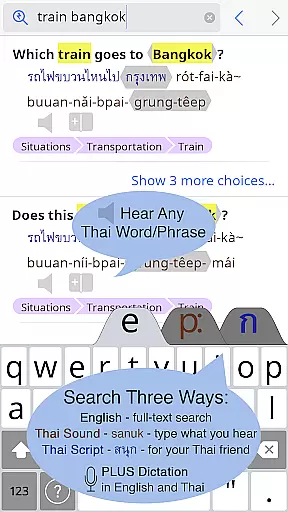
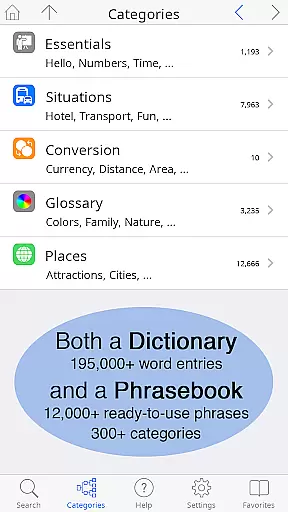
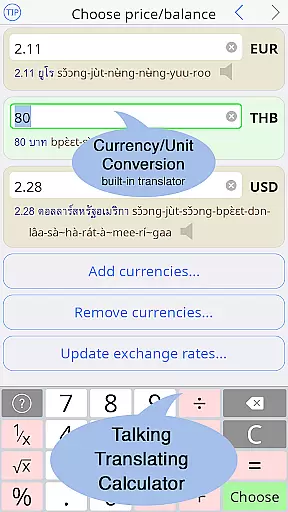
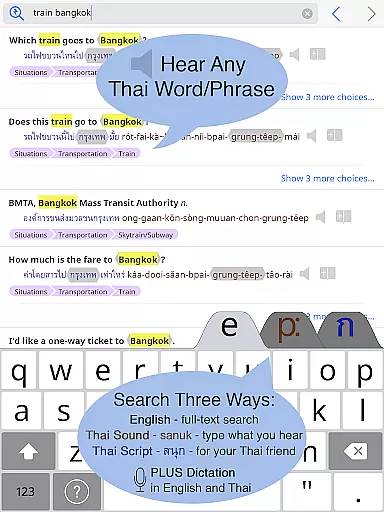
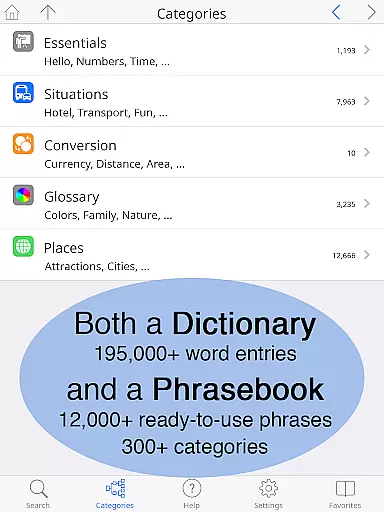
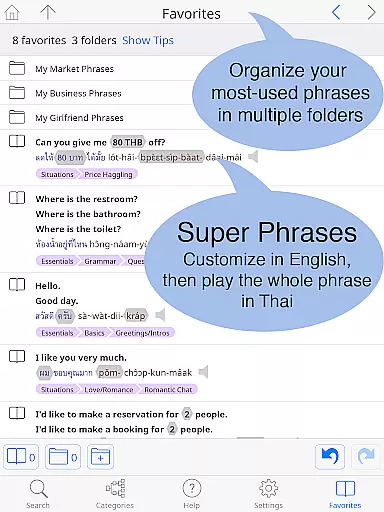
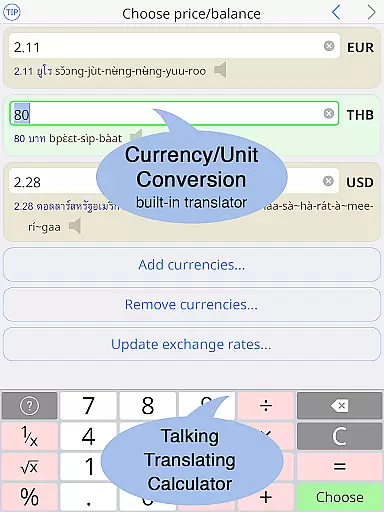
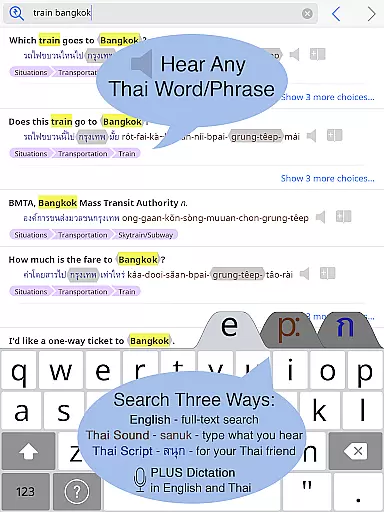
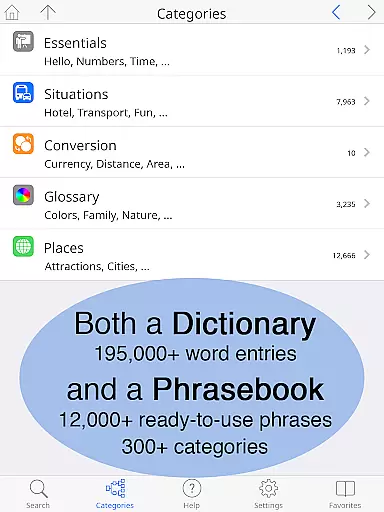
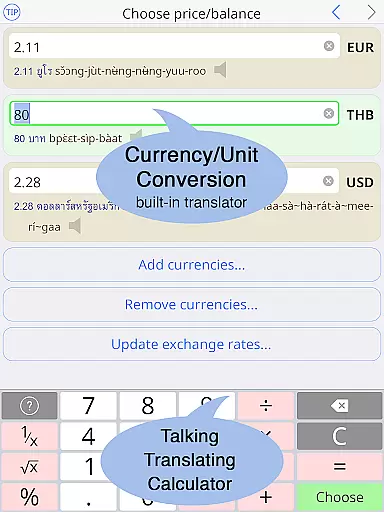
Thai <> English Dictionary is an essential language tool for travelers, professionals, and students engaging with the Thai language. With over 195,000 entries and 250,000 translations, it offers extensive coverage for both casual and in-depth language needs. The app features a built-in phrasebook with 300+ categories and 12,000+ ready-to-use phrases, making communication seamless in various scenarios such as travel, business, or daily life.
One of its standout features is the high-quality native sound recordings for every Thai word, even available offline. This ensures accurate pronunciation without relying on internet connectivity. Additionally, users can customize their experience by organizing words into folders, adjusting text size, and choosing from 12 different pronunciation guide systems. Whether you're learning Thai or using it professionally, this dictionary provides unique tools to explore the language deeply.
This dictionary app stands out due to its comprehensive and user-focused design. It includes over 195,000 meticulously crafted entries tailored specifically for English speakers learning Thai. Unlike other dictionaries that cater primarily to native Thai speakers, this app clarifies nuances of word meanings, formalities, and classifiers through detailed English explanations. Each entry also supports multiple pronunciation systems, ensuring accessibility regardless of your familiarity with the Thai script.
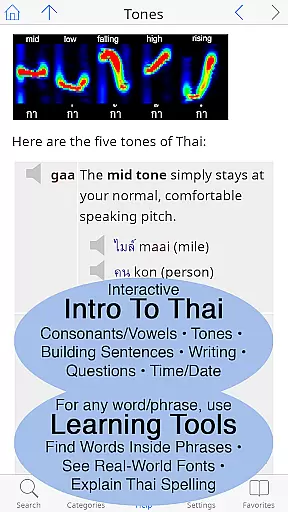
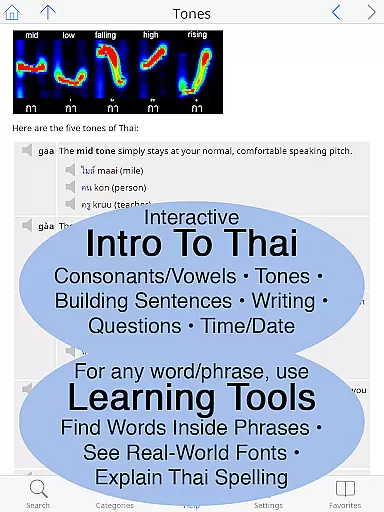
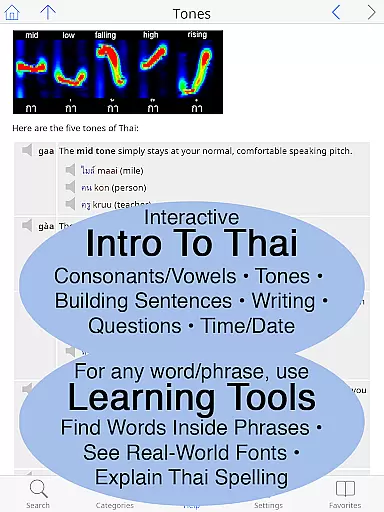
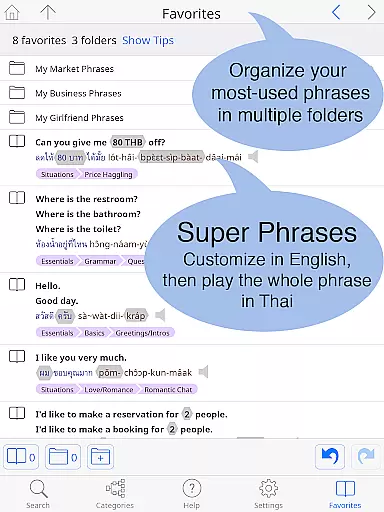
The built-in phrasebook is another highlight, offering 12,000+ phrases across 300+ categories like travel, health, shopping, and more. These phrases are presented in a conversational two-way format, aiding effective communication. Furthermore, the app provides advanced learning tools such as syllable breakdowns, stress notation, and visual explanations of Thai spelling. Users can also explore real-world fonts commonly seen on signs and menus, enhancing practical language skills.
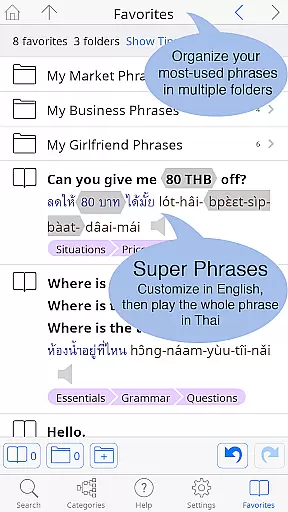
Offline functionality ensures usability anywhere—whether you're in a taxi or at a street market. The app's customizable interface lets you adjust text size, choose between standard or big-key Thai keyboards, and organize frequently used words into folders. With lifetime free upgrades included, this app continues to grow alongside your language journey.
When evaluating a digital dictionary, the comprehensiveness of its library and the authenticity of its content are paramount. The Thai <> English Dictionary boasts an impressive collection of 195,000+ entries, with over 250,000 translations, ensuring that users have access to an extensive lexical database. This vast repository is not just about quantity; it's also about quality. Each entry is meticulously crafted by Paiboon Publishing, tailored specifically for those learning Thai, unlike typical dictionaries aimed at native speakers.
The app guarantees copyright authenticity by providing proprietary content developed in-house, rather than relying on free internet data. This ensures that every definition, phrase, and explanation is accurate and reliable. With 12 different pronunciation guide systems supported, users can look up Thai words phonetically, even if they are unfamiliar with the Thai alphabet. Furthermore, all Thai words are presented using both Thai script and the chosen pronunciation guide, offering dual accessibility.
Additionally, the built-in phrasebook contains 300+ categories and 12,000+ ready-to-use customizable phrases, enhancing practical communication skills. Whether you're navigating daily conversations or specialized topics like renting a place or health-related discussions, this resource equips you with the necessary vocabulary. The inclusion of crucial Thai classifiers for over 60,000 noun entries further enriches the depth and utility of the dictionary.
For a digital dictionary to be truly useful, it must offer seamless format compatibility across various devices and usage scenarios. The Thai <> English Dictionary excels in this aspect by providing a versatile user experience that adapts to individual preferences and technological constraints. One of its standout features is the ability to function offline, storing all entries and sound recordings directly on your Android phone or tablet. This means no data charges and uninterrupted access, whether you're in a taxi or at a street market.
The app supports flexible text resizing, allowing users to adjust the size of Thai and English text according to their comfort levelu2014eliminating the need for reading glasses. Additionally, users can choose between standard or big-key Thai keyboards, catering to different typing styles and device sizes. This adaptability extends to layout customization, enabling a personalized interface that suits each useru2019s needs.
Moreover, the Thai <> English Dictionary incorporates multiple real-world fonts, preparing users for the variety of typefaces they might encounter on signs and menus. By touching any word, users can view detailed breakdowns of pronunciation and spelling, complete with clickable sounds for comparison. These interactive elements enhance learning and retention, making the app not just a reference tool but an educational companion. Such comprehensive format compatibility underscores the app's commitment to accessibility and user-centric design.
Extensive word database
High-quality audio
Customizable layout
Offline functionality
Unique learning tools
Premium price point
Large file size
Complex for beginners
Limited social features
No gamification elements

Crowd-sourced listing of businesses with anti-gun signs, and pro-2a alternatives
 4.60
4.60
Offline translator from english to spanish, and from spanish to english.
4.50
Find, discuss, and organize your world of books and shows.
4.60
Universal Zoom, learn about sizes & distances of the universe and microcosmos
4.80
8 Dr. Seuss short stories in 1 app!
4.70
Daily Prayer, personalized Bible Study, AI-guided Insights, and Spiritual Growth
4.80
Daily rosary and gospel reflections for catholic
4.90
Enjoy daily devotionals, Bible verses, audio courses, and more.
4.80
A companion for prayer, with Azan alarm, Quibla direction, and Holy Quran book
4.10
A KJV Bible with Apocrypha and precept-based study concordance
5.00
The Bible Audio Guide
4.80
Plan of Life that Saint Josemaría recommended
4.80
Liturgy of the Hours totally off-line
4.80
The dynamic dictionary/reference app for piano chords and scales!
4.80
Watch real short episodes in just minutes— addictive, you won't be able to stop!
4.70
Read the Quran in Arabic alongside its translation, with color coded Tajweed.
4.50
Pretty Moon information App with Complications and Tile
4.30
Unlock more features in Lithium and show your support. Expand for details.
4.00
All in one Calibre libraries on your phones and tablets.
3.80


User Reviews