
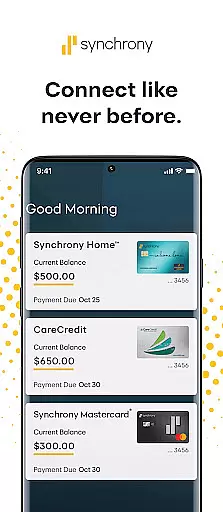

MySynchrony is a comprehensive financial management app designed for users who hold credit cards issued by Synchrony. This powerful tool allows you to securely manage all your Synchrony credit card accounts in one centralized location. With features like biometric authentication, payment scheduling, balance checking, and transaction history review, the app provides a complete solution for credit card management. Whether you're at home or on the go, MySynchrony ensures you have instant access to your financial information, helping you maintain better control over your credit activities.
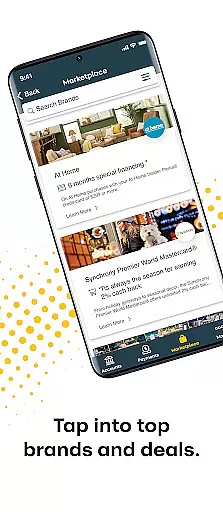
In addition to essential account management features, MySynchrony offers value-added services such as the Synchrony Marketplace, where you can find exclusive deals and savings from partner merchants. The Finance 101 blog keeps you informed with tips and strategies for better financial management. The app also includes a 24/7 Knowledge Center to help you find answers to common questions and provide feedback on your experience. These features make MySynchrony an indispensable tool for anyone looking to streamline their credit card management while accessing valuable financial resources.
MySynchrony stands out with its robust set of features tailored specifically for managing Synchrony-issued credit cards. One of the key highlights is the secure login using Biometric Authentication, ensuring that only you can access your sensitive financial data. Once logged in, you can easily schedule payments, check balances, and review transaction histories across multiple accounts. The app also allows you to view and manage your statements, giving you the flexibility to choose your preferred delivery method.
Beyond basic account management, MySynchrony enriches your financial journey with additional tools and resources. The Synchrony Marketplace is a unique feature that connects you with savings, deals, and offers from nationwide partners, providing extra value beyond credit card management. The Finance 101 blog serves as an educational hub, offering tips and insights to improve your financial literacy. Furthermore, the 24/7 Knowledge Center ensures you always have access to support and resources whenever you need them. These innovative features collectively enhance both the functionality and user experience of MySynchrony.
Account and fund security is a critical aspect of any financial application, ensuring that users' sensitive information is protected from unauthorized access. MySynchrony employs advanced security measures such as Biometric Authentication to provide a secure login process. This feature not only enhances security but also offers convenience by allowing users to access their accounts using unique biological traits.
In addition to biometric login, the app enables users to manage multiple bank accounts securely. By permitting the safe addition or deletion of bank accounts for bill payments, MySynchrony ensures that all transactions are safeguarded against potential threats. The implementation of these features demonstrates the app's commitment to maintaining high-security standards while providing an intuitive user experience.
For users, this focus on security translates into peace of mind, knowing that their credit card accounts and personal data are shielded by cutting-edge technology. With the ability to review transaction histories and manage statement delivery preferences, cardholders can maintain control over their financial activities without compromising on safety.
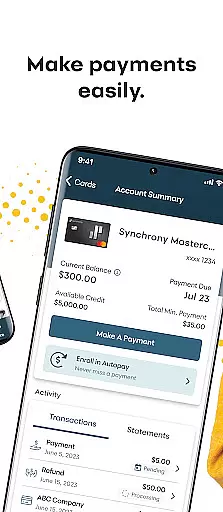
A seamless transaction experience is vital for users managing their finances through a mobile app. MySynchrony excels in this area by offering functionalities that allow users to schedule and manage payments efficiently. This flexibility empowers users to handle their credit card obligations with ease, ensuring timely payments and helping them avoid late fees.
The app further enhances the transaction experience by providing real-time access to account balances and credit limits. Cardholders can check these details anytime, anywhere, which is essential for maintaining financial health and making informed spending decisions. Additionally, reviewing payment history becomes straightforward, contributing to better financial management.
By integrating practical tools like the Synchrony Marketplace and Finance 101 blog, MySynchrony goes beyond basic transaction capabilities. These resources offer savings, deals, and educational content, enriching the overall user experience. Such comprehensive support solidifies the app's role as a valuable tool in users' financial lives.
User-friendly interface
Secure biometric login
Comprehensive account management
Valuable financial resources
Exclusive marketplace deals
Limited to Synchrony cards
No PayPal integration
Occasional bugs reported
Marketplace varies by region
Requires constant updates

Bank better with our new app
 3.80
3.80
PayMe helps you claim money from settlements on companies that harmed you.
4.80
Payday cash advance & Instant cash advance: Borrow money instantly, Get cash now
4.60
Earn cash back. Build credit.
4.60
Banking, Budgeting & Investing
4.60
View BSC Transactions for multiple accounts
3.90
Access State Farm accounts, policies, ID cards and more
4.60
Wells Fargo Mobile allows you to access your investment and bank accounts.
4.80
Venmo is the fun and easy way to pay and get paid.
4.10
Simple & secure international money transfers - for personal & business needs.
4.80
Easy budgeting planning on a calendar!
4.80
Early payday cash advance up to $150 a day with a max of $1,000 per pay period
4.70
Loan Calculator, Mortgage Calculator, Compound Interest Calculator
4.70
Powerful Money Manager, Expense & Savings Tracker, Budget Planner - Pro Version
4.70
Cash Advance, Credit Cards, Credit Lines, Score Monitoring, Saving, Budgeting
4.70
Insurance that's quick and easy to buy and use—anytime, anywhere.
4.60
Mine Bitcoin in the cloud! Earn BTC daily with high-speed mining power.
4.30
Registration of your debts and Mdionatk and assembled, as well as a significant reports
4.30
NFC mobile payment app Use your phone as a contactless bank card
4.00


User Reviews