
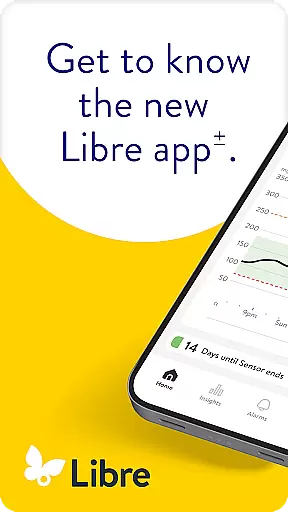
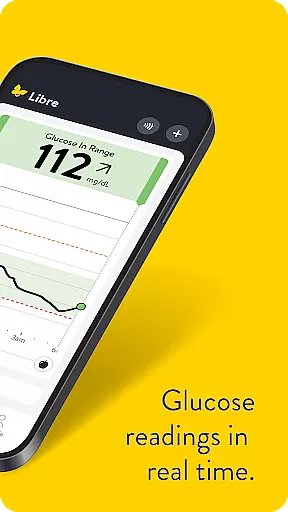
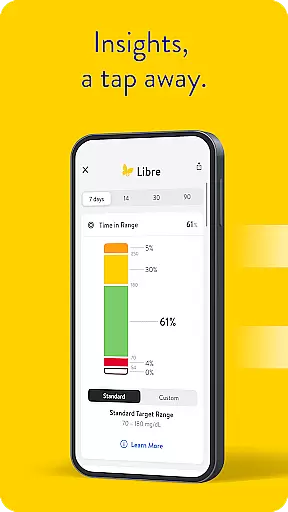
Libre by Abbott is a cutting-edge continuous glucose-monitoring (CGM) app designed to assist individuals managing diabetes in tracking their glucose levels effectively. This application replaces the previous FreeStyle Libre 2 and FreeStyle Libre 3 apps, offering compatibility with FreeStyle Libre 2 and FreeStyle Libre 3 system sensors. With Libre app, users can benefit from automatic readings that update on their phone every minute, ensuring real-time monitoring of glucose levels.
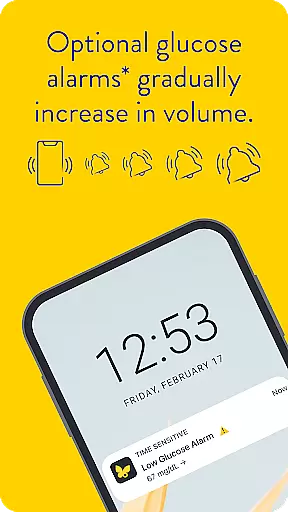
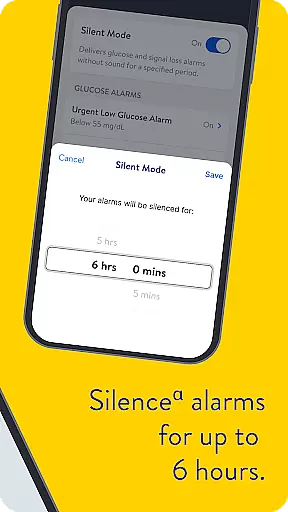
The app also features optional alarms that discreetly notify users when their glucose levels are too low or too high, allowing them to manage their condition more effectively. These alarms can be silenced for up to six hours if needed. The app's compatibility extends across various phones and operating systems, making it accessible to a wide range of users. Whether you're an adult or a child aged four and older, Libre app provides essential support in diabetes management.
Libre by Abbott stands out with its advanced features tailored for comprehensive glucose monitoring. One of its key features is the automatic update of glucose readings on the user's phone every minute, ensuring constant awareness of glucose levels without manual input. This feature alone significantly enhances the user's ability to manage their diabetes effectively.
In addition to real-time updates, the app offers customizable alarms that alert users to critical changes in their glucose levels. These alarms can be tailored to individual preferences, including the option to silence them temporarily. Furthermore, Libre app supports a wide range of devices and operating systems, ensuring broad accessibility. By integrating seamlessly with FreeStyle Libre sensors, the app provides a reliable and user-friendly solution for people living with diabetes, empowering them to take control of their health with confidence.
In the realm of diabetes management, the credibility of medical content is paramount. Libre by Abbott app provides users with continuous glucose monitoring that is rooted in clinically validated technology. The app's compatibility with FreeStyle Libre 2 and FreeStyle Libre 3 system sensors ensures that readings are not only accurate but also aligned with professional healthcare standards.
Every feature within the Libre app is designed following rigorous testing and validation processes. This includes the automatic minute-by-minute glucose updates and optional alarms for high or low glucose levels. Such functionalities are developed under the guidance of medical experts to ensure they meet the needs of people living with diabetes effectively.
Users benefit from this expertly reviewed content as it empowers them to make informed decisions about their health. With access to real-time data and historical trends, individuals can consult healthcare professionals with precise information, facilitating personalized treatment plans. Moreover, the integration of user manuals within the app offers an additional layer of authoritative support.
The emphasis on expert review extends to compatibility details and safety information provided by Abbott. Users are encouraged to seek professional advice when interpreting their data, ensuring that Libre app serves as a reliable tool in conjunction with healthcare guidance.
Teleconsultation has become an essential aspect of modern healthcare, allowing patients to connect with healthcare providers remotely. Libre by Abbott enhances this experience by providing accurate and timely glucose data directly to users' phones. This seamless data flow supports effective teleconsultations where up-to-date health metrics are crucial for diagnosis and treatment adjustments.
The app's ability to deliver minute-by-minute glucose readings ensures that healthcare professionals have access to the most current patient information during virtual consultations. Optional alarms further enhance these interactions by alerting users to significant changes in their glucose levels, prompting timely discussions with healthcare providers.
Moreover, Libre app facilitates better preparation for teleconsultations. Patients can review their glucose trends and patterns before appointments, leading to more productive conversations with their doctors. This preparation helps streamline remote consultations, making them more focused and efficient.
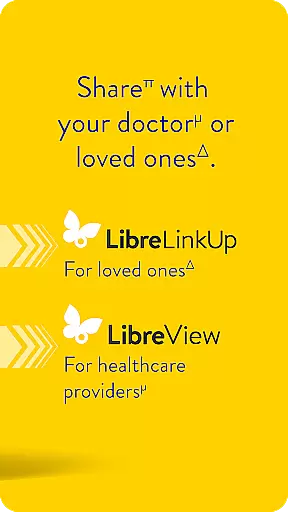
Abbottu2019s commitment to quality extends beyond the app itself; it encompasses comprehensive support systems like LibreView software. These tools enable both patients and healthcare professionals to analyze historical data, supporting well-informed teleconsultations that contribute to effective diabetes management strategies.
User-friendly interface
Real-time glucose updates
Customizable alarms
Broad device compatibility
Supports diabetes management
Requires compatible device
Internet connectivity needed
Potential alarm fatigue
Limited to prescription use
Sensor proximity required

Leafly is a weed app for finding dispensaries, cannabis strains, & more.
 4.70
4.70
Beat alcohol and drug addiction with a revolutionary treatment program in an app
4.50
3rd trimester? Counting Kicks is what moms should do-It’s important & easy too!
4.30
Easy telehealth appointments + urgent care
4.70
Personalized hearing experience and health data tracking
4.50
Discover the source of pain with Muscle Trigger Point Anatomy.
4.70
Hear far away sounds, conversations, TV and surrounding sounds more clearly.
4.70
Secure video appointments
4.50
Update medical records, view upcoming appointments, message your provider & more
3.80
Manage your prescriptions anytime, anywhere with the Publix Pharmacy mobile app.
4.80
The NightOwl Companion app allows you to interact with the NightOwl sensor.
4.70
Amplify surrounding sounds, conversations, TV or lectures for louder hearing.
4.70
Enables quick access to medical data and contacts in case of emergency (ICE)
4.70
World's largest contact lens store
4.60
Take on apraxia and aphasia with a powerful video-driven speech therapy app.
4.60
Radiographic Positioning Guide for Medical Imaging Professionals and Students
4.50
Manage your health care in one easy place
4.40
Zepbound & Mounjaro support & resources for savings, tracking & more
3.90
Conveniently receive lab results, schedule lab appointment and pay your bills
3.70


User Reviews