
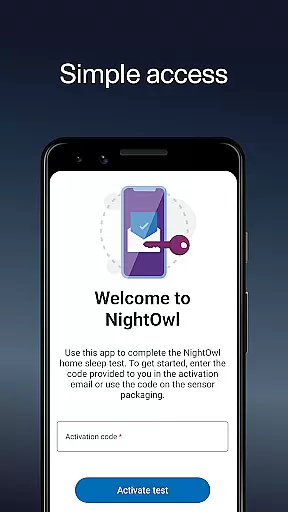
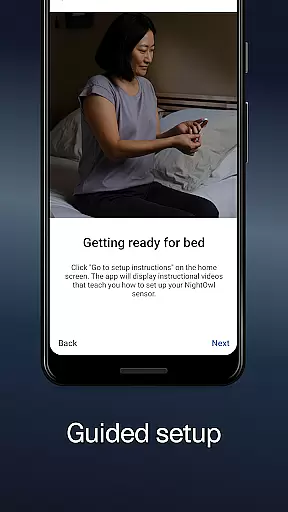
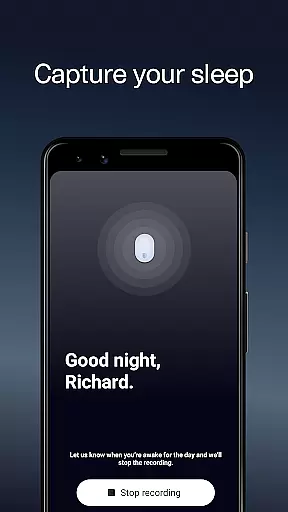
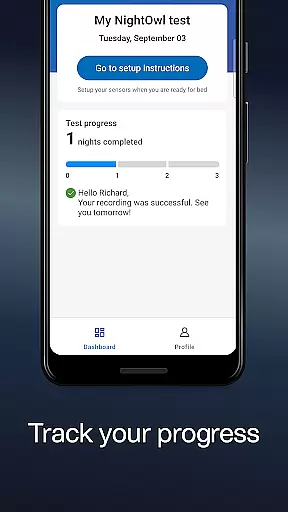
NightOwl Companion is a specialized medical application designed to work with the NightOwl sensor, which measures signals from your index finger using a small light sensor. This innovative solution allows users to check for sleep-related breathing disorders conveniently from home. The app provides instructional videos that guide you through setting up the test in just a few minutes. By wearing the sensor for the prescribed number of nights, users can complete their sleep assessment efficiently. This app bridges the gap between professional medical monitoring and home-based convenience, offering valuable insights into sleep health.
The data collected by the NightOwl sensor is crucial for identifying potential sleep apnea or other breathing issues during sleep. Users are empowered to take control of their sleep health while ensuring they follow the guidance of healthcare professionals. With clear instructions and seamless integration with the sensor, this app ensures accurate data collection and analysis. Disclaimer: Always consult with your healthcare provider before making any medical decisions based on the information provided by this app.
NightOwl Companion offers several key features that make it an essential tool for anyone concerned about their sleep health. First and foremost, the app includes detailed instructional videos that walk users through the setup process step-by-step, ensuring that even those unfamiliar with medical devices can use the NightOwl sensor effectively. These videos help users understand how to wear the sensor correctly and interpret the results accurately.
Another standout feature is its ability to seamlessly integrate with the NightOwl sensor, providing real-time feedback and analysis of sleep patterns. The app collects data over multiple nights, allowing for a comprehensive evaluation of sleep-related breathing disorders. Additionally, the app emphasizes user safety and accuracy by reminding users to consult healthcare providers before making any medical decisions. This focus on professional medical advice ensures that users receive reliable and actionable insights into their sleep health.
In the realm of digital health solutions, the credibility of medical content is paramount. NightOwl Companion ensures that all information provided through its platform undergoes rigorous scrutiny by medical professionals. This guarantees that users receive accurate and reliable data concerning their sleep-related breathing disorders.
The app collaborates with experts in the field of sleep medicine to review and validate the algorithms used for analyzing sensor data. By doing so, it maintains a high standard of precision when delivering insights about the user's sleep patterns and potential irregularities.
For individuals using NightOwl Companion, this means peace of mind knowing that their health data is interpreted by vetted methodologies. The involvement of healthcare experts in the app's design ensures that any conclusions drawn are based on clinically relevant criteria.
Ultimately, the emphasis on credible medical content empowers users to make informed decisions regarding their health. With guidance from expert-reviewed analysis, users can have more productive discussions with their healthcare providers.
Teleconsultation has become an integral part of modern healthcare, allowing patients to consult with healthcare providers remotely. NightOwl Companion enhances this experience by facilitating high-quality teleconsultations focused on sleep health. Users can share their test results directly with specialists, ensuring that consultations are based on comprehensive and precise data.
The app provides tools that enable clear communication between patients and doctors. Through detailed reports generated from the NightOwl sensor data, healthcare providers can offer well-informed opinions and personalized advice tailored to each user's specific condition.
By integrating seamlessly into the telemedicine ecosystem, NightOwl Companion supports timely interventions and follow-ups. This connectivity ensures continuity of care, which is crucial for managing chronic conditions like sleep apnea effectively.
Overall, the focus on superior teleconsultation quality within NightOwl Companion bridges the gap between patients and healthcare professionals. It fosters a collaborative environment where informed decisions can be made efficiently and effectively.
User-friendly interface
Comprehensive sleep analysis
Instructional video support
Real-time feedback
Professional medical integration
Requires separate sensor purchase
Limited to specific medical conditions
Potential connectivity issues
Dependent on external advice
Data privacy concerns

A scientifically-proven method to help people with dementia or memory impairment
 4.2
4.2
3rd trimester? Counting Kicks is what moms should do-It’s important & easy too!
4.30
A rapid reference for prehospital providers caring for pediatric patients.
4.1
MHealth is the mobile version of MEDITECH’s Patient and Consumer Health Portal.
3.10
Your donation experience just got smoother; Donor Hub is your go-to place.
4.70
Internal medicine literature at your fingertips.
4.50
Over 1,200 review questions and 5 exams—pass the NREMT with EMT Review Plus!
4.10
Pelvic Floor Muscle Exercises
4.80
Manage your healthcare through the FollowMyHealth® Universal Health Record.
4.80
Search by insurance, see real-time openings & verified reviews, get care fast.
4.80
Want to make it easier to manage your health? We’re with you, wherever you are.
4.70
Coaches you through labour using hypnobirthing techniques & tracks contractions
4.70
Discover the source of pain with Muscle Trigger Point Anatomy.
4.70
Secure video visits with your VA care team from anywhere
4.50
Secure video appointments
4.50
Manage your health care in one easy place
4.40
An easy way to earn money donating plasma. Book a visit, sit back, and get paid.
3.80
HealtheLife lets you easily manage your health online.
3.20
X-Vein: Advanced vein detection for medical practice
3.10


User Reviews