
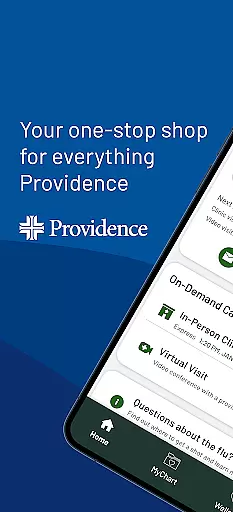
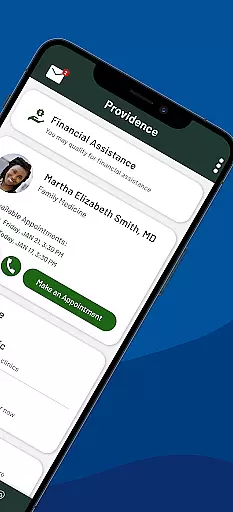
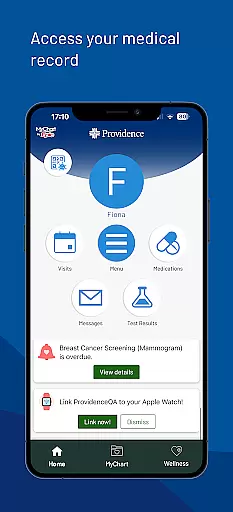
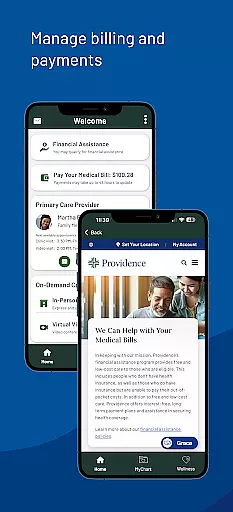
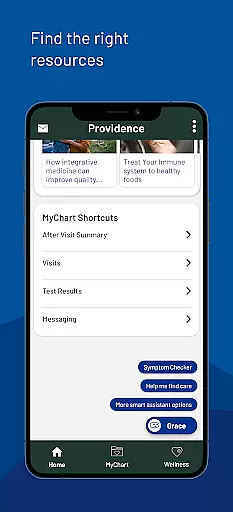
Providence is a comprehensive medical app that provides users with 24/7 access to healthcare services, resources, and programs. The app allows you to manage all aspects of your healthcare journey, from booking appointments and accessing medical records to paying bills and receiving personalized health recommendations.
One of the standout features of Providence is its ability to connect users with their care team through virtual visits or local clinics. You can also view lab results, read visit notes, and even find new providers based on your specific needs. Whether you're looking for urgent care or long-term health management, this app streamlines the process and puts essential tools at your fingertips.
This app is particularly useful for individuals within the Providence healthcare network, including states like Alaska, Washington, Montana, Oregon, California, New Mexico, and Texas. With its intuitive design and robust functionality, Providence ensures that managing your health has never been easier.
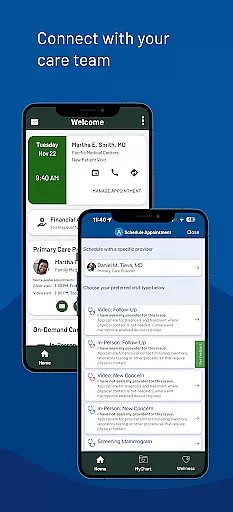
Providence offers an impressive range of features designed to enhance user experience in managing healthcare. One key feature is the ability to connect directly with your care team—book appointments, view instructions, and send messages—all from your mobile device. This seamless communication helps ensure that you stay informed and engaged in your healthcare journey.
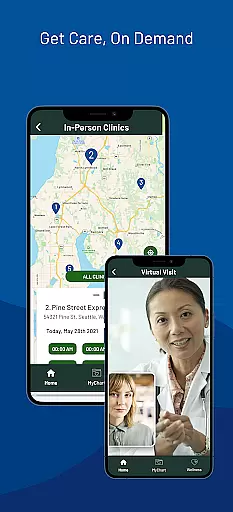
Another notable feature is the ExpressCare virtual visit option, which allows users to receive immediate care without leaving home. You can check wait times at local urgent care clinics and even add yourself to the queue remotely. Additionally, the app provides easy access to medical records, including lab results and visit notes, empowering users to take control of their health information.
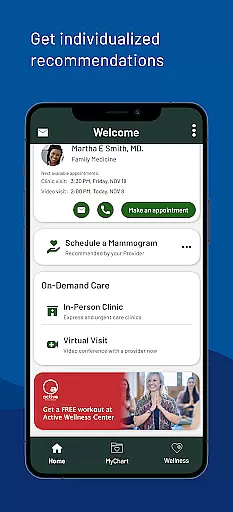
Providence also excels in personalization by offering individualized recommendations for relevant health programs and resources. Users can find tailored content created by Providence experts, making it easier to stay informed about their health. These features collectively create a powerful tool for anyone seeking efficient and effective healthcare management.
In the realm of digital health services, the credibility of medical content is paramount. The Providence app ensures that all information and resources provided are thoroughly vetted by healthcare professionals and experts in their respective fields. This guarantees that users receive accurate, reliable, and trustworthy guidance for their healthcare needs.
The app offers access to lab results, visit notes, and personalized health reminders, all reviewed and approved by qualified medical staff. By integrating a system where content undergoes rigorous expert review, Providence maintains high standards of medical accuracy and relevance. This empowers users with the knowledge that their healthcare information is both current and credible.
Furthermore, individualized recommendations for health programs and resources are crafted based on expert analysis and user-specific data. This tailored approach not only enhances user engagement but also fosters better health outcomes through informed decision-making. With Providence, users can confidently manage their health journey, assured by the expert-backed content they access daily.
Teleconsultation has become an essential aspect of modern healthcare, providing convenience and accessibility to patients. The Providence app excels in delivering high-quality virtual care through its ExpressCare feature, allowing users to consult with healthcare providers from the comfort of their homes. This service is supported by a robust platform ensuring clear communication and efficient consultation processes.
Users can easily book virtual appointments, receive detailed instructions, and engage in meaningful dialogue with their care team. The app's interface is designed to facilitate seamless interactions, ensuring that both patients and providers have the necessary tools for effective teleconsultations. High-definition video and secure messaging further enhance the quality of these remote healthcare sessions.
Additionally, Providence provides access to urgent care clinics and allows users to check wait times and queue remotely before visiting. This blend of virtual and physical care options underscores Providenceu2019s commitment to delivering comprehensive and flexible healthcare solutions. Through meticulous attention to teleconsultation quality, Providence ensures that every user receives timely and professional medical advice, regardless of their location.
User-friendly interface
Comprehensive health management
24/7 access to services
Personalized recommendations
Secure login integration
Limited to Providence network
Occasional connectivity issues
Some features require account setup
Potential privacy concerns
Not available globally

Leafly is a weed app for finding dispensaries, cannabis strains, & more.
 4.70
4.70
Master AEMT with 1,400+ study items, TEIs, practice tests, and scoring.
4.10
Easy access to benefits and rewards
3.70
Log your symptoms in the MyZio app — the perfect companion to the Zio monitor!
4.60
Save up to 80% on your pharmacy prescriptions & medications with free Rx coupons
4.70
Your donation experience just got smoother; Donor Hub is your go-to place.
4.70
X-Vein: Advanced vein detection for medical practice
3.10
A rapid reference for healthcare professionals caring for pediatric patients.
4.30
Your pocket guide to following The Monash University Low FODMAP diet.
4.20
Elegant, easy-to-use period tracker for fertility, PMS symptoms, and more
4.90
Be more confident prescribing homeopathy at home for your family.
4.80
Manage your prescriptions anytime, anywhere with the Publix Pharmacy mobile app.
4.80
This app is simply 1 book (also large app) and 17 other apps combined into 1
4.70
Adaptive-learning flashcards and quizzes for the Top 250 Drugs
4.60
Download OctaApp for easy access to your plasma donation info
4.40
We’ve made it easy for Oscar members to get care on the go.
4.30
One app to unlock your health
4.30
Over 1,200 review questions and 5 exams—pass the NREMT with EMT Review Plus!
4.10
Crush your paramedic exam with NREMT-style tests, ECGs, and top-tier prep!
3.90


User Reviews