
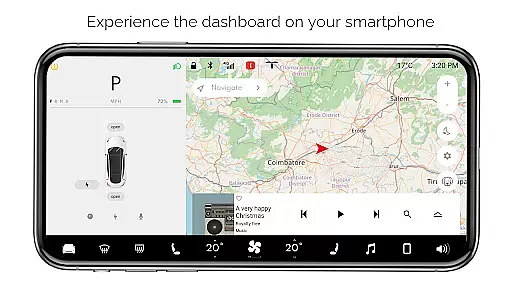
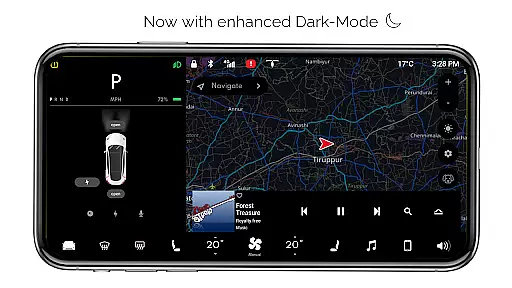
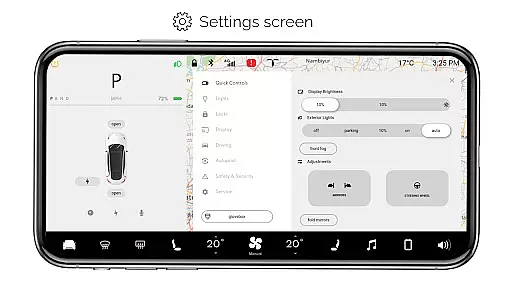
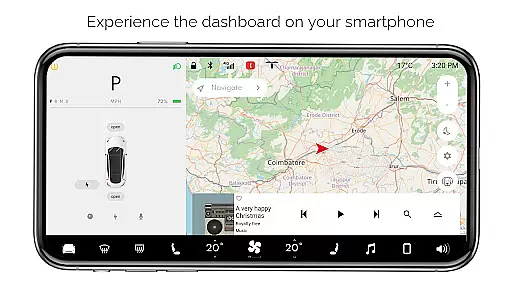
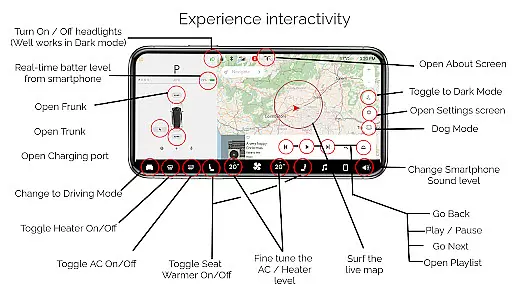
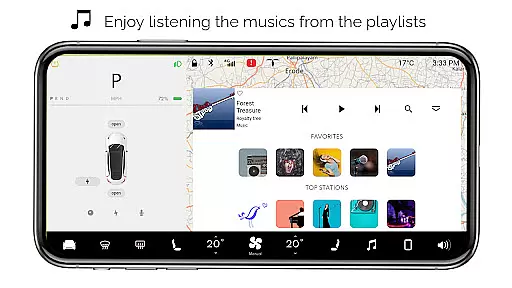
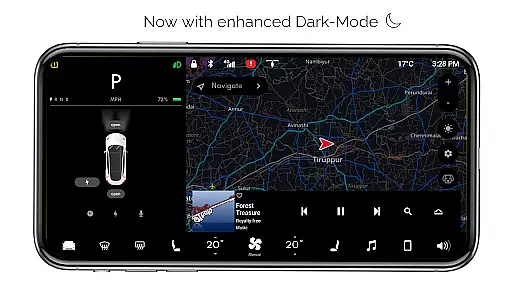
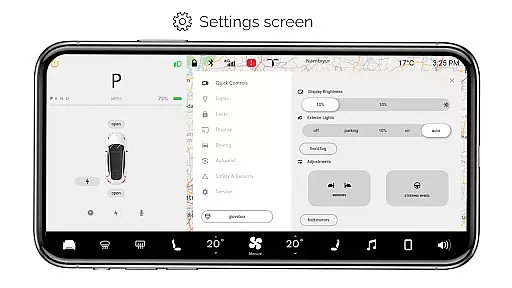
For Tesla is a premium simulator app that allows users to experience the native Tesla dashboard interface on their smartphones. Designed exclusively for Tesla enthusiasts, this app recreates the interactive touchscreen environment of a Tesla vehicle without requiring an actual car. Key features include interactive maps, simulated control over headlights, temperature adjustments, and access to driving modes. The app also offers unique functionalities like Dog Mode and an interactive music player with playlists.
This application provides a realistic simulation of the Tesla system, making it ideal for fans who want to explore the dashboard's capabilities or simply enjoy a Tesla-like interface on their mobile devices. While all features are simulated and not compatible with real Tesla systems, the app delivers an engaging user experience that captures the essence of Tesla's innovative design.
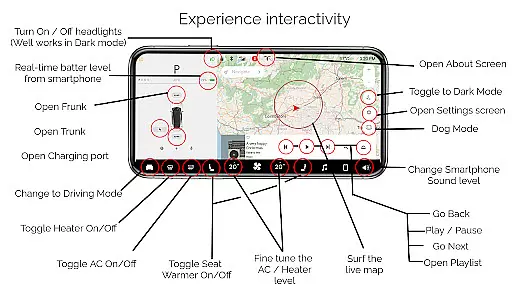
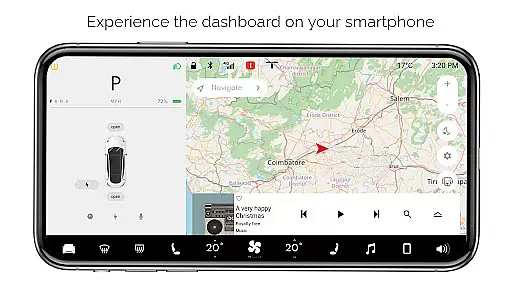
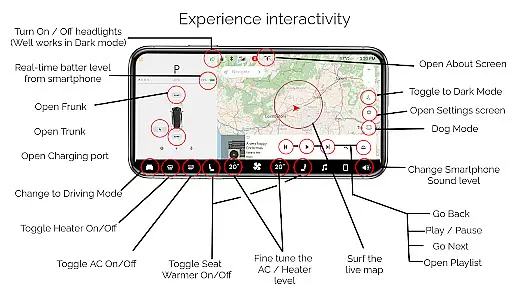
For Tesla stands out with its comprehensive set of simulated features that mirror the Tesla dashboard experience. Users can interact with live maps to track their location, toggle headlights in dark mode, and fine-tune cabin temperature settings. The app provides real-time battery level monitoring for the smartphone and simulates controls for trunk, frunk, and charging port operations.
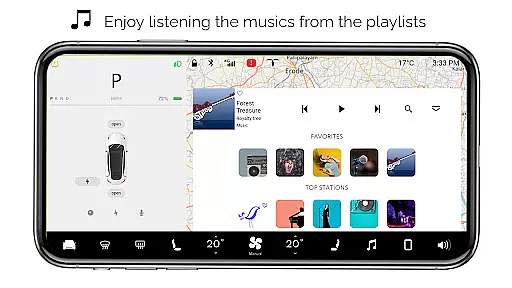
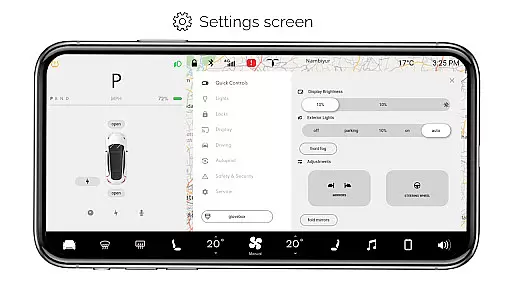
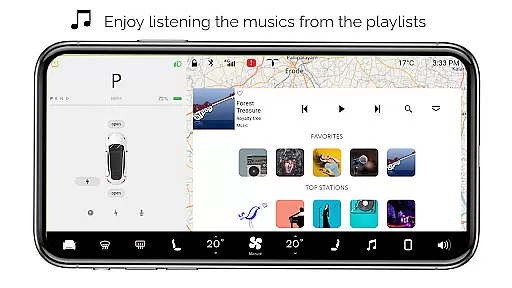
Additional highlights include various driving modes, a detailed settings screen, and specialized modes like Dog Mode. The interactive music player supports playlists, enhancing the entertainment aspect. Although these features are not functional with actual Tesla vehicles, they offer an immersive experience that allows users to appreciate Tesla's user interface design. This makes For Tesla not just a simulator but an educational tool for understanding Tesla's system layout and functionality.
Content variety and freshness are crucial for maintaining user engagement in entertainment applications. For Tesla, this app offers a simulated experience of the Tesla dashboard system on your smartphone, providing an interactive environment that changes with user interactions.
The app includes features such as Interactive Maps, real-time battery level monitoring, and various vehicle controls like turning headlights ON/OFF and opening or closing the trunk, frunk, and charging port. These dynamic elements ensure that users have a fresh experience each time they interact with different functionalities.
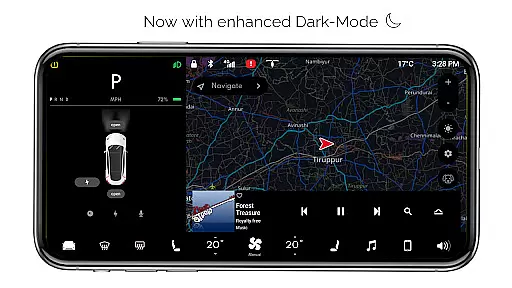
Moreover, the inclusion of Driving mode, Dark Mode, Dog Mode, and an Interactive Music player adds layers of variety to the app. Users can explore these diverse features, keeping their experience engaging and up-to-date without needing access to an actual Tesla vehicle.
By regularly updating the simulation to reflect new features and improvements, the app ensures that users always have something new to look forward to, enhancing both content variety and freshness.
User engagement duration and retention are vital metrics for the success of any entertainment application. For Tesla, the app captivates users by offering a realistic simulator of the Tesla dashboard, encouraging prolonged interaction through its rich feature set.
Features like Interactive Maps and Fine-tune temperature adjustments allow users to engage deeply with the app. The ability to turn ON/OFF headlights, especially in dark mode, and control various aspects of the car, including opening or closing the trunk and frunk, keeps users invested in exploring all available options.
In addition to physical controls, the app provides settings screens, driving modes, and an Interactive Music player, which collectively contribute to longer user sessions. This extensive range of activities encourages users to spend more time within the app, thus improving retention rates.
By continuously refining and expanding upon these features, the app not only retains existing users but also attracts new ones, ensuring sustained user engagement over time.
User-friendly interface
Comprehensive feature set
Realistic Tesla simulation
Interactive music player
Engaging for Tesla fans
No real car integration
Limited practical use
Some features inactive
Purely for entertainment
Not officially by Tesla

Play games. Earn real rewards. Cash out in 3hours via PayPal or gift cards.
 4.40
4.40
SpiritWave is paranormal ITC application.
5.00
Fool your friends & Family with Fake ultrasound test report
3.60
Stream Live TV, News & Documentaries. Watch Full Seasons with PBS Passport.
4.80
Series,Películas y Telenovelas
4.50
Fetch money rewards all just for playing games. Cash out for gift cards in app.
4.50
Control your AWTRIX 3 easily
4.2
World's largest dedicated anime collection
4.70
Scary prank camera & on face app: Shoot videos, selfies with spiders & scorpions
4.60
Catalog & tracker of your DVD, Blu-ray & Digital Movie and TV Collection Library
4.80
5 funny and lovely ponies waiting for you to style them!
4.80
Fun brain twisting challenge with trending Whirlpool Filter.
4.70
Just play games to earn gift cards. Keep playing, keep earning.
4.50
Create melty bead designs by numbers, photos or your imagination
4.40
Atomus is a 10-finger multi-touch interactive visualizer.
4.30
Alice Box is an Instrumental Trans Communication app.
3.80
With the Steam Mobile App, you can take Steam with you anywhere.
3.00
Music visualizer and party effects for your Nanoleaf devices
4.2
Journey to the world’s oldest rainforest and meet its Indigenous Custodians.
4.5


User Reviews