
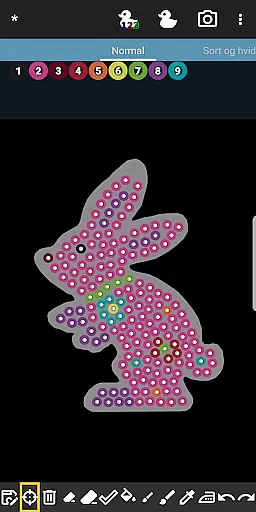
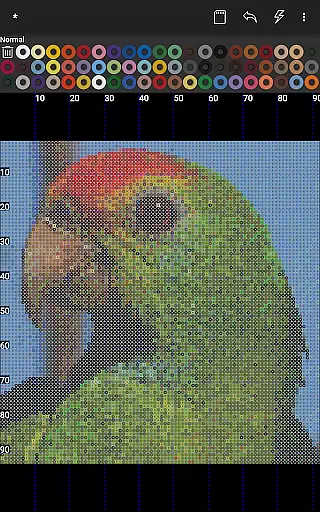

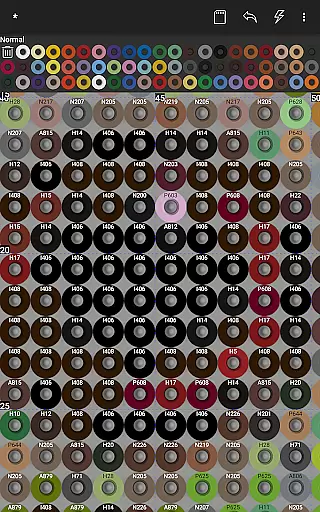
BeadStudio is a creative design application that allows users to craft intricate fuse bead patterns digitally before transferring them to physical pegboards. The app caters to a wide audience from children to professional artists, offering tools for both recreational and advanced design work. With BeadStudio, users can explore new ideas conveniently from anywhere, whether at home or on the go.
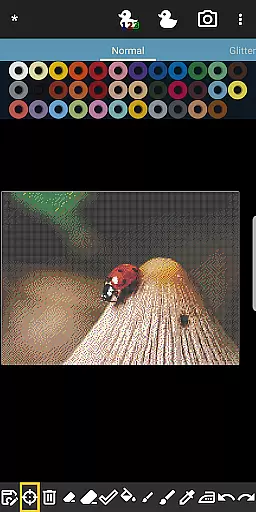
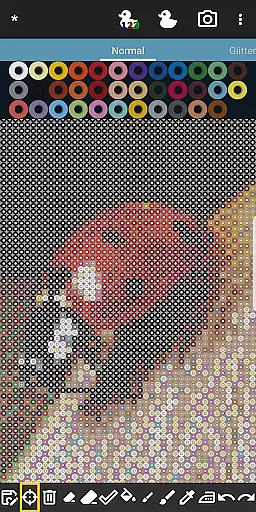
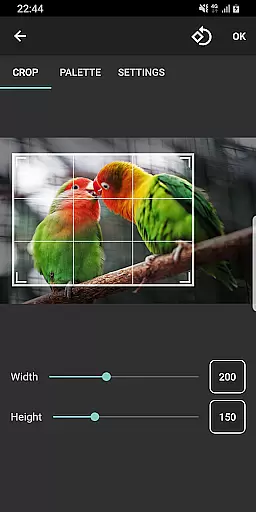
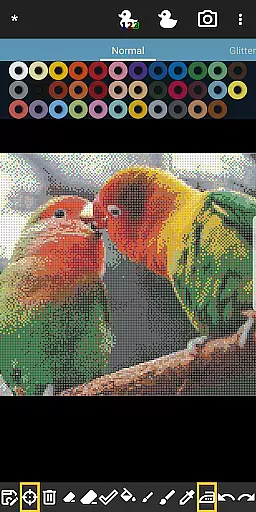
The app's standout feature is its photo-to-bead conversion tool, which transforms regular photos into detailed bead designs using specific brand colors. It supports all major fuse bead brands like Hama Beads and Perler Beads, and even allows mixing different bead types in custom palettes. This flexibility makes it an invaluable tool for creating unique designs, photorealistic artworks, or engaging in meditative crafting sessions.
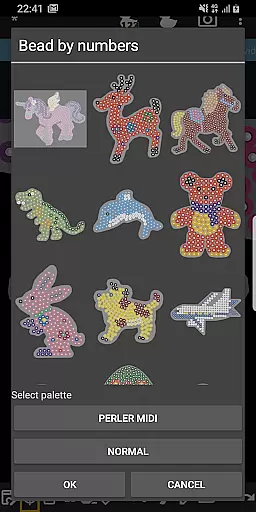
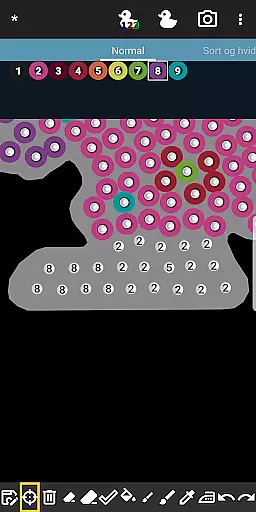
BeadStudio offers an impressive array of features tailored for fuse bead enthusiasts. One key functionality is the Bead By Numbers feature, similar to Paint By Numbers, where users fill numbered pegs with matching beads to complete patterns. This not only helps improve motor skills in children but also serves as a calming activity for adults.
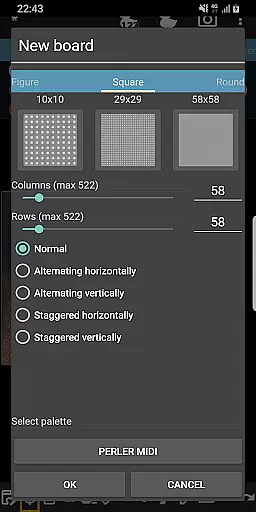
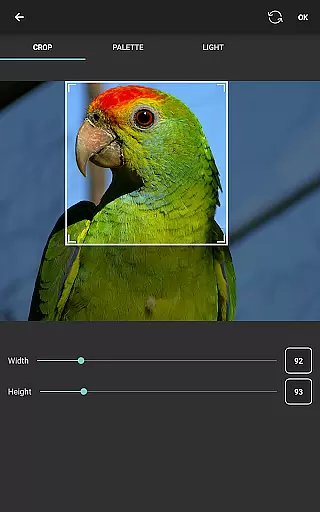
The app provides extensive customization options, allowing users to create standard rectangular boards or choose from various templates and shapes. Advanced image manipulation tools enable precise control over photo conversions, including dithering, coloring, and cropping. Additionally, the undo/redo and eraser tools make the design process forgiving and flexible, ensuring a smooth user experience.
BeadStudio stands out in the Entertainment category by offering a vast array of content that caters to all age groups and skill levels. From simple designs for toddlers to photorealistic artworks for professional artists, the app provides an extensive selection of creative possibilities.
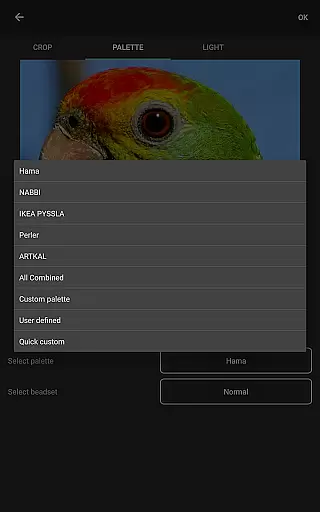
The application supports major brands of fuse beads like Hama Beads, Perler Beads, Artkal Beads, Nabbi Beads, and Pyssla Beads. This compatibility ensures users can experiment with different types of beads within a single custom palette, enhancing their design flexibility.
One of the unique features is the Bead By Numbers tool, akin to Paint By Numbers, which offers ready-to-use figures, shapes, and animals. This feature not only entertains but also helps improve motor skills, especially in children, by guiding them to fill patterns with matching fuse beads.
Moreover, BeadStudio's photo to bead conversion tool allows users to transform personal photos into bead designs using specific brands and colors they have available. This keeps the content fresh and personalized, encouraging continuous engagement.
User engagement in BeadStudio is significantly enhanced through its meditative and calming design processes. The ease of creating new boards or choosing from readymade templates keeps users invested in their creative journey over long periods.
The app's ability to mix different types of beads in one palette addresses the practical needs of users who may not own a complete set of any single brand. This adaptability increases session lengths as users explore various combinations without frustration.
Mistakes are part of the creative process, and BeadStudio offers robust undo/redo and eraser tools. These functionalities ensure that users remain engaged without the fear of making irreversible errors, thus promoting longer usage sessions.
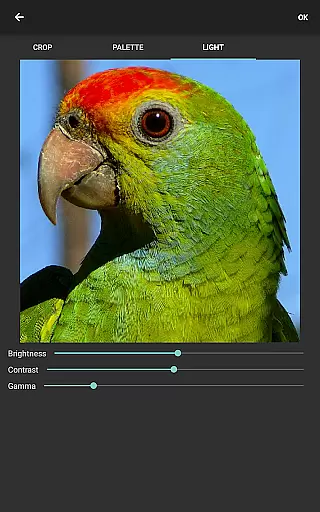
Additionally, generating boards from photos adds another layer of engagement. Users can control many aspects of image conversion such as dithering, coloring, and lighting before transforming images into bead designs. This intricate level of customization aids in retaining user interest over time.
User-friendly interface
Supports multiple bead brands
Photo-to-bead conversion
Custom palette creation
Engaging Bead By Numbers
Requires internet connection
Limited offline functionality
Premium features may cost extra
Steep learning curve for beginners
External storage permission needed

Play games. Earn real rewards. Cash out in 3hours via PayPal or gift cards.
 4.40
4.40
EVP Recorder / Voice Recorder for ghost hunting, to communicate with ghosts.
4.3
Stream videos to VIDAA & VEWD TVs from Hisense, Sharp, Skyworth, Vestel & TiVo
3.00
Best of icon for christmas
4.30
Stories that spark in seconds.
4.80
Just play games to earn gift cards. Keep playing, keep earning.
4.50
Daily immersive workout plan: Body warm up & finger yoga exercises
3.80
Earn Real Rewards Playing Fun Mobile Games & Easy Cash Out - PayPal & Gift Cards
4.40
Pop Drama is a premier app crafted for short drama lovers
4.60
Colorful flows will relax and calm you down, or get you trippy and creative!
4.90
Wodfix Air aggregates popular online content for you.
4.80
Geooh GO is the most feature rich geocaching app available today.
4.50
Everything FOX in one place. Watch FOX News, NFL, MLB, TV shows and more.
4.50
Come and watch short dramas, reels with diverse genres!
4.40
Himnario LLDM - Fast and Easy to read , updated Hymnal 2019 Edition Official
4.20
With the Steam Mobile App, you can take Steam with you anywhere.
3.00
Simulation of Dashboard / Touch Screen for Tesla. (Works without actual Tesla).
4.3
A wonderful collection of the most beautiful sounds of animals and birds
4.4
Journey to the world’s oldest rainforest and meet its Indigenous Custodians.
4.3


User Reviews