
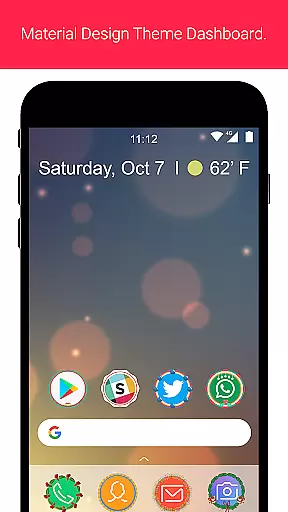
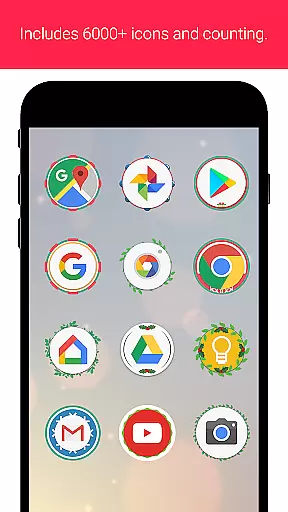
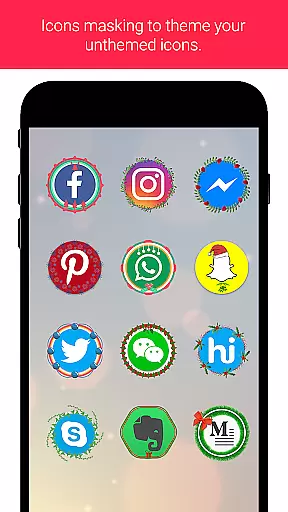
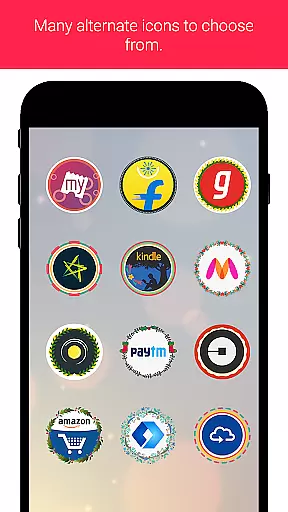
Christmas Icon Pack is an entertainment app designed to help users decorate their smartphones with festive Christmas-themed icons. The app offers a vast collection of thousands of unique icons that can be applied with just one click, making it easy to customize your device for the holiday season. Whether you want to give your phone a complete makeover or simply add some seasonal flair, this app provides a simple and enjoyable way to celebrate Christmas through your device's interface.
The icon pack is compatible with various launchers, ensuring wide usability across different Android devices. With its user-friendly interface and extensive selection of high-quality icons, Christmas Icon Pack delivers both aesthetic appeal and functional value, allowing users to express their holiday spirit while maintaining optimal device functionality.
Christmas Icon Pack stands out with its rich features tailored for festive customization. The app includes over thousands of professionally designed Christmas icons, covering various styles from traditional to modern interpretations. Each icon is crafted with attention to detail, featuring holiday elements like snowflakes, ornaments, and Santa Claus designs. The one-click application feature makes customization effortless, even for non-tech-savvy users.
Additional features include automatic icon matching for installed apps, calendar-based theme suggestions during the holiday season, and regular updates with new festive designs. Users can also request specific icon designs through the app's feedback system. The pack maintains high-resolution standards (up to 512x512 pixels) ensuring crisp visuals on all screen sizes, while its compatibility with multiple launchers guarantees seamless integration with existing device settings.
Christmas Icon Pack offers a diverse range of festive icons that cater to various user preferences. With thousands of unique Christmas-themed icons, the app ensures users can find the perfect design for their needs.
The content is regularly updated to keep up with the latest design trends and holiday themes. This commitment to freshness means users always have access to new and exciting icon choices each season.
Each icon is crafted with attention to detail, maintaining high-quality standards while offering creative variations. The variety extends across different styles, from traditional to modern interpretations of Christmas motifs.
The Christmas Icon Pack is designed to maintain long-term user interest through its extensive collection and easy one-click application feature. Users can quickly change their device's appearance, encouraging frequent interaction with the app.
Retention is enhanced by the app's ability to provide seasonal relevance year after year. As holiday seasons approach, users naturally return to update their device's look with fresh Christmas themes.
With its intuitive interface and instant preview functionality, the app creates an engaging experience that keeps users actively exploring different icon combinations. This interactive element helps sustain longer usage sessions per visit.
Extensive icon collection
User-friendly interface
One-click application
High-resolution graphics
Regular updates
Limited to Christmas theme
Android only
Dependent on launcher
No live support
Premium version needed

Music visualizer and party effects for your Nanoleaf devices
 4.1
4.1
Real ghost box scanner with echo, reverb, EMF, & multi-stream channels.
3.80
With the credits you earn play more games
2.90
Stream videos to VIDAA & VEWD TVs from Hisense, Sharp, Skyworth, Vestel & TiVo
3.00
Earn gift cards for playing games. Become a real game tester!
4.40
Just play games to earn gift cards. Keep playing, keep earning.
4.50
Alice Box is an Instrumental Trans Communication app.
3.80
Start EVP/Spirit Box tonight: real EMF, offline, recording. One-time purchase.
4.10
Official KennysGifs Stickers
4.20
Pathfinder 2e initiative tracker with bestiary, HP, reaction, conditions, etc
4.80
Original short dramas with diverse genres for a rich viewing experience!
4.80
Exclusive creator communities
4.70
Fun brain twisting challenge with trending Whirlpool Filter.
4.70
Play games. Earn real rewards. Cash out in 3hours via PayPal or gift cards.
4.40
Heroclix search units with multi filter , team builder, collection manager.
4.40
Fire effects for your Philips Hue lights
4.20
Simulation of Dashboard / Touch Screen for Tesla. (Works without actual Tesla).
4.0
Collaboration with popular VTubers
4.2
Control your AWTRIX 3 easily
4.0


User Reviews