

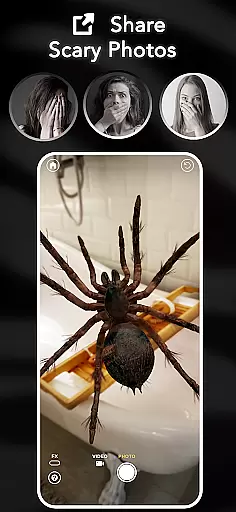

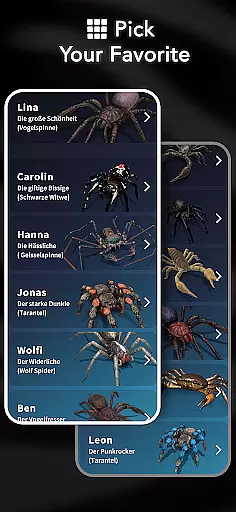
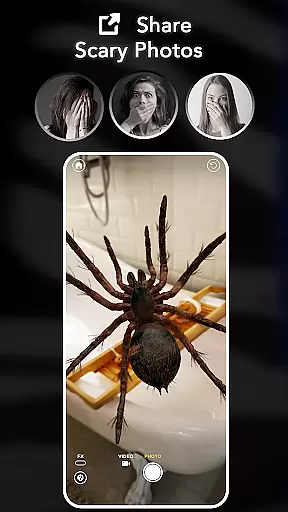
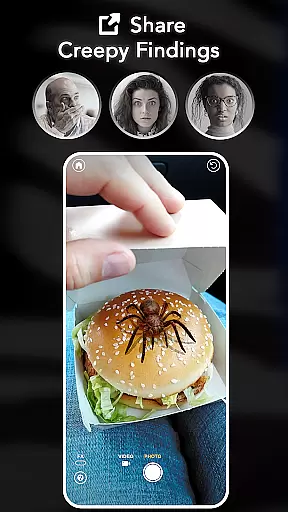
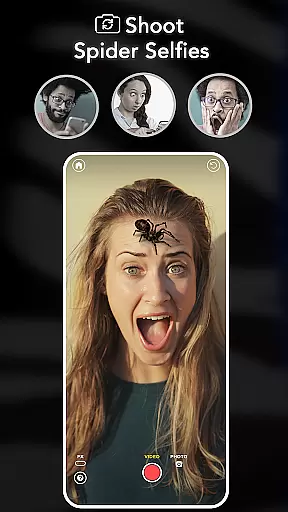
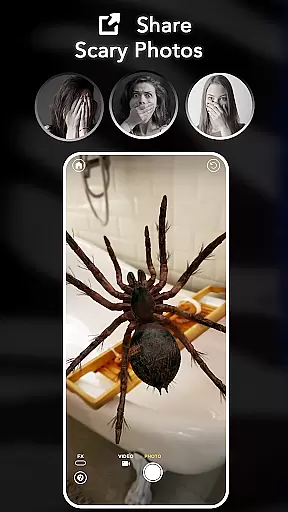
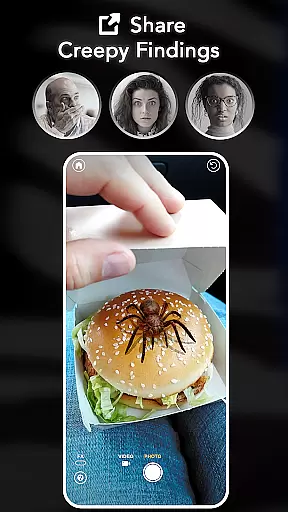
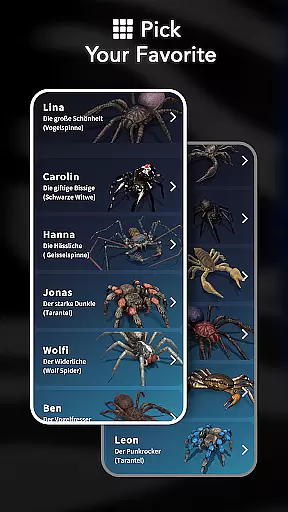
ARSpiders.com is an innovative entertainment app that brings realistic 3D spiders and other creepy crawlies into your world through augmented reality. The app allows users to place ultra-realistic spiders, tarantulas, and scorpions on various surfaces including faces, walls, floors, and tables. With interactive gameplay features, you can control these creatures to 'attack' for a shocking prank effect. Perfect for fans of AR filters, pranks, and horror effects, this app provides a unique way to surprise friends or face your fears.
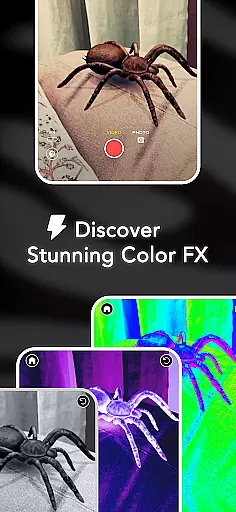
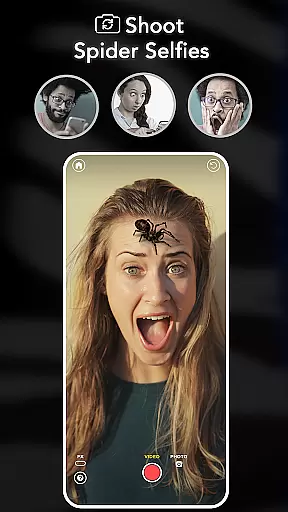
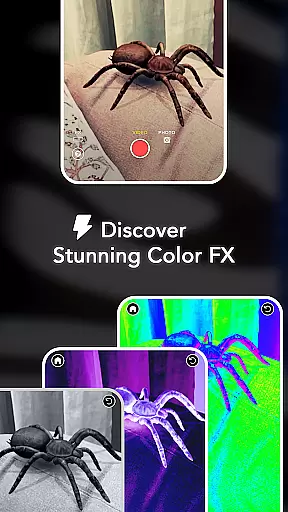
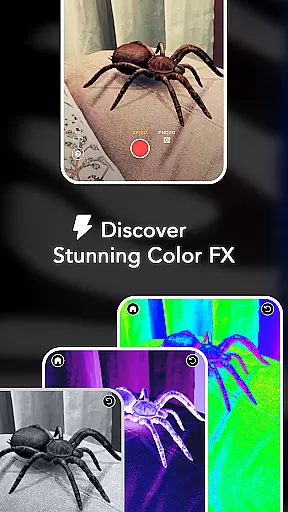
The app's key advantage lies in its complete package - no ads, no in-app purchases, and everything unlocked for free. It works seamlessly offline and offers cinematic camera effects like Color Correction, Vignette, and Film Grain. The Spider Selfie Mode creates ultra-realistic photos perfect for social media pranks (requires TrueDepth API support). Whether you're looking to scare your friends or help overcome arachnophobia, ARSpiders.com delivers high-quality AR experiences powered by advanced technology.
ARSpiders.com stands out with its comprehensive feature set designed for maximum entertainment value. The core functionality revolves around its advanced AR placement system that lets users position realistic 3D spiders and related creatures anywhere in their environment. The level of realism is enhanced by sophisticated animation algorithms that make the creatures' movements incredibly lifelike.
What makes this app particularly engaging is its interactive gameplay elements. Users can direct their virtual spiders to perform specific actions, including dramatic 'attacks' that create convincing prank moments. The app's capture and sharing capabilities allow users to record high-quality photos and videos of these AR encounters. Additionally, the built-in Camera FX suite provides professional-grade post-processing options, enabling users to fine-tune their horror content with various cinematic effects.
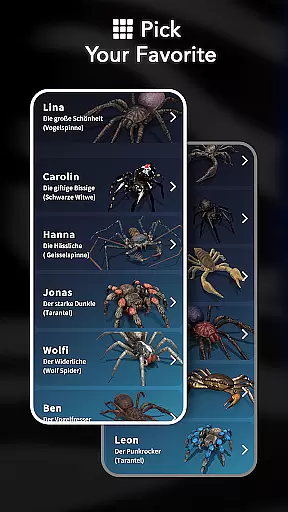
The app's technical advantages include full offline functionality and optimized performance even on devices without internet connection. Its commitment to user experience is evident in the completely ad-free environment and lack of paywalls, making all features accessible without additional costs. The upcoming addition of new creatures promises to expand the app's already impressive entertainment potential.
In the realm of digital entertainment, content diversity and regular updates are crucial for user engagement. ARSpiders.com excels in this area by offering a unique blend of augmented reality experiences focused on spiders and other creepy crawlies. The app provides users with ultra-realistic 3D models of spiders, tarantulas, and scorpions that can be placed in real-world environments through AR technology.
Moreover, the interactive gameplay allows users to control these creatures, making them 'attack' to enhance the prank effect. This feature adds an element of surprise and shock value, ensuring that the content remains fresh and exciting. The ability to capture and share scary photos and prank videos further enriches the variety of content that users can create and distribute.
ARSpiders.com also includes cinematic effects such as Color Correction, Vignette, and Film Grain, which add a professional horror look to the captured media. These features not only increase the content variety but also maintain high-quality standards, keeping users engaged and encouraging them to return for more creative and thrilling experiences.
User engagement duration and retention are key metrics for the success of any entertainment application. ARSpiders.com addresses these aspects effectively by providing an immersive and interactive experience that captivates users from the start. With its realistic 3D spiders crawling on faces, walls, floors, or tables, the app creates a compelling environment that encourages prolonged usage sessions.
The app's interactive gameplay, where users can control the spiders and make them 'attack,' significantly boosts user engagement. This feature transforms a simple AR experience into a dynamic prank tool, prompting users to spend more time exploring different scenarios and perfecting their pranks. Additionally, the ability to record and share these moments on social media platforms enhances user retention by creating a sense of community and competition among users.
Furthermore, ARSpiders.com offers offline functionality, allowing users to enjoy the full experience without an internet connection. This convenience factor ensures that users can engage with the app anytime, anywhere, thus increasing overall retention rates. By continuously updating the app with new creatures and features based on user feedback, ARSpiders.com maintains a loyal user base eager to explore what's next in the world of AR pranks.
User-friendly interface
High-quality AR effects
Completely free
Offline functionality
Cinematic camera tools
Requires modern hardware
Limited creature types
Selfie mode restrictions
Potentially scary
Technical learning curve

Disney Stickers: Zootopia 2
 4.3
4.3
Stream Online TV - Watch Live IPTV Playlist & Channel with Built-In Player
4.50
Practice and master your ESP and intuition with five mode trainer.
4.20
Fire effects for your Philips Hue lights
4.20
Direct access to the most complete Guitar Tab Archive in Spanish: LaCuerda.net
4.60
Collaboration with popular VTubers
4.5
Just play games to earn gift cards. Keep playing, keep earning.
4.50
Stream live TV shows, sports, news, movies & more - all without cable.
3.00
Necrophone is spirit box ghost hunting app made for spirit communication.
3.70
5 funny and lovely ponies waiting for you to style them!
4.80
Time tracking, lap counting and much more for Carrera® Digital 132/124
4.80
Chat with AI characters! Anime, games, roleplay & more.
4.50
Fetch money rewards all just for playing games. Cash out for gift cards in app.
4.50
Catch the latest episodes of The Voice or live stream NFL games with The NBC App
4.20
Fool your friends & Family with Fake ultrasound test report
3.60
Create your Songs. Cover Maker with any Voice, Song Generator
3.30
Explore the unknown!
3.00
EVP Recorder / Voice Recorder for ghost hunting, to communicate with ghosts.
4.0
Journey to the world’s oldest rainforest and meet its Indigenous Custodians.
4.3


User Reviews