
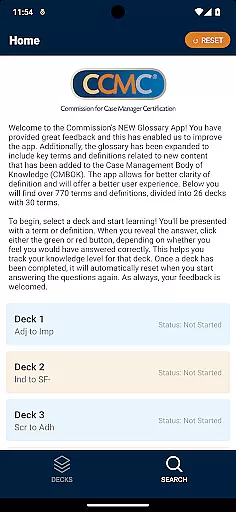
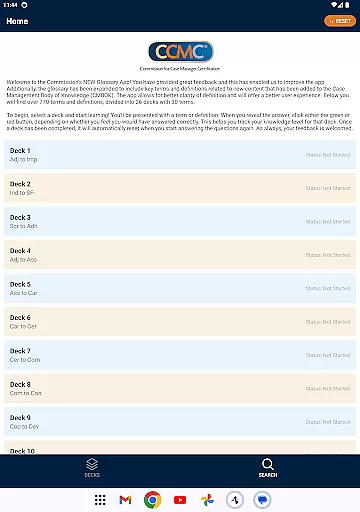
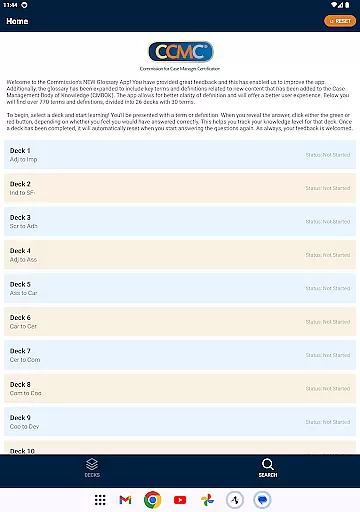
The CCM Glossary App is an educational tool designed to help users master key terms and definitions in case management. With over 770 terms divided into 26 decks, this app provides a structured learning experience for professionals and students alike.
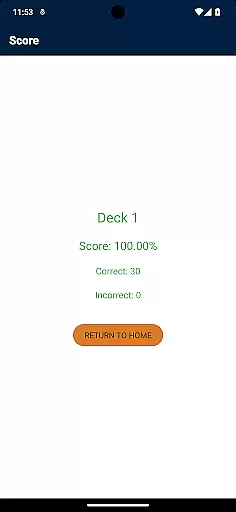
Each deck contains 30 terms, allowing users to focus on specific areas of the Case Management Body of Knowledge (CMBOK). The app tracks user progress through a simple feedback system, helping learners identify areas that need improvement.
This application is particularly useful for those preparing for certification exams or seeking to deepen their understanding of case management terminology. By offering expanded content and improved user experience, the app ensures better clarity of definitions and more effective learning.
The CCM Glossary App offers several notable features that enhance the learning experience. First, it provides a comprehensive collection of over 770 terms and definitions, organized into 26 distinct decks for systematic study.
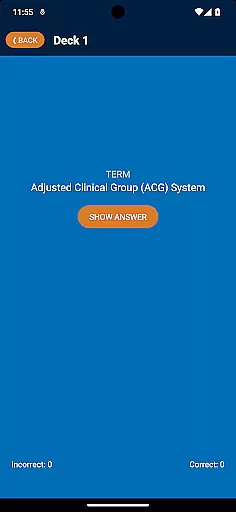
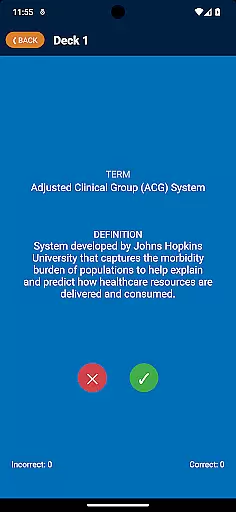
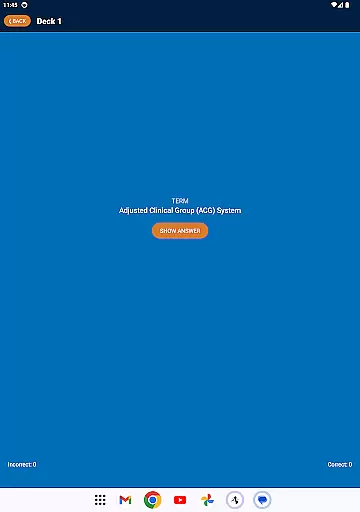
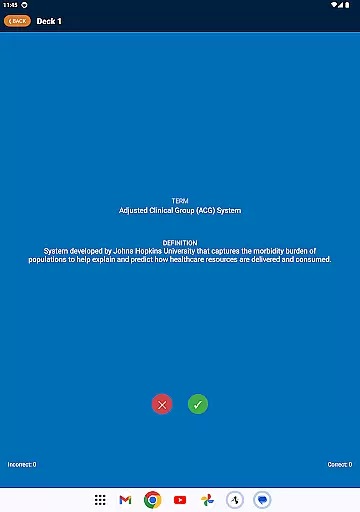
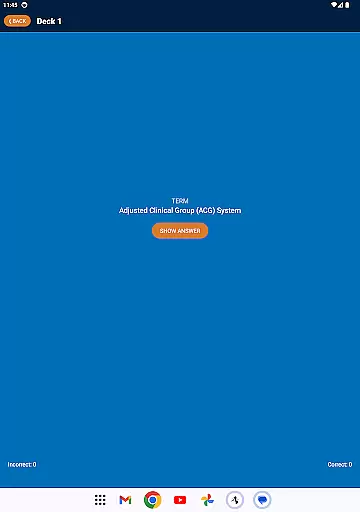
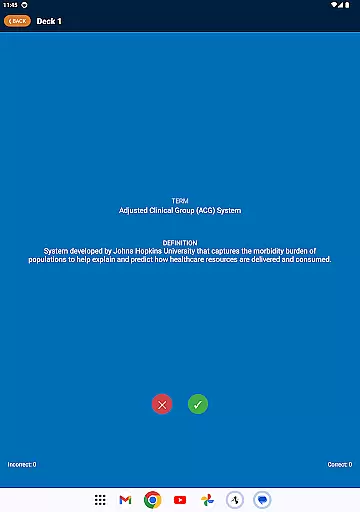
A unique feature is the self-assessment system where users can track their knowledge level. After revealing each term's definition, users click either a green or red button to indicate whether they answered correctly. This helps monitor progress and identify areas needing further review.
The app also includes expanded content from the latest CMBOK updates, ensuring users have access to the most current terminology. Its intuitive interface and automatic deck reset function make it easy to use and maintain continuous learning.
In the realm of educational applications, content accuracy is paramount. The CCM Glossary App offers over 770 terms and definitions, meticulously curated and expanded from the Case Management Body of Knowledge (CMBOK). This ensures that users are accessing information that has been validated by experts in the field.
Each term included in the app is not only comprehensive but also linked to credible sources within the CMBOK. This linkage establishes the authority of the content, providing learners with reliable information that supports their educational journey.
The app's dedication to clarity and precision means that definitions are presented in a manner that is both accessible and academically rigorous. Users can trust that the knowledge they gain from the app is applicable and relevant to their studies or professional practice.
Understanding that every learner is unique, the CCM Glossary App facilitates personalized learning paths. By dividing the extensive glossary into 26 decks, each containing 30 terms, users can tailor their learning experience to target specific areas of interest or weakness.
As users engage with the app, they have the opportunity to self-assess their understanding of each term. Clicking the green or red button based on their confidence in answering correctly allows for an adaptive learning process that evolves with the useru2019s growing knowledge.
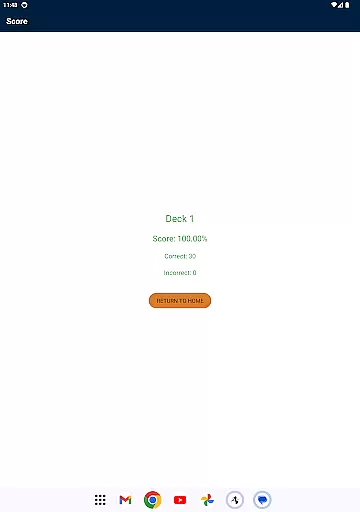
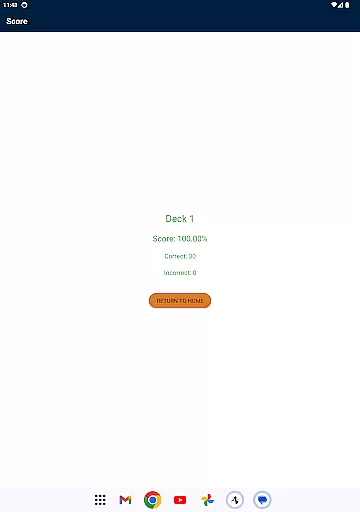
This interactive method of learning not only makes the process more engaging but also enables learners to track their progress effectively. With features designed to adapt to individual learning curves, the app empowers users to take control of their education at their own pace.
User-friendly interface
Comprehensive term collection
Effective progress tracking
Regular content updates
Valuable exam preparation tool
Limited to case management field
No offline functionality
Basic visual design
Requires regular practice
Dependent on CMBOK standards

AR planetarium app that brings the solar system to you via XREAL Glasses.
 4.0
4.0
Astronomy app ? Discover the universe scope, explore solar system model in 3D.
4.20
Designed for Calculator 84 users
4.20
Explore numbers the Starfall way!
4.00
Study for your 608 certification.
4.50
Hasbro's Classic Board Game - Make Cavity Sam better or get the buzzer!
3.50
Enrich the experience of your visit to the Pantheon with our audiotour.
1.60
Discover Your Place in the Universe
4.70
Learn & Speak New Languages
4.70
2026 DVSA Driving Theory Test revision with Hazard Perception + Highway Code
4.60
An easy to use yet powerful and full-featured flashcard study app.
4.50
Professional Award-Winning Astronomy Star Map App With Telescope Control
4.40
The FE Clock is a way to track sun & moon around the circle of the earth.
4.30
A magical world of fun, building, and learning with Mickey Mouse and more!
4.20
An aviator’s preparation, study and test tool for FAA Knowledge Exams.
4.10
An aviator’s preparation, study and test tool for FAA Knowledge Exams.
4.00
Your guide to thousands of satellites and spacecraft in orbit around Earth!
3.90
Listen, request and record pronunciations in more than 450 languages. Everywhere
3.90
Hasbro’s classic CANDY LAND game is now a gorgeous interactive storybook app.
2.30


User Reviews