
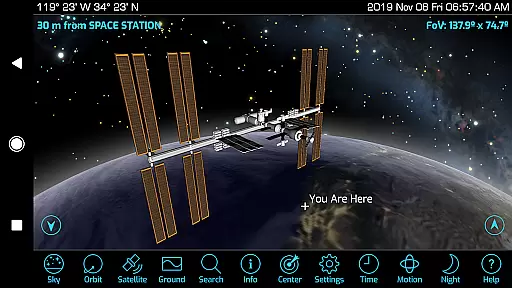
Orbitrack is an innovative educational app designed for space enthusiasts and curious minds alike. This augmented-reality satellite tracker and spaceflight simulator offers users a unique opportunity to explore over 4000 spacecraft orbiting Earth. With rich graphics, detailed 3D satellite models, and real-time tracking capabilities, Orbitrack transforms your device into a pocket guide for the cosmos.
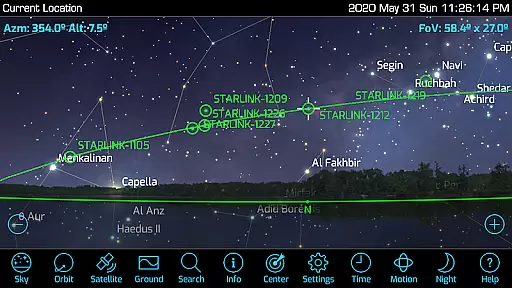
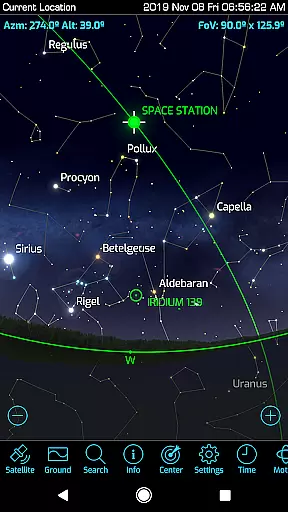
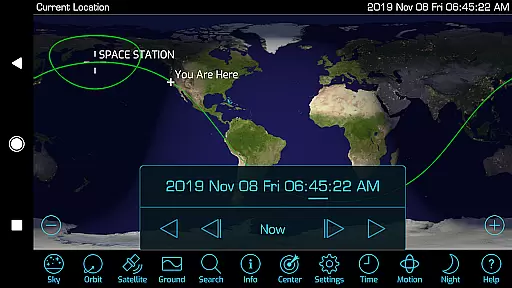
The app's standout feature is its augmented reality mode, which utilizes GPS and motion sensors to help users locate satellites in the sky. Whether you're identifying classified military satellites or marveling at the International Space Station, Orbitrack provides comprehensive mission descriptions and radio frequency data for amateur radio satellites. The app also supports the latest Android hardware and OS, ensuring optimal performance across devices.
Perfect for both casual stargazers and serious astronomy students, Orbitrack brings space exploration to your fingertips. Its intuitive interface makes complex satellite data accessible to everyone, while advanced features like Time Flow controls and ambient background music enhance the overall experience. Stay informed about the latest space missions and track orbital changes with daily updates from reliable sources like n2yo.com and celestrak.com.
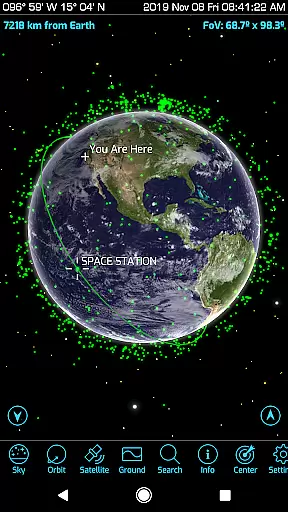
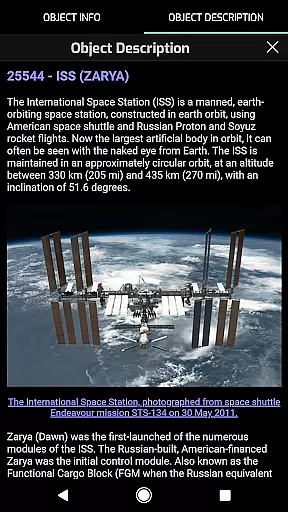
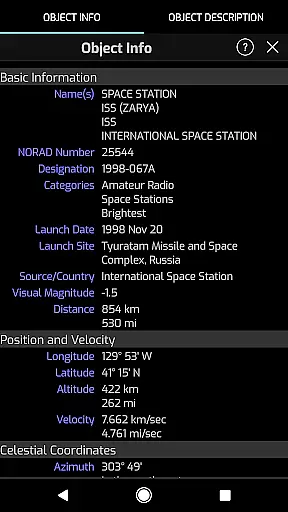
Orbitrack stands out with its extensive feature set tailored for space education and exploration. The app tracks thousands of satellites in real time, providing users with precise overhead pass predictions and sky location guidance. Its comprehensive mission descriptions, available for hundreds of spacecraft including the International Space Station, make learning about space missions engaging and informative.
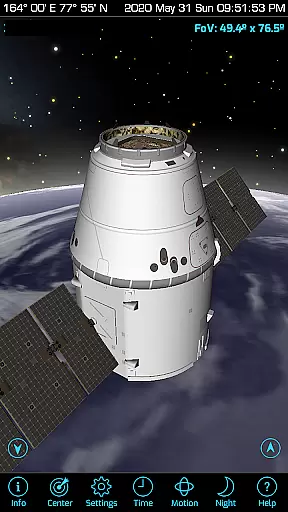
One of the most impressive aspects is the app's graphical presentation. Orbitrack showcases rich new graphics with atmospheric effects, city lights on Earth’s night side, and highly-detailed 3D satellite models. Users can view Earth from orbit through any tracked satellite's perspective, experiencing space as if they were aboard the spacecraft. The inclusion of radio frequency data for amateur radio satellites adds another layer of technical depth for enthusiasts.
Usability enhancements abound in Orbitrack, with dozens of interface optimizations making it faster and easier to use than its predecessor. New Time Flow controls allow smooth date and time setting, while augmented reality features work seamlessly with both Orbit and Satellite views. These sophisticated capabilities are presented through an intuitive touch interface that requires no aerospace expertise to master, making space exploration accessible to all learners.
Orbitrack stands out in its commitment to content accuracy and authority, crucial for educational applications. The app provides detailed and verified information on over 4000 spacecraft, including active satellites, the International Space Station, and SpaceX's Starlink satellites.
Each satellite description is sourced from n2yo.com, ensuring that users receive authoritative and up-to-date data. This dedication to sourcing reliable information supports an accurate learning experience about spaceflight and satellite technology.
Furthermore, Orbitrack enhances educational value by offering rich graphics and 3D models of satellites, allowing users to explore spacecraft with precision. These visual tools are complemented by comprehensive mission descriptions, making complex information accessible and engaging.
By integrating daily updates from trusted sources like n2yo.com and celestrak.com, Orbitrack ensures that its content remains current with the latest developments in space exploration. This approach not only educates but also keeps enthusiasts informed about real-time changes in satellite orbits and new launches.
While Orbitrack excels in delivering vast amounts of accurate space-related content, it also offers personalized learning paths tailored to individual interests within the realm of satellite tracking and space exploration. Users can customize their experience by selecting specific satellites or types of spacecraft to track and learn about.
The applicationu2019s augmented reality mode allows learners to engage with content in a way that suits their pace and style. By using device GPS and motion sensors, Orbitrack helps users locate satellites in the sky, transforming theoretical knowledge into practical observation skills.
Moreover, Orbitrack includes features such as radio frequency data for amateur radio satellites and views from any satellite, which cater to niche interests within the broader field of space study. These specialized tools enable users to delve deeper into areas that fascinate them most.
With dozens of user interface optimizations and intuitive controls, Orbitrack makes personalizing your learning journey straightforward and enjoyable. Whether you're interested in understanding the mechanics of the International Space Station or exploring classified military satellites, Orbitrack adapts to provide relevant insights and information tailored just for you.
Comprehensive satellite coverage
Augmented reality features
Detailed 3D models
Real-time tracking data
User-friendly interface
Premium subscription required
High system requirements
Limited free features
Occasional data delays
No iOS version available

Grazing Risk Monitoring Service
 4.1
4.1
Build math skills in: addition, subtraction, multiplication and division.
4.10
Test prep for Indiana students
4.4
Practice Casino Roulette Payouts for Table Game Dealers and Croupiers
4.40
Pass your FAA written with flying colors - Study Buddy can help.
4.30
Study for your 608 certification.
4.50
Discover Your Place in the Universe
4.70
The best way to study for your amateur radio license exam.
4.90
Reading for kids has never been easier. Learn phonics, letter tracing & more!
4.70
Short Lessons for Better Finances, Health, Skills, Jobs & Relationships.
4.80
Perform physics experiments with your phone. (by the RWTH Aachen University)
4.70
Guitar chord finder, analyzer, smartly visualized theory, progressions, quizzes.
4.70
Learn Words Daily in Just Minutes - Boost Your Language Skills Fast!
4.60
Intuitive Transformer Lab - By a Lineman, For Linemen & Apprentices
4.50
The "Go To" app for Airmen studying for promotion to SSgt and TSgt
4.30
Break Language Barriers with AI—Learn Language Anytime, Anywhere!
4.00
Make your own game and world. Draw and animate characters
3.70
Quiz App to help case managers studying for CCMC Certification, 200+ Questions
3.40
A 2024 digital study guide for the Expert Infantryman and Expert Soldier's Badge
4.0


User Reviews