
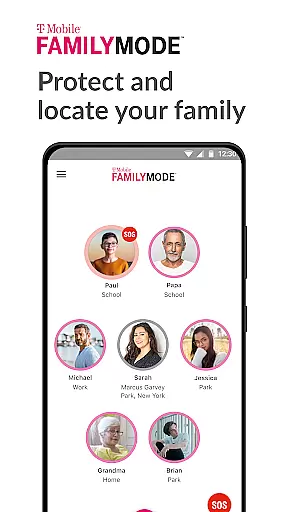
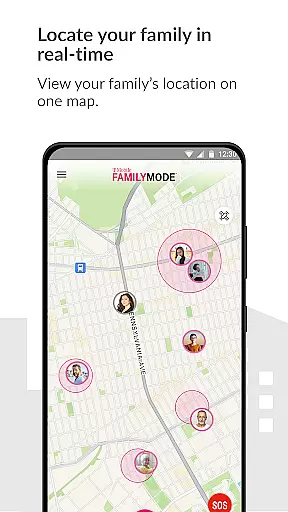
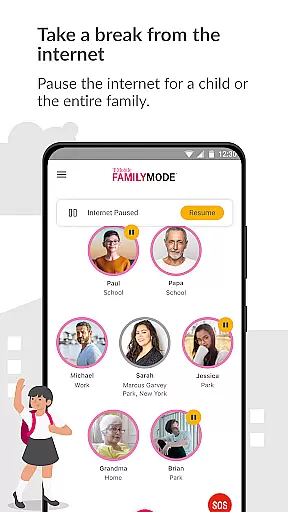
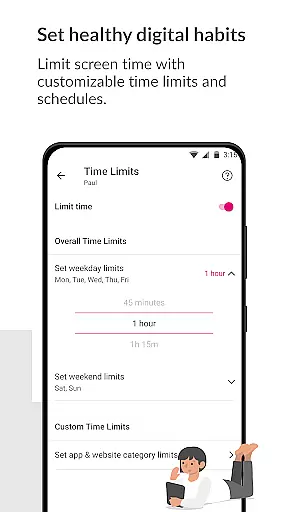
T-Mobile FamilyMode is a comprehensive family safety app designed to help parents manage their children's digital habits while ensuring their safety. The app offers real-time location tracking, allowing you to locate your family members instantly and monitor their whereabouts. It also provides tools to improve online behavior by setting time limits, pausing Internet access, and applying content filters across devices.
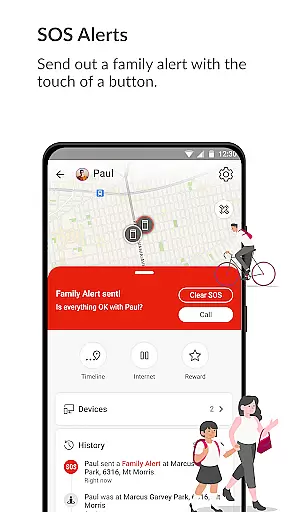
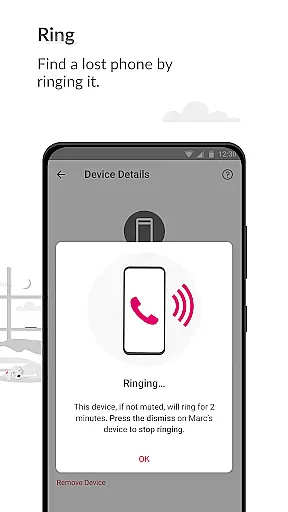
With its latest features, FamilyMode makes digital parenting more manageable than ever. You can now ring a lost phone, send SOS alerts with a single touch, and easily share locations with family members. These capabilities are complemented by established features like setting healthy digital habits, monitoring real-time locations, and applying content filters to ensure age-appropriate online experiences for your kids.
This app is particularly useful for busy families who want to maintain a balance between digital engagement and real-world interactions. By providing control over screen time and Internet access, T-Mobile FamilyMode empowers parents to create a safer and more structured digital environment for their children.
T-Mobile FamilyMode stands out with its robust set of features tailored for modern parenting challenges. One of the key functionalities is the ability to track your family's location in real-time. This feature not only helps you know where your kids are but also allows you to trace the path they took to reach there, offering peace of mind.
The app includes practical tools such as the ability to ring a lost device, which can be invaluable in preventing loss or theft. Additionally, the SOS alert function lets family members quickly signal for help with just a touch of a button, enhancing overall family safety. The check-in feature simplifies location sharing, making it easy to stay connected with loved ones.
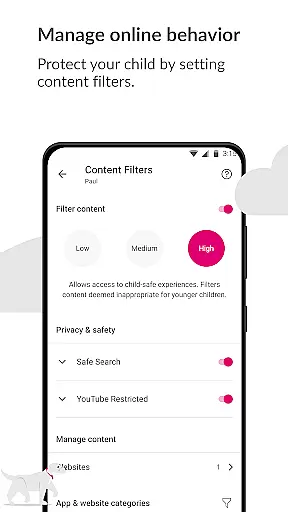
FamilyMode also excels in promoting healthy digital habits. Parents can set specific time limits for device usage, pause Internet access during important family times like dinner, and even reward good behavior with extra screen time. Customizable content filters further ensure that children only access age-appropriate material online, giving parents greater control over their digital experiences.
When it comes to parenting apps, the credibility of content and expert validation are paramount. T-Mobile FamilyMode takes these responsibilities seriously by providing features that are designed with both parental control and child safety in mind. The app allows parents to set healthy digital habits through time limits and content filters, ensuring that children only access age-appropriate material online.
The app's use of Google Accessibility Services API is a testament to its commitment to safety and credibility. This integration enables parents to establish robust parental controls on their childrenu2019s devices, protecting them from potentially harmful or unwanted content. Importantly, no information is processed or collected beyond what's necessary for enforcing user-defined restrictions, thus maintaining privacy while offering peace of mind.
Furthermore, T-Mobile FamilyMode has been updated with new functionalities such as SOS alerts and location sharing, which have been developed to enhance family safety. These features allow family members to communicate their whereabouts instantly and request help when needed. By combining these practical tools with reliable parental controls, FamilyMode stands out as an authoritative solution in the realm of digital parenting.
Growth tracking within parenting applications like T-Mobile FamilyMode refers not just to physical growth but also to monitoring a child's digital footprint and development. With real-time location services, parents can accurately track their childrenu2019s movements and understand the paths they take throughout the day. This feature provides invaluable insights into a child's routine and helps ensure their safety.
In addition to geographical tracking, FamilyMode offers tools for observing and guiding a child's online behavior. Parents can pause Internet access during meals or reward good grades with additional screen time, effectively managing how technology fits into their daily lives. Such capabilities empower parents to make informed decisions about their kids' digital consumption patterns.
By integrating advanced filtering options, T-Mobile FamilyMode ensures precise monitoring of online activities. Pre-set or custom filters give parents granular control over the type of content their children encounter on the web. This meticulous approach to growth tracking supports responsible digital citizenship and fosters an environment where children can explore cyberspace safely under parental guidance.
Real-time location tracking
Customizable content filters
Easy-to-use interface
SOS alert functionality
Device ringing feature
Limited to T-Mobile users
Requires constant Internet
Subscription may be costly
Dependent on Google API
Privacy concerns with tracking

SENSORYSOOTHE and SENSORSAFE: Making car seats smarter and families safer.
 4.70
4.70
With BabyCam you can monitor your baby using your mobile phone, tablet, PC or TV
4.40
Little loved one's monitoring, Sleep tracking and Parenting content.
3.80
Fun Ideas for Parents
4.70
Join over 1MM parents & professionals who've used OFW to navigate co-parenting
4.40
Lullabies, Night Light & Age-based Routines to help your baby fall asleep
4.0
GeoLog - Real-Time Location Tracker
4.40
App/Game blocker & GPS tracker
4.50
FamilyAlbum helps you share, save, and remember your child's special moments.
4.80
Pregnancy+ App has helped 80m moms track their pregnancy with info & support!
4.80
Track Pregnancy, Baby Feeding, Sleep, Diaper Changes, Postpartum Health & More!
4.80
Live Location, Alerts & 2-Way Voice for Kids and Adults with Special Needs
4.60
The Most Trusted Co-Parenting App.
4.60
Block apps, set screen time limits, and customize usage schedules
4.50
Free symptom & med tracker with expert-reviewed tips.
4.30
Findnumber: Real-time location tracker for ultimate family security
4.20
Pregnancy and baby formula tips for moms, plus Enfamil coupons & cash back
4.10
Save money on diapers. Get the Pampers Rewards app.
3.90
AI Motion Video Maker & Ideas
4.1


User Reviews