
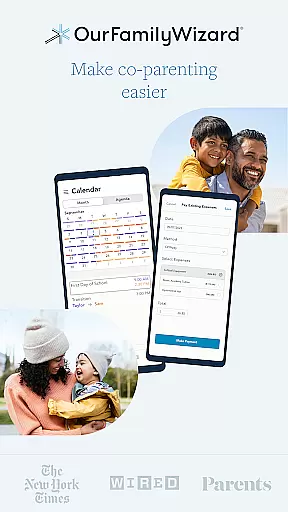
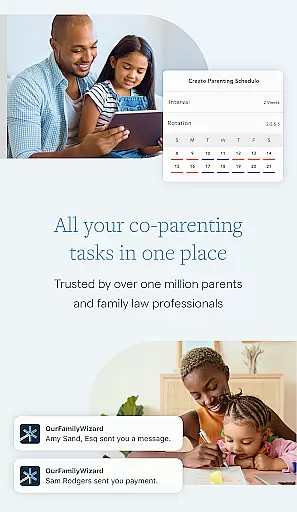
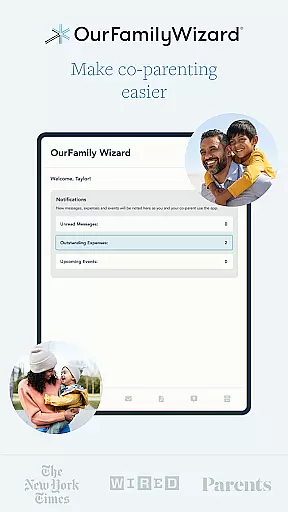
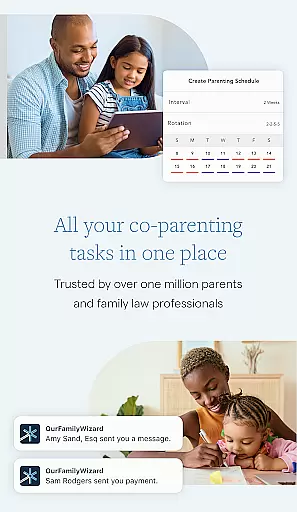
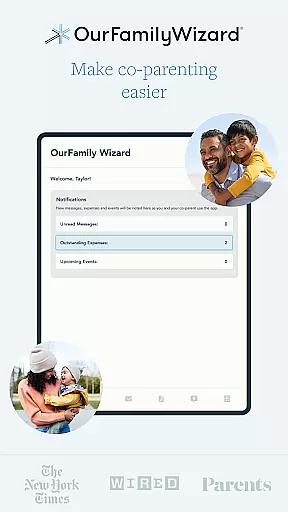
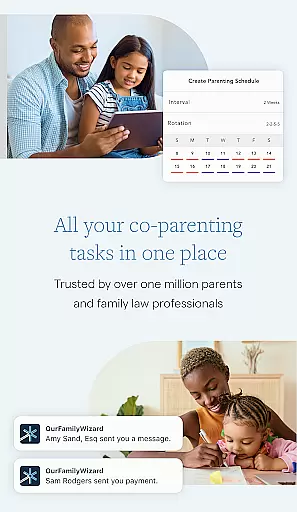
OurFamilyWizard is a comprehensive co-parenting application designed to simplify the complexities of shared parenting. The app's core functionality revolves around reducing conflict and fostering better communication between co-parents, allowing them to focus on their children's well-being. It achieves this through a suite of powerful tools that cover scheduling, expense management, secure messaging, and detailed documentation.
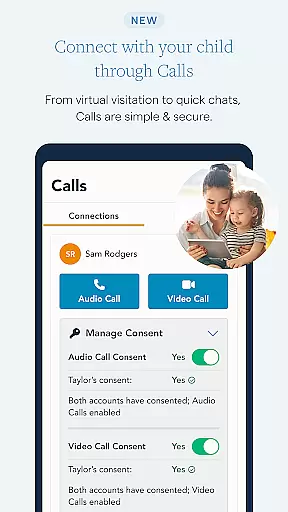
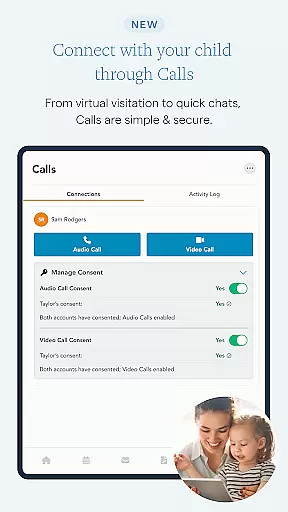
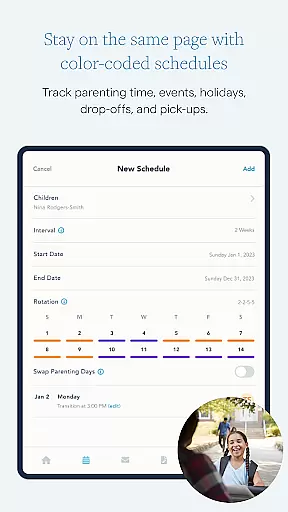
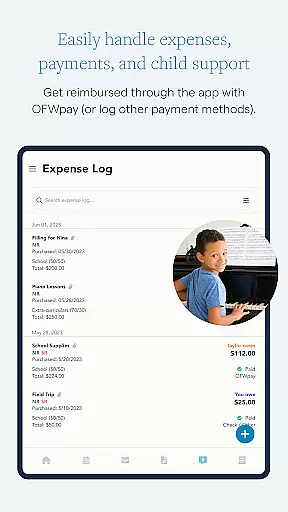
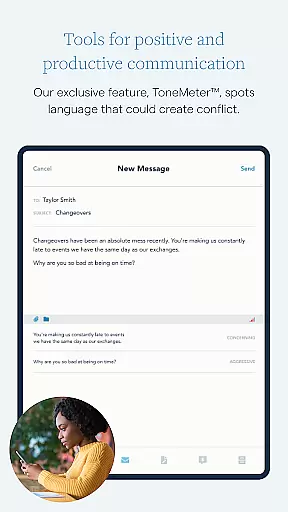
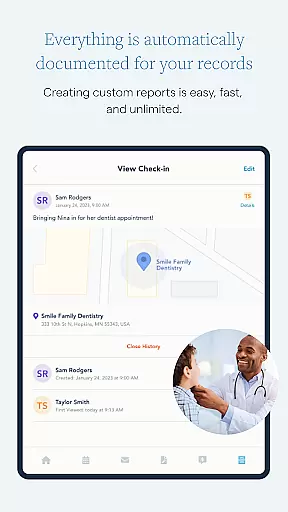
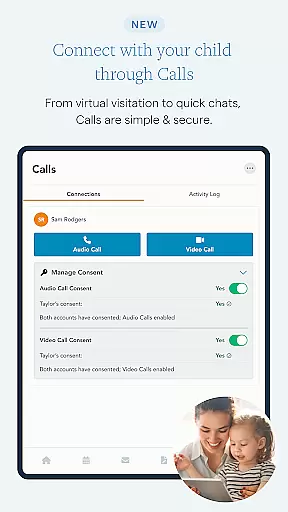
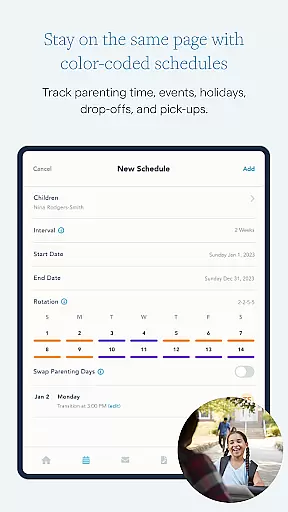
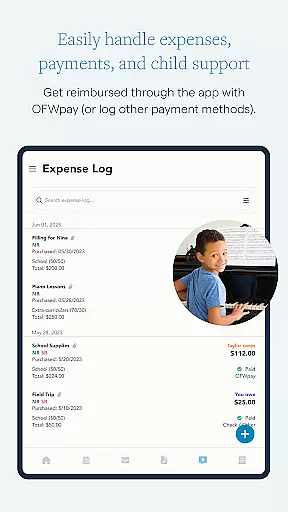
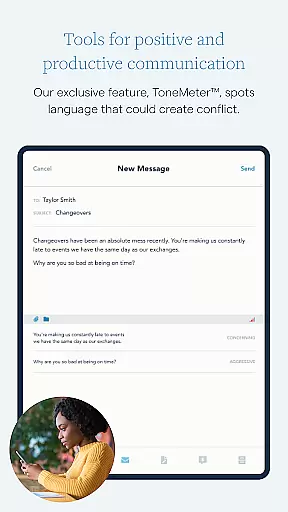
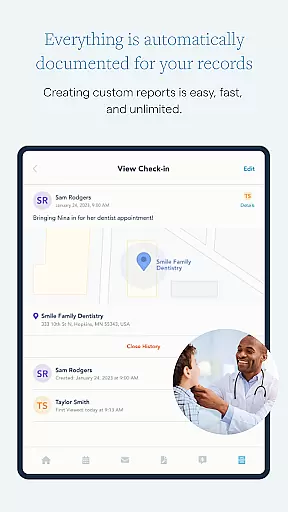
What sets OurFamilyWizard apart is its ability to centralize all co-parenting interactions in one secure platform. This includes features like a color-coded calendar for scheduling, ToneMeter™ for calm communication, and OFWpay for streamlined expense handling. The app also offers innovative solutions like GPS Check-Ins and virtual visitation calls, making it invaluable for modern co-parenting scenarios.
The true value of OurFamilyWizard lies in its ability to create a harmonious co-parenting environment. By keeping everything organized and documented, it helps shield children from adult conversations while providing peace of mind to both parents. Whether it's managing schedules, tracking expenses, or maintaining meaningful journals, the app serves as an essential tool for successful co-parenting.
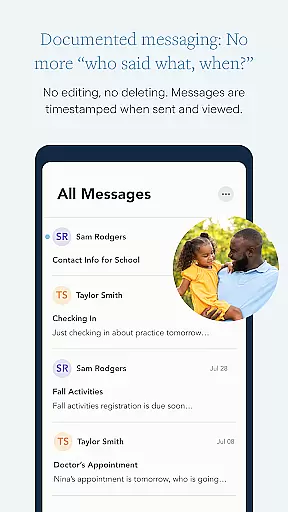
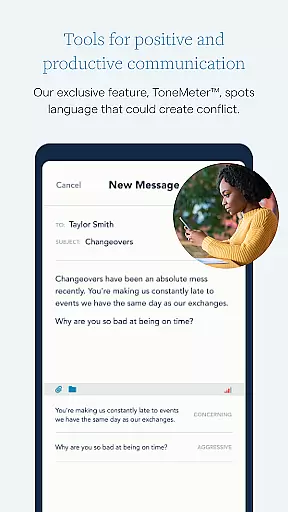
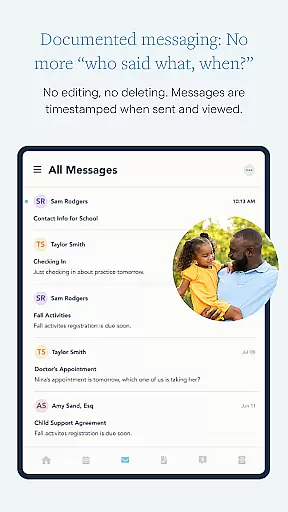
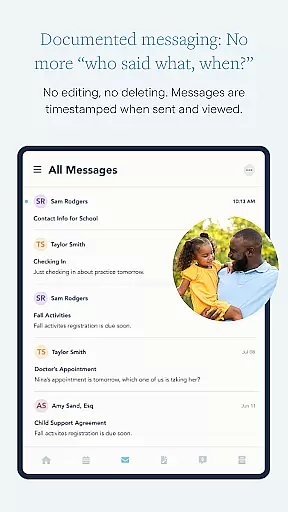
OurFamilyWizard boasts an impressive array of features tailored specifically for co-parenting success. The app's communication tools are particularly robust, offering secure messaging with permanent records and first-viewed timestamps. Its innovative ToneMeter™ technology actively helps prevent conflicts by analyzing message language before sending.
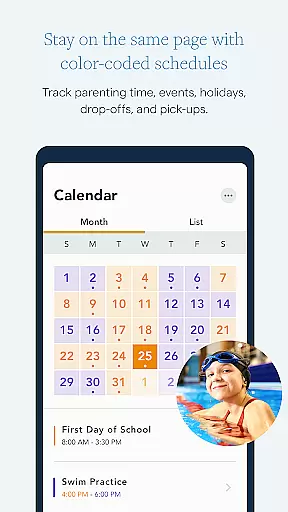
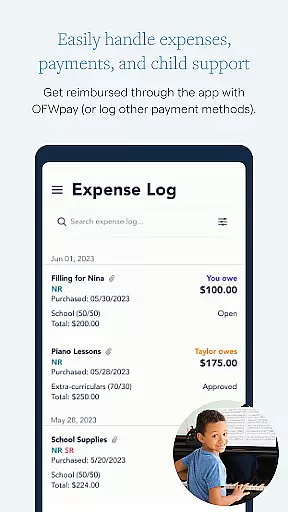
The scheduling capabilities are equally impressive, featuring a comprehensive parenting time calendar that handles regular schedules, holidays, and last-minute changes through easy-to-use forms. The expense management system goes beyond simple tracking by allowing customized categories and percentage splits, plus integrated payment options through OFWpay.
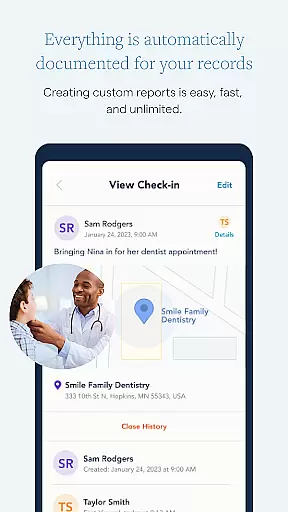
Additional notable features include the Info Bank for storing essential child information, GPS Check-Ins for verifying presence during exchanges, and comprehensive documentation tools. These features work together seamlessly, creating a unified ecosystem that addresses every aspect of co-parenting needs while maintaining professional-grade security and accessibility.
When it comes to co-parenting, having credible and validated information is crucial for the well-being of both parents and children. OurFamilyWizard ensures that all parenting content within the app is designed with expert input, providing reliable tools and resources for separated or divorced parents.
The app's features are developed based on years of experience and feedback from family law professionals, ensuring that the advice and tools offered are not only practical but also legally sound. This expert validation gives users peace of mind knowing they are following best practices recommended by professionals in the field.
By incorporating features like ToneMeteru2122, which helps to maintain calm and constructive communication, and offering a secure platform for documenting all interactions, the app minimizes misunderstandings and conflicts. These tools help parents communicate more effectively, ultimately benefiting the children involved.
Furthermore, the ability for legal practitioners to access app activity with Practitioner Accounts adds an extra layer of credibility. Lawyers, mediators, and therapists can view reports and assist in managing the details, potentially reducing legal fees and court appearances. This professional oversight ensures that the app remains a trusted resource for co-parents.
Tracking the growth and development of children in a co-parenting situation can be challenging, but OurFamilyWizard offers precise tools to ensure accurate monitoring. The app provides features such as GPS Check-Ins and a comprehensive Journal, allowing parents to log significant moments and verify their presence during important events.
With the Journal feature, parents can capture memories through photos and text, creating a detailed record of their child's milestones and everyday life. This ongoing documentation helps track emotional, social, and physical growth over time, giving both parents a clear picture of their childu2019s progress.
The Info Bank feature further supports growth tracking by storing essential details about the child, such as medical records, clothing sizes, and school information. By keeping this data up-to-date and easily accessible, both parents remain informed about their child's needs and changes, facilitating better decision-making.
Additionally, the app's Calendar tool encourages reliability and consistency in parenting schedules, ensuring that important events and appointments are never missed. This structured approach to scheduling helps maintain stability in the child's routine, which is crucial for healthy development. Overall, these features collectively enhance the accuracy and reliability of growth tracking in co-parenting scenarios.
Comprehensive co-parenting solution
Secure communication platform
Innovative conflict prevention tools
Robust documentation features
Wide professional recognition
Premium subscription required
Steep learning curve
Limited free features
US-focused services
Occasional sync issues

Track your pregnancy & your baby's growth in 3D. Get support from our community
 4.60
4.60
Educational resource for parents to inspire creativity in their children.
4.00
Sleep better with white noise app! Discover rain sounds, fan noise and more.
4.70
Parental Control including Screen time control, GPS tracking, App/Game blocker.
3.90
Family GPS locator app — child location tracker. GPS kids tracker, family safety
4.70
Live Location, Alerts & 2-Way Voice for Kids and Adults with Special Needs
4.60
Babysitting video camera - Turn your two phones or tablets into a single nanny.
4.40
Pregnancy+ App has helped 80m moms track their pregnancy with info & support!
4.80
Track baby’s development & growth week by week with BabyCenter’s pregnancy app!
4.90
Track your labor contractions
4.90
FamilyAlbum helps you share, save, and remember your child's special moments.
4.80
SENSORYSOOTHE and SENSORSAFE: Making car seats smarter and families safer.
4.70
The Most Trusted Co-Parenting App.
4.60
With BabyCam you can monitor your baby using your mobile phone, tablet, PC or TV
4.40
Speech Therapy Exercises For All!
4.40
Comprehensive Parental Control & Child Safety — Hear & Protect Your Child World
4.30
Fake call application designed for parents and adults to discipline their children through the children's police.
4.20
Family parental control app: limit screen time, block apps, GPS tracker.
4.20
Screen Time, App and Web Block & Monitoring, Location Tracker
3.60


User Reviews