
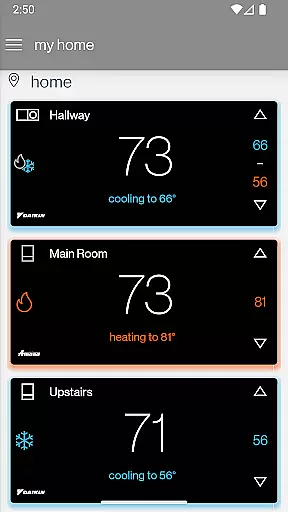
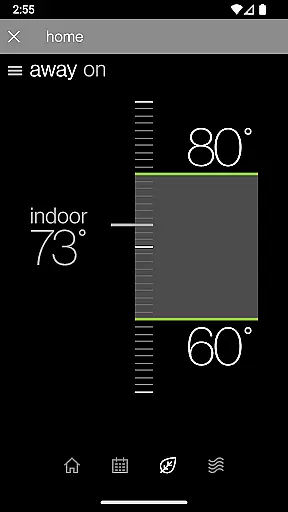
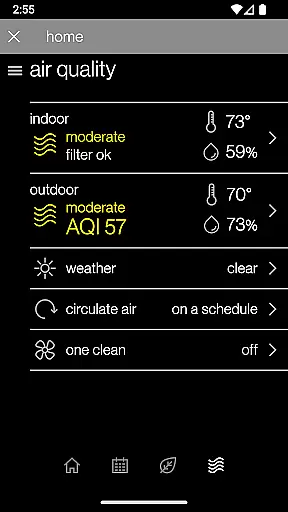
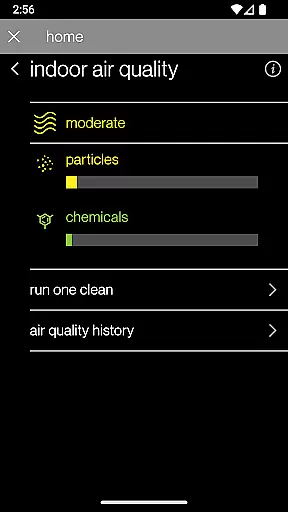
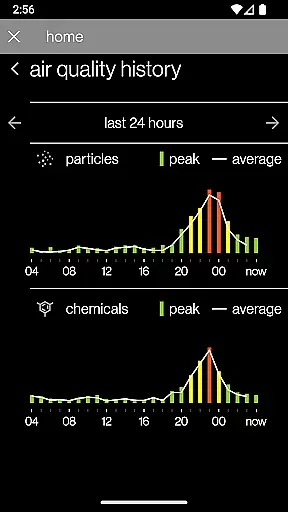
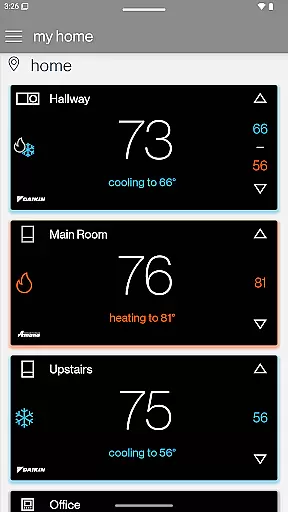
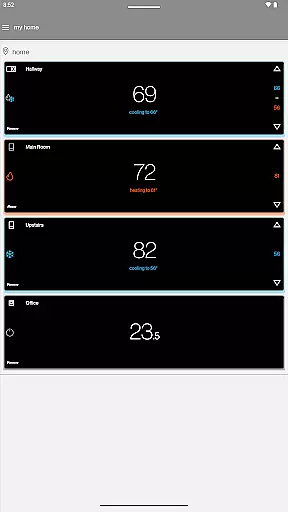
SkyportHome is a comprehensive smart home solution designed specifically for homeowners with Daikin, Amana, and Goodman HVAC systems. This innovative mobile application allows users to remotely monitor and control their heating and cooling systems from anywhere, at any time. With its intuitive interface, SkyportHome makes managing multiple thermostats across different locations effortless.
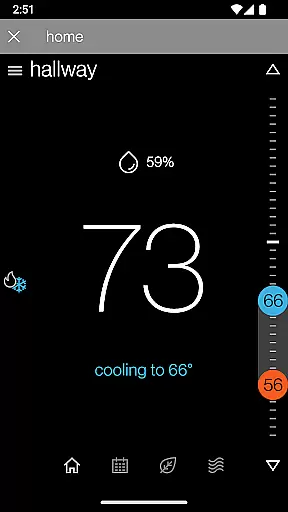
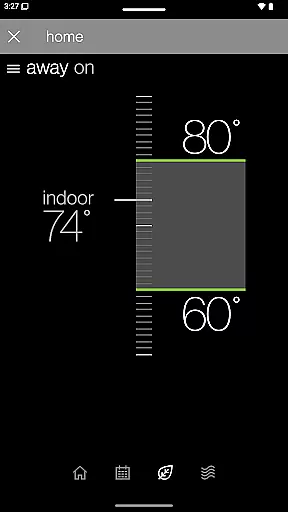
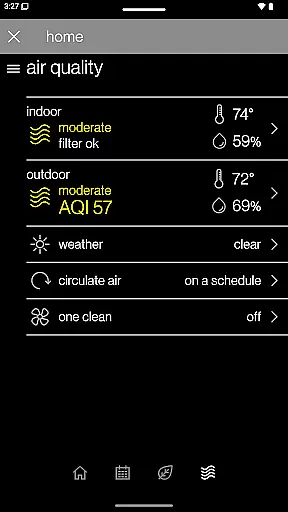
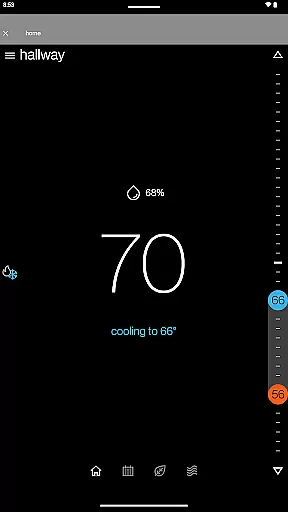
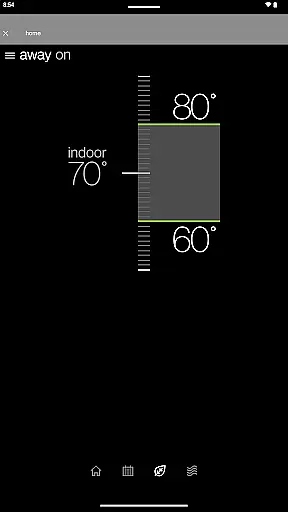
One of the standout features of SkyportHome is its ability to provide real-time weather updates and forecasts for each location, ensuring optimal climate control. Additionally, the app offers advanced functionalities such as setting Adjustment Mode or Away Mode with a single tap, adjusting temperature, humidity, and fan settings, and receiving timely alerts and maintenance reminders. These capabilities not only enhance user convenience but also contribute to energy savings and system longevity.
Whether you're at home or on the go, SkyportHome empowers you to maintain a comfortable living environment while keeping energy consumption in check. Its compatibility with all Daikin, Amana, and Goodman smart thermostats, along with optional integration with Daikin One Home Air Monitor devices, makes it an indispensable tool for modern homeowners seeking efficient home management solutions.
SkyportHome boasts a rich array of features that cater to the diverse needs of homeowners. The app's primary strength lies in its ability to seamlessly integrate with Daikin, Amana, and Goodman HVAC systems, allowing users to manage multiple thermostats across various locations from a single platform. This centralized control simplifies home climate management, especially for those with properties in different areas.
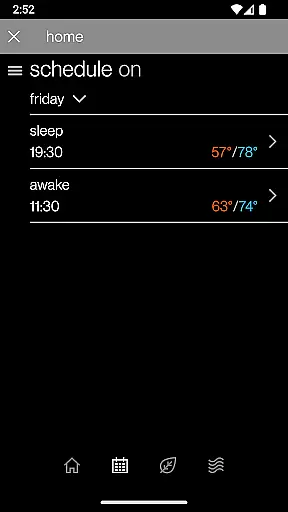
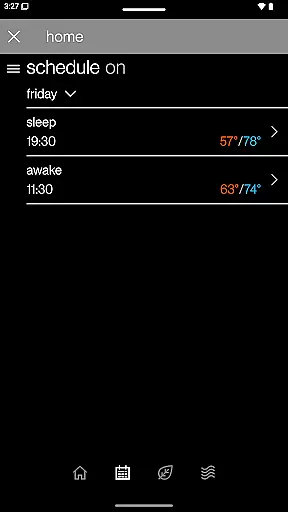
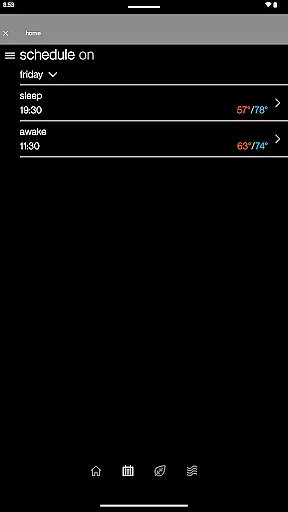
Another notable feature is the app's scheduling capabilities. Users can easily edit and manage thermostat schedules directly from their mobile devices, ensuring precise temperature control throughout the day. The inclusion of Adjustment Mode and Away Mode provides additional flexibility, enabling users to optimize energy usage when they're not at home. Furthermore, the app's remote adjustment options for temperature, humidity, and fan settings offer unparalleled customization, catering to individual comfort preferences.
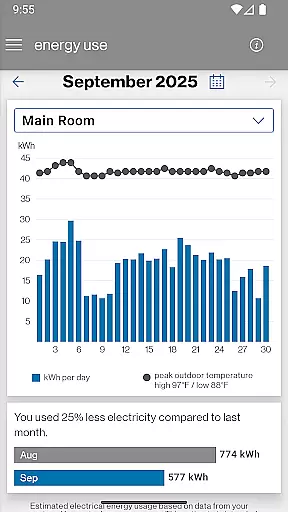
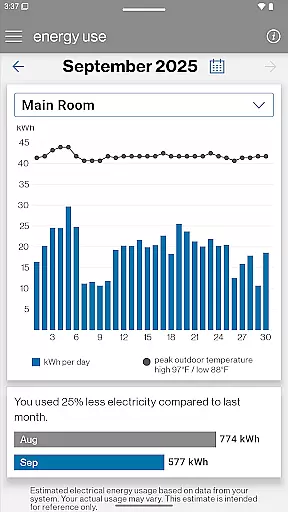
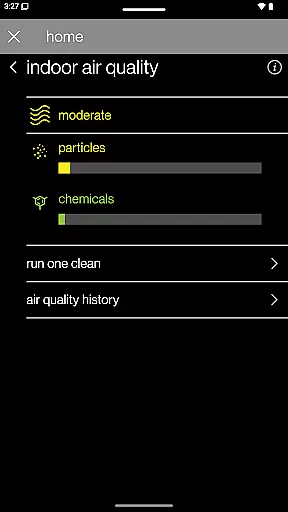
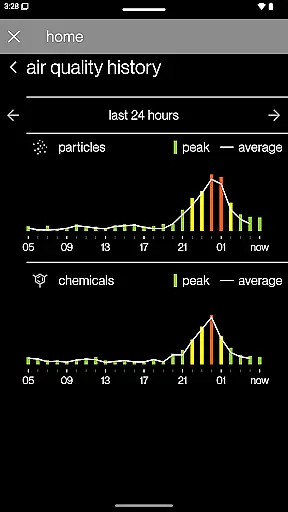
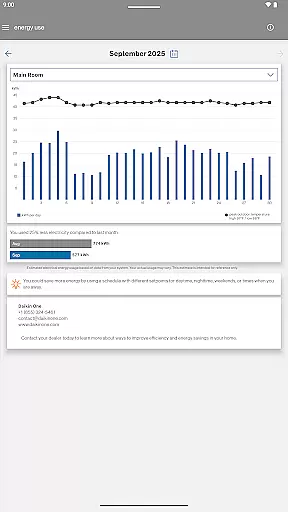
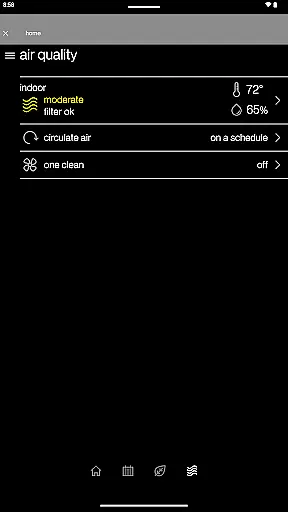
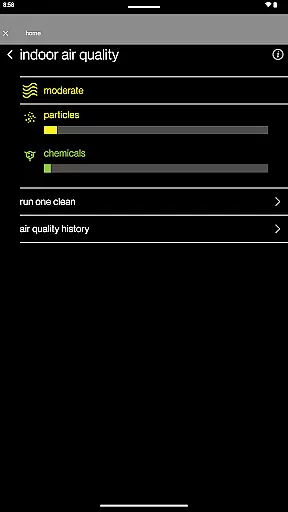
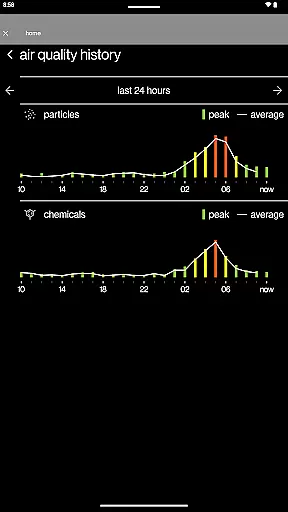
SkyportHome also excels in providing valuable insights through its Energy Report feature. This tool estimates monthly energy usage, helping users make informed decisions about their HVAC system's operation. When paired with a compatible Daikin One Home Air Monitor device, the app can even track indoor air quality history, adding another layer of environmental monitoring to its already impressive suite of features.
In the context of smart home management, ensuring the authenticity and accuracy of connected devices is crucial. The SkyportHome app guarantees that all listed properties and connected thermostats are verified to be genuine Daikin, Amana, and Goodman systems.
Through a secure connection protocol, each thermostat and HVAC system is authenticated before being integrated into the app. This verification process ensures that users can trust the data they see and the controls they use.
The benefit to homeowners is significant - they can rest assured that the systems they monitor and control through the app are accurate representations of their actual home equipment. This prevents potential malfunctions or misleading information.
This authentication feature sets SkyportHome apart from generic smart home apps, as it provides an additional layer of security and reliability for managing critical home infrastructure.
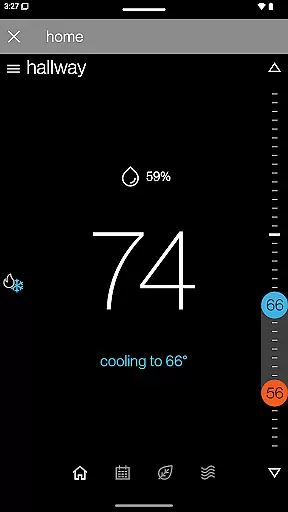
Effective home management goes beyond basic device control. SkyportHome offers comprehensive features that allow homeowners to optimize their living environment. The app enables remote adjustment of temperature, humidity, and fan settings across multiple locations.
Advanced scheduling capabilities let users create customized climate patterns throughout the day. The innovative Adjustment Mode and Away Mode provide energy-saving options with single-tap convenience. Real-time weather integration helps in making informed climate control decisions.
Users gain valuable insights through the Energy Report feature, which estimates monthly energy usage. Maintenance reminders and system notifications ensure timely upkeep of HVAC systems. These proactive alerts help prevent costly repairs and maintain system efficiency.
The integration with Daikin One Home Air Monitor devices takes home management to the next level by providing indoor air quality history. This comprehensive approach to home management makes SkyportHome an indispensable tool for modern homeowners.
User-friendly interface
Multi-location support
Real-time alerts
Energy usage insights
Comprehensive control options
Limited brand compatibility
Requires internet connection
Premium features locked
Occasional connectivity issues
Device-specific limitations

Draw your floor plan smartly. Make house design blueprint with home planner app
 3.60
3.60
Find paints using a Color Muse & ColorSnap® Match
3.60
AI-powered home design, interior design, home decor, and room design solutions
4.50
Fully control your Philips TV with this all-in-one remote control app.
4.20
Schlage Lock Company LLC
4.00
The only mappable smart lights for custom decoration.
4.50
Book your local plumber 24/7, track your service order & get exclusive coupons
4.00
Real estate app to find homes for sale or rent in the right neighborhood for you
4.70
Fire & Power Safety
4.50
Connect with reliable pros for maintenance services, plumbing, and home design!
4.80
Houses for Sale & Homes for Rent: Buy Homes, Rent Apartments & Sell Real Estate
4.80
Download today to join the community to help bring lost pets home faster.
4.70
Convert your Phone to HiSense Smart TV Remote Control
4.70
Find homes for sale and apartments for rent in the best neighborhood.
4.70
Parcel Pending Resident App
4.50
AI Home Designer & Room Planner: Decorate your interior space with AI
4.40
Plan your remodel AI home renovation easily using planner 5D and home decor AI.
4.40
USHUD.com helps you find the best homes for sale in your area
4.00
Design house plans in 2D & 3D, style furniture, and preview renovation layouts
3.70


User Reviews