
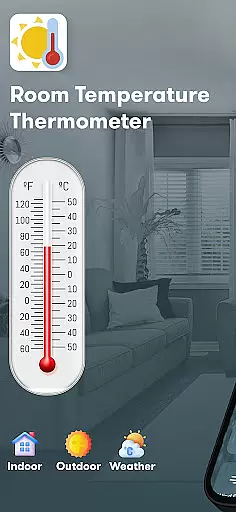
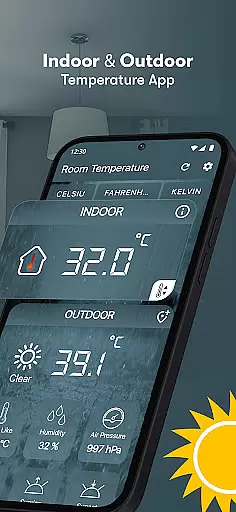
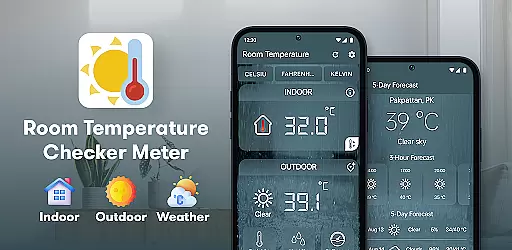
Room Temperature Thermometer is a comprehensive weather monitoring application designed to provide users with accurate temperature and environmental data. The app supports multiple temperature units including Celsius, Fahrenheit, and Kelvin, catering to global users. It utilizes device sensors and location data to measure both indoor and outdoor temperatures, making it an essential tool for home or travel use.
Beyond basic temperature readings, the app offers advanced features like humidity calculation, air pressure monitoring, and UV index tracking. Users can access real-time weather conditions through an intuitive interface that displays easy-to-understand icons and metrics. Whether you're managing indoor climate control or planning outdoor activities, this app provides valuable insights into your surrounding environment.
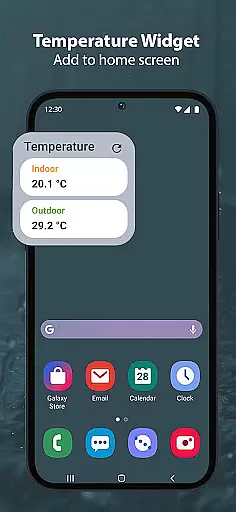
The application's ability to detect extreme temperatures and provide calibration options ensures reliable measurements. Its widget functionality allows quick access to critical weather information, while the integrated navigation system delivers location-specific weather updates. This makes Room Temperature Thermometer particularly useful for those living in areas with fluctuating weather patterns or for travelers needing accurate climate information.
Room Temperature Thermometer distinguishes itself through its comprehensive feature set and technical sophistication. The app employs a smart thermometer system that combines device sensors with external data sources to deliver precise temperature readings. Its unique calibration mechanism adjusts measurements based on device positioning and environmental factors, ensuring accuracy within 0.1 degrees.
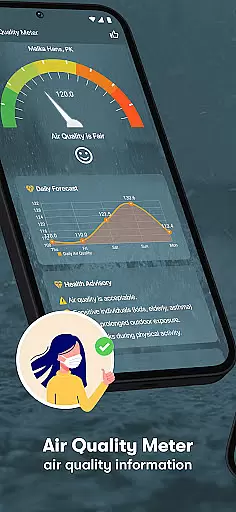
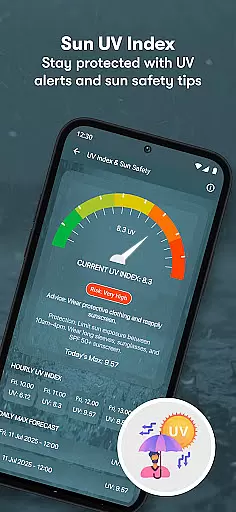
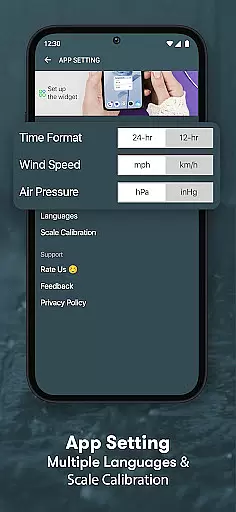
Among its notable capabilities are the integrated hygrometer for humidity measurement and the air quality meter that monitors pollution levels. The app's sunrise and sunset tracking feature helps users plan their day effectively, while the UV index indicator warns about potential sun exposure risks. The inclusion of both metric and imperial units makes it accessible to international users across different regions.
What sets this application apart is its adaptive localization technology. The app automatically detects user location and adjusts temperature readings accordingly, providing hyper-local weather information. Its minimalistic design incorporates essential features like temperature history tracking, weather forecasting, and customizable alerts, all while maintaining optimal performance and battery efficiency.
Forecast accuracy and data credibility are essential for any weather application, ensuring users receive reliable information to make informed decisions. Room Temperature Thermometer excels in this area by leveraging advanced algorithms and real-time data collection methods.
The app gathers temperature, humidity, and air pressure data using integrated sensors and external sources, providing precise readings tailored to the user's location. This dual approach enhances the reliability of the information presented, whether you're checking indoor conditions or outdoor forecasts.
Users benefit from trustworthy data that helps them manage their environment effectively. Whether planning daily activities or adjusting home settings for comfort, accurate forecasts empower users with confidence in their choices.
By prioritizing forecast accuracy and data credibility, Room Temperature Thermometer ensures that its users always have access to dependable climate information, enhancing both convenience and safety.
Temporal and spatial forecast range refers to an application's ability to provide accurate predictions across different times and locations. For Room Temperature Thermometer, this capability is crucial for delivering comprehensive weather insights.
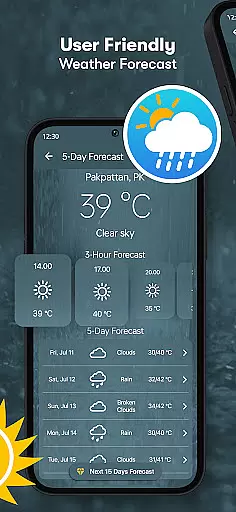
This app not only measures current conditions but also offers detailed forecasts based on your geographical position. It uses sophisticated localization techniques to fetch external temperature levels, ensuring that users receive relevant updates regardless of where they are.
The benefits of such extensive coverage are manifold. Users can anticipate changes in weather patterns, prepare for temperature fluctuations, and optimize their schedules accordingly. The inclusion of features like sunrise and sunset times further enriches the temporal aspect of forecasting.
With Room Temperature Thermometer, users gain a holistic view of their environmental conditions, enabling better planning and adaptation to varying climates throughout the day and across different regions.
Accurate temperature readings
Multiple unit support
Real-time weather updates
User-friendly interface
Comprehensive feature set
Requires constant internet
Device sensor dependency
Calibration time needed
Battery consumption high
Location permission required

Moon phase calendar with live wallpaper, lunar widget, & 3D simulation.
 3.60
3.60
The Weather Network TV App - Your weather when it really matters
2.90
The most accurate weather app, hourly and daily weather, severe weather alerts
4.50
Your local weather app with storm radar, rain tracker, weather maps & AQI.
4.2
The reliable and trusted global air quality, wildfire, pollen, PM2.5 forecast
4.70
Weather forecast & live radar map
4.20
NOAA forecast & radar for your exact location.
4.80
Weather radar map, storm tracker, local forecast, live rain alerts & daily news.
4.60
Weather channel forecasts weather daily & hourly, local and national air quality
4.70
Live Alabama weather from James Spann—forecasts, radar, alerts, Spanncams.
4.70
My Aurora Forecast Pro is the app for the Northern Lights and Aurora Borealis.
4.70
My Aurora Forecast is the app for Northern Lights and Aurora Borealis alerts.
4.60
Get accurate rainfall and snowfall totals for pinpoint locations on a map.
4.60
Get the ad-free version of the highly rated WeatherBug app for accurate weather!
4.50
NOAA radar, weather forecasts, hurricane tracking & customizable alerts.
4.50
Super-res, real-time weather radar. Be prepared for extreme weather.
4.50
Weather related custom complications for Wear OS. UV, Hi-Lo, AQI and more!
4.40
3D Animation Weather Icon
4.00
Detailed weather info and moon phase, subtle animation, customizable
4.3


User Reviews