
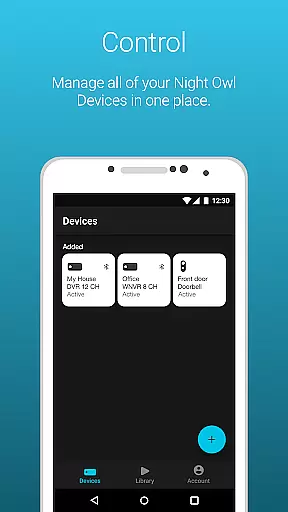
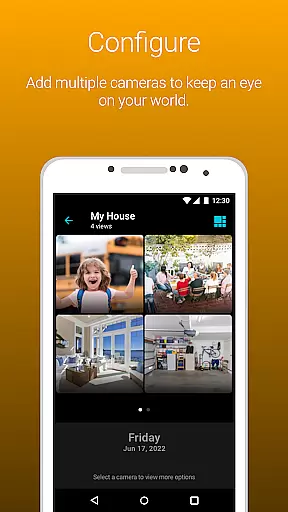
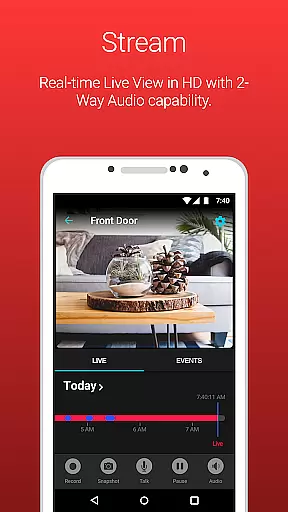
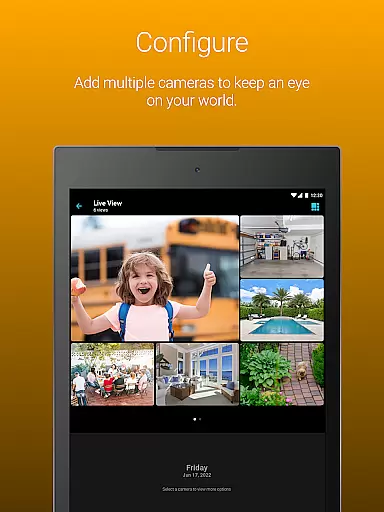
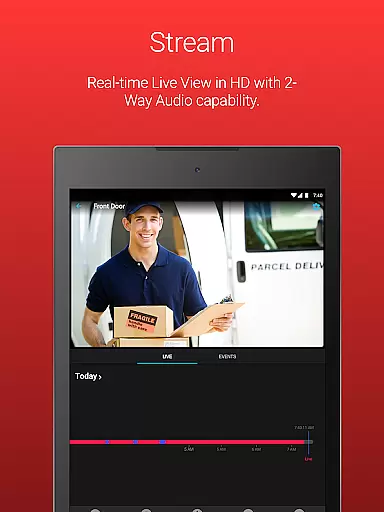
Night Owl Protect is a comprehensive home and business security application that allows users to monitor their properties in real-time through connected cameras. The app supports live footage viewing, audio features, and recording playback with advanced search filters. One of its standout capabilities is the ability to receive real-time alerts for human, face, or vehicle detection, ensuring users are immediately notified of potential security threats.
Beyond basic monitoring, Night Owl Protect offers convenient features like 2-way audio communication, siren activation, and preset voice messages for applicable camera models. Users can also share access with family and friends, configure custom alert settings, and save recordings directly to their mobile devices. For those with a Cloud subscription, additional cloud storage options are available. This makes the app suitable not only for homeowners but also businesses and organizations seeking reliable surveillance solutions.
The application emphasizes data security by providing features such as 2-Step Verification and Single Sign-On (SSO), allowing users to manage multiple devices under one account securely. Compatible with numerous Night Owl security devices, this app ensures seamless integration across various models, making it versatile for different user needs. Whether you're looking to protect your home or oversee business operations, Night Owl Protect delivers a robust, user-friendly experience designed to safeguard your world.
Night Owl Protect stands out with its extensive feature set tailored for both security management and user convenience. One of its core functionalities is the Secure App-Based Bluetooth Setup, which simplifies the initial configuration process, enabling users to quickly connect their cameras to the app. Once set up, users can customize their alert preferences to receive notifications based on specific triggers, such as motion or facial recognition, ensuring they only get the alerts that matter most.
In addition to real-time monitoring, the app provides powerful tools for managing recorded footage. Users can easily search through saved recordings using advanced filters, making it simple to locate specific events. The app also supports snapshot functionality, allowing users to capture and share critical moments instantly via email, text, or social media platforms. Furthermore, features like 2-way audio, sirens, and preset voice messages enhance interactive security measures, particularly useful in deterring intruders or communicating with visitors.
Data protection is another area where Night Owl Protect excels. With 2-Step Verification and password reset options available directly within the app, users can maintain control over their accounts and ensure their information remains secure. The inclusion of favorites and groups further streamlines camera management, while cloud storage integration (via subscription) offers an additional layer of backup for important recordings. These thoughtful features make Night Owl Protect a top choice for anyone seeking a reliable, feature-rich security solution.
In the realm of home security, the authenticity of your property's surveillance system is paramount. Night Owl Protect ensures that every connected device is verified and securely integrated into your personal network. This verification process begins with a secure app-based Bluetooth setup, guaranteeing that each camera or sensor is genuine and properly configured.
The application provides real-time alerts for human, face, or vehicle detection, ensuring that users receive accurate notifications pertinent to their property's safety. By allowing customized alert settings, Night Owl Protect empowers homeowners and businesses to tailor these notifications according to their specific needs and potential threats.
Furthermore, the ability to playback recordings with various filters adds another layer of authenticity and control over the surveillance footage. Users can confidently review past events knowing that the recordings are from verified devices within their own network, thus maintaining the integrity of their property's security data.
Night Owl Protect goes beyond basic surveillance by offering comprehensive home management features that cater to both security and convenience. The application allows users to easily share images and recordings via popular social networks, email, and text messages. This seamless sharing capability ensures that important footage can be distributed quickly in response to security incidents or simply for sharing noteworthy moments.
Advanced functionalities such as two-way audio, siren activation, and preset voice messages enhance the interactive experience with your security system. These features provide an added layer of deterrence against potential intruders and allow for real-time communication through applicable models, making it easier than ever to manage your property remotely.
Additionally, the app supports sophisticated access management through favorites and groups creation, enabling selective camera access when needed. Sharing access with friends and family becomes a hassle-free process while maintaining strict privacy controls. For those subscribed to the Night Owl Protect Cloud service, accessing cloud-saved recordings further simplifies data management and ensures critical footage is securely stored offsite.
User-friendly interface
Real-time alerts
Cloud storage option
Secure data protection
Wide device compatibility
Subscription required for cloud
Limited free features
High data usage
Complex setup for some
Occasional connectivity issues

Universal TV Remote for TV, control all Smart TVs with your mobile phone.
 4.5
4.5
This Fire TV Remote control's your Fire TV Device and Insignia Fire TV Remote
3.70
The only mappable smart lights for custom decoration.
4.50
Find the perfect paint color with advanced tools to explore and visualize color.
3.80
Find contractors for all home renovation projects. Remodeling, repair, and more.
4.20
Turn old phones into security cameras, baby monitors, pet cams, and more.
4.70
Set up your devices, customize settings, and monitor your home—from anywhere
4.40
Find homes for sale and apartments for rent in the best neighborhood.
4.70
Houses for Sale & Homes for Rent: Buy Homes, Rent Apartments & Sell Real Estate
4.80
Download today to join the community to help bring lost pets home faster.
4.70
Find your next home, house, apartment, condo, casa, flat, rental, studio, or bed
4.70
Your guide to apartments & rental homes. Find your next place to rent with AG.
4.60
Parcel Pending Resident App
4.50
Resident Center, powered by Buildium, is designed with simplicity in mind.
4.50
The official app for Home Assistant. Control your home anywhere in the world.
4.30
Fully control your Philips TV with this all-in-one remote control app.
4.20
Technology powering many in-home services for residents across the United States
3.80
Design house plans in 2D & 3D, style furniture, and preview renovation layouts
3.70
Find paints using a Color Muse & ColorSnap® Match
3.60


User Reviews