
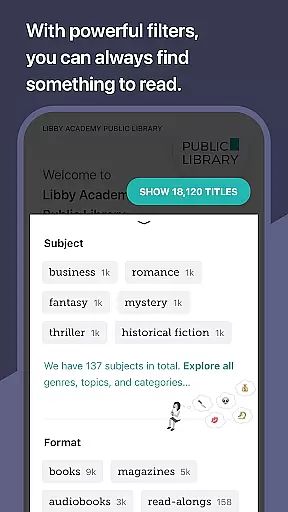
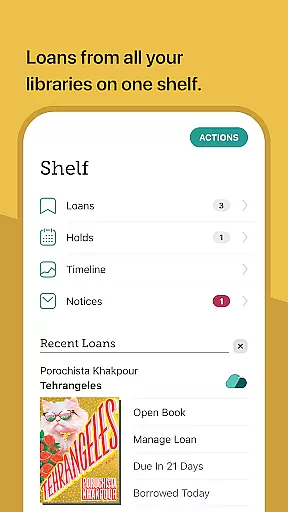
Libby is an award-winning app that allows users to access millions of ebooks, audiobooks, and magazines from local libraries worldwide. With a library card, users can borrow these digital materials for free, instantly enhancing their reading and listening experience. The app supports offline downloads, streaming, and even sending ebooks to Kindle devices (U.S. libraries only). Libby also offers advanced features like Android Auto support for audiobooks, automatic reading position syncing across devices, and intuitive customization options in its ebook reader and audio player.
The app caters to diverse reading preferences with adjustable text settings, zoomable magazines, and read-along functionalities for kids. Its user-friendly interface and innovative features make it an essential tool for avid readers and library patrons who want seamless access to a vast collection of digital content.
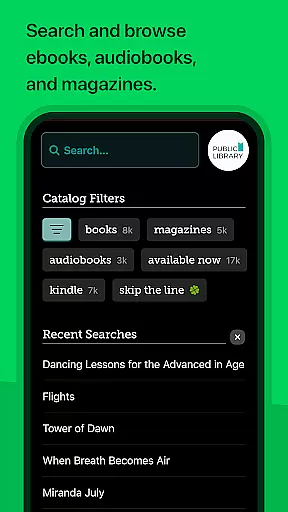
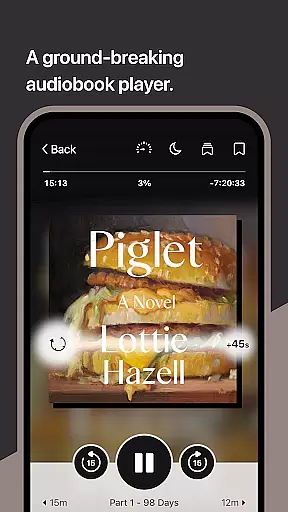
Libby stands out with its comprehensive set of features tailored for book lovers. Users can browse their library's digital catalog, which includes everything from classic literature to New York Times best-sellers. The app provides multiple ways to enjoy content: download titles for offline use, stream them to save device space, or send ebooks directly to Kindle devices if using a U.S.-based library. Audiobook enthusiasts benefit from Android Auto compatibility, customizable playback speeds, sleep timers, and easy navigation controls.
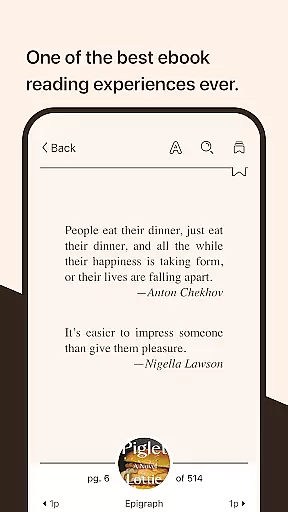
Libby's ebook reader offers extensive personalization options, including adjustable text size, background colors, and book designs. It also supports defining words, searching phrases, and creating bookmarks or highlights. Similarly, the audio player introduces groundbreaking functionalities such as variable speed playback, bookmarking, and note-taking. These robust features ensure a versatile and engaging experience for all types of readers and listeners.
Libby offers an extensive e-book library that includes millions of titles from classics to New York Times best-sellers. This vast collection is made available through local libraries worldwide, ensuring users have access to a diverse range of reading materials.
The app guarantees the authenticity of its content by sourcing directly from libraries and working closely with publishers. This collaboration ensures that all materials are legally obtained and respect copyright laws, providing readers with peace of mind regarding the legality of their consumption.
Users benefit from this extensive and authentic library by gaining free, instant access to a plethora of reading options. Whether they are looking for educational content, entertainment, or personal growth resources, Libby's library caters to all interests and needs.
One of Libby's strengths lies in its broad format compatibility, supporting various types of digital media including ebooks, audiobooks, and magazines. This versatility allows users to enjoy their preferred content in multiple formats, enhancing the overall reading experience.
In addition to supporting standard ebook formats, Libby enables users to send ebooks directly to their Kindle devices (limited to U.S. libraries). This feature expands the app's usability and integrates seamlessly with other popular reading platforms.
By offering flexible format options, Libby ensures that readers can access their favorite titles on any device, anytime, anywhere. This convenience not only meets but exceeds user expectations for modern digital reading solutions.
User-friendly interface
Extensive library catalog
Offline access available
Syncs across devices
Customizable reading options
Requires library membership
Limited to library collections
Kindle support restricted
No video content
Dependent on internet

Read the KJV Bible with Strong’s offline: reading plans, audio Bibles, and more.
 4.70
4.70
A wonderful reader for good time spend.
4.20
Read the romance stories on the go. Take my breath away, The Spoiled Girl
4.30
Improve your vocabulary and grammar with the 15 biggest Oxford Dictionaries.
4.30
Holy Bible, a KJIV Bible study, audios & daily verses, talk with God now.
4.80
Enjoy daily devotionals, Bible verses, audio courses, and more.
4.80
World's most comprehensive dictionary app: 13 languages, all online or offline!
4.80
Liturgy of the Hours and Mass for every day of every year. No Internet needed!
5.00
A highly sophisticated app for all of your mobile reading—any format, any time
4.50
Universal Zoom, learn about sizes & distances of the universe and microcosmos
4.80
Learn Thai with 195,000+ entries, crisp Thai sounds, big text; works offline.
4.80
Daily Prayer, personalized Bible Study, AI-guided Insights, and Spiritual Growth
4.80
Read unlimited novels, audiobooks, stories & Unlock ebooks, fanfiction and more!
4.70
Discover, track, and share your reading with friends & our community of readers
4.60
Pretty Moon information App with Complications and Tile
4.30
Provides location information of vehicle Shift Interlock releases.
4.30
Essential Technical Rescue Field Operations Guide 6, the Industry Standard Guide
4.20
“There was one last piece of cake. My little sister said ‘Me too!’”
4.00
Sea tide predictions for all coastal U.S. locations.
4.2


User Reviews