
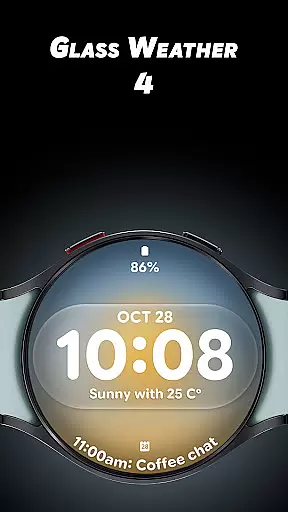
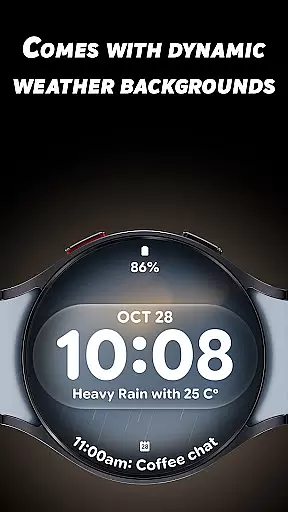
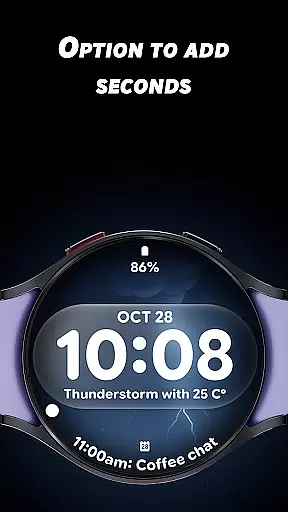
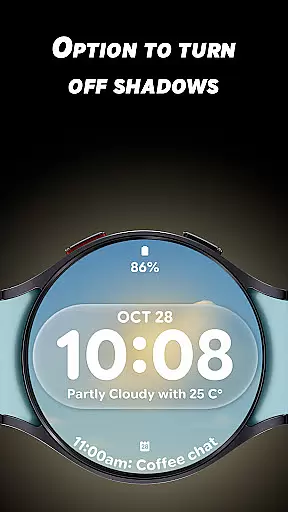
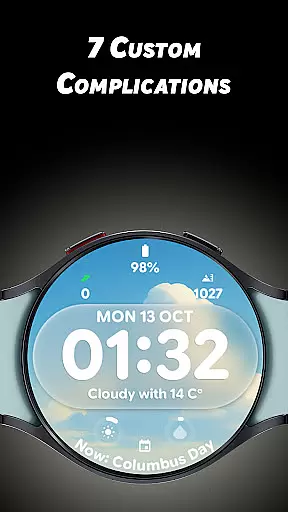
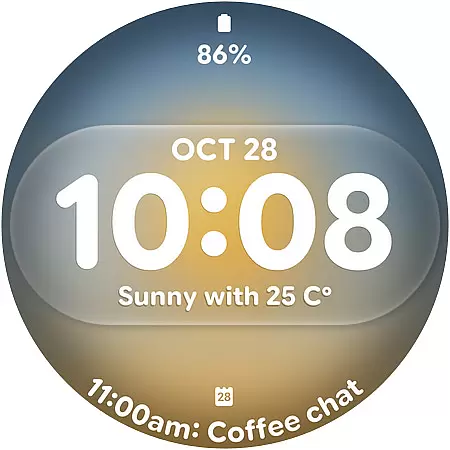
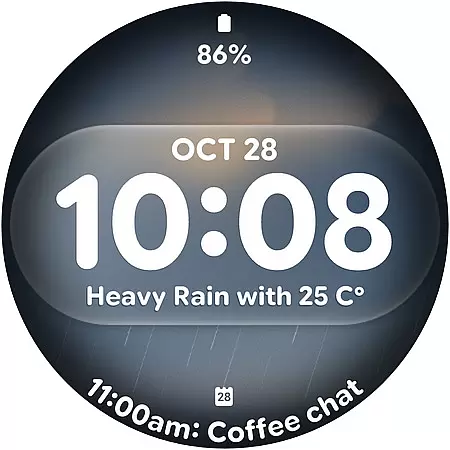
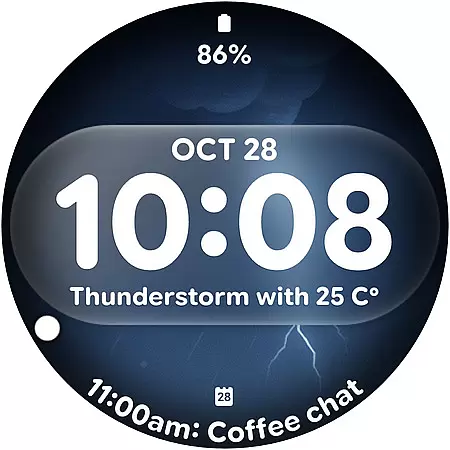
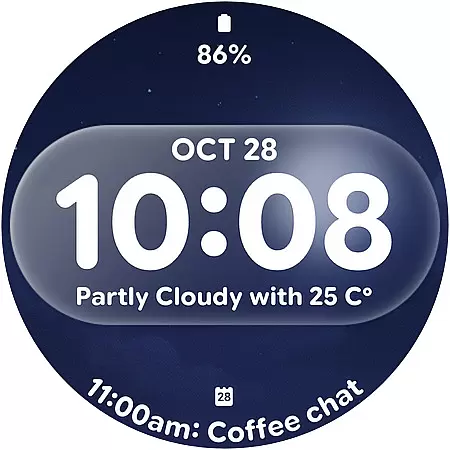
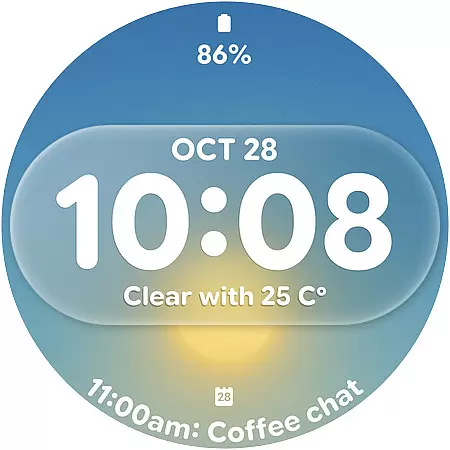
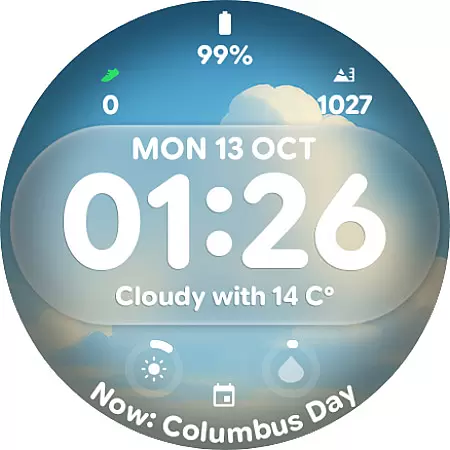
Glass Weather 4 is a premium watch face designed for Wear OS smartwatches, offering users a sleek and modern glass-inspired aesthetic. The app stands out with its dynamic weather-based backgrounds that adapt in real-time to reflect current weather conditions, whether sunny, cloudy, rainy, or snowy.
With bold digital time display, customizable complications, and advanced features like shadow control and always-on display (AOD), Glass Weather 4 combines functionality with beauty. It supports both 12/24-hour formats and provides battery-efficient performance, making it ideal for everyday use while maintaining a stylish appearance.
Glass Weather 4 offers an impressive range of features tailored to enhance the Wear OS experience. One standout feature is its live dynamic weather backgrounds, which update automatically based on real-time weather data, ensuring your watch face stays relevant throughout the day.
The app includes seven fully customizable complications, allowing users to personalize their watch by displaying essential information such as battery status, heart rate, steps, and more. Additionally, options like showing or hiding seconds, toggling shadows for depth control, and supporting bright yet energy-efficient always-on display (AOD) make this app versatile and user-friendly.
Its crystal-clear design ensures readability while maintaining elegance, making Glass Weather 4 perfect for those seeking both style and utility in their smartwatch interface.
Accurate weather forecasting is essential for planning daily activities and ensuring safety during adverse conditions. Glass Weather 4 excels in this area by providing live dynamic weather backgrounds that update in real-time, reflecting current weather conditions such as sunny, cloudy, rainy, or snowy scenarios.
The application pulls data from reliable meteorological sources to ensure the information displayed on your Wear OS smartwatch is both accurate and timely. This commitment to data credibility means users can trust the weather updates they receive, allowing them to make informed decisions about their day.
By integrating seamlessly with your smartwatch, Glass Weather 4 ensures you have access to crucial weather information at a glance. The crystal-clear design not only enhances aesthetic appeal but also prioritizes functionality, making it easy to interpret weather conditions quickly.
Understanding weather patterns over time and space is vital for comprehensive weather tracking. Glass Weather 4 offers an extensive temporal and spatial forecast range, delivering detailed weather insights directly to your wrist.
The app supports various customizable complications, including battery status, heart rate, and step count, alongside its primary weather feature. These additional metrics provide a holistic view of both personal health and environmental factors throughout the day.
With support for 12/24-hour time formats and an always-on display (AOD) mode, Glass Weather 4 ensures continuous access to critical information without compromising battery life. This balance between utility and efficiency makes it an indispensable tool for those seeking precise and up-to-date weather forecasts.
Real-time weather updates
Fully customizable layout
Battery-efficient AOD
Dynamic backgrounds
12/24-hour support
Paid premium app
Requires Wear OS
Limited to smartwatches
No analog clock option
Weather dependency

Weather for Indiana, Kentucky and Ohio
 4.90
4.90
Personal Weather Station PRO - Meteo monitor to check your WU info and charts.
4.20
Your Trusted Weather Companion
4.40
Storm Radar, Alerts & Live Weather Forecasts Right on Your Home Screen
3.70
weather forecast, weather radar, weather widget in one local weather app
4.70
Stay ahead of the weather with Daily Weather
4.10
Aviation weather made simple. Visual decoder for METAR & TAF
4.90
My Aurora Forecast Pro is the app for the Northern Lights and Aurora Borealis.
4.70
Weather channel forecasts weather daily & hourly, local and national air quality
4.70
A professional, comprehensive and accurate weather forecast app
4.90
Live Weather Forecast app with acu weather radar, weather alert & weather widget
4.80
Ultimate weather forecast + moon phase for Wear OS 5+ (Pixel, Galaxy, et al.)
4.70
The weather channel, tiempo weather forecast, weather radar & weather map
4.70
Your ultimate app for real-time weather information!
4.70
My Aurora Forecast is the app for Northern Lights and Aurora Borealis alerts.
4.60
The most accurate weather app, hourly and daily weather, severe weather alerts
4.50
A powerful tool for ultimate weather awareness
3.50
A tool that provides real-time and 5-day weather info.
4.0
Your local weather app with storm radar, rain tracker, weather maps & AQI.
4.3


User Reviews