
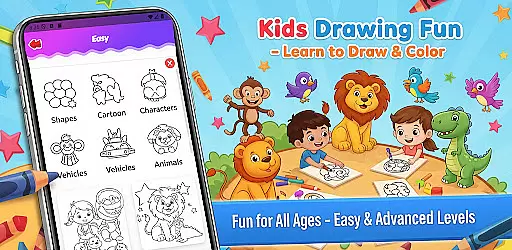
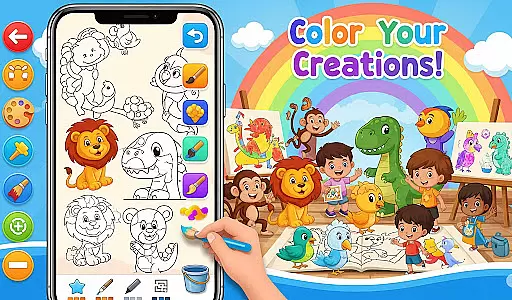
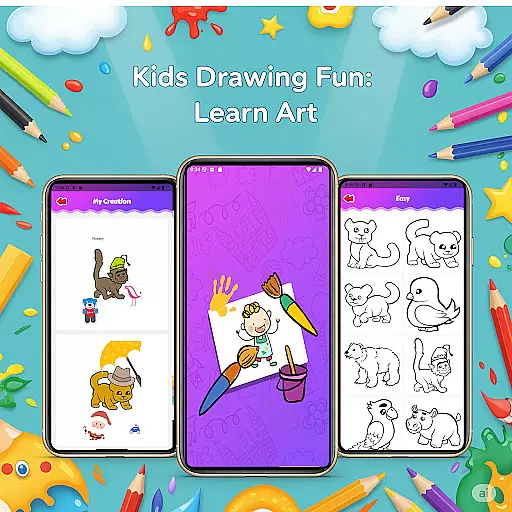
Fun Drawing & Color: Learn Art is an innovative educational app designed to make drawing and coloring both fun and instructional. This app caters to users of all skill levels, from beginners learning the basics to experienced artists seeking to refine their techniques. With its ad-free interface, users can enjoy a seamless creative experience on both phones and tablets.
The app offers step-by-step drawing guides that simplify complex shapes into easy-to-follow lessons, covering a wide range of subjects like animals, vehicles, and characters. Additionally, it provides vibrant coloring tools, customizable text options, and various brush types, allowing for endless creativity. Users can save their artwork in a personal gallery, revisit projects, and continue their artistic journey at any time.
Perfect for educational purposes or leisure, Fun Drawing & Color: Learn Art fosters creativity while offering practical tools for artistic expression. Its comprehensive features and user-friendly design make it ideal for children and adults alike, ensuring an engaging and enriching experience.
Fun Drawing & Color: Learn Art stands out with its diverse set of creative features tailored to enhance the drawing experience. One of its key highlights is the step-by-step drawing guides, which break down complex images into manageable steps, making it easier for users to follow along and learn new skills.
In addition to structured lessons, the app includes a variety of artistic tools such as stickers, multiple font styles, and different brush types. These tools allow users to personalize their creations with colorful stickers, custom text, and unique brush strokes. The color fill and palette options further expand creative possibilities by enabling users to apply colors effortlessly across large areas or fine details.
Practical editing features like erase, undo, and redo ensure that mistakes can be easily corrected without frustration. Moreover, the app saves every piece of art in a personal gallery, where users can access, edit, or admire their work anytime. Compatible with both smartphones and tablets, this app delivers a smooth and versatile experience for all ages.
User-friendly interface
Wide range of tools
Step-by-step tutorials
No ads or subscriptions
Suitable for all ages
Limited advanced tools
Basic color options
Fewer customization settings
Less suited for professionals
Gallery organization needed

The Squirrels have been learning how to look after animal, now it's your turn!
 3.90
3.90
A world to build at the tip of your fingers!
3.80
This will quickly become your kids' favorite animals game!
4.40
Kids letter tracing technique, which is the first step in learning how to write.
4.30
Play the fun princess party game for kids with Cocobi the little dinosaurs.
4.10
Preschool learning games: 123 numbers game for kids, abc learning for toddlers
4.70
Have fun learning Alef Beit
4.0
A fan of cute games? Try animal games & take care of fluffy virtual pets!
4.20
Kids age 2-8 can create, explore, and play Toca Boca games their way!
3.50
Explore Dopples World, build your avatar life & create endless stories!
4.70
Monkey Preschool Fix-It is an early learning game for ages 2 to 5.
4.40
Welcome to the dollhouse! Unboxing, doll games, dress up & cute pets await!
4.00
Imagine, build and ride your own Rollercoaster!
3.90
Magical girl game where dreams come true. Collect & care for cute princesses!
3.80
Baby Phone Game for Kids & Toddlers to Learn Sounds, Numbers, ABCs, Phone Calls
3.80
Play pretend & explore at the doctor's & school in Daniel Tiger's Neighborhood.
3.30
Learn and practice multiplication and division
4.5
Join Duggee and the Squirrels as they practice their counting!
4.3
A logic puzzle game for 1 - 3 players
4.5


User Reviews