
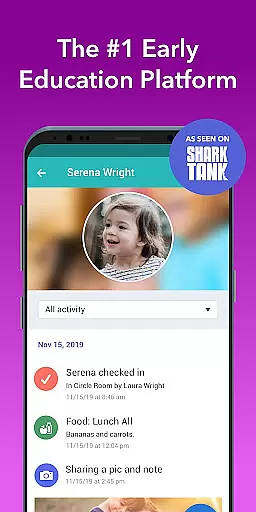
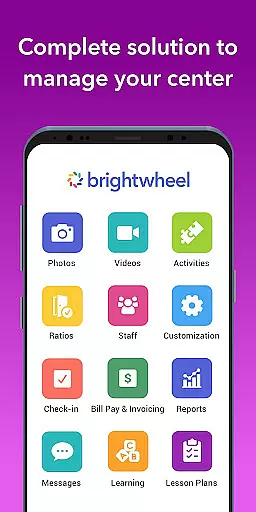
Brightwheel is a comprehensive childcare management software designed to streamline operations for early education providers. This all-in-one platform combines essential tools such as billing, attendance tracking, family communication, lesson planning, and reporting, enabling educators to focus more on children and less on administrative tasks.
The app's intuitive design ensures quick setup and ease of use for both staff and families. With features like automated billing, real-time family communication, photo and video sharing, and detailed reporting, brightwheel enhances operational efficiency while strengthening family connections. Backed by a dedicated support team and robust security measures, the platform ensures reliable performance and data protection, making it a trusted choice for millions of educators and families.
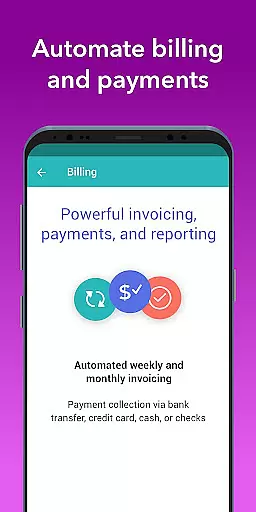
Brightwheel stands out with its extensive feature set tailored for early education providers. The platform offers advanced tools like two-factor authentication, 99% uptime reliability, and compliance with top data protection standards, ensuring both security and availability. Its automated billing system simplifies financial management through customizable reports and expense tracking.
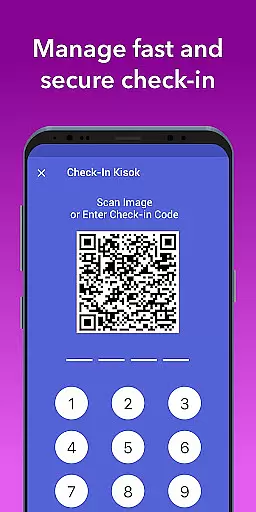
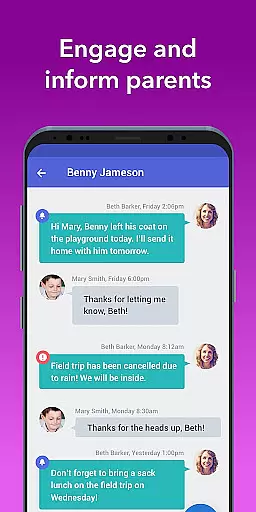
The app excels in family engagement with real-time messaging, photo and video sharing, and personalized daily reports. Educators can efficiently manage lesson plans, assessments, and observations while maintaining compliance with state standards. Additional features include admissions management, attendance tracking, and a shared calendar, all synchronized in real-time across devices. These capabilities not only save time but also enhance the quality of childcare services.
In the realm of early education, content accuracy and authority are paramount. Brightwheel ensures that all educational materials and resources provided through its platform are meticulously vetted by experts in early childhood education.
The app's curriculum tools are aligned with state standards and include pre-loaded frameworks such as DRDP to track student progress reliably. This guarantees that educators can depend on the integrity of the content while planning lessons and assessing children's development.
Furthermore, brightwheel's dedicated support team is always available to assist with any queries regarding the educational content, ensuring users have access to authoritative information at all times.
By prioritizing precision and credibility, brightwheel empowers educators to provide high-quality learning experiences that parents can trust, thus strengthening the bridge between school and home.
Brightwheel revolutionizes personalized learning paths for each child by integrating adaptable lesson plans and assessment tools within its platform. Educators can customize and share lesson plans that cater to individual learning styles and paces.
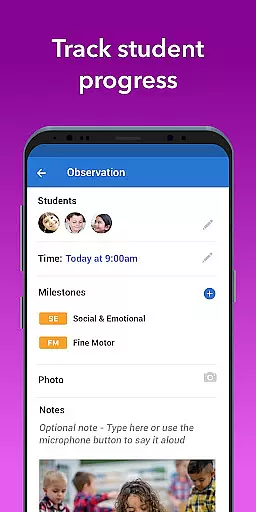
The app's observation features allow teachers to document each childu2019s progress and activities against set milestones, ensuring personalized attention and tailored educational strategies. These insights are easily shared with families, promoting transparency and collaboration.
Moreover, with Experience Curriculum, an upgrade option within brightwheel, programs are enhanced through digital lessons paired with hands-on learning materials designed to engage young learners effectively.
This focus on personalization not only aids in creating a more effective learning environment but also helps in nurturing each child's unique potential, making brightwheel a leader in customized early education solutions.
User-friendly interface
Comprehensive feature set
Reliable performance
Strong security measures
Dedicated support team
Premium features costly
Steep learning curve
Limited offline access
Occasional bugs
Dependent on internet

Ignite curiosity, spark learning: All babybus videos &games
 4.30
4.30
Turns you phone or tablet into TI graphing calculator (ROM required).
4.20
Explore myths and gods across cultures with in-depth insights and stories.
5.00
Nighty Night Circus - Bedtime story for kids
4.10
Welcome to the Speak Navajo Language Application - Volume 1
4.50
Explore the City of the Sun in Augmented Reality
3.70
An aviator’s preparation, study and test tool for FAA Knowledge Exams.
4.00
Stargazing Guide App. Stars and constellations map. Solar system planets finder.
4.60
SkyView®, an augmented reality space app, brings stargazing to everyone!
4.40
Gain new skills in 10 minutes
4.70
Discover Your Place in the Universe
4.70
Learn Words Daily in Just Minutes - Boost Your Language Skills Fast!
4.60
Prepare for the BCBA / BCaBA exam. Study ABA with the ABA Wizard app.
4.60
Latest TLC Practice Questions! Multiple languages available!
4.50
A magical world of fun, building, and learning with Mickey Mouse and more!
4.20
Designed for Calculator 84 users
4.20
Explore numbers the Starfall way!
4.00
The official CCM Glossary app, including 700+ terms and definitions.
2.90
A collection of favorite stories from Daniel Tiger's Neighborhood
2.00


User Reviews