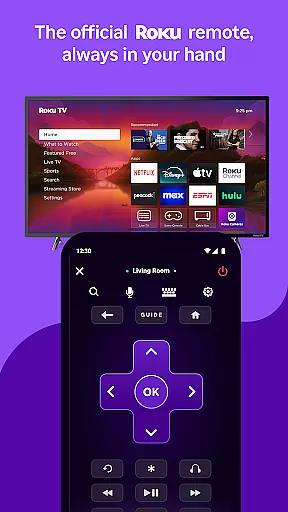
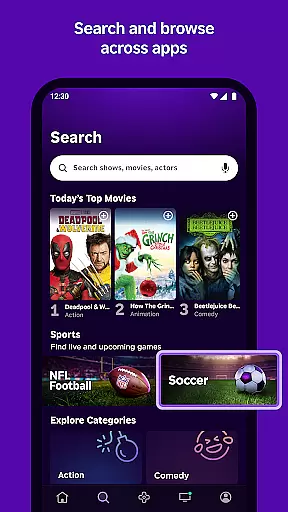
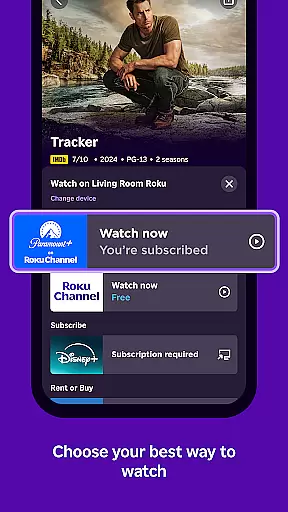
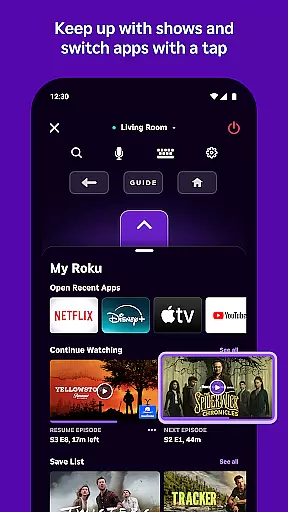
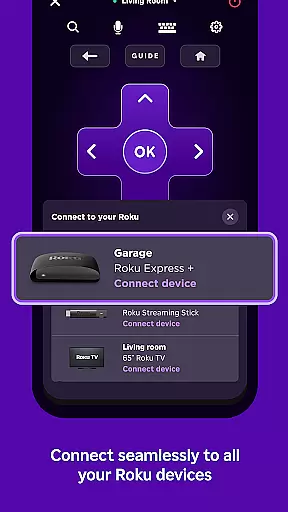
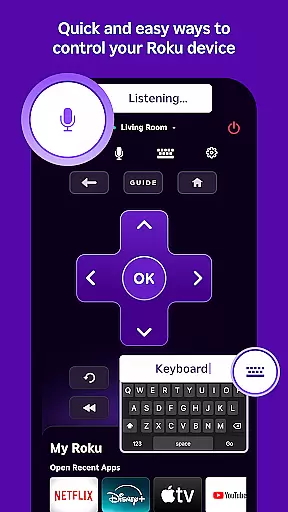
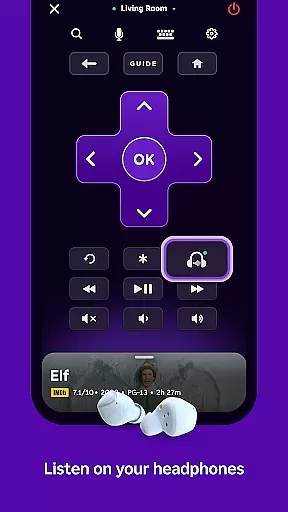
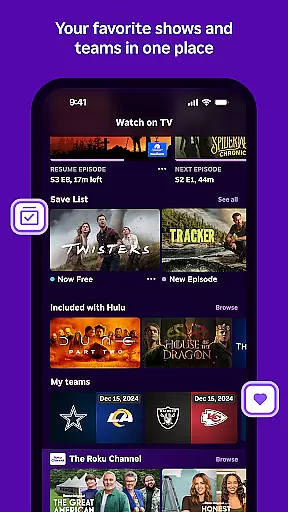
The Roku App is a must-have streaming companion that enhances your entertainment experience. This free mobile app allows you to control Roku devices with an easy-to-use remote, search for content using voice or keyboard, and enjoy private listening through headphones. You can also stream free movies and live TV on the go via The Roku Channel, cast media files from your phone to your TV, add and launch channels, and enter text more conveniently using your mobile keyboard.
For optimal functionality, your mobile device needs to be connected to the same wireless network as your Roku device. Certain features require a compatible Roku device and account login. Voice search is available in English in the US, UK, and Canada, and in Spanish in Mexico and the US. The Roku Channel is accessible within the app only in the US. Some channels may require payment and availability varies by country.
This app is particularly useful for those who want seamless control over their streaming devices and access to a wide range of entertainment options directly from their mobile devices. It simplifies navigation, enhances accessibility, and provides users with greater flexibility in managing their streaming content.
The Roku App offers a variety of advanced features designed to streamline your streaming experience. One standout feature is the ability to control Roku devices with a convenient remote, allowing you to navigate menus, adjust volume, and manage playback effortlessly. Additionally, the app supports voice and keyboard search, enabling quick discovery of your favorite shows and movies.
Another notable feature is private listening, which lets you enjoy content through headphones without disturbing others. The Roku Channel provides access to free movies and live TV, while media casting allows you to share videos and photos directly from your phone to your TV. Users can also add and launch channels on their Roku devices and utilize their mobile keyboards for easier text entry.
These features collectively enhance user convenience, making it simpler to interact with Roku devices and access a diverse array of content. By integrating these functionalities, the Roku App ensures a smooth and enjoyable streaming experience tailored to individual preferences.
The Roku App offers a diverse range of entertainment options, ensuring users have access to varied content. With the ability to stream free movies, live TV, and more through The Roku Channel, it caters to different tastes and preferences.
Users can enjoy fresh content regularly, thanks to partnerships with numerous channels that are frequently updated. This ensures that viewers always have new and exciting programs to choose from, keeping their viewing experience dynamic and engaging.
In addition to streaming, the app allows casting of personal media files such as videos and photos from a mobile device to the TV. This feature enhances content variety by integrating user-generated material into the streaming service.
User engagement is a key strength of The Roku App, which provides features designed to keep users connected for longer periods. Its intuitive interface and easy navigation encourage extended use, while private listening with headphones adds an element of personalized enjoyment.
The convenience of controlling Roku devices directly from the app, along with efficient text entry using a mobile keyboard, contributes to a seamless user experience that promotes retention. These practical features make daily interactions with Roku devices more enjoyable and less cumbersome.
Moreover, regular updates and additions of channels ensure that there's always something new to explore, further enhancing user engagement duration. By maintaining a fresh lineup of content, The Roku App successfully keeps its audience coming back for more.
User-friendly interface
Voice search capability
Private listening mode
Free movie streaming
Media casting support
Limited voice search regions
Restricted channel access
Network dependency
Device compatibility issues
Varied channel pricing

Exclusive Short Drama Video! All in HD. Bringe trending reels & enjoy drama time
 3.80
3.80
Unofficial Game Companion App” “Guides • Builds • Tips • Progression
4.4
A wonderful collection of the most beautiful sounds of animals and birds
4.4
Colorful flows will relax and calm you down, or get you trippy and creative!
4.90
Best of icon for christmas
4.30
Necrophone is spirit box ghost hunting app made for spirit communication.
3.70
Alice Box is an Instrumental Trans Communication app.
3.80
Realistic Baby Simulator App
4.00
Official KennysGifs Stickers
4.20
5 funny and lovely ponies waiting for you to style them!
4.80
Companion app for Elden Ring to track quests, bosses, progress and more.
4.70
Live TV, sports & holiday movies — stream on phone, tablet & TV
4.60
Earn gift cards for playing games. Become a real game tester!
4.40
Create and play realistic-looking mock Emergency Alert System messages.
4.30
Build and Share AI
4.20
Binaural Brainwave Doses for Every Imaginable Mood
3.60
With the credits you earn play more games
2.90
Journey to the world’s oldest rainforest and meet its Indigenous Custodians.
4.1
Stream over 80 hours of exclusive mashups and remixes by DJ Rehab.
4.3


User Reviews