
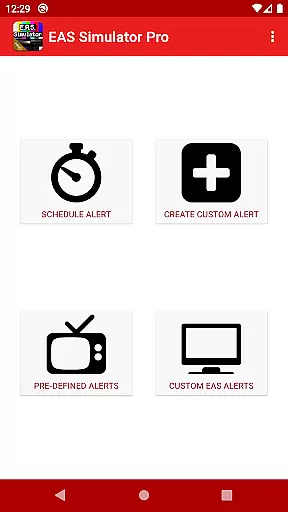
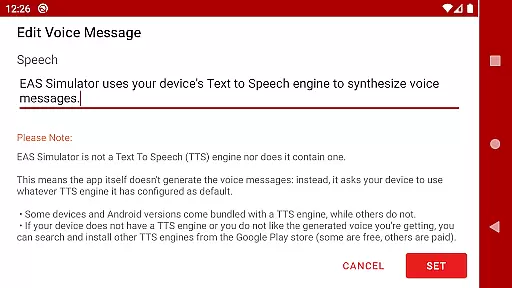
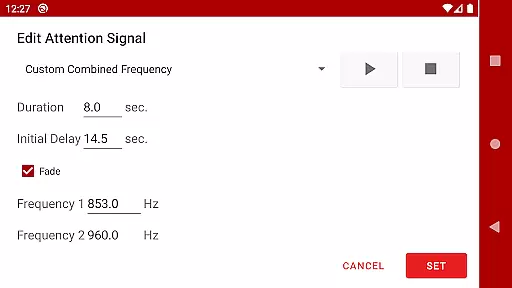
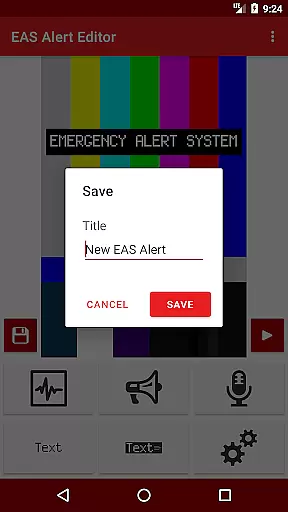
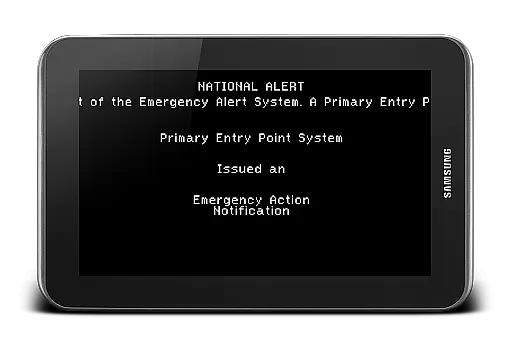
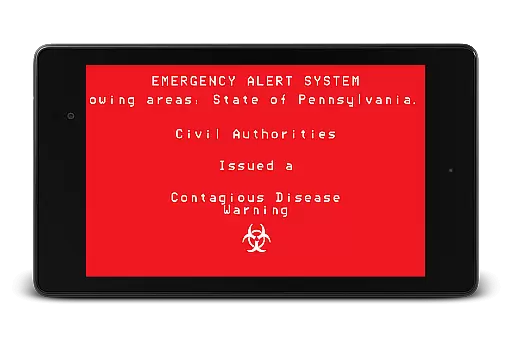
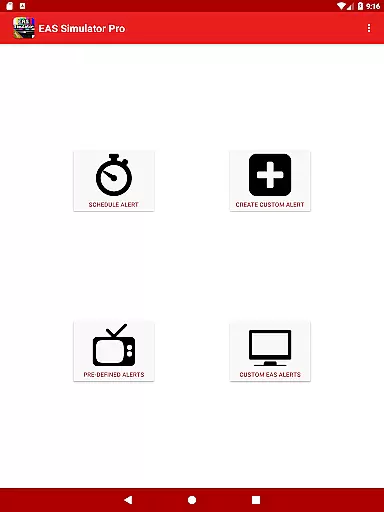
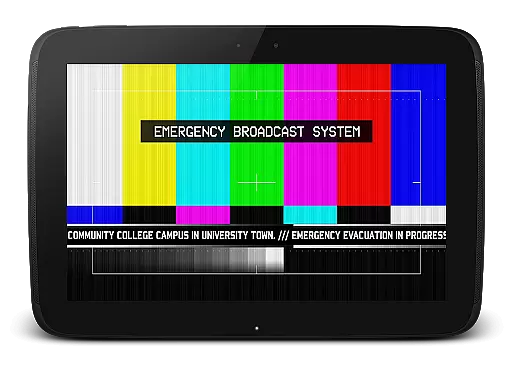
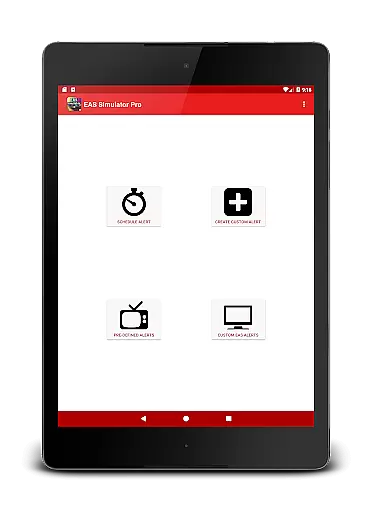
EAS Simulator Pro is an innovative entertainment app that allows users to create and experience realistic Emergency Alert System (EAS) simulations on their Android devices. The app offers a comprehensive EAS alert editor, enabling users to craft custom alerts with various features such as SAME headers, attention signals, and voice messages generated by the device's Text to Speech engine. With pre-loaded scenarios ranging from natural disasters to fictional apocalyptic events, the app provides an immersive experience for both educational drills and creative role-playing.
One of the standout features is the ability to schedule alerts to play at specific times, even when the device is locked. This makes it ideal for emergency preparedness exercises or simply for pranks among friends. Users can also export their creations as video files, making it easy to share these realistic simulations with others who have the EAS Simulator Demo or Pro versions. Whether you're interested in disaster preparedness or seeking an engaging entertainment experience, EAS Simulator Pro delivers both functionality and fun.
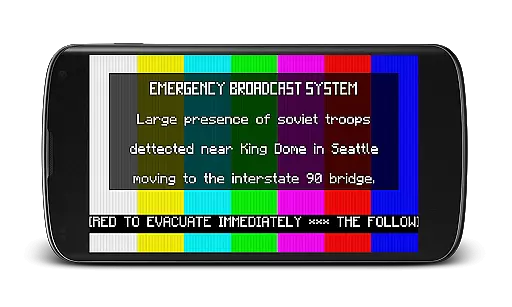
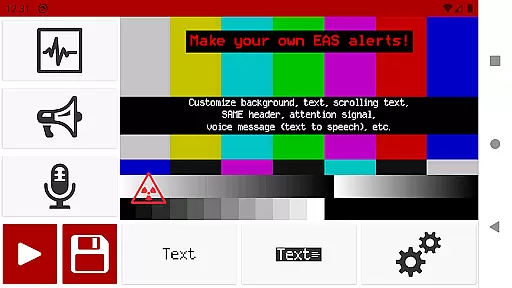
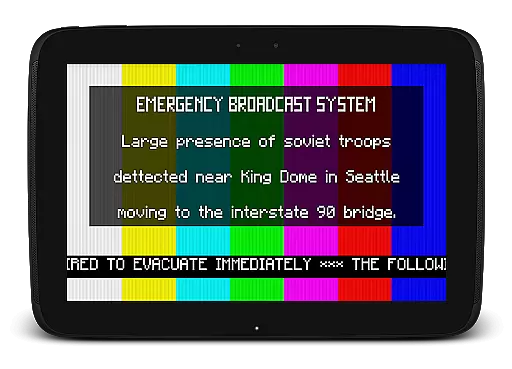
The app boasts an array of sophisticated features designed to provide a realistic EAS simulation experience. Users have full access to the alert editor, allowing them to customize every aspect of their alerts without limitations. From creating scrolling texts similar to news tickers to incorporating background visuals like color bars and intermission screens, the level of customization is extensive. Additionally, the app supports static or blinking text options and includes authentic sound effects such as the familiar SAME header tones and tornado sirens.
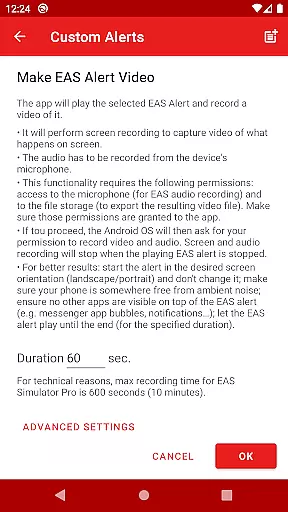
Another remarkable feature is the ability to convert EAS alerts into video format using screen recording and microphone audio. This functionality not only enhances the realism of the simulations but also facilitates sharing and backup purposes. Moreover, the app comes pre-loaded with a variety of real-life and fictional emergency scenarios, offering users a diverse range of situations to explore. These include actual natural disasters like flash floods and tornadoes, as well as thrilling fictional events such as zombie pandemics and nuclear strikes inspired by popular media.
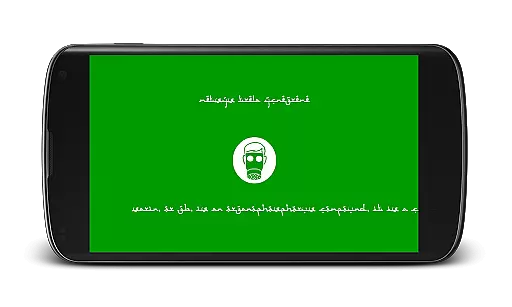
In the realm of entertainment, content variety and freshness are paramount for user engagement. EAS Simulator Pro excels in this area by offering a diverse array of pre-defined alerts that cater to both real-life scenarios and thrilling fictional situations. From simulating natural disasters like flash floods and tornadoes to enacting apocalyptic events such as a North Korean nuclear attack or zombie virus pandemics, the app provides an extensive selection designed to captivate users' imaginations.
Moreover, EAS Simulator Pro allows for the creation and saving of custom alerts without limitations, ensuring that content remains fresh and personalized. Users can craft unique Emergency Alert System messages using features like scrolling texts, SAME headers, attention signals, and voice messages generated by their device's Text to Speech engine. This flexibility not only enhances replay value but also encourages creativity within its user base.
The ability to schedule alerts adds another layer of dynamism, making it ideal for drills, pranks, or role-playing activities. By supporting scheduled playback even when the device is locked, EAS Simulator Pro ensures that users have access to timely and relevant simulations, thus maintaining high levels of interest over time.
User engagement duration and retention are critical metrics for apps in the Entertainment category, where holding the user's interest is key. EAS Simulator Pro addresses these aspects through its immersive and interactive features that encourage prolonged use. The appu2019s realistic EAS alerts, complete with backgrounds similar to TV alerts, static or blinking texts, and SAME headers, create an engaging environment that keeps users invested in their simulated experiences.
Additionally, the functionality to convert EAS alerts into videos using screen recording and microphone audio offers a novel way for users to share their creations with others. This feature not only extends the lifespan of each alert but also fosters a community around the app as users exchange their custom-made emergency scenarios. Such social interactions contribute significantly to increased user retention rates.
Furthermore, by providing tools for exporting/importing EAS alerts as files, EAS Simulator Pro facilitates backup and sharing among friends who own either the Demo or Pro versions. This interoperability ensures that users remain connected to the app ecosystem, promoting sustained usage and loyalty. With regular updates addressing known issues and enhancing existing capabilities, EAS Simulator Pro continues to offer compelling reasons for users to stay engaged over the long term.
No ads
Full alert editor access
Export/import functionality
Realistic simulations
Scheduling capabilities
Requires TTS engine
Video export issues
Android 10 crashes
Notification restrictions
Microphone permission needed

Create, chat & bond with AI souls who truly listen.
 4.50
4.50
Open-source, fast, simple and powerful IPTV app
4.90
Fool your friends & Family with Fake ultrasound test report
3.60
Series,Películas y Telenovelas
4.50
Unleash Your AI Imagination
4.60
5 funny and lovely ponies waiting for you to style them!
4.80
Browse popular images and videos from Reddit on Android TV!
3.90
Stream, Watch, Chat. Live.
4.00
Earn big rewards like PayPal & Amazon gift cards by playing games you love!
4.30
Wodfix Air aggregates popular online content for you.
4.80
Pathfinder 2e initiative tracker with bestiary, HP, reaction, conditions, etc
4.80
Direct access to the most complete Guitar Tab Archive in Spanish: LaCuerda.net
4.60
Earn gift cards for playing games. Become a real game tester!
4.40
Start EVP/Spirit Box tonight: real EMF, offline, recording. One-time purchase.
4.10
Real ghost box scanner with echo, reverb, EMF, & multi-stream channels.
3.80
Your choice of 350+ networks plus movies and full TV series on-demand.
3.70
With the Steam Mobile App, you can take Steam with you anywhere.
3.00
Watch everything you want.
2.90
Simulation of Dashboard / Touch Screen for Tesla. (Works without actual Tesla).
4.3


User Reviews