
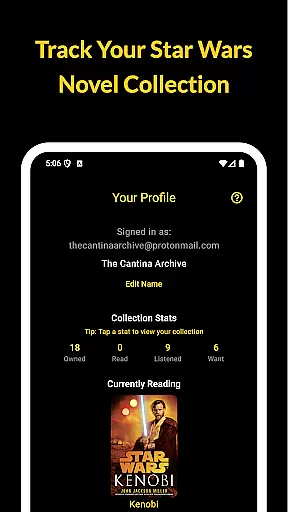
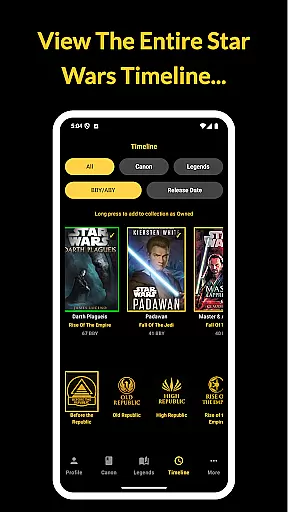
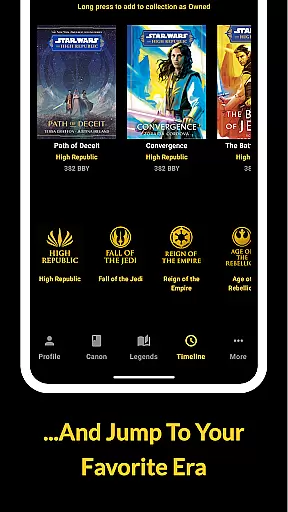
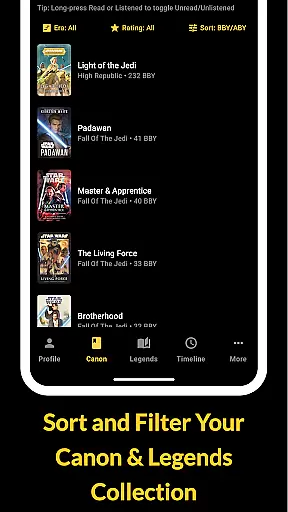
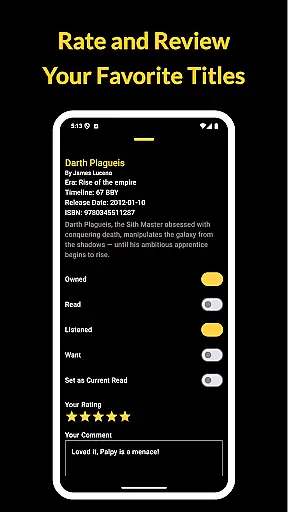
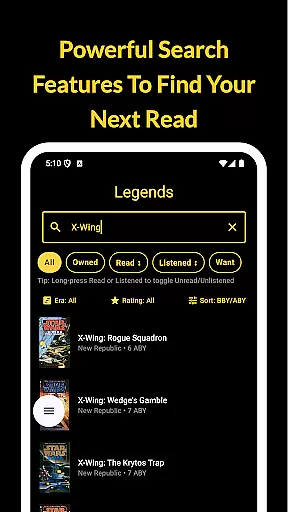
The Cantina Archive is a comprehensive tool for Star Wars book enthusiasts, enabling users to organize and explore their collections with ease. This fan-built app offers multiple ways to browse books, including by era, timeline (BBY/ABY), or release date, making it simple to discover new reads based on your interests.
With features like Timeline View, collection tracking, and syncing capabilities via Firebase, the app ensures that readers can maintain an up-to-date record of their library across devices. Whether you're delving into Canon or Legends, The Cantina Archive provides a seamless experience to manage your reading journey.
The Cantina Archive stands out with its robust feature set tailored for Star Wars literature fans. The Timeline View allows users to explore books in chronological order or by publication date, offering a unique way to navigate the expansive Star Wars universe.
Collection management is effortless with options to mark books as Owned, Read, Listened, or Want to Read. The Currently Reading feature lets users highlight their ongoing titles and track progress. Additionally, the app's integration with Firebase ensures secure backup and synchronization of data across multiple devices, enhancing accessibility and convenience.
The Cantina Archive offers an extensive collection of Star Wars books, allowing users to explore and organize their favorite titles. The app includes both Canon and Legends Expanded Universe books, ensuring a comprehensive selection that caters to all fans.
Each book in the archive is meticulously cataloged with accurate metadata, including title, author, and ISBN. This attention to detail ensures that users can trust the authenticity of the content they are managing within their personal collections.
By providing such a vast and verified library, The Cantina Archive empowers readers to confidently track their reading journey. Whether you're a long-time collector or new to the Star Wars universe, this app provides the tools needed to maintain an impressive and accurate digital bookshelf.
The Cantina Archive supports various formats for tracking your Star Wars book collection, accommodating different user preferences and needs. Users can search and manage their collections by title, author, or ISBN, making it easy to add and organize books regardless of their original format.
In addition to its flexible search capabilities, the app allows users to toggle titles based on ownership status and reading progress. This feature-rich system ensures that whether you own a physical copy, e-book, or audiobook, you can accurately reflect your engagement with each title.
With seamless integration across devices via Firebase, The Cantina Archive guarantees that your collection remains up-to-date and accessible wherever you go. This cross-device compatibility enhances the user experience by providing consistent access to your cherished Star Wars library.
User-friendly interface
Comprehensive book database
Syncing across devices
No ads or tracking
Regular updates
Limited to Star Wars books
Requires internet for sync
No audiobook support
Occasional bugs
Steep learning curve

The Original Tropical Freshwater Aquarium Fish And Plant Care Guide
 4.80
4.80
Novels, audiobooks, ebooks & fanfiction. Read anytime, anywhere!
3.40
Bible, Catechism, Study, Saints, Mass Readings, Rosary, Prayer, Bible in a Year
4.80
University of North Carolina Herbarium presents the flora of TN, AL, & MS.
4.0
Read aloud texts, audiobooks, PDFs or any eBook with text to speech AI audio
4.60
All in one Calibre libraries on your phones and tablets.
3.80
Daily Prayer, personalized Bible Study, AI-guided Insights, and Spiritual Growth
4.80
My Bible offers a comprehensive app by providing offline access, daily verses.
4.80
A Comprehensive Restoration of Sacred Scripture
4.50
Offline dictionary for learning Cantonese as a second language
4.90
Bible Study App with Audio Book, Verse of the Day, and Devotionals.
4.80
Enjoy daily devotionals, Bible verses, audio courses, and more.
4.80
8 Dr. Seuss short stories in 1 app!
4.70
Werewolf novels & romance stories in audiobooks for book lovers! Werewolf storie
4.60
F9 Cookbook Mobile App
4.60
Holy Bible with verses and audio for studying and prayer
4.30
A wonderful reader for good time spend.
4.20
“There was one last piece of cake. My little sister said ‘Me too!’”
4.00
A guide for the Court of Atonement spiritual healing process.
4.0


User Reviews