
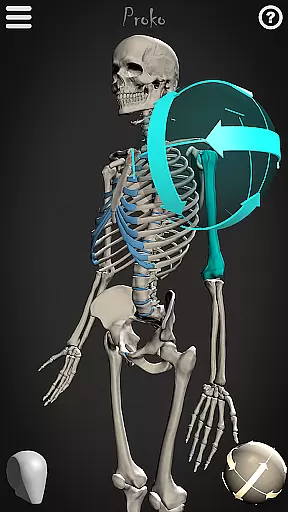
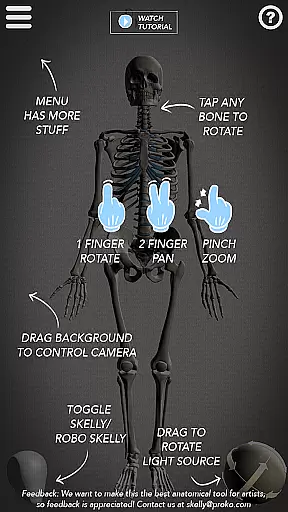
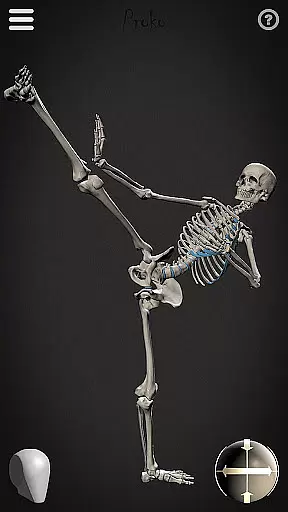
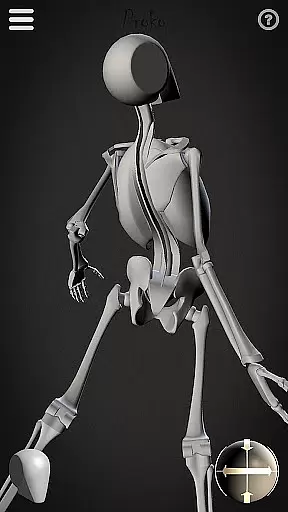
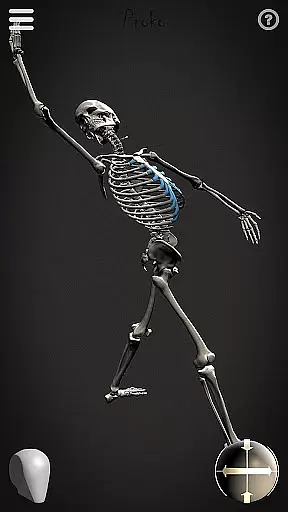
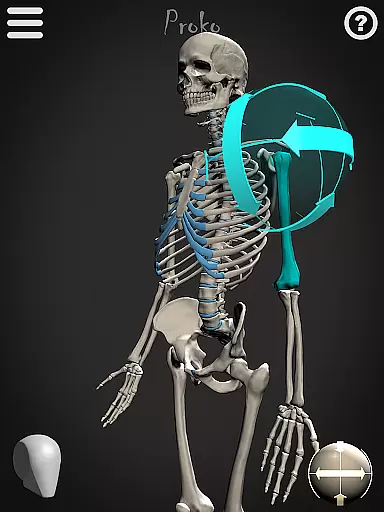
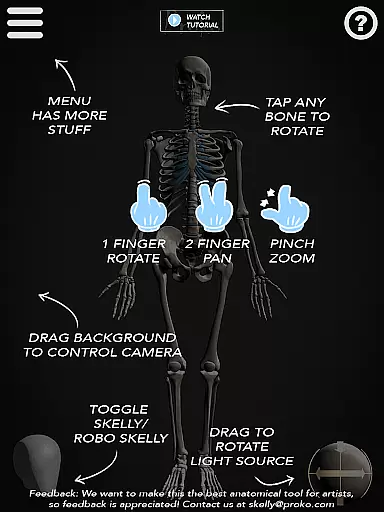
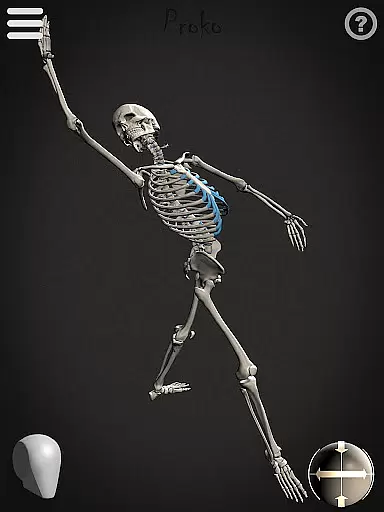
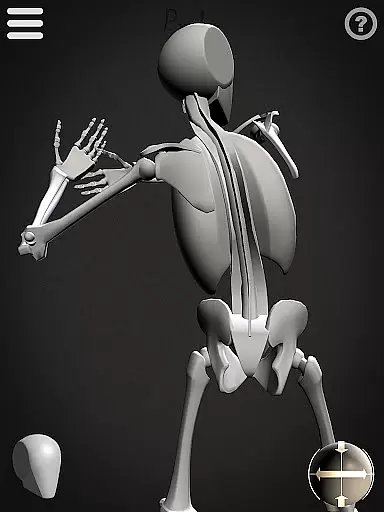

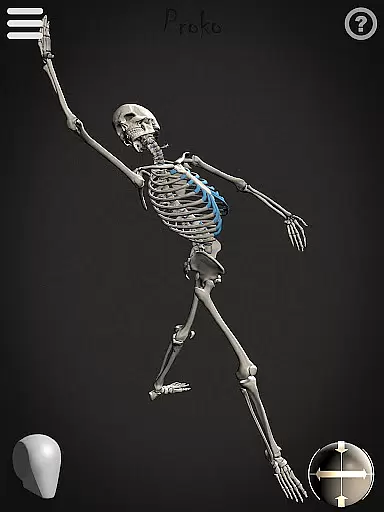
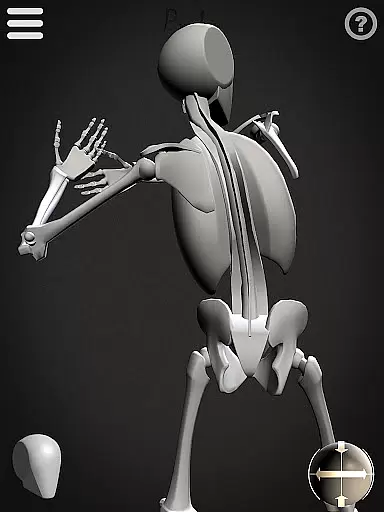
Skelly is an innovative educational app designed specifically for artists seeking a reliable anatomy reference tool. This fully poseable, anatomically correct skeleton model serves as an essential resource for art students and professionals alike. The app features two distinct skeleton models - the detailed anatomical version and the simplified 'Robo-Skelly' - both based on Dr. Paul Richer's proportion studies and compatible with Andrew Loomis's 'Loomis Head' methodology.
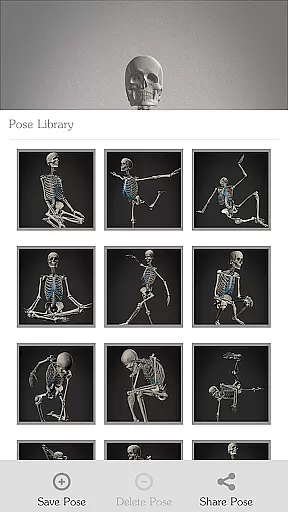
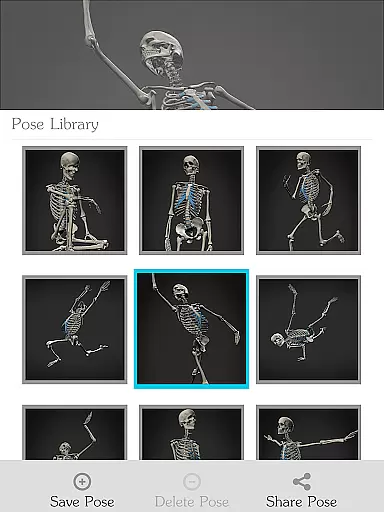
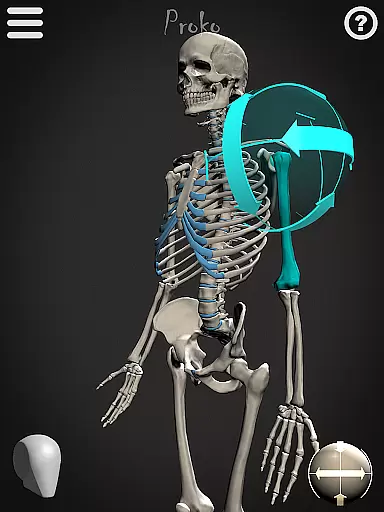
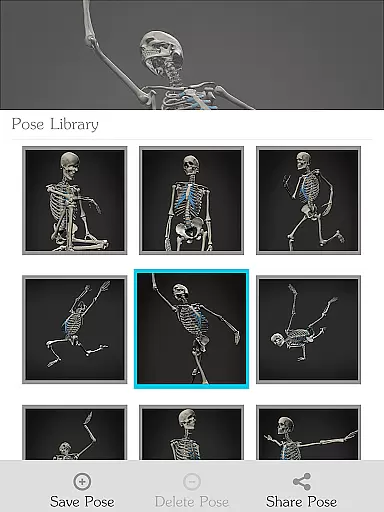
The application provides comprehensive posing capabilities through its intuitive interface, allowing users to create custom poses or select from pre-made options in the Pose Library. With adjustable camera angles, customizable lighting, and background options, Skelly offers versatile learning environments for various artistic disciplines including drawing, painting, sculpting, and animation. Whether you're studying human anatomy or creating professional artwork, Skelly ensures accurate skeletal references without the need for physical models or internet searches.
Skelly distinguishes itself through its sophisticated feature set tailored for artistic anatomy study. The app's core functionality revolves around its two meticulously designed skeleton models, each offering unique advantages for different learning styles. The anatomically precise skeleton provides detailed bone structures, while 'Robo-Skelly' simplifies complex forms for easier comprehension. Both models adhere to established artistic proportion systems, ensuring accuracy in artistic applications.
The app's technical capabilities enhance the learning experience significantly. Users can manipulate the skeleton's pose with precision, save custom positions in the Pose Library, and recall them instantly. Advanced visualization tools include a fully controllable camera system for optimal viewing angles, adjustable light sources for realistic shadow studies, and background customization options. These features work in concert to create a comprehensive learning environment that adapts to various artistic needs, from basic anatomy studies to complex pose development for professional projects.
In the realm of art education, having access to accurate and authoritative content is crucial for effective learning. Skelly app provides an anatomically correct skeleton model that serves as a reliable reference for artists. This digital skeleton is crafted based on the teachings of Dr. Paul Richer, ensuring that users are learning from a well-respected source in anatomy.
Furthermore, the inclusion of 'Robo-Skelly', a simplified version of the skeleton, offers an alternative perspective that can be particularly useful for beginners or those who prefer a less complex starting point. The proportions adhere to established artistic principles, such as fitting perfectly into a 'Loomis Head', which is a technique taught by Andrew Loomis. These features reinforce the app's commitment to delivering precise and credible educational material.
Artists using Skelly can trust that they are receiving guidance that aligns with traditional art instruction methods, allowing them to focus on their creative process without worrying about the integrity of their reference materials. By providing these authoritative models, Skelly empowers artists to develop their skills confidently and accurately.
Skelly app recognizes that each artist has unique learning needs and preferences when it comes to studying anatomy. To cater to this diversity, the app offers personalized learning paths through its fully poseable skeleton models. Users can manipulate the skeleton into any position they desire, effectively creating custom poses that suit their specific study requirements or artistic projects.
The Pose Library feature further enhances personalization by allowing artists to save their own poses and choose from pre-made ones. This flexibility enables learners to build a collection of references tailored to their ongoing projects or areas where they wish to improve. Additionally, the movable camera and adjustable light source provide control over how the skeleton is viewed, simulating different environments and lighting conditions that one might encounter in real-life drawing scenarios.
By offering these customizable tools, Skelly supports a self-directed learning experience that adapts to individual progress and goals. Artists can evolve at their own pace, revisiting challenging concepts or advancing to more complex poses as needed, all within an intuitive digital environment designed to foster growth and creativity.
User-friendly interface
Accurate anatomy reference
Customizable pose options
Comprehensive learning tools
Offline accessibility
Limited advanced anatomy details
No muscular system overlay
Premium price point
Device compatibility restrictions
Learning curve for beginners

Turn scrolling hours into improving your knowledge, communication, intelligence
 4.50
4.50
scanner body part for fun Prank friends realistic scan effects
3.00
Learn and joke with the Silly Turkey!
4.3
Break Language Barriers with AI—Learn Language Anytime, Anywhere!
4.00
Perform physics experiments with your phone. (by the RWTH Aachen University)
4.70
Designed for Calculator 84 users
4.20
For medical training - Visualize complex vein maps and structures in real-time.
4.10
The FE Clock is a way to track sun & moon around the circle of the earth.
4.30
Fun, personalized math learning games that adapt to your child’s needs.
4.40
A realistic sky map to observe stars, planets, satellites and constellations!
4.80
Gain new skills in 10 minutes
4.70
AI Language tutor: Speak fluently with Lucy’s personalized coaching
4.70
Universe simulator: Find & explore planets system, outer space, astronomy events
4.60
Dinosaurs coloring book game. Drawing and painting dinos.
4.50
Professional Award-Winning Astronomy Star Map App With Telescope Control
4.40
A magical world of fun, building, and learning with Mickey Mouse and more!
4.20
Deal Craps (Practice Craps Payouts)
3.80
An aviator’s preparation, study and test tool for FAA Knowledge Exams.
3.80
THE MOST COMPREHENSIVE JUMPMASTER STUDY RESOURCE AVAILABLE.
3.40


User Reviews