
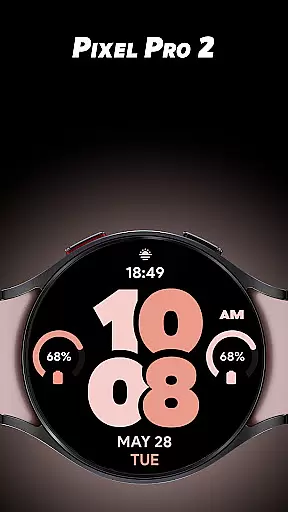
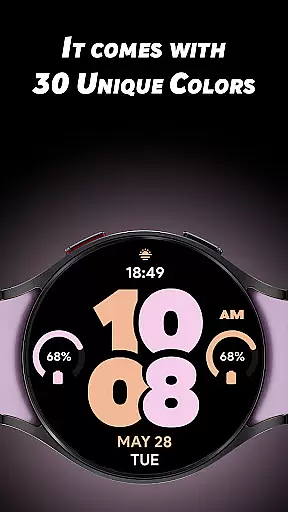
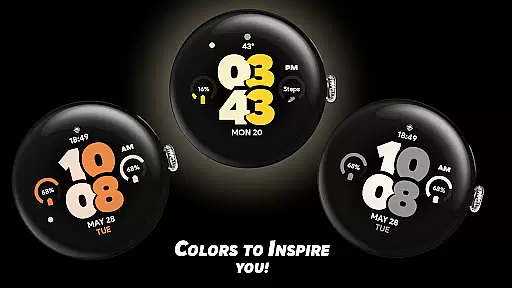
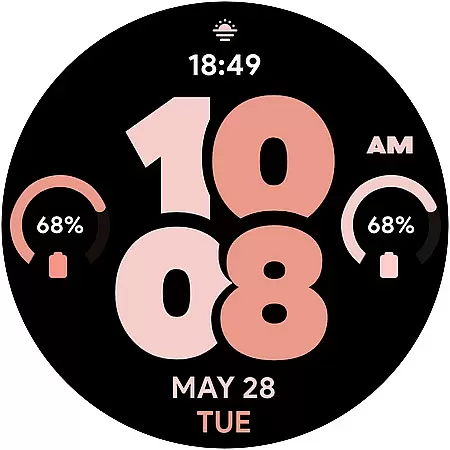
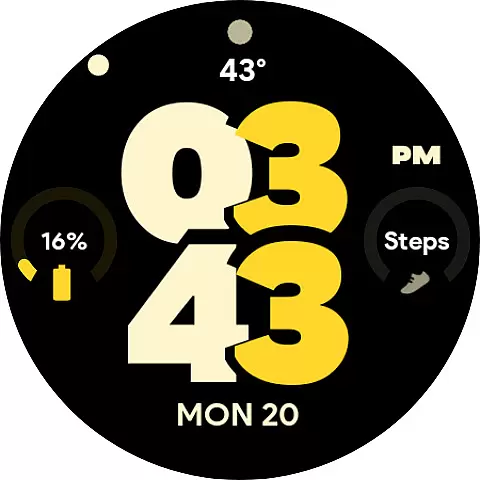
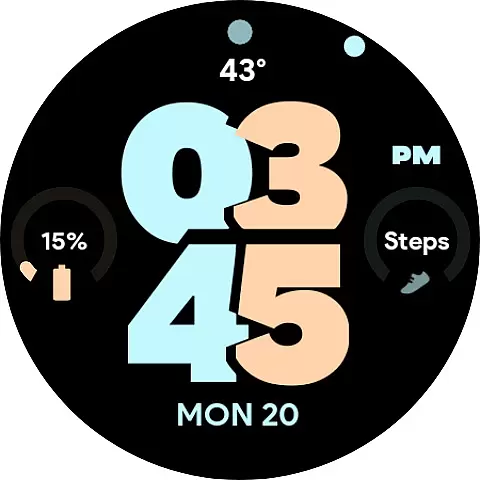
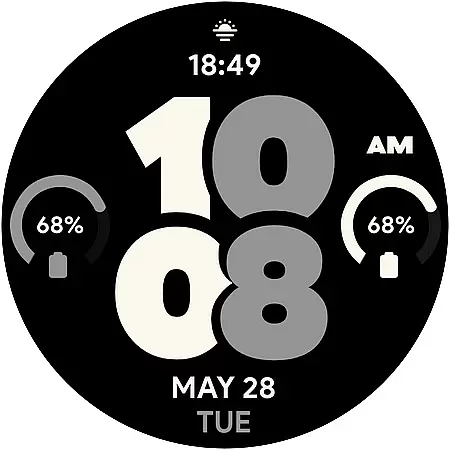
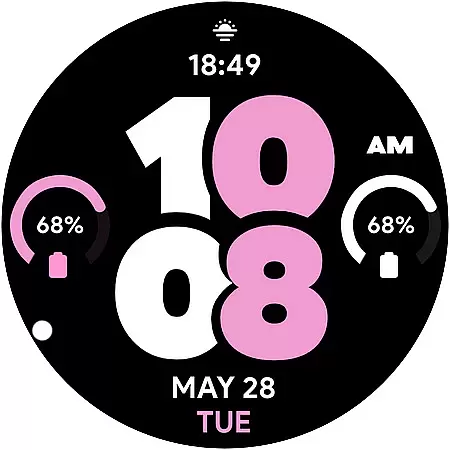
Pixel Pro 2 is a feature-rich watch face designed specifically for Wear OS devices. This innovative app brings a personalized touch to your smartwatch by offering 30 distinctive color options, allowing users to match their device with unique style preferences. The watch face supports both 12 and 24-hour formats, catering to different user preferences.
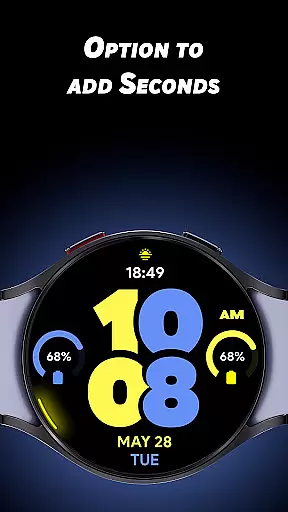
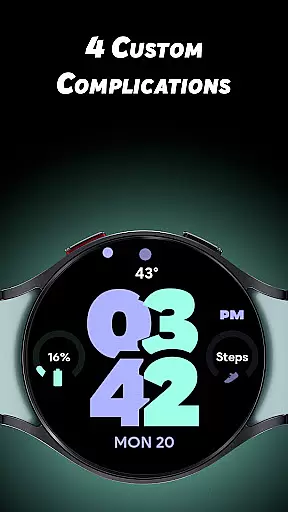
Beyond its aesthetic appeal, Pixel Pro 2 provides practical functionality through its customizable complications. Users can choose from four dedicated slots to display their preferred data at a glance. The app also features an optional always-on display mode and a unique seconds indicator that rotates along the watch's edge, creating an eye-catching visual effect while maintaining essential timekeeping functions.
The application stands out with its extensive customization options. With 30 carefully selected colors, users can personalize their watch face to reflect their mood or match their outfit. The inclusion of four customizable complication slots - including an invisible app shortcut on the TIME element - enables seamless access to frequently used features and information.
Pixel Pro 2 introduces several innovative features that enhance usability. The optional seconds display creates a dynamic visual experience by rotating around the watch's perimeter. Additionally, the always-on display (AOD) function offers flexibility with an on/off toggle, ensuring optimal battery performance while maintaining essential time visibility. These features collectively create a sophisticated smartwatch experience that balances aesthetics with practicality.
Pixel Pro 2 watch face offers extensive lifestyle category coverage by providing users with a versatile and customizable experience on their Wear OS devices. With 30 unique color options, the app allows users to tailor their watch face to match their personal style or mood.
In addition to aesthetic customization, the app includes four custom complications that enable users to display the data most relevant to their daily lives. This feature ensures that essential information such as weather updates, calendar events, or fitness metrics are always accessible at a glance.
The inclusion of features like turning on seconds with a unique rotating animation and an Always-On Display (AOD) option further enhances its utility in everyday scenarios. These elements contribute to making Pixel Pro 2 not just visually appealing but also highly functional for various lifestyle needs.
Pixel Pro 2 stands out through its commitment to content authenticity and expert credibility. The watch face is designed with genuine inspiration drawn from real user feedback and preferences, ensuring that each of the 30 colors offered resonates with actual consumer tastes.
Expertise in wearable technology design is evident in the sophisticated implementation of features such as the invisible app shortcut on TIME and the optional Just Time AOD mode. Such innovations reflect deep industry knowledge and attention to detail, enhancing both usability and visual appeal.
Furthermore, every customization option within Pixel Pro 2 has been carefully considered to provide meaningful enhancements without compromising performance or battery life. Users can trust that these choices have been vetted by professionals who understand the intricacies of smartwatch functionality, thus reinforcing the app's reliability and authority in delivering high-quality digital experiences.
Highly customizable
Vibrant color options
Intuitive interface
Innovative design
Practical complications
Limited to Wear OS
Complex settings
Battery consumption
Premium cost
Learning curve

Earn points with every purchase with Moe Rewards.
 4.20
4.20
What is my face shape? Find out your face shape from picture, see fitting frames
3.90
Take Hobby Lobby with you wherever you go!
3.40
A watch face with transparency and fluid visuals inspired by liquid glass design
4.3
Get your life organized with My Agenda!
4.30
Tap to the beat with interactive videos — warm up your reflexes & have fun
4.70
My Diary - Daily Journal with lock: Diary journal app and secret diary with lock
4.80
A smart Siddur with halachic times
4.50
Just play, earn rewards, fetch gift cards, and turn gaming into real payouts!
4.80
Daily lessons from A Course in Miracles with scheduled reminders
4.80
Have your Tehillim with you at all times
4.70
A smart Siddur with halachic times
4.60
Earn money & gift cards when you take surveys, play games, scan receipts & more.
4.50
Share opinions, get paid cash
4.30
An Eerie Musical Trigger Toy for Spirits to Play with!
3.50
Turn your watch into a key fob for your Tesla
2.90
Healthy eating timer app to track meal pace, improve habits, and eat slowly.
4.3
The cutest Autumn watchface featuring the adorable Mr. Squirrel
4.5
Celebrate the holidays with Advent Calendar: daily surprises and festive fun!
4.4


User Reviews