
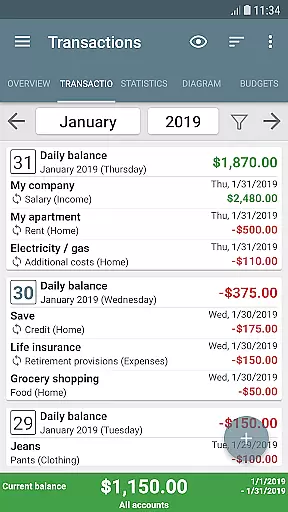
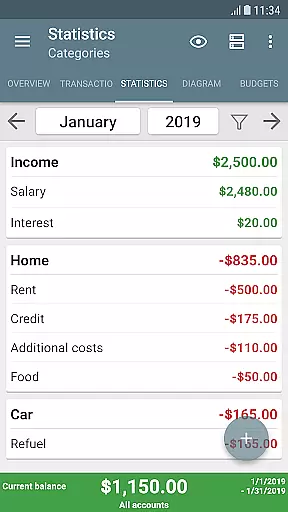
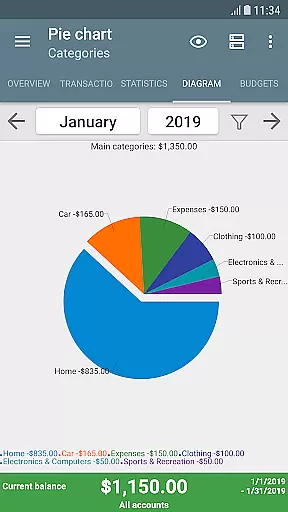
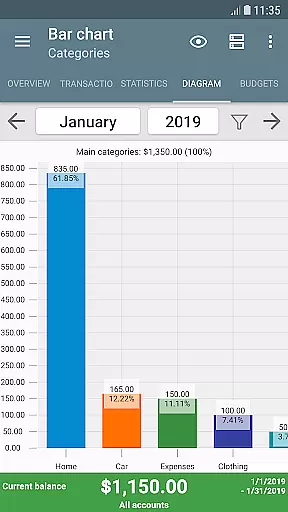
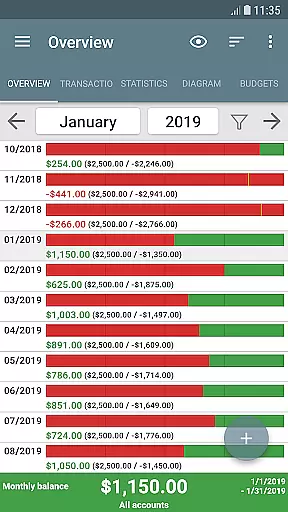
My Budget Book is a comprehensive financial management application designed to help users effectively track and manage their income and expenses. The app offers features for recording individual or recurring transactions, allowing users to monitor and forecast their account balances with ease.
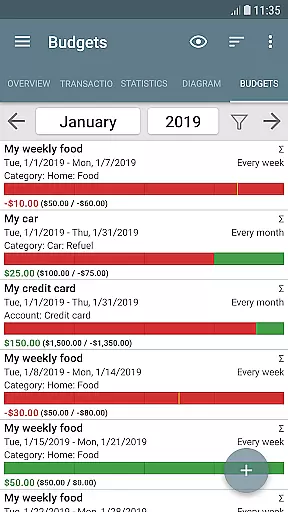
One of the standout capabilities of My Budget Book is its budgeting functionality. Users can set custom limits or goals over specific time periods, helping them control spending and save for future objectives. Whether it's curbing unnecessary purchases or planning for a vacation, the app provides the tools needed to stay on track financially.
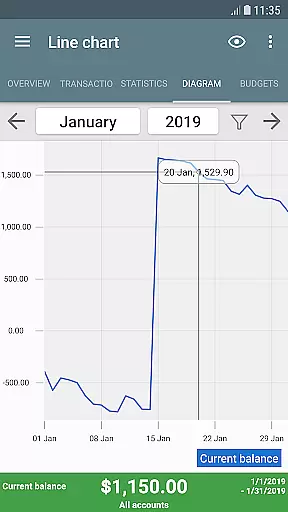
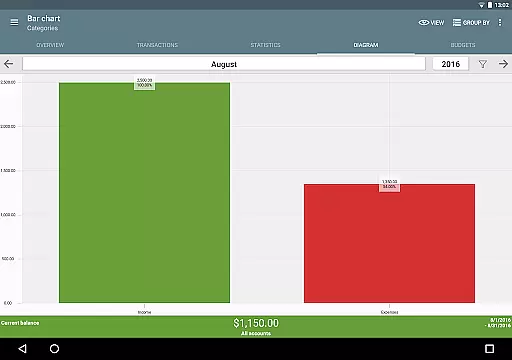
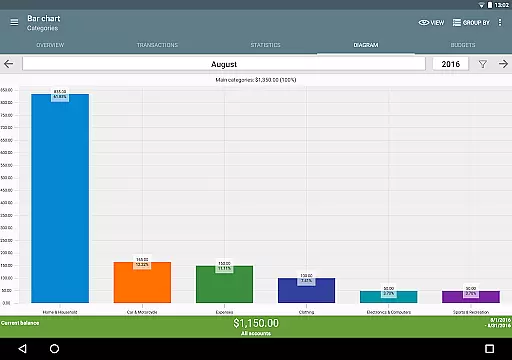
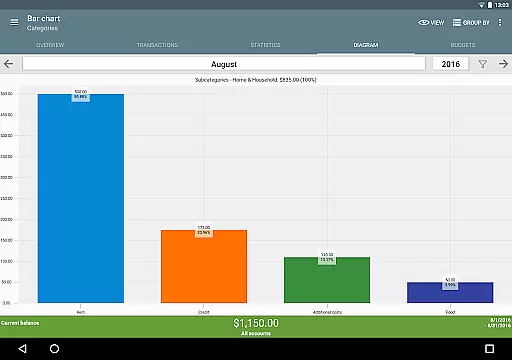
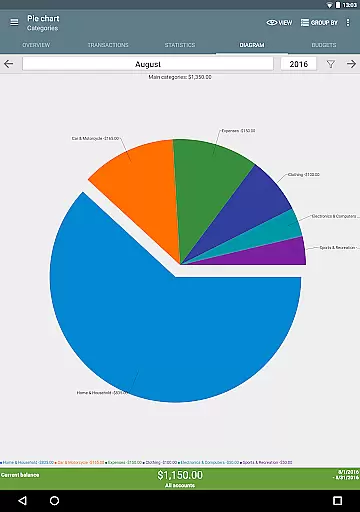
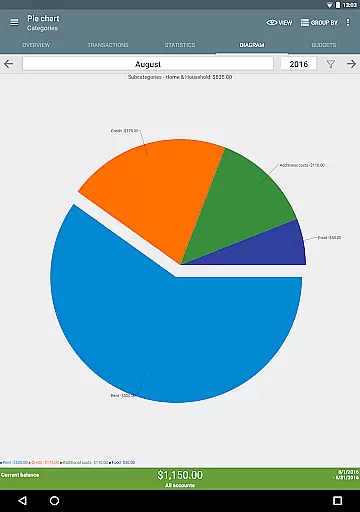
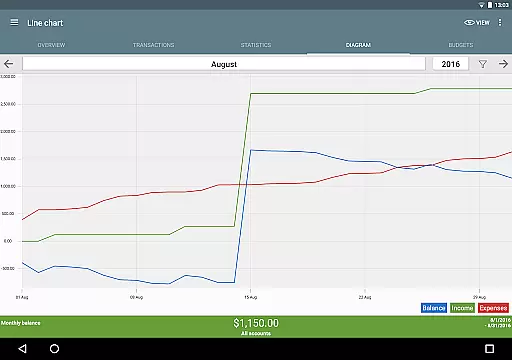
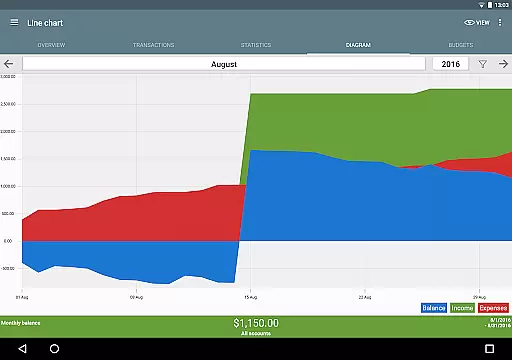
The app also includes dynamic data visualization through charts and graphs, multiple account management, and customizable categories. With offline functionality, no ads, and various personalization options, My Budget Book ensures privacy and user-friendly experience while delivering powerful money management solutions.
My Budget Book stands out with its diverse feature set tailored for effective financial tracking. One key aspect is its ability to handle both individual and recurring transactions, giving users flexibility in managing different types of financial activities. This feature helps in forecasting future balances based on current spending habits.
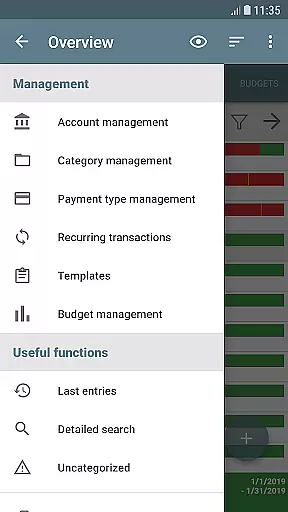
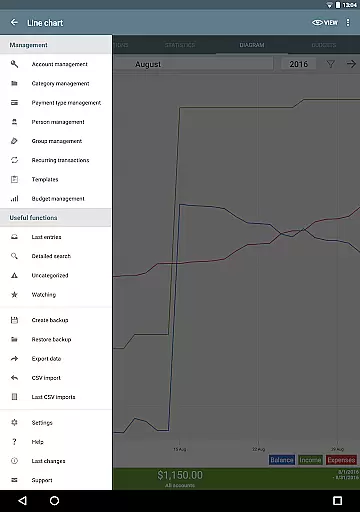
Another significant feature is the budget mode, which allows users to define spending caps or savings targets over custom periods. This functionality supports setting weekly, monthly, or even bi-weekly budgets, ensuring users can align their financial goals with their unique needs. Additionally, the app offers extensive customization options for categories, subcategories, and sorting preferences.
Users can visualize their financial data through tables and graphs, add photos or receipts to transactions, and utilize reminders for pending payments. Security features like password protection and fingerprint authentication further enhance the app's utility, making it a robust tool for anyone looking to take control of their finances.
Account and fund security is a critical aspect of any financial management application. My Budget Book ensures the safety of your sensitive data through multiple layers of protection.
The app offers optional password or fingerprint authentication, providing an additional barrier against unauthorized access. This feature ensures that only you can view your financial records and transaction history.
All data is stored locally on your device without requiring internet permission, significantly reducing the risk of online breaches. For users who need cloud backups, the app provides secure synchronization options as outlined in the integrated manual.
Furthermore, automatic local backups guarantee that your financial information is never lost, while CSV import/export functions allow for secure data transfer when needed. These comprehensive security measures make My Budget Book a reliable choice for managing your personal finances.
A seamless transaction experience is essential for effective financial management. My Budget Book excels in this area by providing intuitive tools for recording and tracking your income and expenses.
The app supports both individual and recurring transactions, allowing users to accurately forecast their balances over time. This feature is particularly useful for managing regular payments such as rent or subscriptions.
Users can visualize their financial data through dynamic charts and graphs, making it easier to understand spending patterns and identify areas for improvement. The ability to customize categories and subcategories ensures that every transaction is properly classified.
Additional features like transaction templates, receipt attachments, and bank statement reconciliation further enhance the overall transaction experience. These tools work together to create a comprehensive and user-friendly financial management system.
User-friendly interface
Comprehensive budgeting tools
Offline functionality
No advertisements
Customizable categories
Limited cloud integration
Manual data entry required
Advanced features may overwhelm new users
Occasional syncing issues
Export options could be more varied

Manage your Discover account conveniently from anywhere.
 4.80
4.80
Debt pay off. Build credit history. AI budget tool. Loan offers.
4.60
Early payday cash advance up to $150 a day with a max of $1,000 per pay period
4.70
Manage and cancel subscriptions, lower bills, track expenses, create budgets.
4.60
Get up to 500, get paid early, earn interest and find work with no hidden fees.
4.40
Read and extract public data on NFC Contactless banking card (VISA, MasterCard
4.30
Manage budget, save money, or file tax. Build, track & improve your credit score
4.40
Join 12M+ users. Instant cash advances, personal loans, build credit, save money
4.80
Pay, bank & build credit.
4.70
Your Big Financial Friend
4.70
Manage your credit card account with the Credit One Bank mobile app.
4.70
“Money Manager” is an optimized application for personal asset management.
4.70
Loan Calculator, Mortgage Calculator, Compound Interest Calculator
4.70
Cash Advance, Credit Cards, Credit Lines, Score Monitoring, Saving, Budgeting
4.70
Real-time tracking: Stocks, Indices, Futures, Commodities, ETF, & Funds prices.
4.60
The simplest way to budget, bank, save and invest.
4.50
Car Insurance Made For You.
4.50
Invest, bank & save in one app. Trade stocks, earn high APY & budget smarter.
4.00
NFC mobile payment app Use your phone as a contactless bank card
4.00


User Reviews