
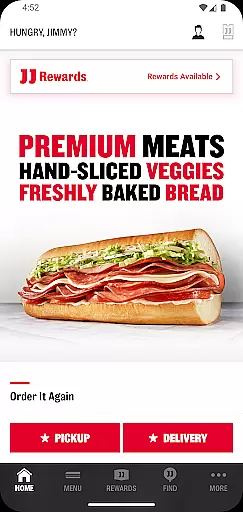
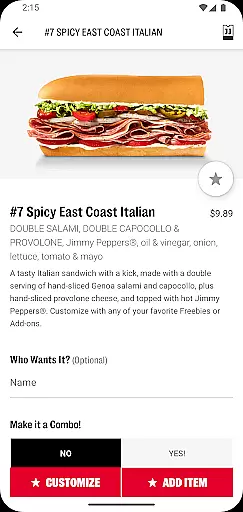
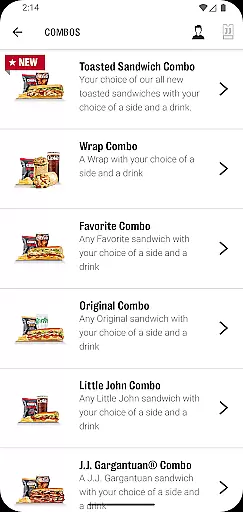
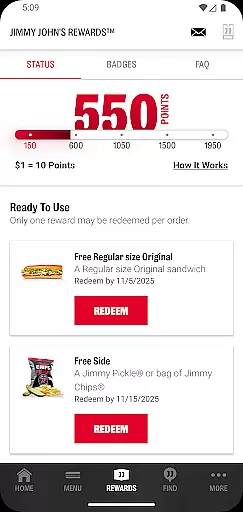
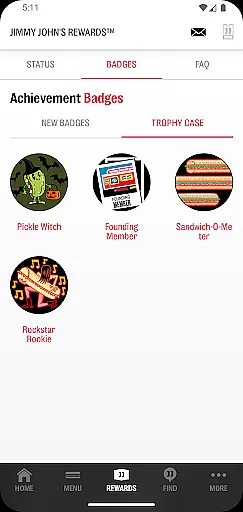
Jimmy John's Sandwiches is a convenient food ordering app that allows users to order sandwiches for contactless delivery or pick-up. With the JJ Rewards™ program, customers can earn and redeem exclusive rewards at participating locations. The app also provides real-time order tracking and notifications for delivery or pick-up status.
Users can browse the menu, customize their orders, and save their favorite meals for quick reordering. Whether you're craving a quick bite or planning a catering event, Jimmy John's Sandwiches offers a seamless experience from order placement to payment.
The app offers multiple features that enhance the food ordering experience. Users can easily find their nearest Jimmy John's location, use recent delivery addresses, and customize their sandwich orders according to their preferences. The 'My Faves' feature allows saving favorite orders for quick reordering in the future.
Additionally, Jimmy John's Sandwiches supports Google Pay for seamless transactions. Customers can also track their orders in real time and receive timely notifications when their food is out for delivery or ready for pick-up. These features collectively ensure a smooth and efficient user experience.
Locating your nearest Jimmy John's has never been easier with the store locator feature. This functionality uses your device's GPS to accurately pinpoint nearby locations, ensuring you can find a store no matter where you are.
The app provides essential details about each location, including operating hours, address, and contact information. This ensures customers can plan their visit or call ahead if needed, making the entire experience more convenient and reliable.
Users benefit from real-time updates, meaning store information is always current. Whether you're at home or traveling, this feature helps you locate the closest Jimmy John's for either delivery or pick-up, streamlining the entire process.
Jimmy John's app offers seamless delivery and pick-up options, allowing users to enjoy their favorite sandwiches without leaving their homes. The contactless delivery option ensures safety and convenience, particularly in today's fast-paced world.
For those who prefer picking up their orders, the app allows you to pay ahead, saving time when you arrive at the store. This feature not only enhances user experience but also ensures that your food is ready exactly when you need it.
Additionally, the app keeps you informed about your order status through notifications. You'll receive alerts when your order is out for delivery or ready for pick-up, keeping you in the loop and ensuring a smooth, hassle-free experience from start to finish.
User-friendly interface
Fast delivery options
Customizable orders
Rewards program
Order tracking
Limited to Jimmy John's
Regional availability
Occasional bugs
No live chat support
Membership required for rewards

Everything you want right here
 4.50
4.50
Delicious cocktail recipes you can make with ingredients you already have.
4.40
Top restaurants delivered
4.70
Stashcook: Keep healthy food recipes, cooklist & weekly meal plans for any diet.
4.50
Sweeten the season!
4.90
Discover. Create. Plate.
4.40
Good Fortune Awaits with Panda Rewards and the Panda Express® App.
4.70
Mexican Food Pickup & Delivery
4.70
Not just food delivery. Shop for groceries from local supermarkets to your door.
4.60
Rescue tasty unsold food from local stores for ½ price or less.
4.90
Save at the pump AND in store with deals on gas, snacks & drinks at Murphy USA.
4.80
Wings for Delivery or Carryout
4.80
Papa Johns Pizza, delivering an awesome pizza ordering experience for Android!
4.80
Quickly order, pay, reload your Starbucks Card and earn free drinks or food.
4.80
Order ahead at your favorite restaurants.
4.70
Order for Pickup and Delivery
4.70
The fast and practical app to help you make the best cocktails at home!
4.60
Order Beer, Snacks & More 24/7
4.20
Order pizza and earn points
3.90


User Reviews