
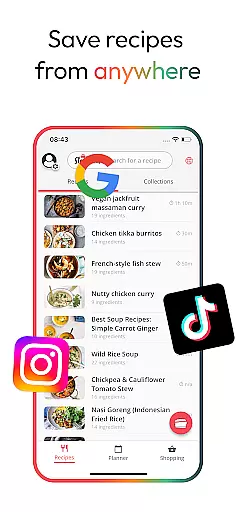
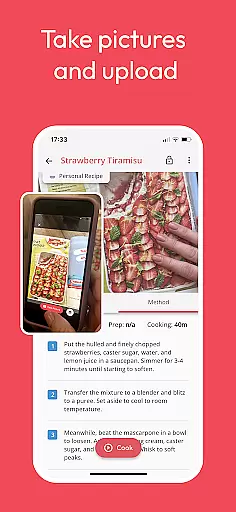
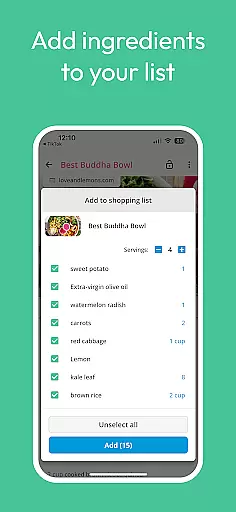
Meal Planner & Recipe Keeper is a comprehensive food and drink application designed to simplify meal planning, recipe organization, and grocery shopping. The app allows users to create personalized collections of recipes, develop weekly meal plans, and generate organized shopping lists categorized by supermarket aisles. Its standout feature is the ability to save recipes from any website, ensuring users never lose a great recipe again.
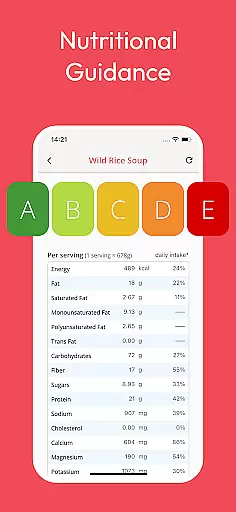
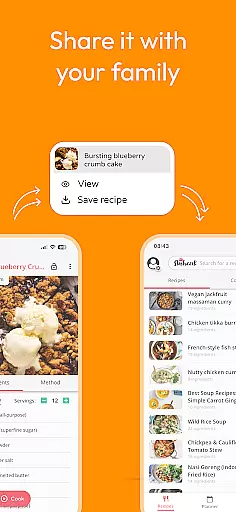
The app also includes practical tools such as nutritional analysis, which provides detailed insights into calorie counts and macronutrient breakdowns for each recipe. With additional features like Family Share, users can sync up to six accounts to share recipes, meal plans, and shopping lists effortlessly. Whether you're a home chef looking to streamline your cooking process or someone aiming to reduce food waste, Meal Planner & Recipe Keeper offers an all-in-one solution to manage your culinary life efficiently.
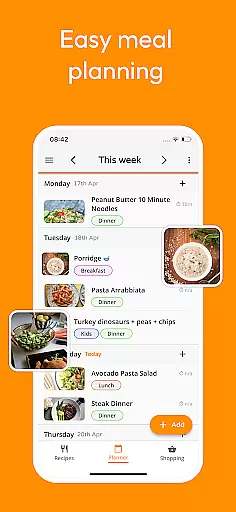
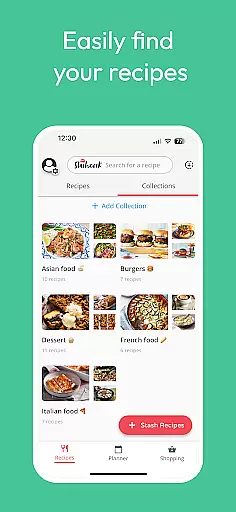
One of the key highlights of Meal Planner & Recipe Keeper is its versatility in organizing recipes. Users can categorize their recipes into custom collections, such as '10-minute dinners' or 'low-carb meals,' making it easy to find the right recipe for any occasion. The meal planner function lets users schedule meals for the week, rearrange based on preferences, and even add notes for specific dietary needs or leftover usage.
In addition to its organizational capabilities, the app offers advanced features like nutritional analysis, which breaks down the calorie and nutrient content of each recipe. This helps users make informed decisions about their meals. The inclusion of a 'Stash' button enables saving recipes directly from popular websites like BBC Good Food and Pinterest. Furthermore, the app's Family Share feature ensures seamless collaboration among household members, allowing them to plan and shop together. These robust features collectively enhance both convenience and efficiency in meal preparation.
Locating the right store for your grocery needs is essential for efficient shopping. The Meal Planner & Recipe Keeper app simplifies this process by integrating a store locator feature that helps you find nearby supermarkets and specialty stores. This functionality ensures that you can plan your shopping trips effectively, saving both time and transportation costs.
The app's store locator is designed to provide accurate location data, ensuring that users are directed to the nearest available options. By using real-time mapping services, it updates store information regularly, which means you'll always have access to current store hours, addresses, and contact details. This level of precision in location services enhances the overall user experience, making grocery shopping less of a chore.
Moreover, the store locator feature is seamlessly integrated with the meal planning and shopping list functionalities of the app. Once you've planned your meals and created your shopping list, the store locator can suggest the best places to purchase your items based on proximity and convenience. This synergy between different features empowers users to execute their shopping plans without hassle.
In essence, the store locator within Meal Planner & Recipe Keeper not only aids in finding stores but also complements the app's core offerings by streamlining the transition from meal planning to actual shopping. This holistic approach to managing meal-related activities makes the app an indispensable tool for home chefs looking to optimize their culinary processes.
In today's fast-paced world, delivery services and pickup options have become vital components of food and drink applications. Meal Planner & Recipe Keeper recognizes this need and offers seamless integration with various delivery platforms. This allows users to order ingredients directly through the app, ensuring they have everything required for their planned meals without stepping outside their homes.
The app provides clear information about delivery times, fees, and available pickup locations. Users can choose the most convenient option based on their schedules and preferences. Whether it's scheduling a delivery at a specific time or opting for curbside pickup, the app caters to diverse needs, enhancing the flexibility and accessibility of grocery acquisition.
Furthermore, the transparency in pricing and service terms builds trust with users. There are no hidden fees, and all costs associated with deliveries or pickups are clearly communicated upfront. This openness not only improves user satisfaction but also encourages more frequent use of these services within the app.
By incorporating robust delivery and pickup options, Meal Planner & Recipe Keeper significantly boosts its utility. It transforms from merely a planning tool to a comprehensive solution that covers every aspect of meal preparation, including procurement. This end-to-end support solidifies the app's position as a go-to resource for efficient and enjoyable home cooking experiences.
User-friendly interface
Comprehensive recipe saving
Nutritional insights
Family sharing options
No recipe limits
Premium upgrade cost
Limited offline functionality
Occasional syncing issues
Ads in free version
Steep learning curve

Save at the pump AND in store with deals on gas, snacks & drinks at Murphy USA.
 4.80
4.80
Easy and fast ordering, improved customization, and an enhanced guest experience
4.20
Skip the line, get delivery + exclusive treats
3.90
Now it's easier than ever to order, pay and earn delicious rewards.
3.50
Order for Pickup and Delivery
4.70
NEW digital gift cards available in exclusive designs!
4.60
Get Rewards, Easy Ordering & Exclusive Offers
4.70
Order, Deals & Rewards
4.20
Get food, grocery, and retail essentials delivered fast with DoorDash.
4.70
Earn rewards, order ahead, and never miss a celebration! At select locations.
4.90
Enjoy Exclusive Deals, Rewards, Gas Benefits, and 24/7 Food Delivery!
4.90
Delivery. Pickup. Rewards.
4.70
Mexican Food Pickup & Delivery
4.70
Order ahead & earn rewards
4.60
Everything you want right here
4.50
Order from Gopuff and get your essentials delivered in as fast as 15 minutes
4.50
Real ones order on the app, earn points, score deals, and skip the line.
4.40
Order from local pizzerias
4.20
Eating fresh just got a whole lot better with the new Subway app.
4.20


User Reviews