
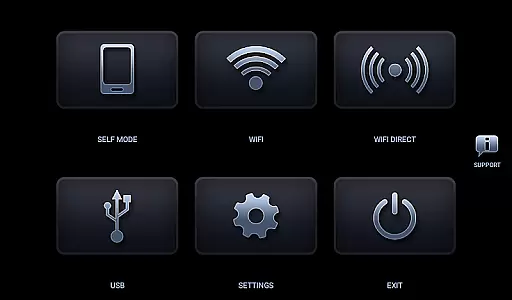
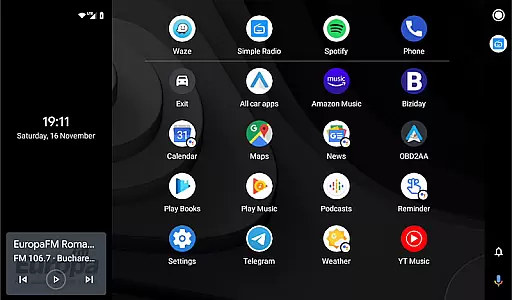
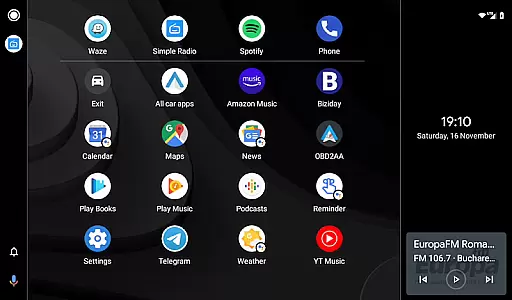
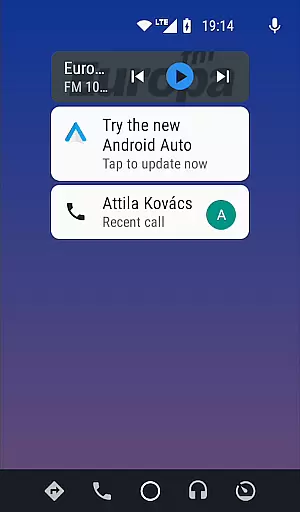
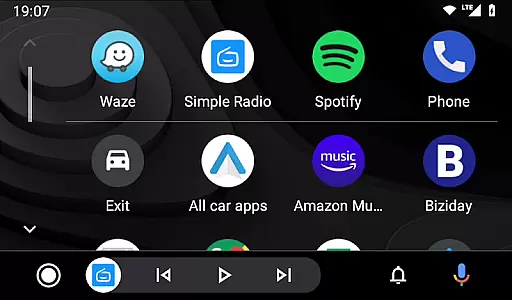

Headunit Reloaded Emulator HUR is a specialized application designed to emulate Android Auto on compatible head units. This app allows users to transform their car's infotainment system into an Android Auto-like interface, providing access to navigation, music, and other smartphone features directly from the vehicle's display.
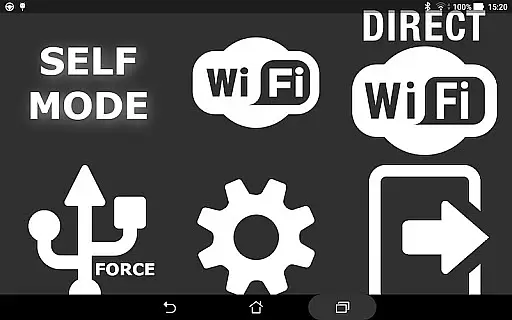
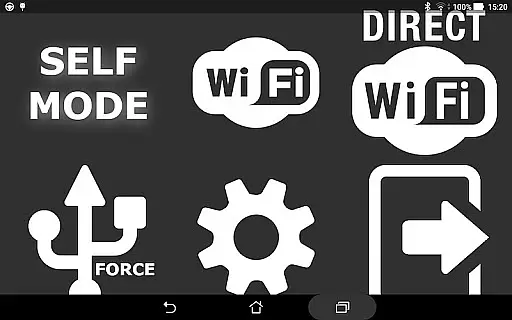
The emulator supports multiple connection modes including USB, WiFi, and Self-mode for devices running both Android Auto and the emulator itself. With compatibility across various hardware like Joying, Xtrons, and PX5 units, it delivers a versatile solution for enhancing in-car entertainment systems. The app's value lies in its ability to modernize older car systems, making them compatible with current smartphone functionalities.
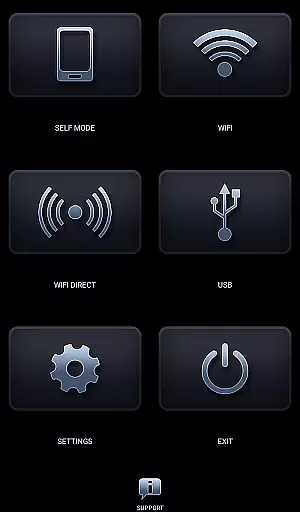
Headunit Reloaded Emulator HUR offers several notable features that enhance the user experience. The app provides multiple connectivity options such as USB mode for direct connections, WiFi mode for wireless operation, and Self-mode for devices running both Android Auto and the emulator.
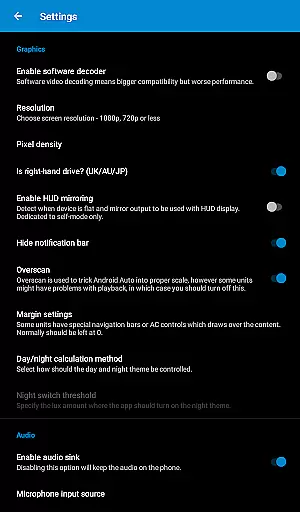
Users can customize their experience through various settings, including software decoding options to address compatibility issues. The app supports a wide range of Android-powered head units and includes advanced features like hardware key support and intent support. These capabilities ensure broad compatibility and optimal performance across different vehicle systems, making it a comprehensive solution for Android Auto emulation.
Map accuracy is essential for any navigation app, and Headunit Reloaded Emulator HUR excels in this area. The application provides precise mapping data that is consistently updated to ensure users have the most current information available.
The emulator supports a wide range of Android-powered head units, including Joying, Eonon, Grom Vline, Xtrons, PX5 and PX3 units, A-Sure, RK3188 units, RK3066 units, Avin, and others. This compatibility ensures that no matter what system you're using, you'll receive accurate map data tailored to your device's capabilities.
Users benefit from reliable location tracking and detailed maps which allow for efficient route planning. Whether driving through urban landscapes or navigating rural roads, drivers can trust that their position on the map reflects their true location with minimal deviation.
Effective route planning is a cornerstone of the Headunit Reloaded Emulator HUR experience. By integrating seamlessly with Android Auto, it offers intuitive route suggestions based on real-time traffic conditions and historical travel data.
When connected via USB or Wi-Fi, the app allows users to input destinations easily and receive optimized routing options. For those who prefer self-mode operation, simply opening HUR and pressing Self-mode initiates an automatic connection process with Android Auto for streamlined navigation.
This functionality not only saves time but also enhances safety by reducing distractions while driving. Drivers can focus on the road ahead knowing they have a reliable co-pilot in Headunit Reloaded Emulator HUR guiding them to their destination efficiently.
User-friendly interface
Multiple connection modes
Broad device compatibility
Customizable settings
Regular updates
Requires technical knowledge
Occasional connection issues
Limited customer support
No iOS support
Some features need additional apps

Explore the world with Live Satellite View, 3D Maps, GPS Navigation & Earth Map.
 2.90
2.90
Turn your Android device into a real off-road GPS using off-line topo maps!
4.40
Play in the outdoors with Android as your Handheld GPS and offline topo maps!
3.50
Navigate confidently with our precise Digital Compass app & Direction Compass!
4.70
Phone Tracker and GPS Location Sharing
4.20
Affordable rides and food delivery with incredible discounts in just one app.
4.50
Truck Safe GPS Navigation & Maps: Parking, Fuel, Diesel, Weight Station
4.80
ParkWhiz, an Arrive Mobility brand, part of the Arrive Network
4.30
Neshan: map & navigation app with 20M+ monthly active users
4.50
Airport parking, with airport shuttle (TPS shuttle), reservations, and Spot Club
4.80
GPS Speedometer & Odometer: Track car, bike, truck speed & distance in real-time
4.70
Ride or drive at YOUR price
4.70
Park in Chicago, NYC, Boston, SF, Houston & more!
4.70
Navigate with your watch and keep the phone in your pocket!
4.60
Complete offline 1:50k South Island topo map including DOC Hunting Permit Areas
4.60
"Balad" is a map and navigator with a Persian voice assistant and a complete city guide
4.40
Number locator, real connection map
4.10
Get directions, Maps, GPS navigation & GPS Maps using GPS App
4.10
Get route map navigation with 3D satellite view, and live earth camera streaming
3.70


User Reviews