
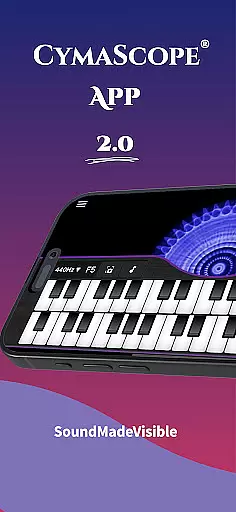
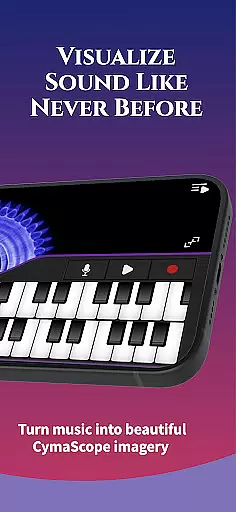

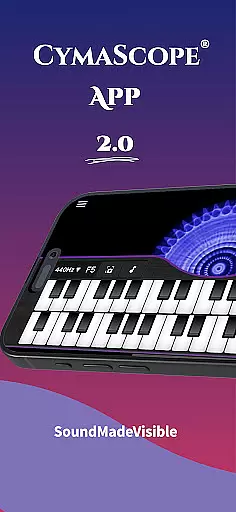
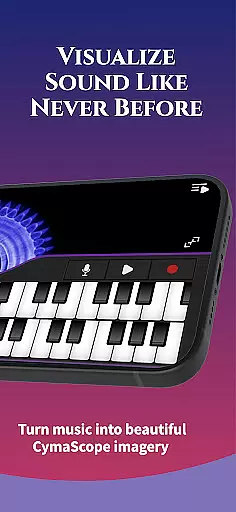

CymaScope is an innovative entertainment app that allows users to visualize sound frequencies and explore the hidden beauty of voice and music. This app serves as a window into the fascinating world of cymatics, bringing frequencies to life right at your fingertips. Whether you are a musician, vocalist, or simply someone with a curious mind, CymaScope offers a unique experience that merges science and art.
With its user-friendly interface, CymaScope lets you play the keyboard and watch sound frequencies transform into visual patterns resembling blooming flowers on your screen. You can also record sequences, transpose your voice or music into dynamic CymaGlyphs, and even capture these moments to share with friends. The app supports real-time note matching and provides options for different tuning frequencies, making it a versatile tool for both learning and creative expression.
This app is not only entertaining but also educational, offering free articles on sound therapy and Egyptian rebirth sonic rituals. It's perfect for anyone interested in sound visualization, including sound practitioners, music therapists, and cymatics enthusiasts. By bridging the gap between auditory and visual experiences, CymaScope opens up new dimensions of artistic and scientific exploration.
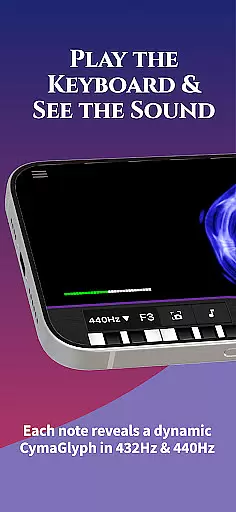
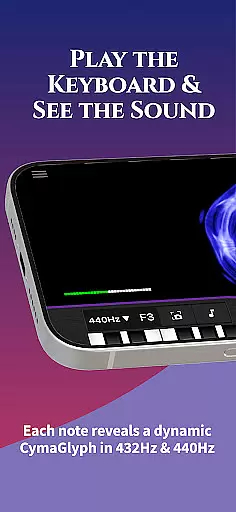
CymaScope stands out with its rich array of features designed to provide an immersive cymatic experience. One of the key highlights is the ability to play the keyboard and see each note transform into vibrant visual patterns on the screen. This feature alone makes it a powerful tool for musicians and vocalists who want to explore the visual representation of their craft.
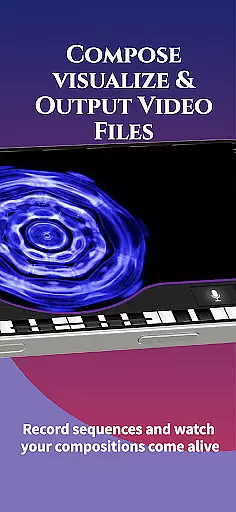
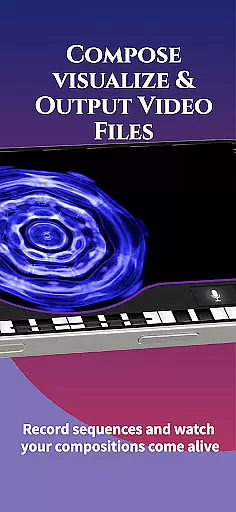
Beyond the keyboard, CymaScope offers several other functionalities. Users can click the Record icon to store their own keyboard sequences or capture the imagery created by their voice or music. The Microphone icon allows users to watch their voice or music transpose into beautiful, dynamic CymaGlyphs in real time. Additionally, the Camera icon lets users capture still images of these patterns and save them to their device’s photo library or share them with friends.
The app also includes advanced features such as real-time note matching, which identifies the musical name of frequencies, useful for learning pitch matching. With options for 432 Hz and 440 Hz tuning, users can compare the intricate details of imagery created by different concert pitches. Moreover, the app provides access to curated articles and state-of-the-art CymaScope videos, enriching the overall user experience and making it a comprehensive tool for both entertainment and education.
The CymaScope app offers a rich variety of content that keeps users engaged with fresh experiences every time they interact with the app. Its main feature allows users to visualize sound frequencies through a keyboard, microphone, and recording functionalities, creating dynamic CymaGlyphs that bring music and voice to life visually.
Additionally, the app provides access to curated articles on sound therapy and Egyptian rebirth sonic rituals, ensuring that users have access to updated educational content. This continuous update cycle guarantees that users always have new material to explore, enhancing their understanding of sound and its visual manifestations.
Moreover, the app includes a gallery of state-of-the-art CymaScope videos, merging beauty with sound frequencies in an immersive experience. These videos not only captivate but also educate, offering deeper insights into the science of cymatics. With such diverse content, the app ensures sustained user interest and repeated use.
User engagement and retention are critical factors for any app's success, and the CymaScope app excels in these areas by providing interactive and educational features that encourage prolonged use. The real-time note matching and the ability to choose between 432 Hz and 440 Hz tuning options offer users an engaging way to learn pitch matching, which is particularly beneficial for musicians and vocalists.
Furthermore, the app's capability to mirror to a computer or video projector makes it ideal for group settings, allowing multiple users to experience and interact with the imagery simultaneously. This feature significantly boosts session durations as users can share their experiences with others, fostering a sense of community and collaboration.
By continuously updating its content and offering unique features like sound visualization and high-quality CymaScope videos, the app ensures that users remain engaged over long periods. This ongoing engagement not only enhances user satisfaction but also promotes higher retention rates, making the CymaScope app a valuable tool for anyone interested in the hidden beauty of sound frequencies.
Unique cymatic visuals
User-friendly interface
Real-time frequency analysis
Educational content included
Versatile tuning options
Limited free content
High system requirements
No offline mode
Frequent ads in free version
Complex for beginners

Watch whatever you want, whenever you want, wherever you want.
 3.30
3.30
EVP Recorder / Voice Recorder for ghost hunting, to communicate with ghosts.
4.1
Stream over 80 hours of exclusive mashups and remixes by DJ Rehab.
4.5
Watch short films, dramas, reels, series and movies anytime on Micro Drama.
4.60
Classic dynamic pixel art from Mark Ferrari.
4.70
Collaboration with popular VTubers
4.1
Just play games to earn gift cards. Keep playing, keep earning.
4.50
Necrophone is spirit box ghost hunting app made for spirit communication.
3.70
Neon Christmas Tree Animated: Festive Wear OS watch face with fitness info
4.1
Stream Movies & TV Series: Original Shows, Family Movies & New Releases Weekly
4.60
Find out if you're on Santa's Naughty or Nice List with this magical scanner!
4.60
The JBL Portable app works with JBL portable Bluetooth speakers.
4.60
Create melty bead designs by numbers, photos or your imagination
4.40
Practice and master your ESP and intuition with five mode trainer.
4.20
Official KennysGifs Stickers
4.20
A companion app for the game Elite Dangerous
4.10
Experience the video editing experience brought by our intuitive interface
4.10
Air Horn - Siren Sounds Prank, Fun way to wake up your Friends and Family
4.0
Control your AWTRIX 3 easily
4.5


User Reviews