
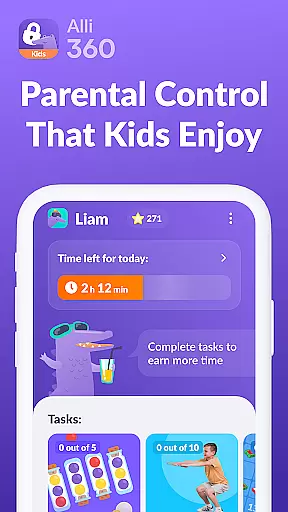



Alli360 by Kids360 is a parental control app designed to help parents manage their children's screen time effectively. The service allows setting specific time limits on entertainment apps and games, ensuring a healthy balance between digital engagement and other activities.
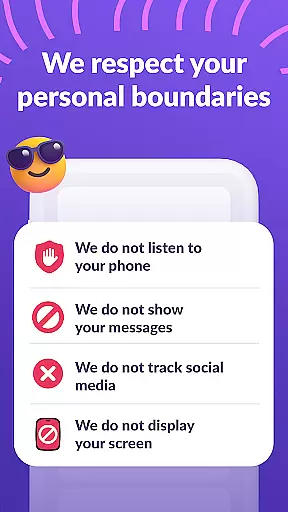
Key features include scheduling functions for school and rest times, selecting which apps to limit or block completely, and providing detailed usage statistics. Parents can always stay connected through essential communication apps. Importantly, the app operates transparently and requires explicit consent from the child, with strict adherence to GDPR policies for data protection.
This app is particularly useful for families looking to establish healthy digital habits while maintaining open communication and trust. By monitoring and managing screen time, Alli360 supports a balanced lifestyle that prioritizes education, family time, and responsible device usage.
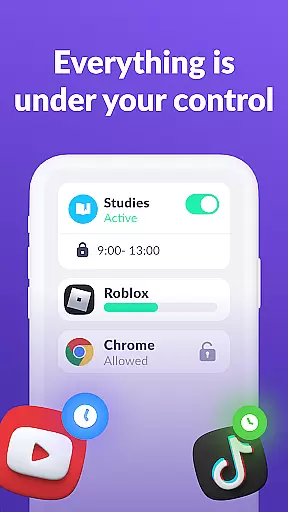
Alli360 offers a comprehensive set of features for effective parental control. The app enables parents to set precise time limits on specific applications and games, helping regulate how much time teens spend on their smartphones.
The scheduling feature allows parents to define periods when certain apps are inaccessible, such as during school hours or bedtime. A customizable list of applications lets parents choose which apps to restrict or block entirely. Additionally, the app provides detailed insights into time spent on different applications, helping identify usage patterns.
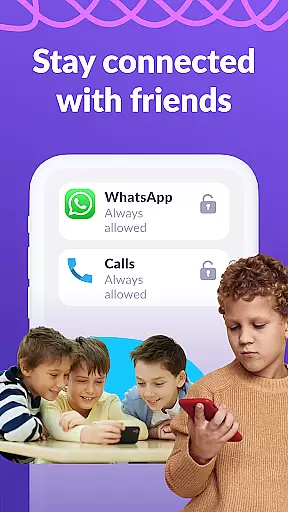
Notably, Alli360 ensures that critical communication channels remain accessible at all times. The app's transparent approach and commitment to data privacy make it a reliable tool for modern parenting, promoting healthier digital habits without compromising trust and privacy.
When it comes to parenting applications, the credibility of content and expert validation are paramount. Alli360 by Kids360 stands out in this aspect by offering a service that is designed with family safety and parental control in mind. The app provides parents with reliable tools to manage their teen's smartphone usage effectively.
The features provided by Alli360 u2014 such as setting time limits for specific apps, scheduling school and rest times, and selecting which applications to limit or block u2014 are developed based on recognized parenting guidelines. This ensures that the recommendations and controls offered are not only practical but also endorsed by child development experts.
Furthermore, the app emphasizes transparency and consent, making it impossible to install without the child's knowledge. Personal data protection adheres strictly to legislation and GDPR policies, reinforcing its trustworthiness. Parents can feel confident that they are using a tool that respects privacy while promoting healthy digital habits.
Alli360 offers precise growth tracking capabilities that allow parents to monitor their teen's smartphone usage accurately. One of the key functionalities is the ability to see how much time your teen spends on their device and identify the most used applications. This feature provides valuable insights into behavioral patterns and helps parents make informed decisions about screen time management.
In addition to tracking time spent, the app includes detailed reports and analytics. These tools enable parents to understand not just the duration but also the context of smartphone use. By analyzing these reports, parents can have meaningful conversations with their teens about balancing entertainment with educational or productive activities.
The accuracy of growth tracking extends beyond mere numbers; it encompasses comprehensive monitoring supported by various permissions like accessibility services and usage access. Such permissions ensure that the collected statistics are reliable and reflect genuine user behavior, empowering parents with accurate data to guide their teenu2019s digital journey responsibly.
Effective time management
Transparent operation
Customizable app restrictions
Detailed usage reports
GDPR compliant data handling
Requires child's consent
Limited free features
Complex setup process
Premium subscription needed
Device compatibility issues

Daily Routine & Timer for kids, ADHD, & Autism
 4.80
4.80
Cherish every beat - capture your baby's heart sounds with our app
4.30
Little loved one's monitoring, Sleep tracking and Parenting content.
3.80
A Coloring for the Whole Family! Discover the Joy of Family Love Through Colors!
3.60
Protect kids online safety through GPS tracking,screen time control,app blocking
4.20
Fun Ideas for Parents
4.70
Watching baby, helping parents
4.10
Pinardin - Smart Parental Control, Online Safety & GPS Tracking!
4.80
The Most Trusted Co-Parenting App.
4.60
Parental control App for Location, Remote Camera, Screen Mirroring, Block Apps.
4.60
Track your pregnancy & your baby's growth in 3D. Get support from our community
4.60
GPS phone tracker: find kids on map. Location tracking and parental control.
4.50
Real-time family location with consent, check-ins & SOS—private by default.
4.40
GeoLog - Real-Time Location Tracker
4.40
Learn according to the age of your child and consult with other moms.
4.20
The 10 development leaps of your baby | newborn milestones & leap days tracker
4.10
Discover fun videos, kids songs, bedtime stories and games
3.60
SemLog aims to raise awareness among families and their children
3.40
AI Motion Video Maker & Ideas
4.3


User Reviews