
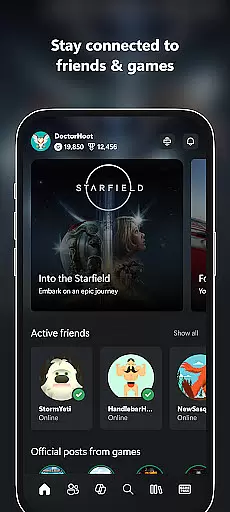
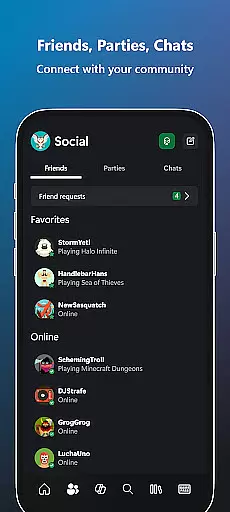
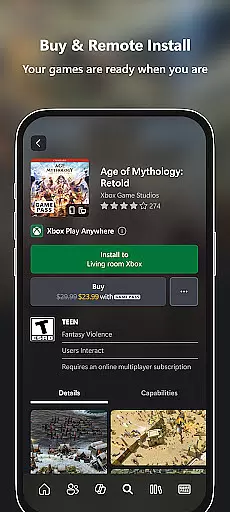
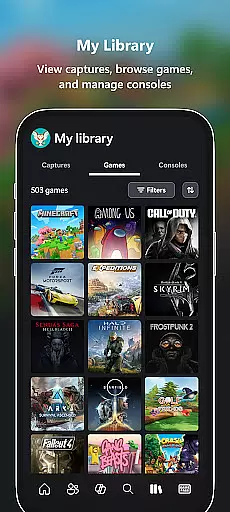
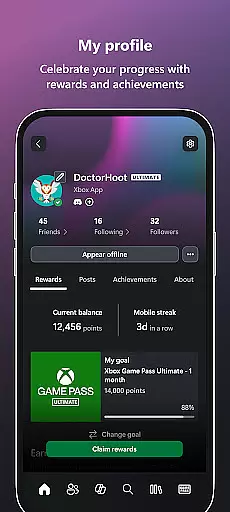
Xbox is a comprehensive entertainment app that bridges the gap between console gaming and mobile experiences. The app allows users to stay connected with their gaming community through integrated voice and text chat, regardless of whether friends are on console, PC, or mobile. It provides real-time notifications for game launches, party invites, and messages, ensuring users never miss important updates. Additionally, Xbox offers seamless purchasing options for games and add-on content directly within the app, as well as the ability to download games remotely to consoles.
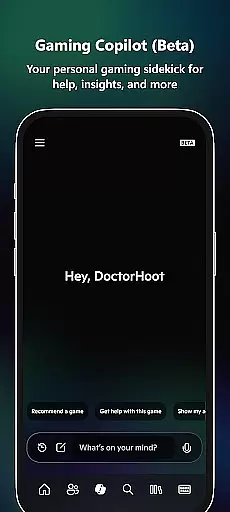
One standout feature is the Gaming Copilot (Beta), which serves as a personal gaming assistant to help users overcome in-game challenges, gain insights, and receive tailored recommendations. With easy sharing capabilities for game clips and screenshots to social networks, Xbox ensures players can showcase their best gaming moments effortlessly. Whether you're managing your Game Pass subscription, redeeming perks, or simply staying in touch with your gaming circle, this app delivers an all-in-one solution for modern gamers.
The Xbox app boasts a variety of features designed to enhance the gaming experience across multiple platforms. A key highlight is its cross-platform communication system, enabling users to engage in voice and text chats with friends who may be playing on consoles, PCs, or other devices. This ensures uninterrupted connectivity within the gaming community. Another notable feature is remote game downloading; users can queue up downloads to their home console from their mobile device, so games are ready to play when they get back to their console.
Gaming Copilot (Beta) adds another layer of innovation by providing personalized assistance during gameplay. Whether it's offering tips to overcome difficult levels or helping players optimize their strategies, this tool acts as a virtual sidekick. Furthermore, the app simplifies content management by allowing users to browse and purchase games, add-ons, and subscriptions without leaving the interface. Lastly, the intuitive sharing functionality lets users post game clips and screenshots directly to their favorite social media platforms, making it easier than ever to share achievements with friends.
In the realm of digital entertainment, content variety and freshness are paramount to maintaining user engagement. The Xbox app excels in this area by offering a dynamic range of features that cater to gamers' multifaceted interests. From integrated voice and text chat with friends on various platforms to notifications for new game launches and messages, the app ensures users are always in the loop.
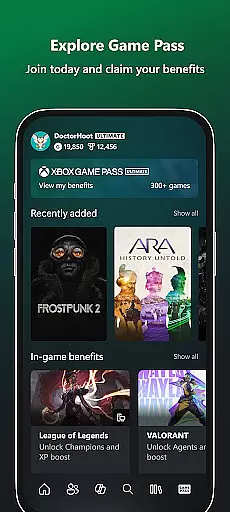
Moreover, the Xbox app provides access to the Game Pass catalog, allowing users to explore and experience a wide array of gaming titles. This constant influx of games and add-on content keeps the platform's offerings novel and engaging. Additionally, the Gaming Copilot (Beta) feature acts as a personal gaming aide, delivering tailored recommendations and insights, further enhancing the freshness of content for each user.
The ability to easily share game clips and screenshots to favorite social networks also adds a layer of personalization and timeliness to the user's experience. By facilitating such immediate sharing, the app not only enriches its content ecosystem but also integrates seamlessly into the broader social media landscape, ensuring that users' feeds are continually refreshed with their latest gaming achievements.
User engagement duration and retention are critical metrics for any entertainment platform, and the Xbox app addresses these aspects through thoughtful design and functionality. By enabling users to buy games and add-on content directly within the app, it removes barriers to access, encouraging longer play sessions and repeat usage. This streamlined purchasing process is complemented by the convenience of downloading games to a console, ready for play at any moment, thus promoting sustained engagement.
Notifications for party invites, messages, and major game events serve as prompts that draw users back into the app, increasing both the frequency and duration of their visits. These timely alerts ensure that users remain connected to their gaming communities and are constantly aware of interactive opportunities, which significantly boosts retention rates.
Furthermore, the Gaming Copilot (Beta) enhances user engagement by providing in-game assistance that helps players overcome challenges and improve their skills. This support system not only aids in prolonging individual gaming sessions but also fosters a deeper, more enduring connection between the user and the Xbox app, as players come to rely on its resources to enhance their gaming journey.
User-friendly interface
Seamless cross-platform integration
Remote game download capability
Integrated voice and text chat
Personalized Gaming Copilot
Limited offline functionality
Beta features may have bugs
Requires stable internet connection
Some features locked behind subscription
Occasional notification delays

Ultimate VR movie player for android mobile videos
 4.5
4.5
Fun brain twisting challenge with trending Whirlpool Filter.
4.70
A companion app for the game Elite Dangerous
4.10
Fire effects for your Philips Hue lights
4.20
Watch everything you want.
2.90
Come and watch short dramas, reels with diverse genres!
4.40
Original short dramas with diverse genres for a rich viewing experience!
4.80
Connect. Discover. Control.
3.60
Stream, Watch, Chat. Live.
4.00
Colorful flows will relax and calm you down, or get you trippy and creative!
4.90
Exclusive creator communities
4.70
Companion app for Elden Ring to track quests, bosses, progress and more.
4.70
Your Avatar, Endless Fun
4.60
Earn gift cards for playing games. Become a real game tester!
4.40
Binaural Brainwave Doses for Every Imaginable Mood
3.60
NFL, NBA, NHL, MLB, local sports coverage, shows, movies & news!
3.20
Air Horn - Siren Sounds Prank, Fun way to wake up your Friends and Family
4.3
EVP Recorder / Voice Recorder for ghost hunting, to communicate with ghosts.
4.0
Control your AWTRIX 3 easily
4.2


User Reviews