
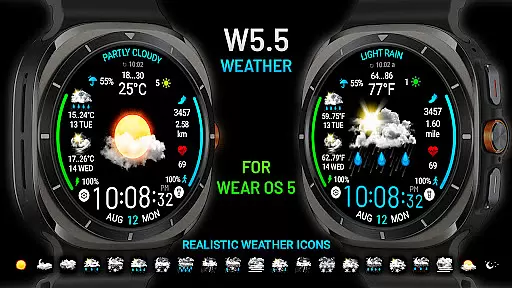
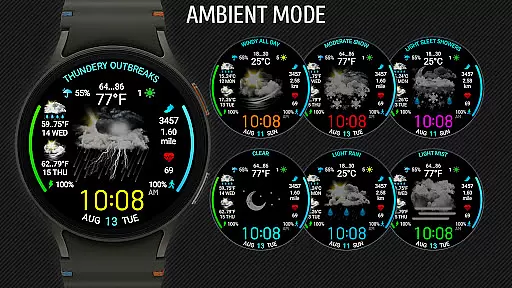
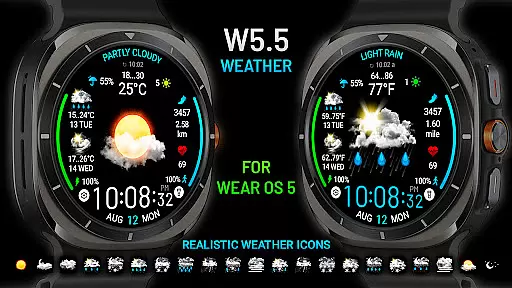
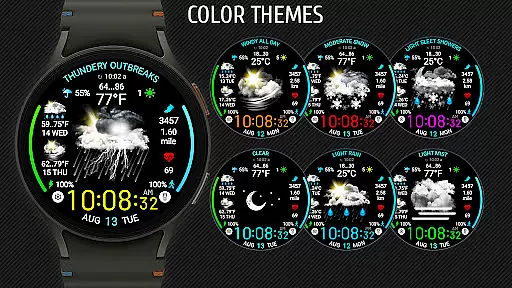
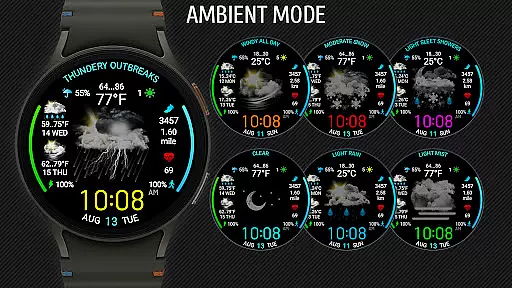
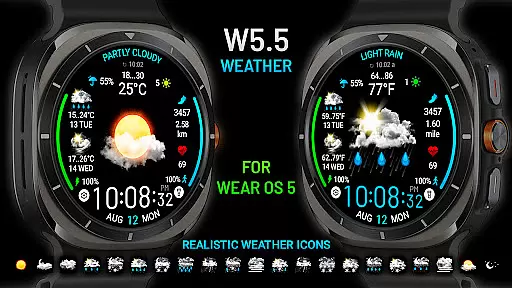
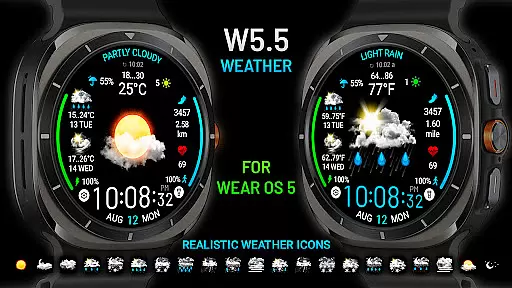
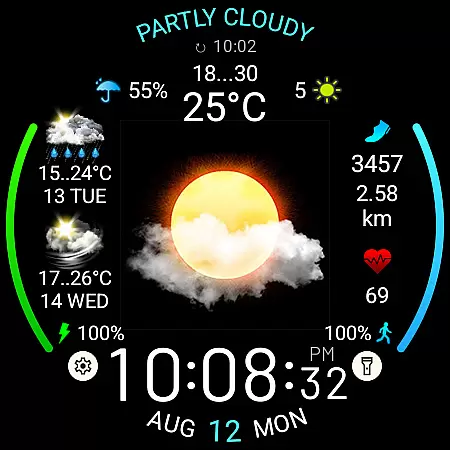
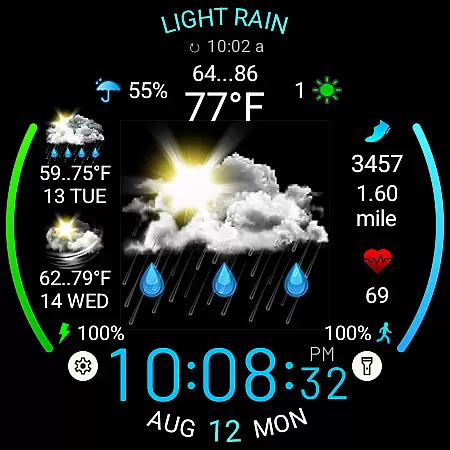
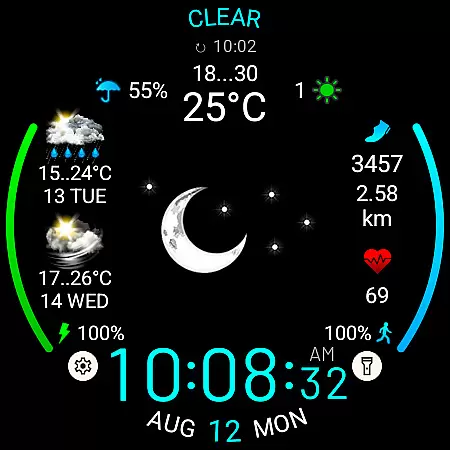
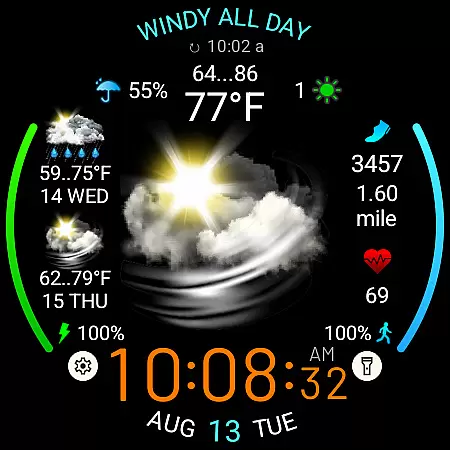
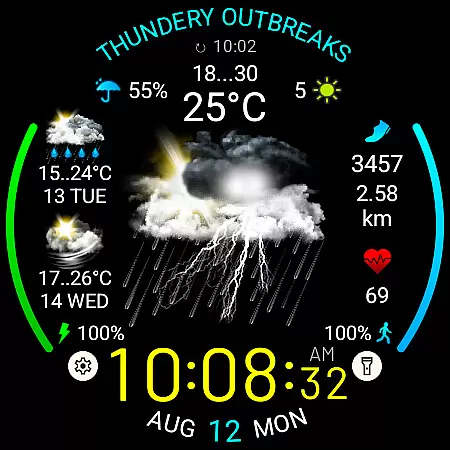
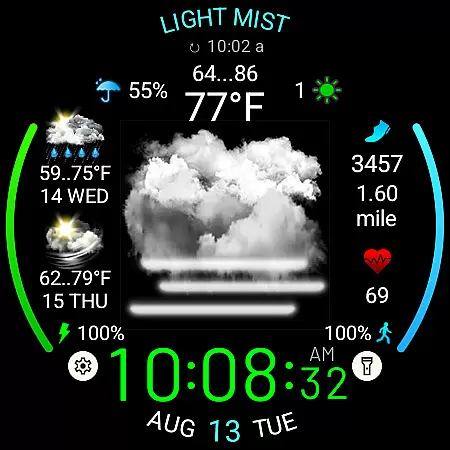
Weather Watch Face W5.5 is a specialized watch face designed for Wear OS 5+ devices, offering users an enhanced weather tracking experience directly on their smartwatches. This app features large, realistic weather icons that provide clear visual cues about current weather conditions.
In addition to displaying the digital time, this watch face provides essential weather details such as precipitation probability, UV index, and a 2-day forecast. With support for health metrics like heart rate, steps, and distance traveled, it serves as a comprehensive tool for both fitness and weather monitoring.
Designed exclusively for the latest Galaxy Watch and Pixel Watch models, Weather Watch Face W5.5 ensures optimal performance and aesthetics on supported devices. Its intuitive design makes it easy for users to access critical information at a glance, enhancing their overall wearable experience.
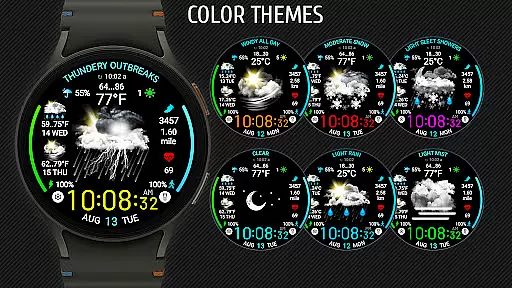
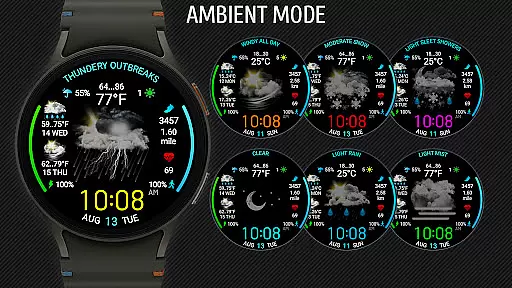
Weather Watch Face W5.5 stands out with its array of customizable features tailored for Wear OS 5+ users. The app showcases 15 distinct weather conditions through large, realistic icons, ensuring users can quickly interpret the current weather status.
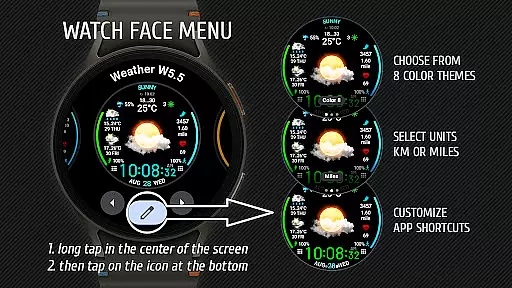
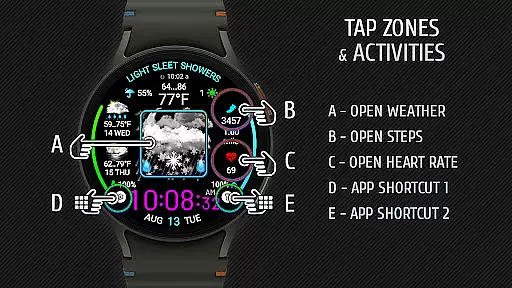
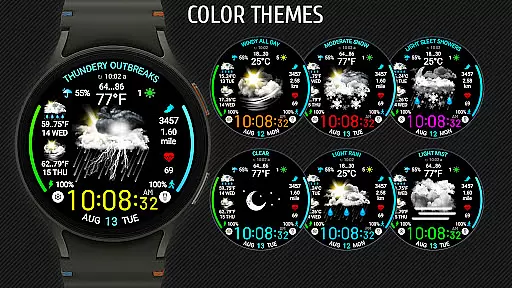
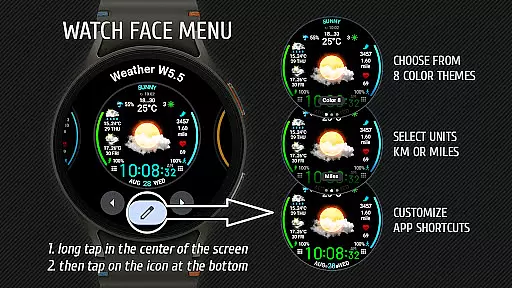
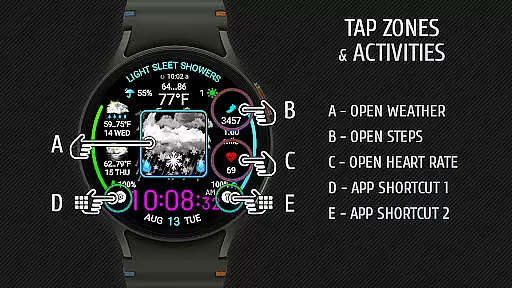
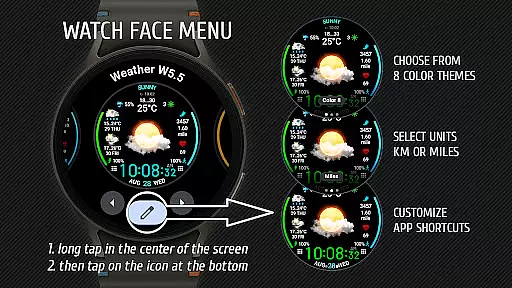
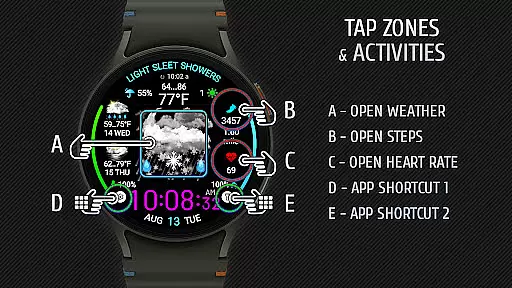
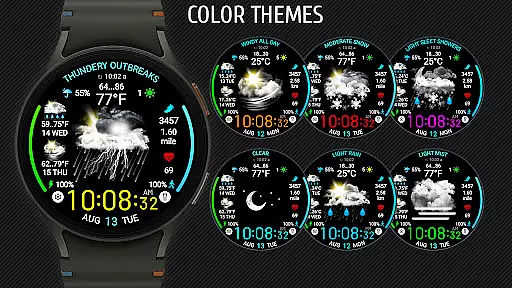
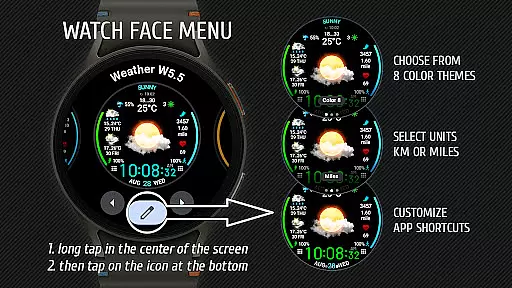
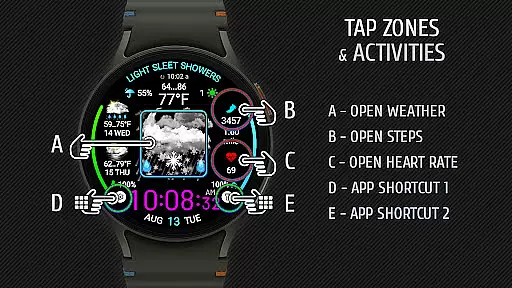
Users can personalize their experience by selecting from 8 different color themes and choosing their preferred unit of measurement for distance (km or miles). Additionally, the watch face includes two customizable app shortcut areas, allowing quick access to frequently used applications.
The integration with The Weather Channel and other system weather sources ensures accurate and up-to-date weather forecasts. By combining practical health metrics with essential weather information, this app delivers a versatile and user-friendly interface that enhances daily smartwatch interactions.
Forecast accuracy and data credibility are crucial for any weather application, ensuring users receive reliable information to plan their day effectively. Weather Watch Face W5.5 leverages The Weather Channel as its primary data source, known for its precision and comprehensive coverage.
This app provides users with current weather conditions, precipitation probability, UV index, and a 2-day forecast directly on their Wear OS smartwatch. By integrating with trusted weather sources, the app ensures that displayed information is both accurate and timely.
Users benefit from having trustworthy weather data at a glance, allowing them to make informed decisions about outdoor activities, travel plans, or daily commutes. With real-time updates and realistic icons representing various weather conditions, Weather Watch Face W5.5 enhances user experience by delivering dependable meteorological insights.
The temporal and spatial forecast range of a weather application defines how far into the future and across what geographic areas it can provide predictions. Weather Watch Face W5.5 offers a detailed 2-day forecast, giving users an extended outlook beyond just the current conditions.
In addition to short-term forecasts, this watch face displays digital time, heart rate, steps, and distance traveled, making it a versatile companion for everyday use. Its compatibility with the latest Galaxy Watch and Pixel Watch models ensures optimized performance and display quality.
By focusing on a concise yet informative forecast window, Weather Watch Face W5.5 caters to users who need quick access to essential weather details without overwhelming them with excessive data. This targeted approach helps maintain clarity while providing sufficient foresight for planning purposes.
Realistic weather icons
Customizable color themes
Health metrics integration
Two app shortcuts
Optimized for latest models
Not compatible with older OS
Limited device support
No standalone weather data
Requires system weather source
Premium features may cost extra

Your local weather app with storm radar, rain tracker, weather maps & AQI.
 4.5
4.5
Your Trusted Weather Companion
4.40
No ads, No data collected. Beautiful and powerfully customizable weather app
4.90
weather forecast, weather radar, weather widget in one local weather app
4.70
Stay ahead of the weather with Daily Weather
4.10
Accurate Local Weather Forecast, let you easily understand the nearby weather!
4.20
NOAA forecast & radar for your exact location.
4.80
14-day & 24-hour Forecast | Real-time Alert | Accurate & Fast
4.40
Local forecast, alerts, rain, snow and wind radar, air quality & weather widget
4.60
Accurate weather forecast, daily weather changes are easy to grasp
4.90
The reliable and trusted global air quality, wildfire, pollen, PM2.5 forecast
4.70
Live weather forecast for your everyday life
4.60
Your ultimate app for accurate local weather information!
4.60
Industry leading whitetail movement predictor & hunting app.
4.60
Accurate Thermometer: indoor & outdoor temperature, humidity, pressure, and wind
4.50
Local weather forecast, reliable daily weather report
4.30
Live NOAA weather app to track storm, rain, wind, lightning & real local updates
4.20
Retro TV-style digital watch face with weather, heart rate, steps & events!
4.4
Quickly check the Hanalei river gauge height during heavy rains on Kaua'i.
4.2


User Reviews