
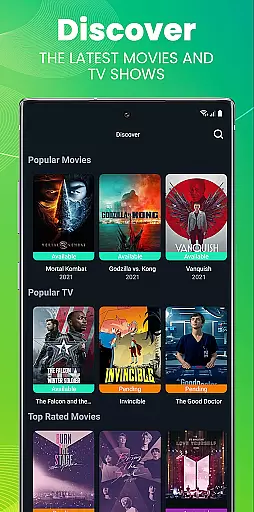
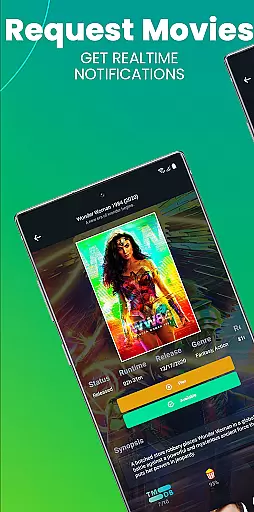
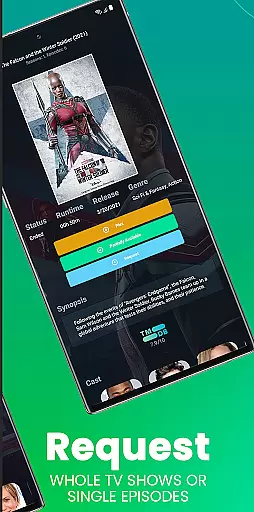
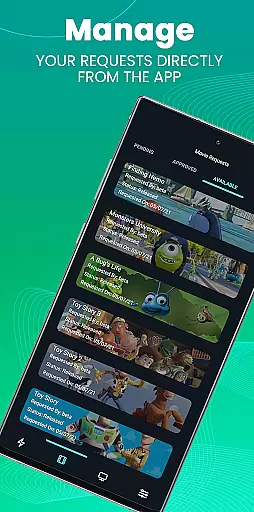
Ombi is a self-hosted entertainment management app that revolutionizes content discovery and sharing. Designed for users who manage shared media libraries on platforms like Plex, Emby, or Jellyfin, Ombi allows individuals to request movies and TV shows independently. By integrating with multiple DVR tools, it creates a seamless experience from request to delivery. The app requires an existing Ombi server (v4.0.13XX or later) to function, ensuring secure and personalized access.
With its user-friendly interface, Ombi simplifies the process of managing media requests. Users can log in, access their profile, and scan a QR code to activate the mobile app. This ensures a smooth transition from web to mobile while maintaining consistent functionality. Whether you're managing a small home setup or a large community server, Ombi enhances collaboration by empowering users to contribute to the library effortlessly.
Ombi stands out with its unique ability to integrate with popular media servers such as Plex, Emby, and Jellyfin. This integration enables automatic content requests, streamlining the process of adding new media to shared libraries. Additionally, Ombi connects with various DVR tools, creating an end-to-end solution for requesting and managing media. Its compatibility with different platforms makes it versatile and adaptable to diverse user needs.
The app's mobile functionality is another key feature. After logging into the Ombi web interface, users can access their profile and scan a QR code to link their mobile device. This process ensures secure and personalized access while maintaining synchronization across devices. As the app evolves, more features are expected to be added, enhancing its usability and appeal. With regular updates, Ombi continues to improve its user experience, making it a reliable choice for entertainment enthusiasts.
Ombi offers a diverse range of content options by integrating with Plex, Emby, and Jellyfin, allowing users to request TV shows and movies directly through the app. This ensures that users have access to the latest entertainment options without needing manual intervention from administrators.
The application supports multiple DVR tools, creating an end-to-end solution for content requests and management. By linking these services, Ombi provides a seamless experience where users can easily find and request their favorite shows or movies, ensuring that the content library remains up-to-date and relevant.
With its self-hosted nature, Ombi allows users to maintain control over their content libraries while still benefiting from automated updates and requests. This means that as new content becomes available, it can be quickly integrated into the system, providing users with fresh options regularly.
Ombi is designed to keep users engaged by offering them the ability to request content directly, which increases their interaction with the platform. The ease of use and integration with popular media servers like Plex, Emby, and Jellyfin ensures that users remain active within the app, leading to longer engagement durations.
By providing a mobile app that connects seamlessly with the web application, Ombi enhances user retention. Users can log in, manage their profiles, and scan QR codes to link their accounts, making the entire process intuitive and straightforward.
As Ombi continues to evolve, more features are expected to be added, further enhancing user engagement and retention. This ongoing development ensures that users will have continued reasons to stay engaged with the platform, anticipating new functionalities and improvements.
User-friendly interface
Seamless media integration
Secure QR code login
Regular feature updates
Community-driven development
Requires existing server
Limited standalone use
Dependent on third-party tools
Initial setup complexity
Version compatibility issues

Ultimate VR movie player for android mobile videos
 4.3
4.3
Disney Stickers: Zootopia 2
4.2
Pathfinder 2e initiative tracker with bestiary, HP, reaction, conditions, etc
4.80
Music visualizer and party effects for Hue
3.90
Chat with AI characters! Anime, games, roleplay & more.
4.50
Come and watch short dramas, reels with diverse genres!
4.40
Just play games to earn gift cards. Keep playing, keep earning.
4.50
Create your Songs. Cover Maker with any Voice, Song Generator
3.30
World's largest dedicated anime collection
4.70
Exclusive creator communities
4.70
Create, chat & bond with AI souls who truly listen.
4.50
Atomus is a 10-finger multi-touch interactive visualizer.
4.30
Best of icon for christmas
4.30
Catch the latest episodes of The Voice or live stream NFL games with The NBC App
4.20
Watch New Episodes & Live TV
3.80
Connect. Discover. Control.
3.60
Unofficial Game Companion App” “Guides • Builds • Tips • Progression
4.2
A wonderful collection of the most beautiful sounds of animals and birds
4.2
Raise Christmas Magic with daily missions, magical scanners, and kindness.
4.0


User Reviews