
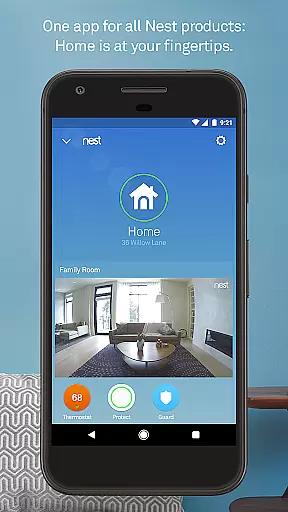
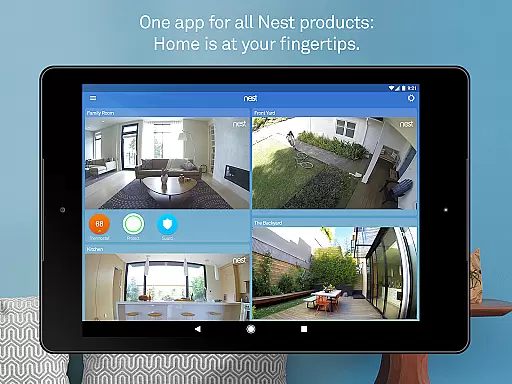
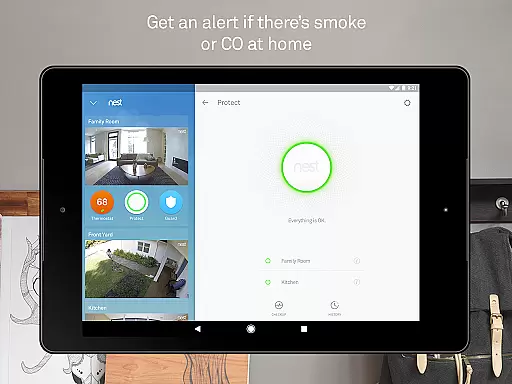
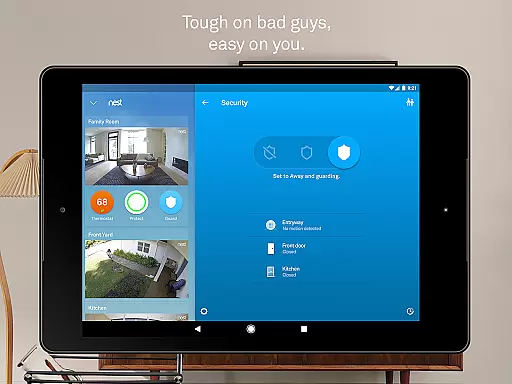
Nest is a comprehensive smart home application that allows users to control and monitor various Nest devices from a single platform. The app serves as the central hub for managing thermostats, security systems, smoke detectors, cameras, video doorbells, and smart locks. With its intuitive interface, users can easily adjust settings, receive alerts, and automate routines based on their daily habits or location.
One of the standout features of the Nest app is its ability to integrate multiple devices into a cohesive ecosystem. Whether it's adjusting the thermostat remotely, receiving security alerts, or viewing live camera feeds, the app ensures that your home remains comfortable, safe, and energy-efficient. Its compatibility with Android devices further enhances accessibility, allowing users to stay connected to their homes no matter where they are.
The true value of the Nest app lies in its automation capabilities. By leveraging sensors and algorithms, the app can anticipate user needs, such as turning off the heat when you leave the house or sending reminders to arm the security system. This level of automation not only simplifies daily tasks but also contributes to significant energy savings and peace of mind.
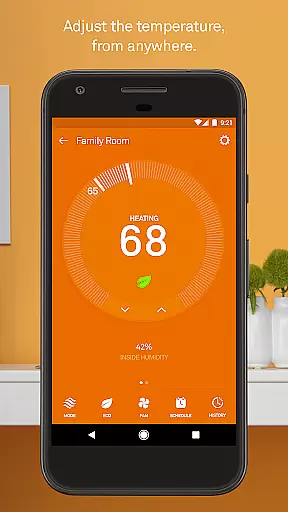
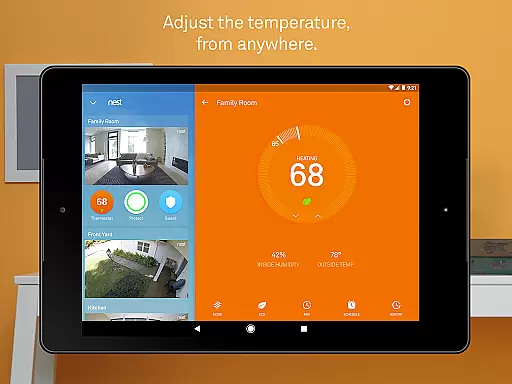
The Nest app boasts an impressive array of features designed to enhance home management. One of its core functionalities is the ability to control Nest thermostats remotely. Users can adjust temperatures from anywhere using their phones, view energy usage reports, and even receive extreme temperature alerts. This feature not only provides convenience but also helps homeowners optimize their energy consumption.
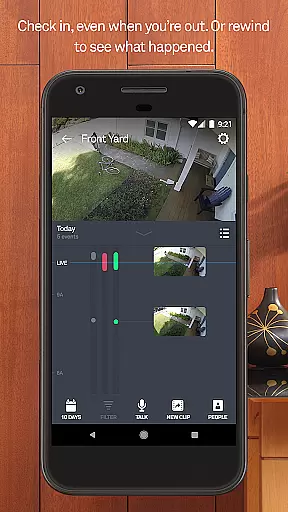
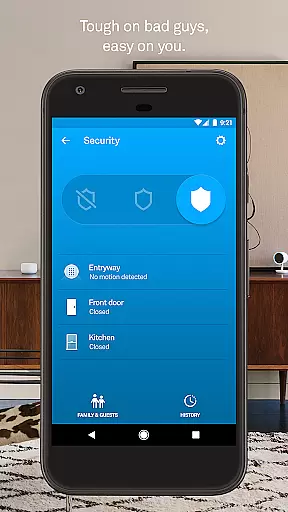
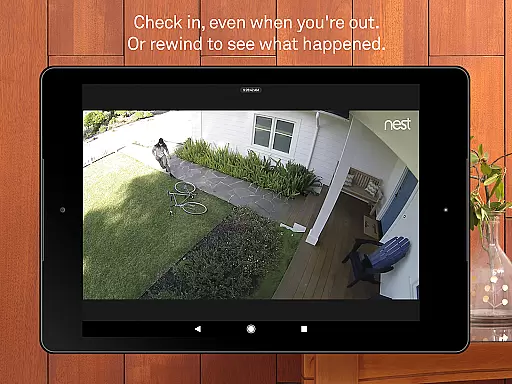
Security is another major focus of the Nest app. It allows users to arm and disarm their Nest Secure alarm systems, receive real-time alerts about suspicious activities, and monitor their homes through Nest Cam. The app also supports advanced features like person alerts and familiar face recognition when paired with a Nest Aware subscription. These capabilities ensure that users are always aware of what's happening in and around their homes.
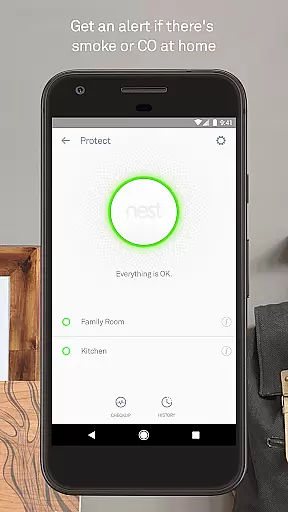
Beyond thermostats and security, the Nest app offers innovative solutions for smoke detection, doorbell monitoring, and smart locking. For instance, Nest Protect sends phone notifications during emergencies, while Nest Hello provides 24/7 video streaming and package detection at the doorstep. Meanwhile, the Nest x Yale Lock enables keyless entry and automated locking. Together, these features create a seamless and secure smart home experience tailored to modern lifestyles.
The Nest app offers comprehensive coverage of essential lifestyle categories, making it an all-in-one solution for smart home management. With features spanning climate control, security systems, smoke and carbon monoxide detection, and video monitoring, it ensures users can manage various aspects of their home environment conveniently from their mobile devices.
Through seamless integration with a range of Nest products including thermostats, alarms, cameras, and locks, the app provides users with centralized control over their home's safety, comfort, and energy efficiency. This extensive product ecosystem allows homeowners to customize their smart home experience according to their specific needs and preferences.
Moreover, the app's intuitive interface and automated functionalities such as Home/Away Assist enhance user convenience by adapting to daily routines and unexpected schedule changes. These smart features not only simplify home management but also contribute to significant energy savings and increased security awareness.
When it comes to content authenticity and expert credibility, the Nest app stands out through its partnership with industry-leading experts and use of advanced technology. Developed by Google Nest, known for creating beautiful, helpful, and easy-to-use products, the app benefits from years of research and innovation in smart home solutions.
All information presented within the app is directly sourced from connected Nest devices, ensuring real-time accuracy and reliability. Whether it's temperature readings, security alerts, or video footage, users can trust that they're receiving authentic data straight from their home systems.
Furthermore, the app's sophisticated algorithms and sensor integrations have been refined by experts in fields ranging from environmental science to home security. This technical expertise guarantees that every notification, alert, or suggestion is based on sound scientific principles and professional best practices in smart home technology.
User-friendly interface
Comprehensive device integration
Advanced automation features
Real-time alerts and notifications
Energy-saving thermostat controls
Subscription fees for premium features
Limited third-party device support
Requires stable internet connection
Occasional connectivity issues
Higher cost for hardware devices

Chat, meet genuine singles in your area. Real connections start with being real.
 4.30
4.30
Turn your watch into a key fob for your Tesla
2.90
Designed to delight, impress and energize your festive spirit every single day
4.5
Duo Watch Face (animated)
4.0
Paranormal EVP, Ghost Box, Spirit box, ITC, Haunted, Spirit communication device
3.70
Do you want to communicate with spirits?
3.80
Made To Order Faves
4.70
A smart Siddur with halachic times
4.50
Redecor your home with Home AI interior design, room planner and home designer.
4.50
Good magnifier app to see tiny things bigger and more clearly!
4.80
The all-new Cync app. The simple, connected app for Cync and C by GE.
4.50
Unique "Isometric" style digital watch face for Wear OS
4.50
The go to app for taking unlimited notes!
4.50
Mixing Colors for Menswear
4.20
Subwoofer school’s in session! You’ve now enrolled into KICKER U.
3.80
BILT interactive 3D instructions help you get the job done right
3.50
Take Hobby Lobby with you wherever you go!
3.40
The Miracle Box includes methods used by Steve Huff of Huff Paranormal.
3.20
The cutest Autumn watchface featuring the adorable Mr. Squirrel
4.4


User Reviews